Knowledge base
1000 FAQs, 500 tutorials and instructional videos. Here, there are only solutions!
Install a Lovable.dev content on an Infomaniak web hosting
This guide explains how to publish an application created with Lovable, using a Node.js site on Infomaniak.
Prerequisites
- A Lovable project on a paid Lovable plan, synchronized with a GitHub repository.
- A Node.js site.
- A domain name or subdomain intended for the application.
1. Synchronize the Lovable project with GitHub
To do this:
- Open the project in Lovable.
- Open the project settings.
- Go to the Git > GitHub section:
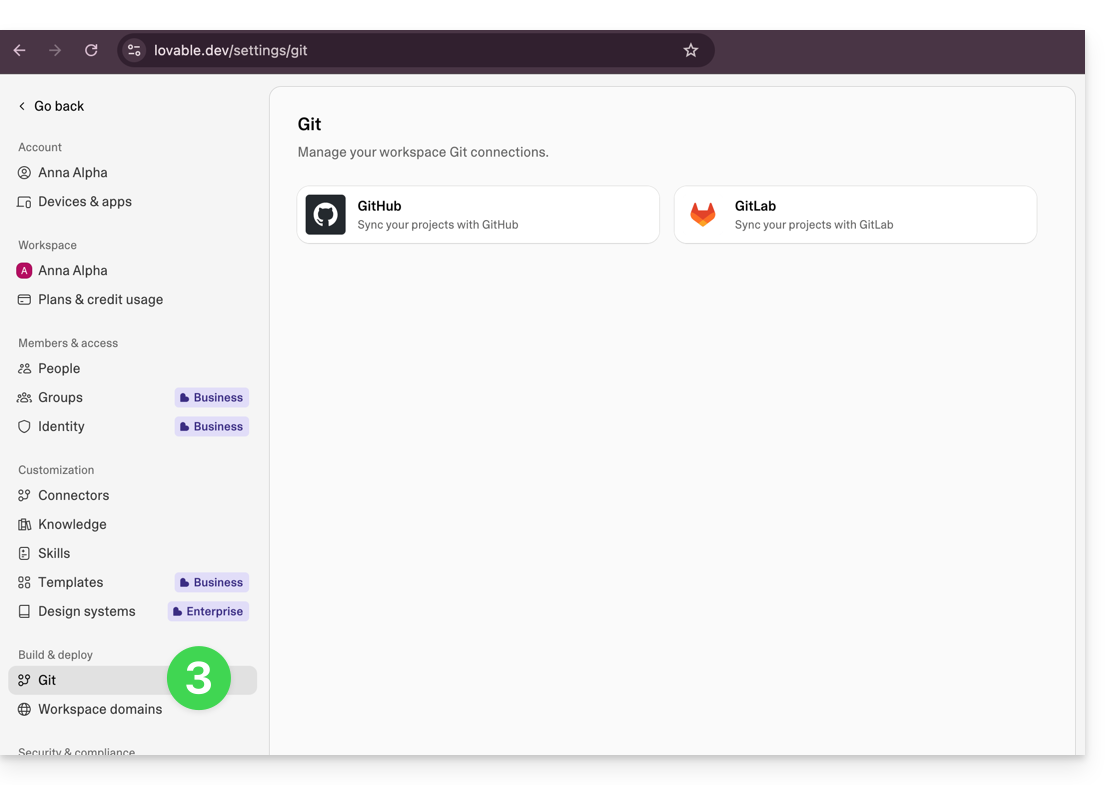
- Connect the project to a GitHub account.
- Wait for the GitHub repository to be created and the synchronization to complete.
2. Download the ZIP archive from GitHub
To do this:
- Open the GitHub repository associated with the Lovable project.
- In GitHub, click on Code.
- Click on Download ZIP:
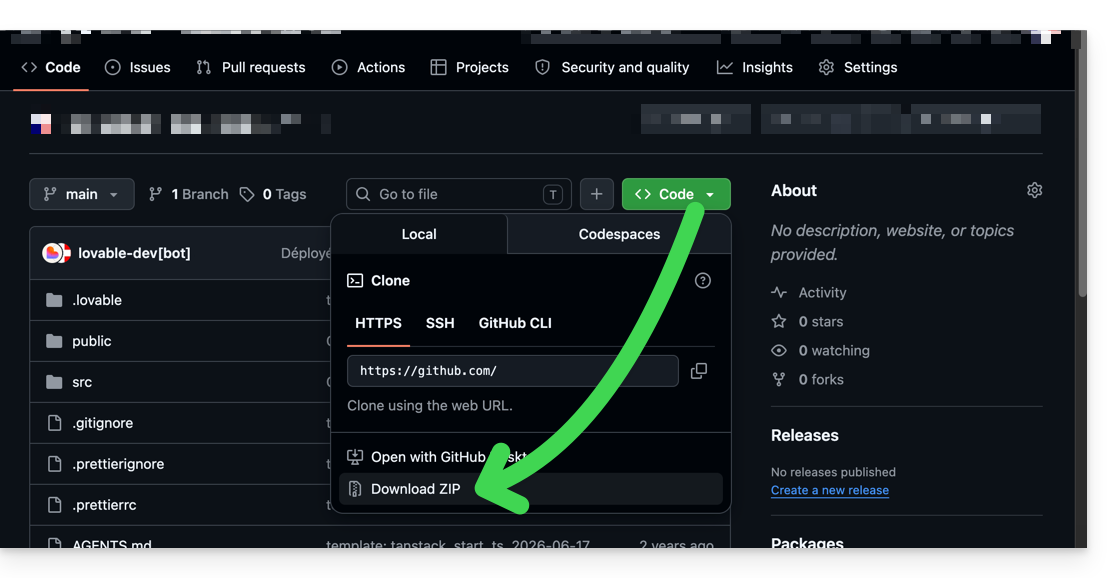
- Keep the downloaded ZIP archive.
3. Create the Node.js site on Infomaniak
To do this:
- Go to the relevant Web Hosting in the Infomaniak Manager.
- Click on the button to add a site.
- Select a project with advanced technologies.
- Choose Node.js.
- Associate the domain name or subdomain intended for the application.
- Select the custom method:
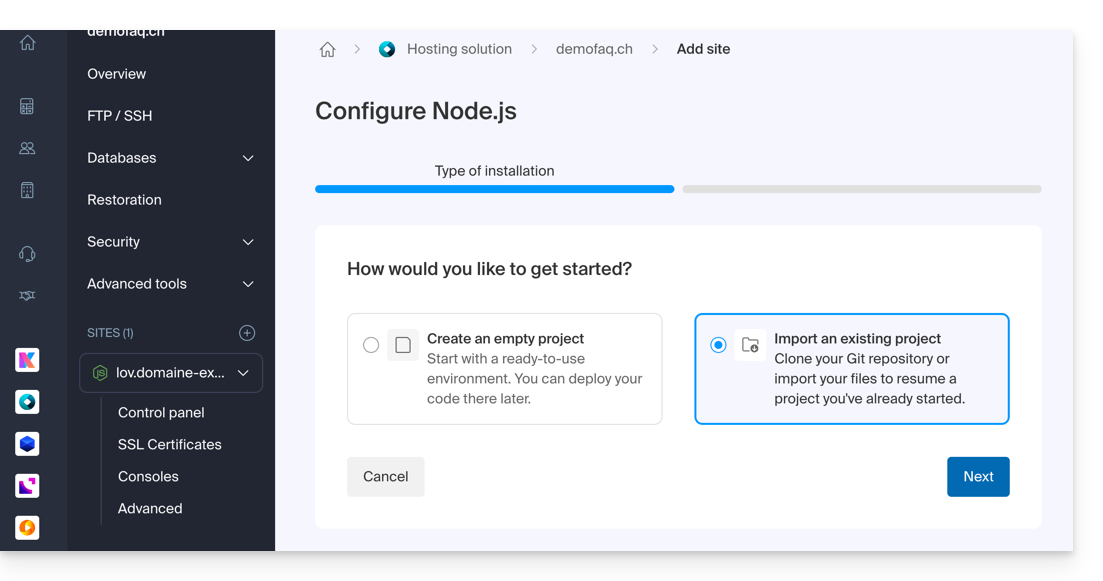
- Choose import via ZIP archive.
- Import the ZIP archive downloaded from GitHub:
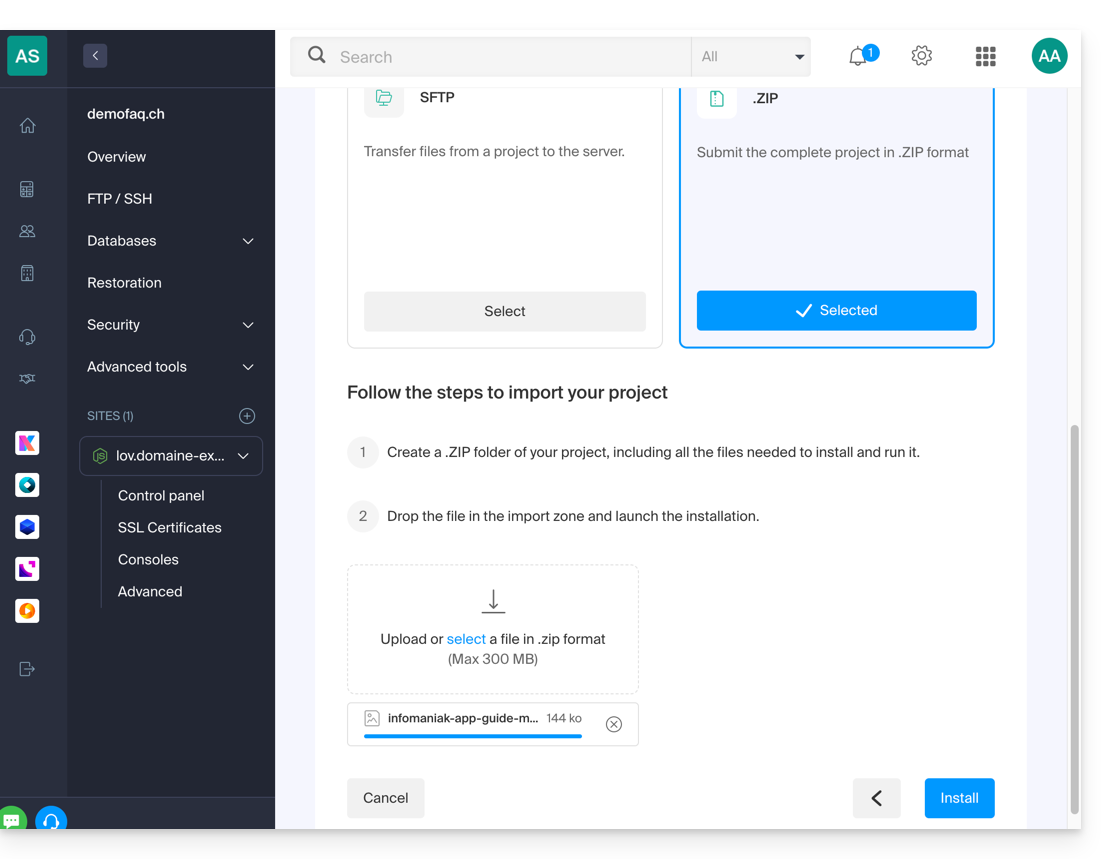
Then, enter the following values:
Build command:
npm install && npm run buildRun command:
npm start
Save the configuration.
Your site is published.
Link to this FAQ: https://faq.infomaniak.com/1568
Has this FAQ been helpful?