Knowledge base
1000 FAQs, 500 tutorials and instructional videos. Here, there are only solutions!
Install Lovable.dev content on an Infomaniak web hosting
This guide explains how to publish an application created with Lovable, using a Node.js-based website on Infomaniak.
Prerequisites
- A Lovable project on a paid Lovable plan, synchronized with a GitHub repository.
- A Node.js website.
- A domain name or subdomain for the application.
1. Synchronize the Lovable project with GitHub
To do this:
- Open the project in Lovable.
- Open the project settings.
- Go to the Git > GitHub section:
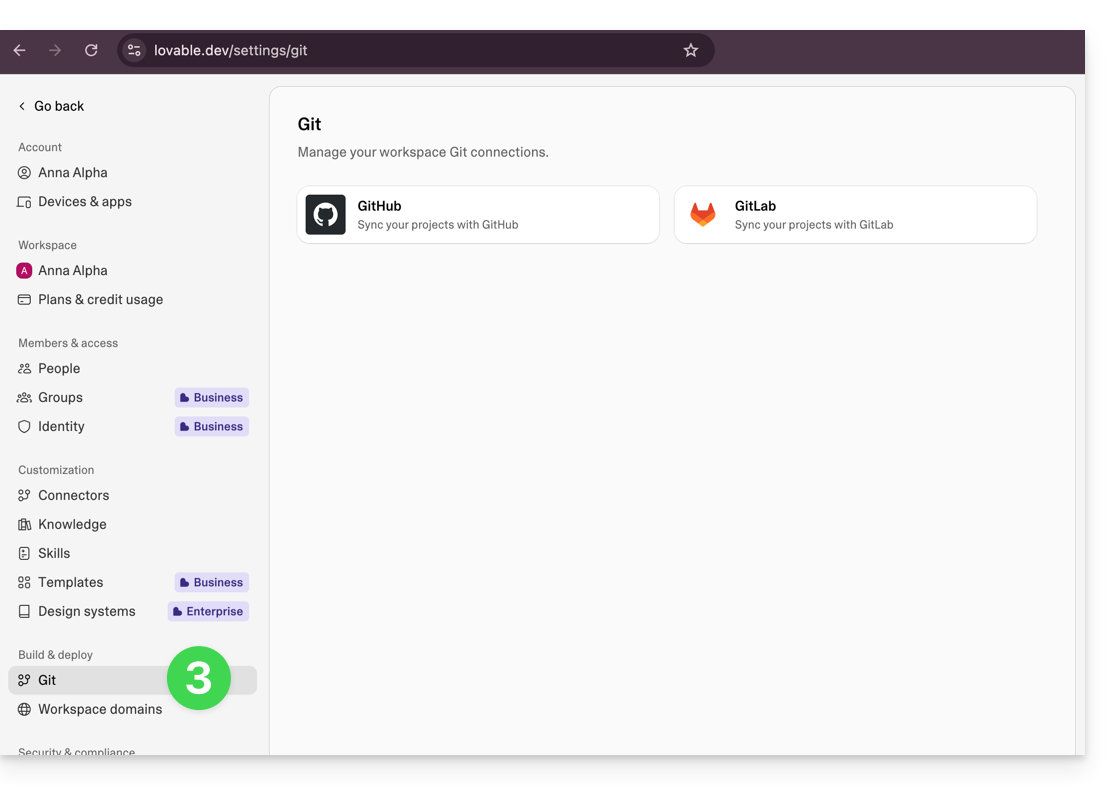
- Connect the project to a GitHub account.
- Wait for the GitHub repository to be created and the synchronization to complete.
2. Download the ZIP archive from GitHub
To do this:
- Open the GitHub repository associated with the Lovable project.
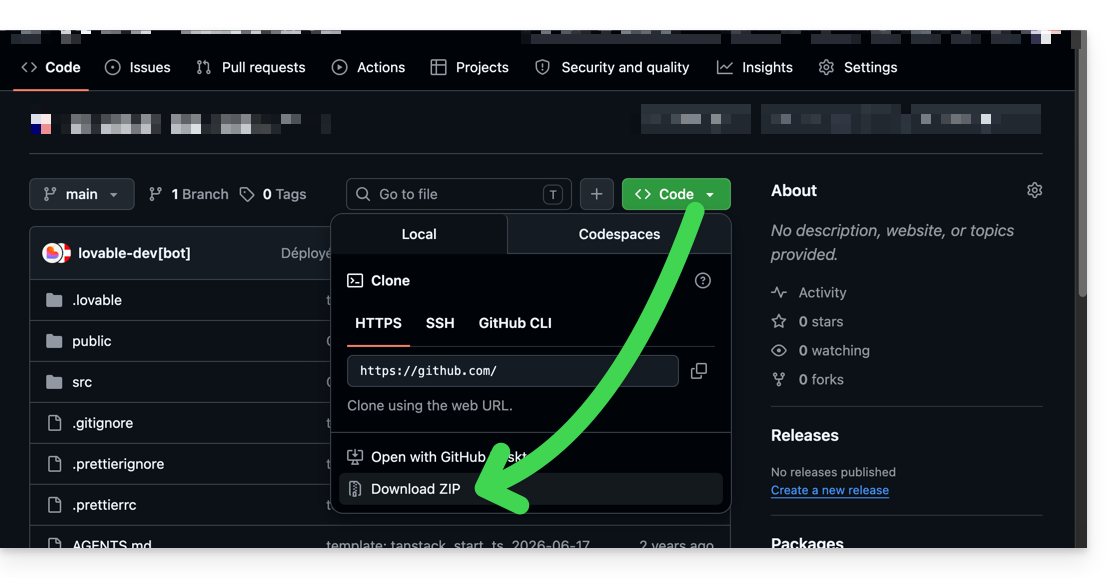
- In GitHub, click on Code.
- Click on Download ZIP:
- Keep the downloaded ZIP archive.
3. Create the Node.js site on Infomaniak
To do this:
- Click here to access the hosting & website management section in your Infomaniak Manager (❓: help).
- Click on the name of the relevant hosting.
- Click the button to add a website.
- Select a project using advanced technologies.
- Choose Node.js.
- Associate the domain name or subdomain intended for the application.
- Select the custom method:
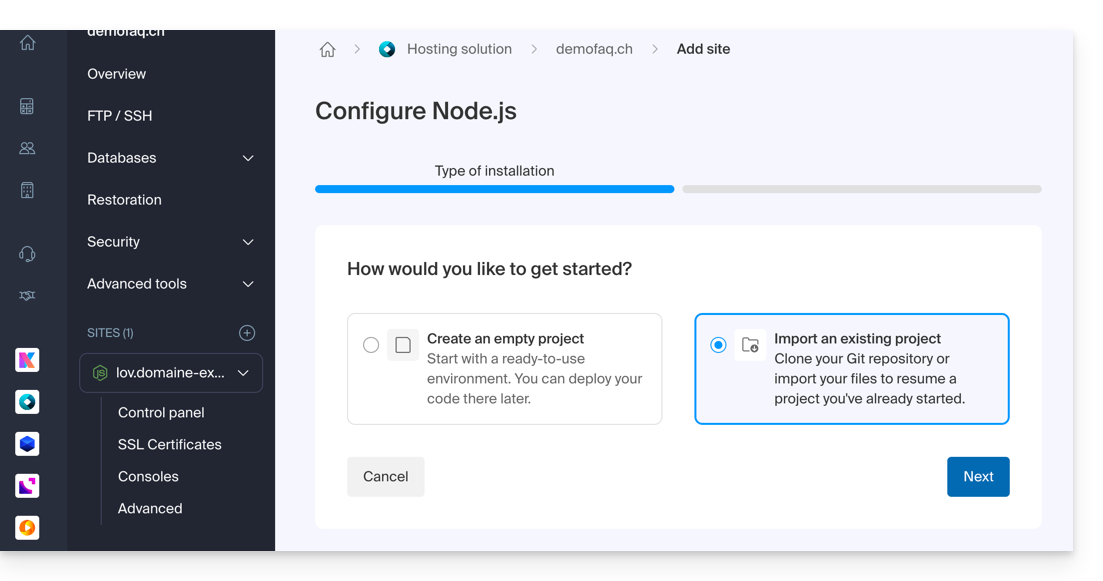
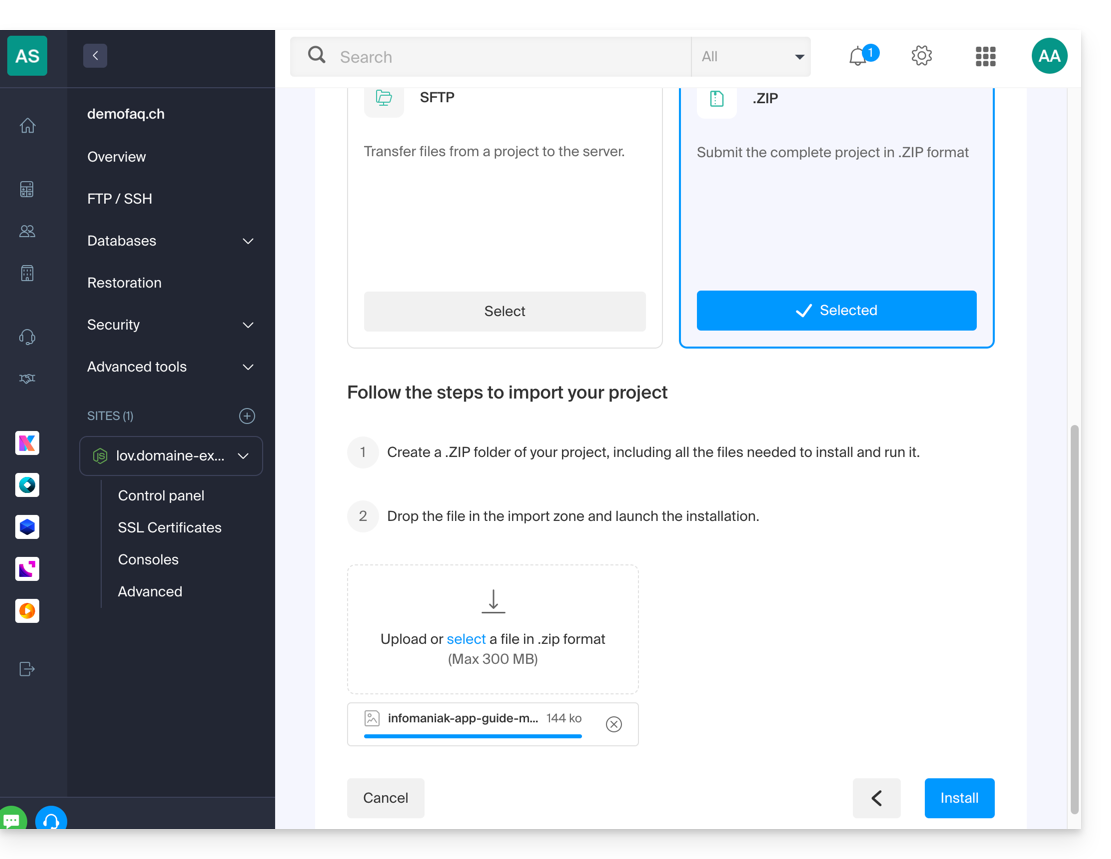
- Choose import via ZIP archive.
- Import the ZIP archive downloaded from GitHub:
Then, enter the following values:
Build command:
npm install && npm run buildExecution command:
npm start
Save the configuration.
Your site has been published.
Link to this FAQ: https://faq.infomaniak.com/1568
Has this FAQ been helpful?