Knowledge base
1000 FAQs, 500 tutorials and instructional videos. Here, there are only solutions!
Edit an existing Streaming Radio plan
This guide explains how to modify a Streaming Radio plan, for example to increase the maximum monthly usage limit or the streaming quality (maximum bitrate)..
Modify existing plan
To modify your existing plans:
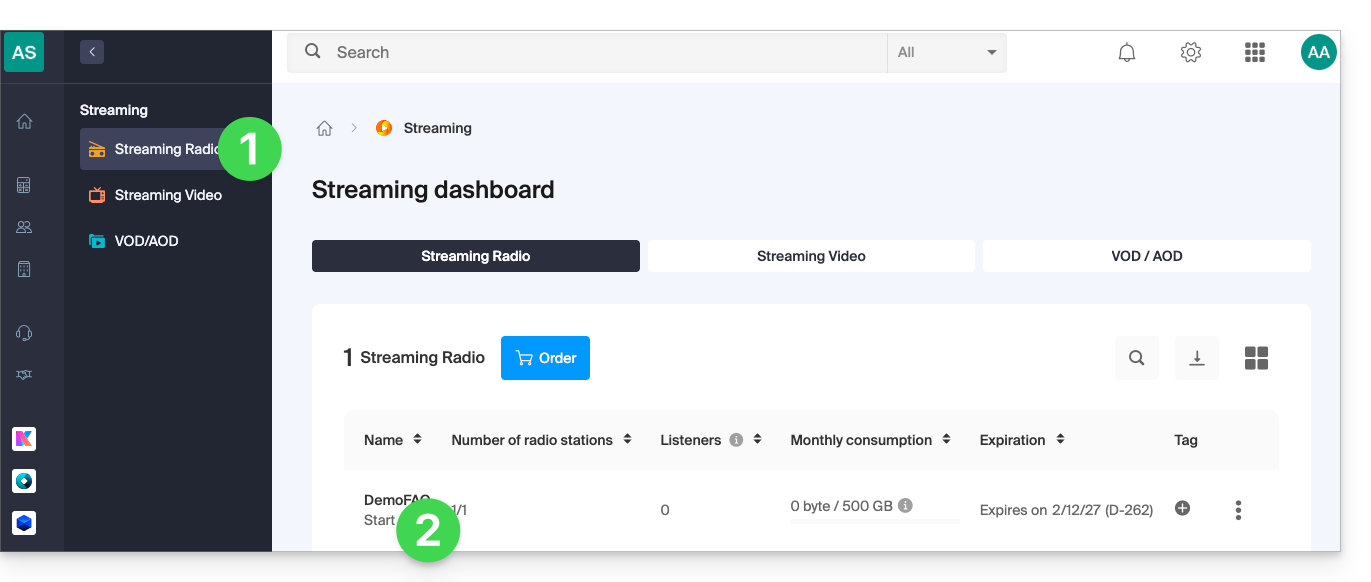
- Click here to access the management interface for your product in the Infomaniak Manager (need help?).
- Click directly on the name assigned to the product in question:
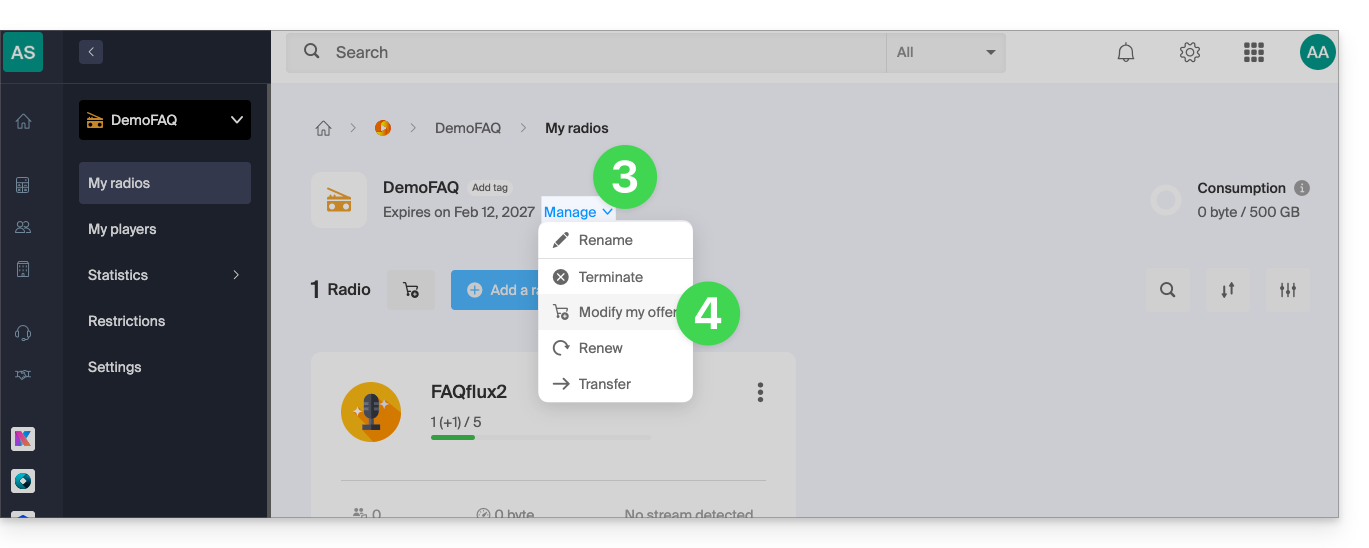
- Click on the chevron to manage the product.
- Click on Modify the plan in the drop-down menu:
- Navigate using the arrows if necessary and choose the new offer that best suits your needs:
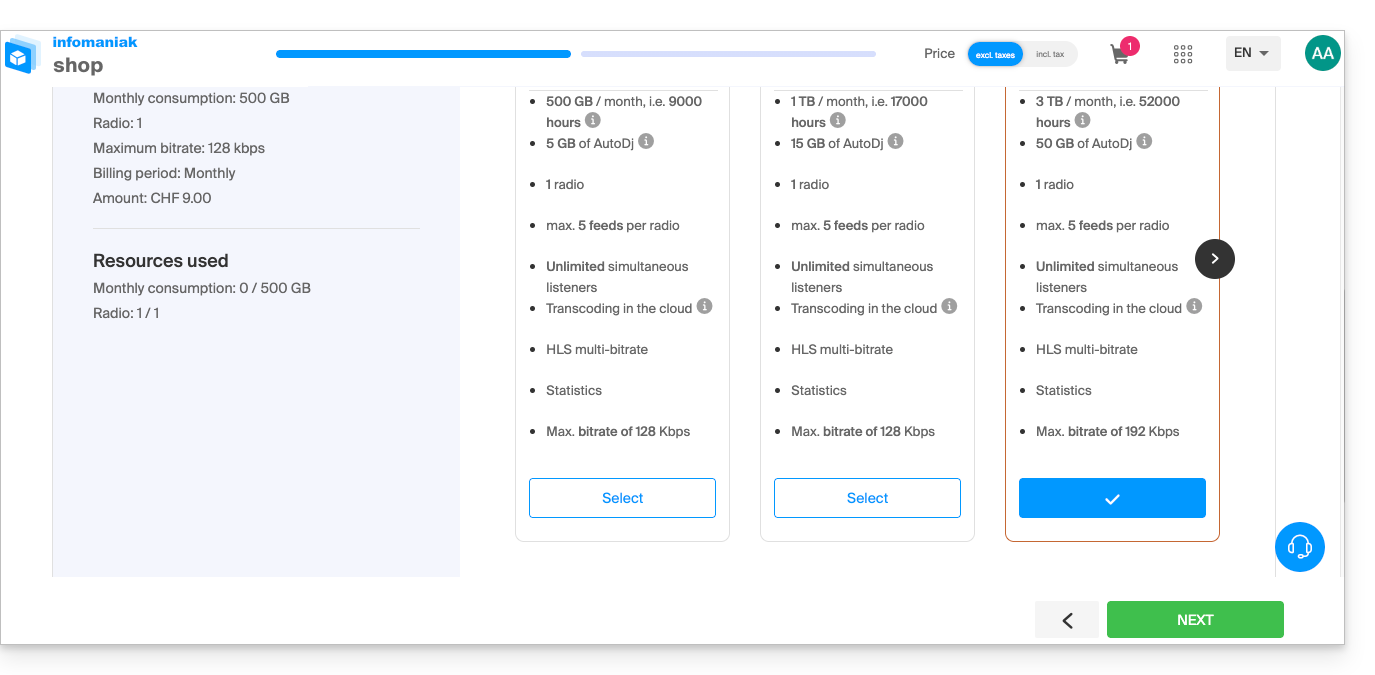
The change is made after payment, and a calculation of the fees is established on a pro rata basis for the remaining time until the initial due date.
Link to this FAQ: https://faq.infomaniak.com/1566
Has this FAQ been helpful?