Knowledge base
1000 FAQs, 500 tutorials and instructional videos. Here, there are only solutions!
Create a recurring event on Infomaniak Calendar
This guide explains how to add a new recurring event to a calendar in the Infomaniak Web app Calendar (online service ksuite.infomaniak.com/calendar).
Introduction
- To easily create and configure a new event, refer to this other guide.
- It is possible to modify (move/delete) a single instance of a recurring event in the Infomaniak calendar without affecting the entire series, allowing you to adjust the time, participants, location, or duration of a specific meeting while preserving the original configuration for all other instances.
Add a recurring event
To add an event that will be repeated in the future:
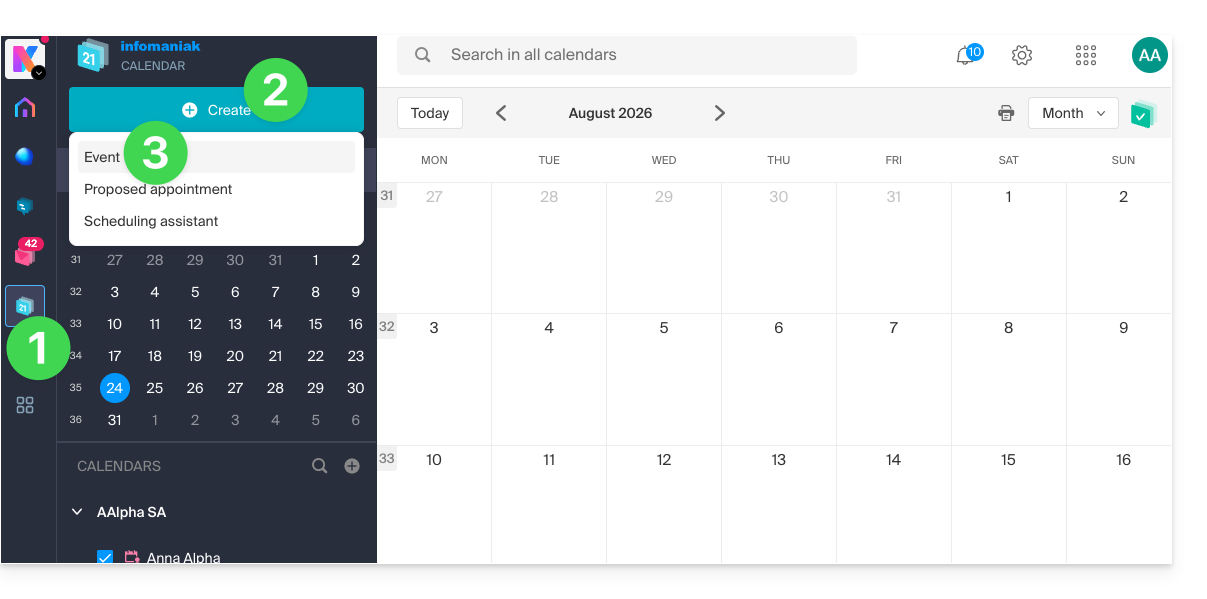
- Click here to access the Infomaniak Calendar web app (online service ksuite.infomaniak.com/calendar).
- Click the Create button in the upper left corner.
- Click on Event:
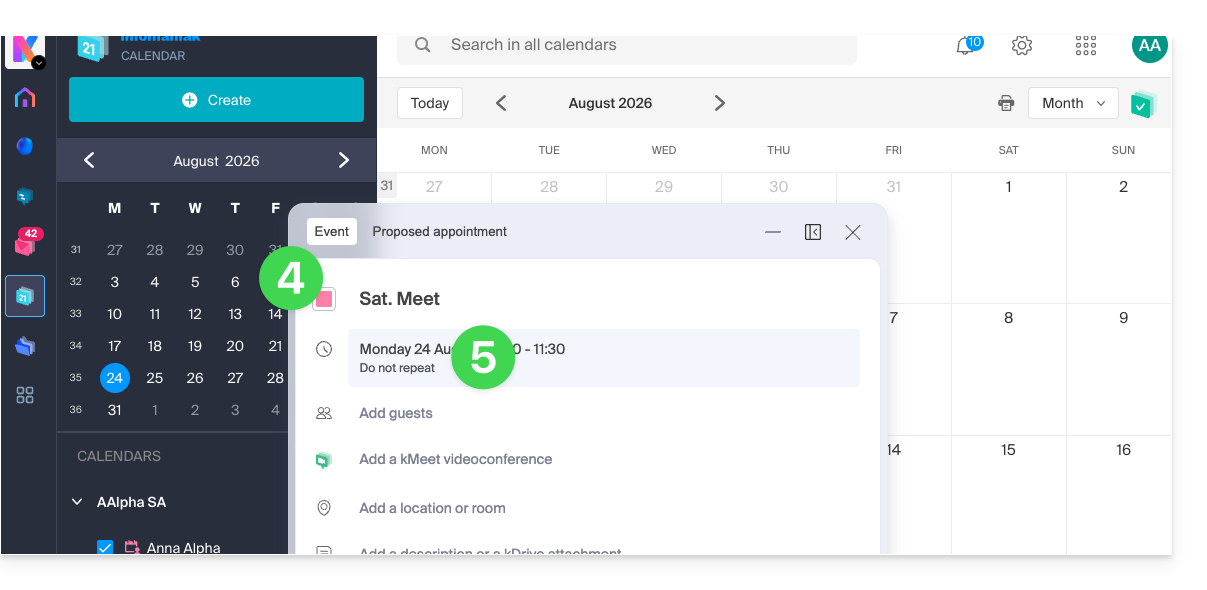
- Enter the event details.
- Click on the time/date section:
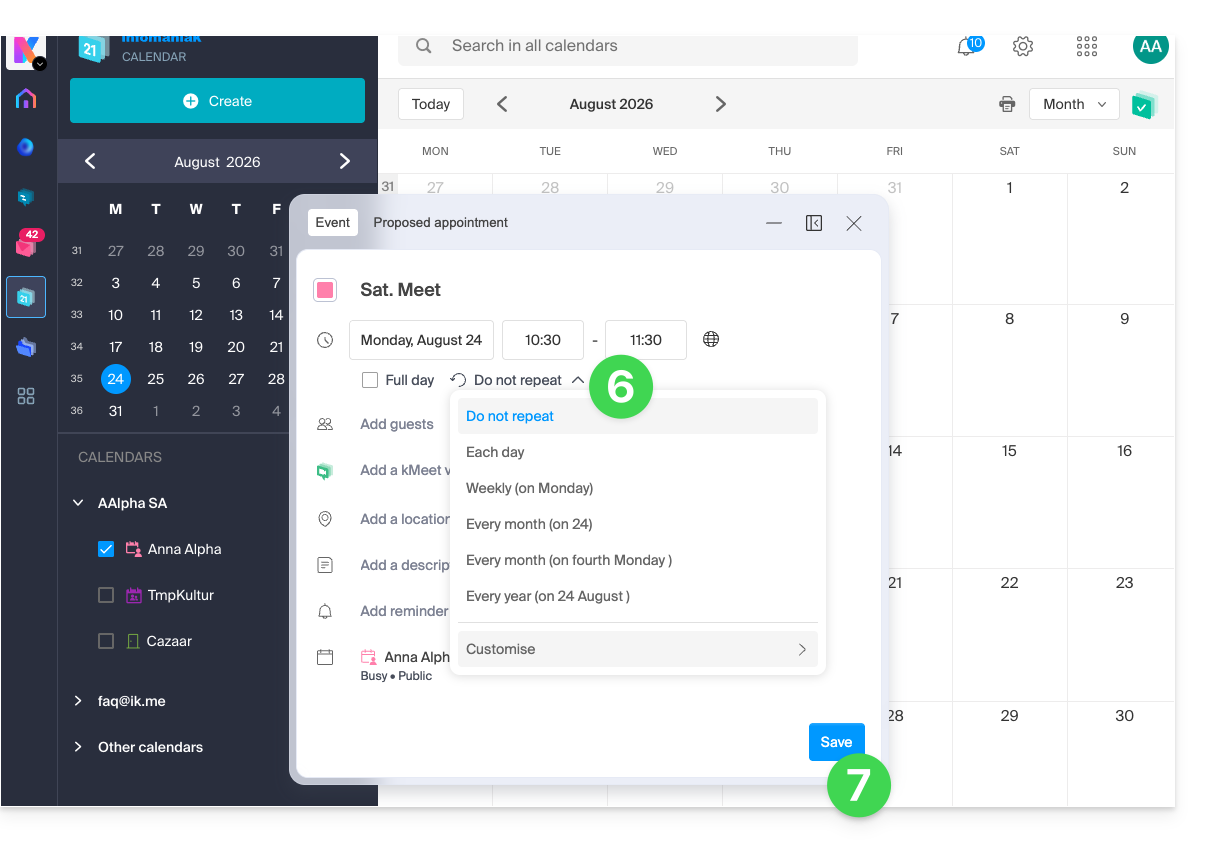
- Enable recurrence and customize it as needed.
- Save the recurring event at the bottom of the page:
Link to this FAQ: https://faq.infomaniak.com/1565
Has this FAQ been helpful?