Knowledge base
1000 FAQs, 500 tutorials and instructional videos. Here, there are only solutions!
Manage VOD media thumbnails
This guide explains how to change the thumbnail (preview image) representing a video on a VOD service.
Preamble
- The use of animated gifs is not possible.
Modify the video thumbnail
To access a media file from the VOD space:
- Click here to access the management of your VOD/AOD on the Infomaniak Manager (need help?).
- Click directly on the name assigned to the product concerned:
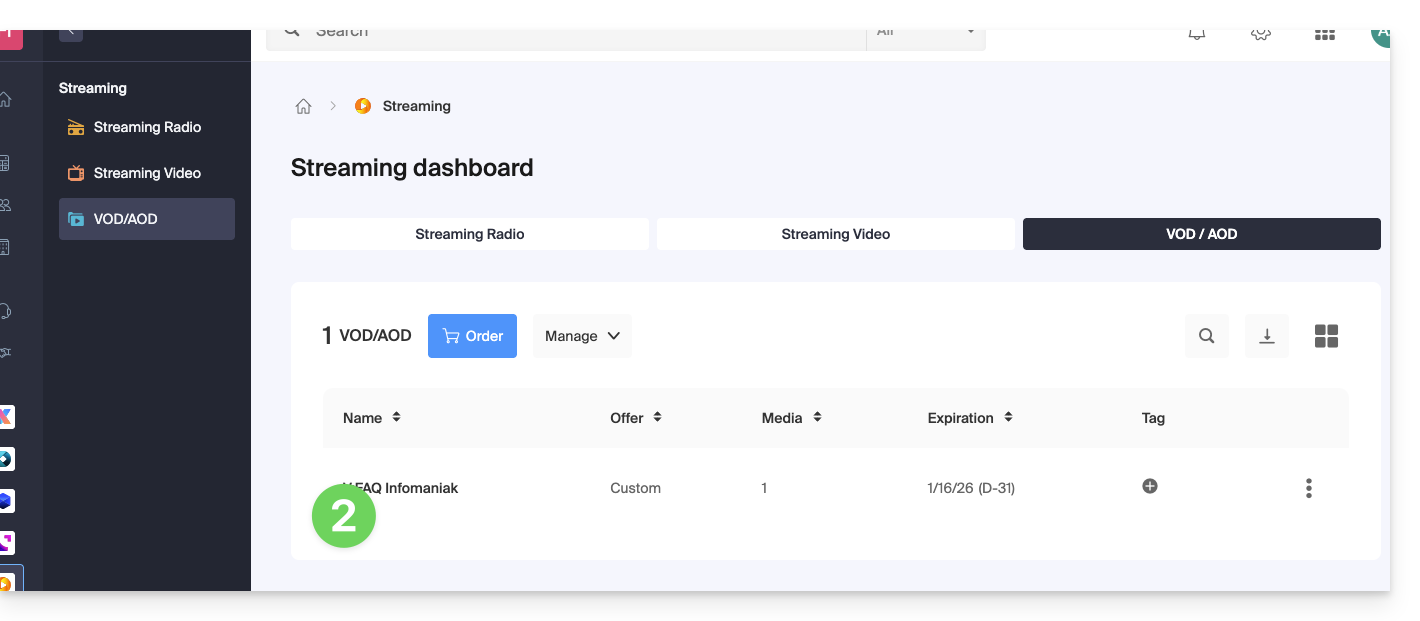
- Click on Media in the left sidebar menu.
- Click on Media Management in the left sidebar menu.
- Click on the media concerned:
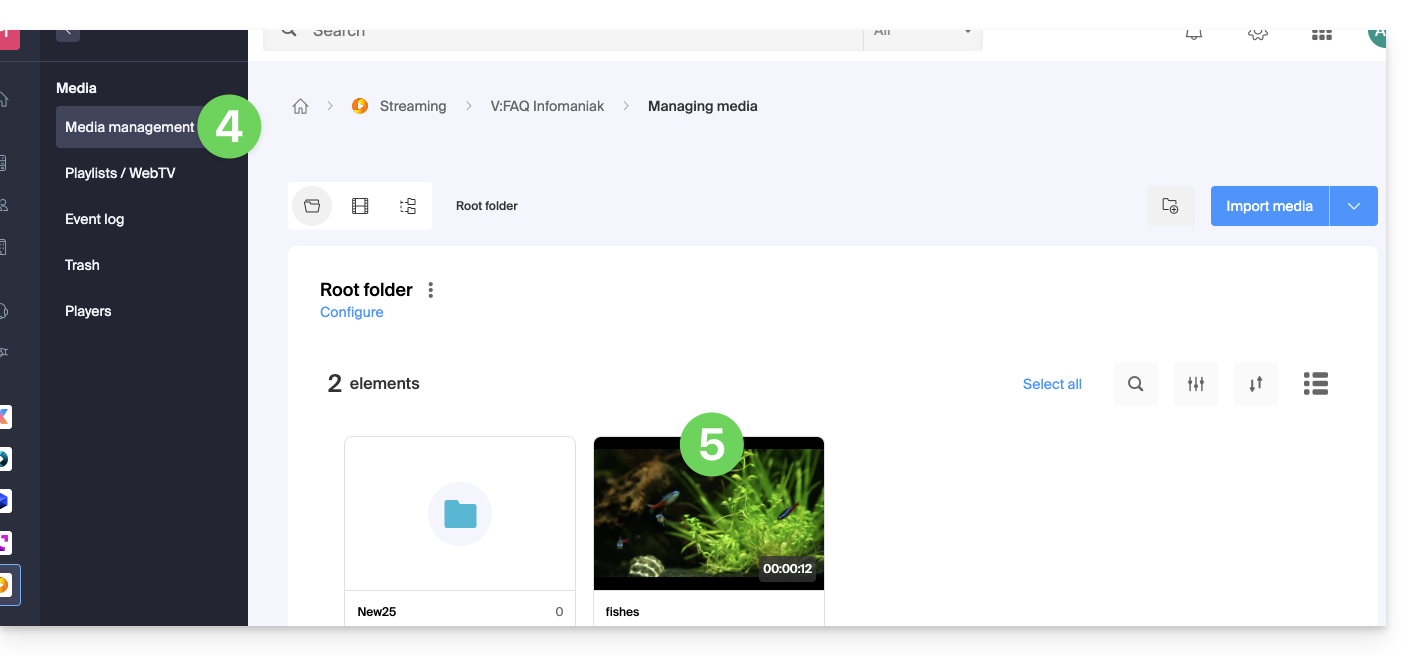
- Click on the Edit button:

You have two options to replace the default image of the paused video: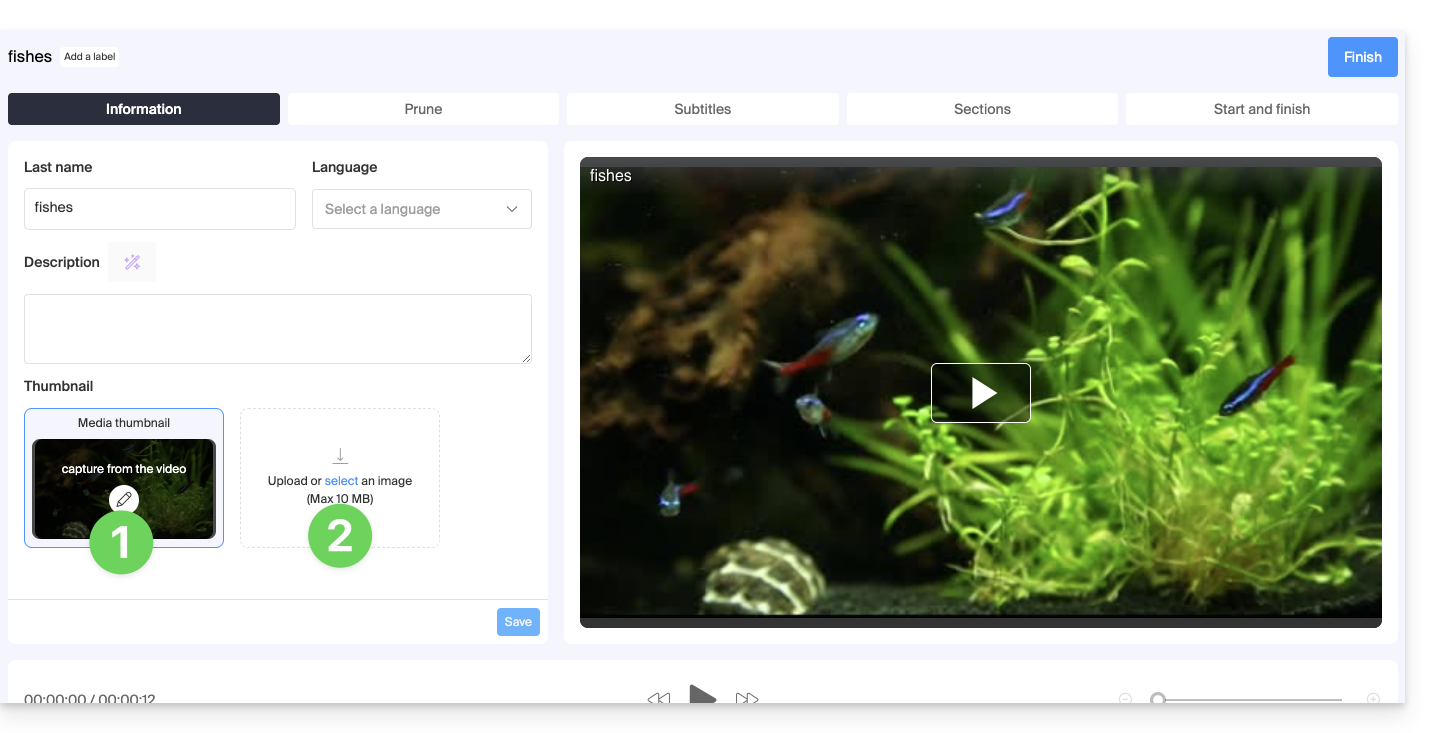
- Select an image within the video itself (click to scroll through the video and press the button to extract the image that you can then crop/resize):
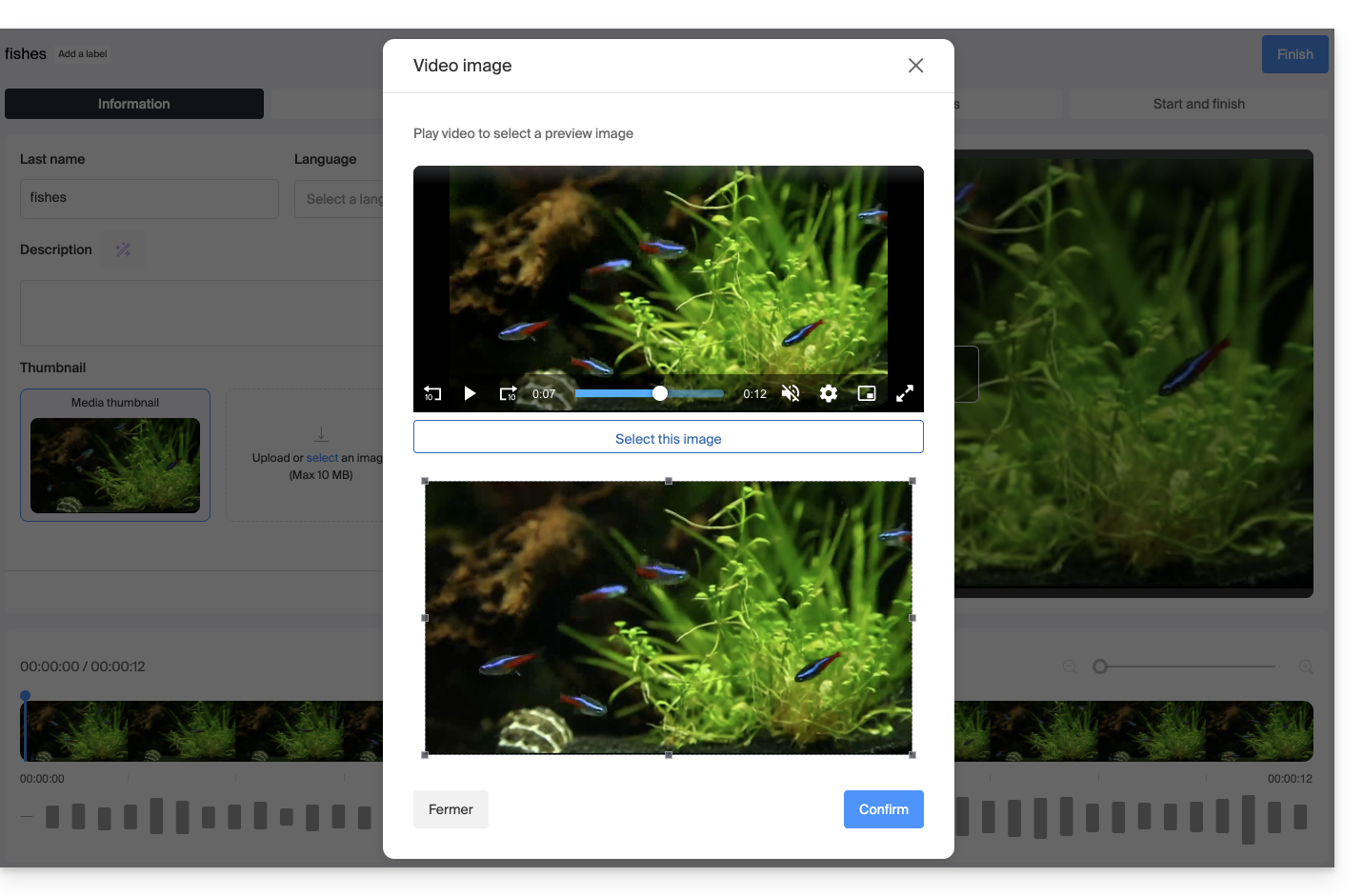
- Upload an image from your hard drive (max. 10 MB) that you can then crop/resize:
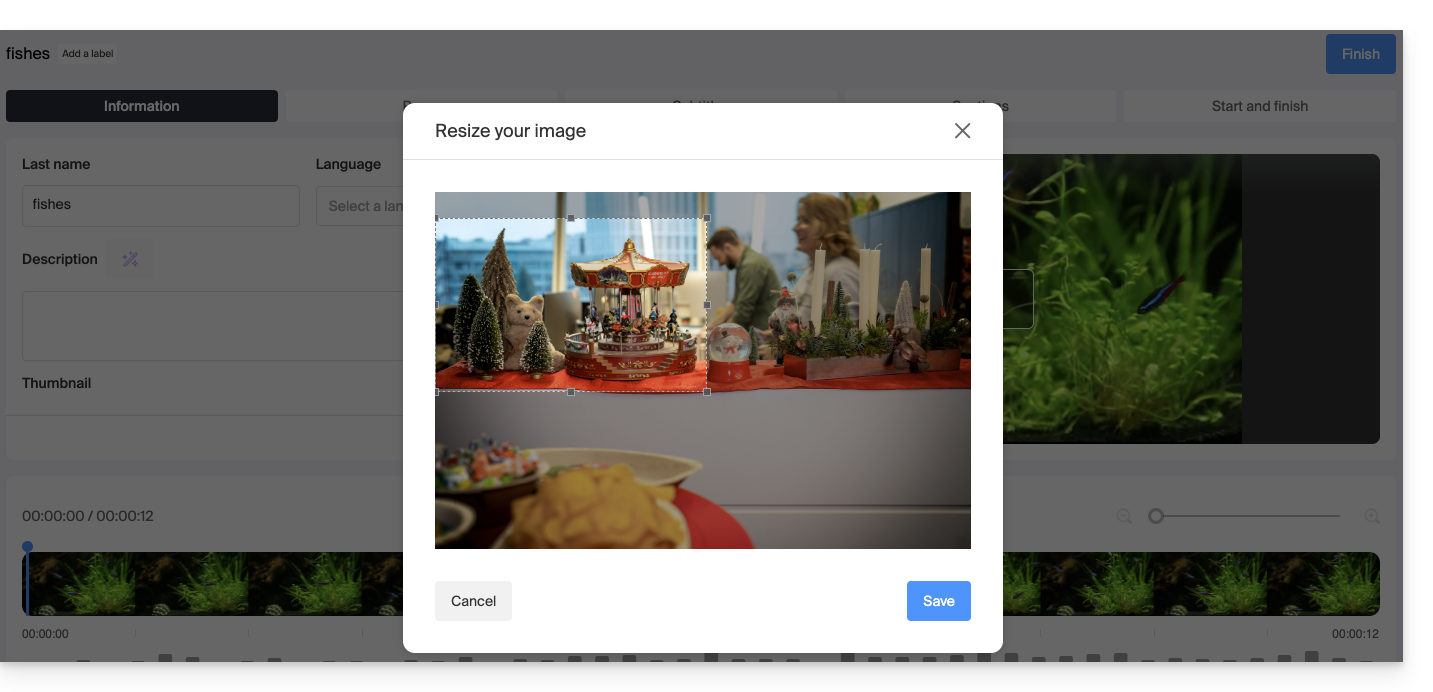
Confirm by clicking on the blue Save button: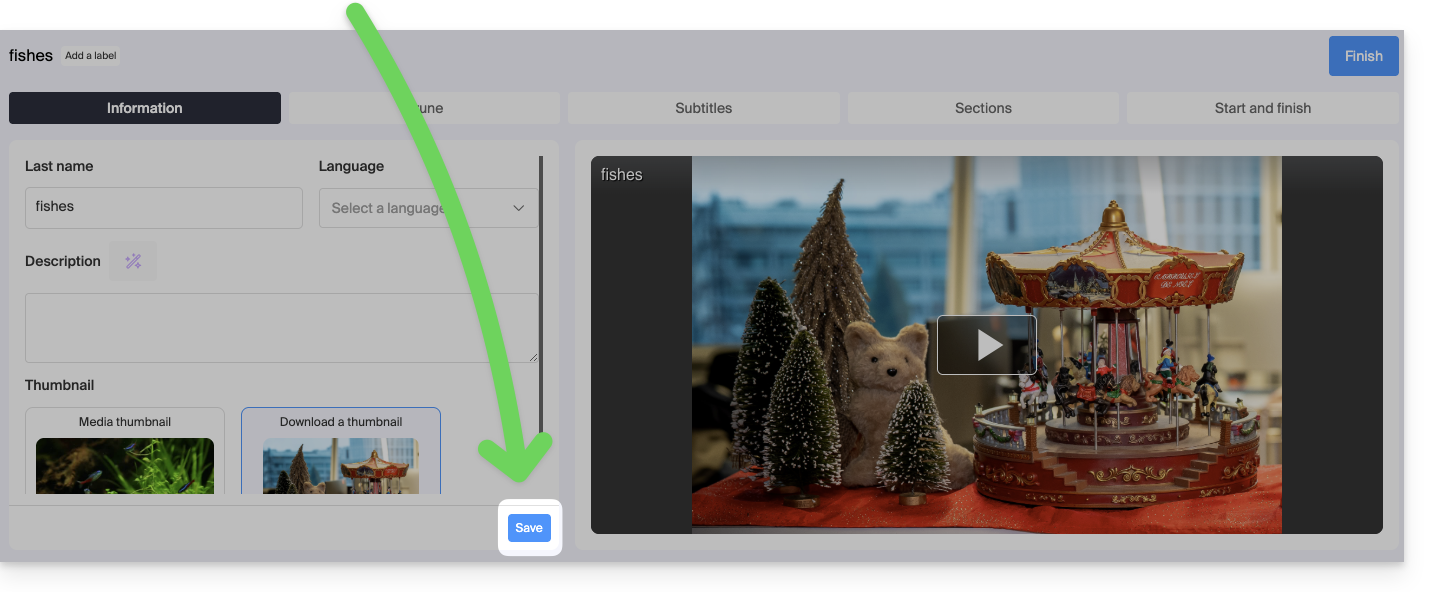
Link to this FAQ: https://faq.infomaniak.com/1555
Has this FAQ been helpful?