Knowledge base
1000 FAQs, 500 tutorials and instructional videos. Here, there are only solutions!
Create content for Site Creator using Euria
Update 10/13/2026
This guide will help you quickly discover the essential features of the Euria writing assistant available on Infomaniak's Site Creator.
Introduction
- The writing assistant will help you write text on the topic of your choice, including if it needs to be based on existing elements, using artificial intelligence.
- This is not a conversational agent or chatbot; it will not necessarily answer generic questions or engage in a dialogue with you.
- Use it, for example, to write:
- a new title that must contain specific elements
- a new paragraph on a particular theme
- a reformulation of a text excerpt
- correct grammatical syntax
- a translation into a foreign language
- a blog post
- etc.
- Read this other guide about the model used by the writing assistant and the responsibilities of each party.
How to use the assistant?
Start by logging into the Infomaniak Manager with your credentials (user account with the necessary permissions for the relevant product):
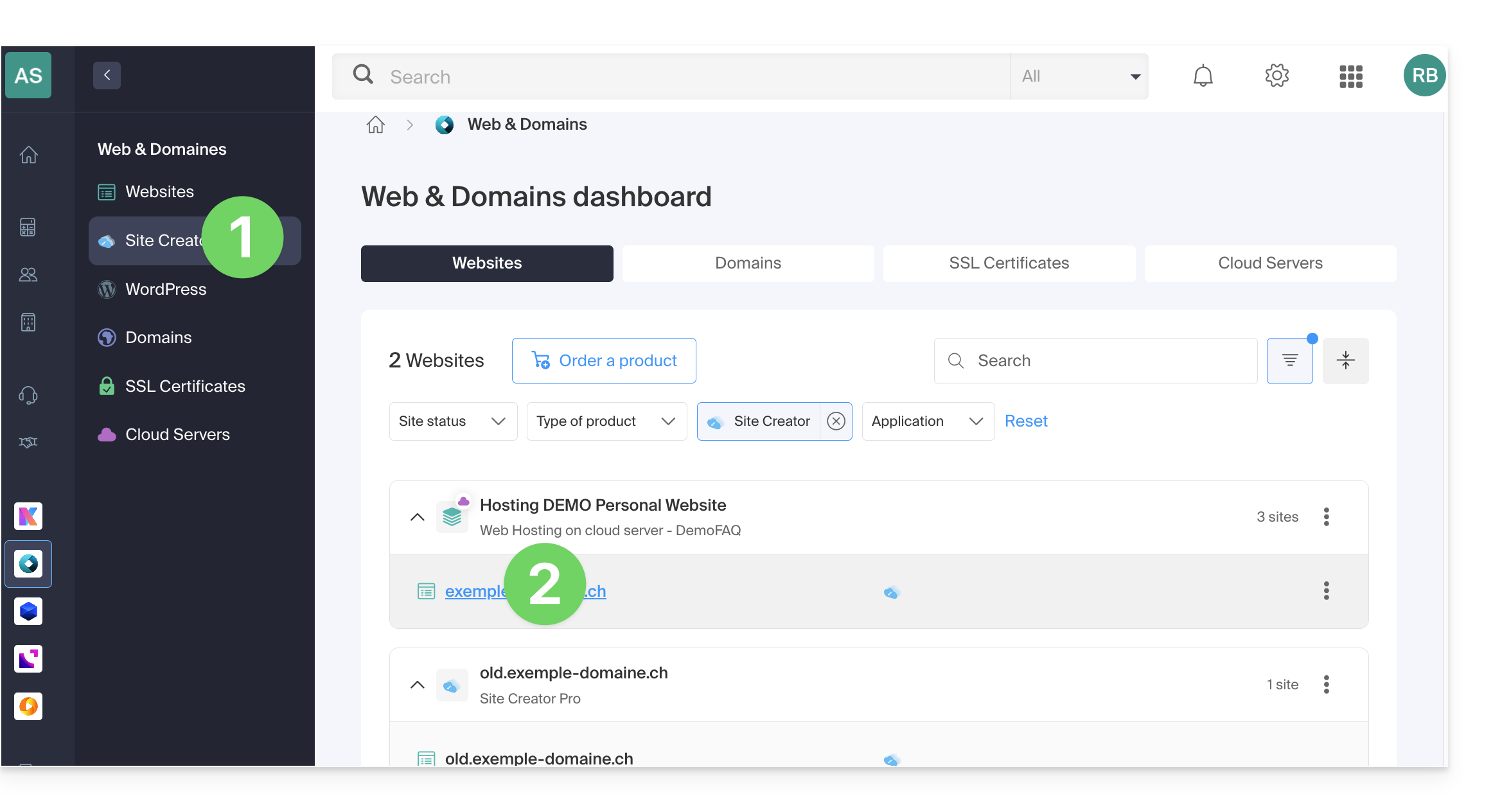
- Click here to access the hosting & site management section (filtered to display only Site Creator).
- If nothing is displayed, you may not be in the Organization to which your site is linked (❓: help).
- Click on the name of the Site Creator in question:
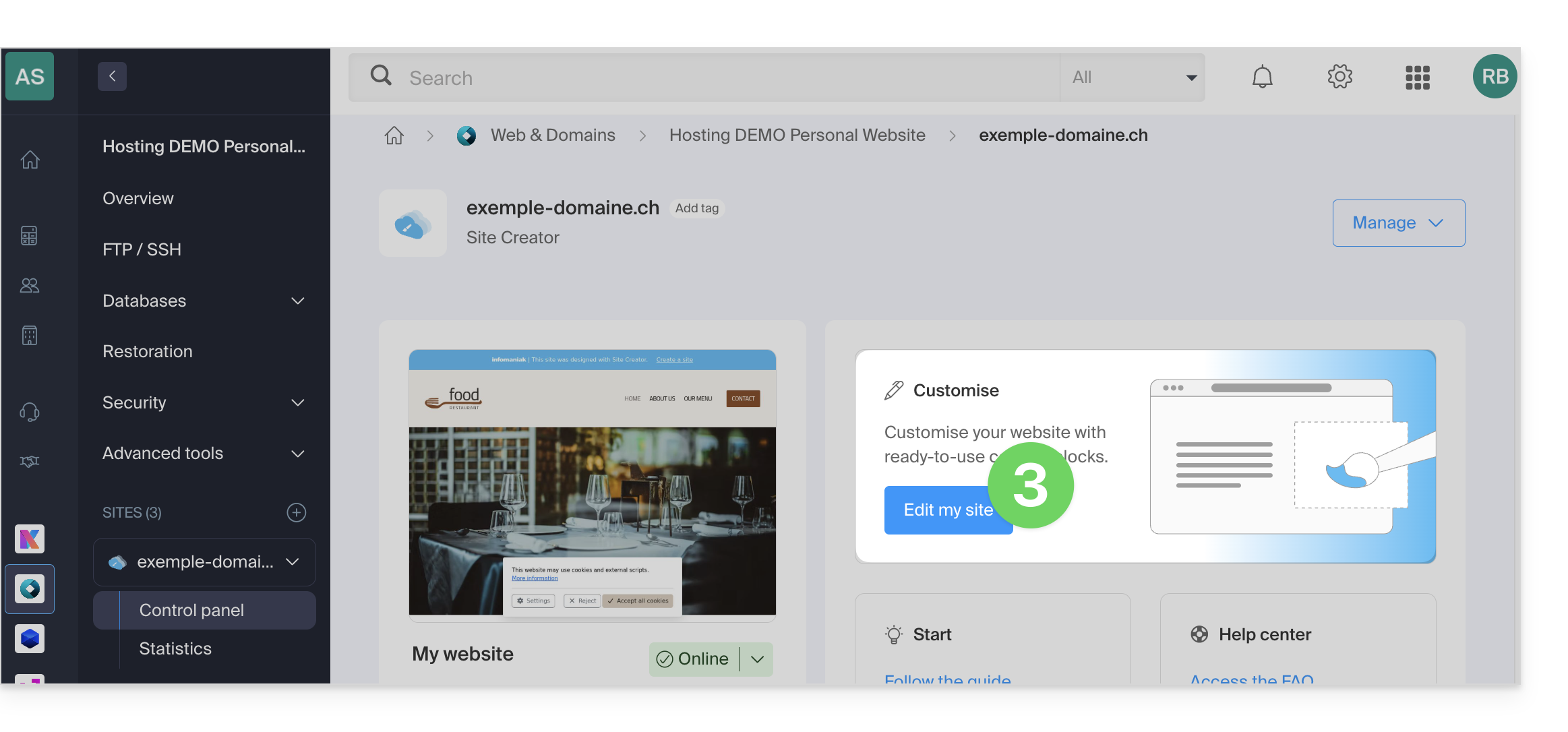
- Click the button to edit your website:
Once in Site Creator, to start the writing assistant:
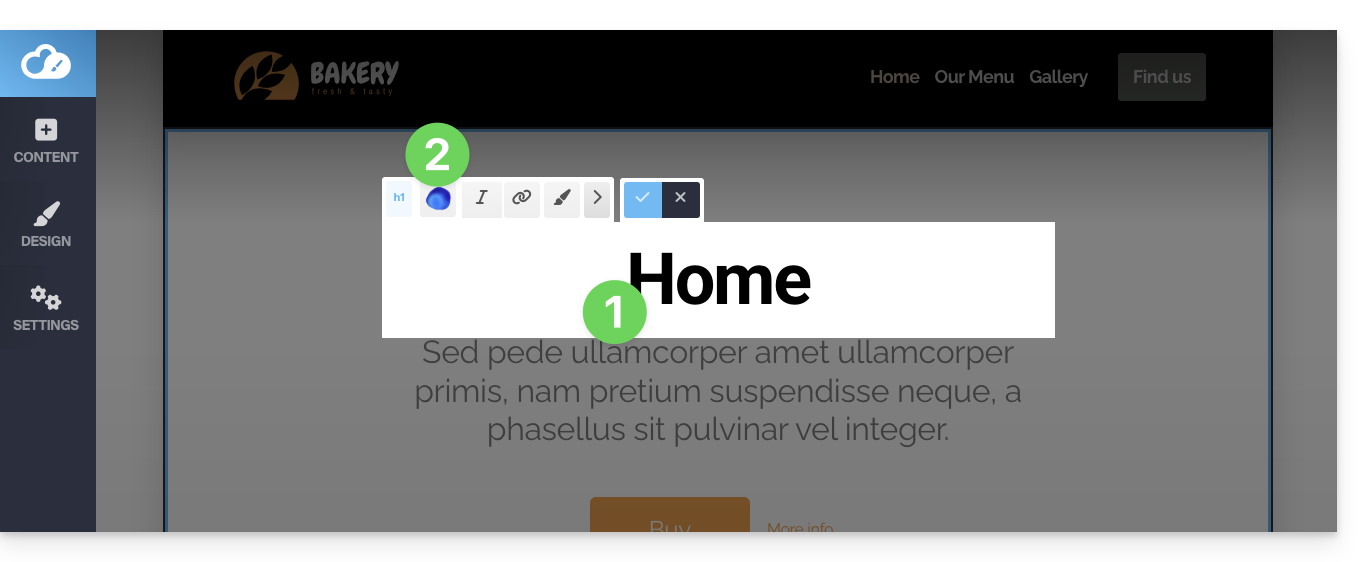
- Click on a content block, text, etc.
- Click on the Euria icon in the editing bar to open the wizard:
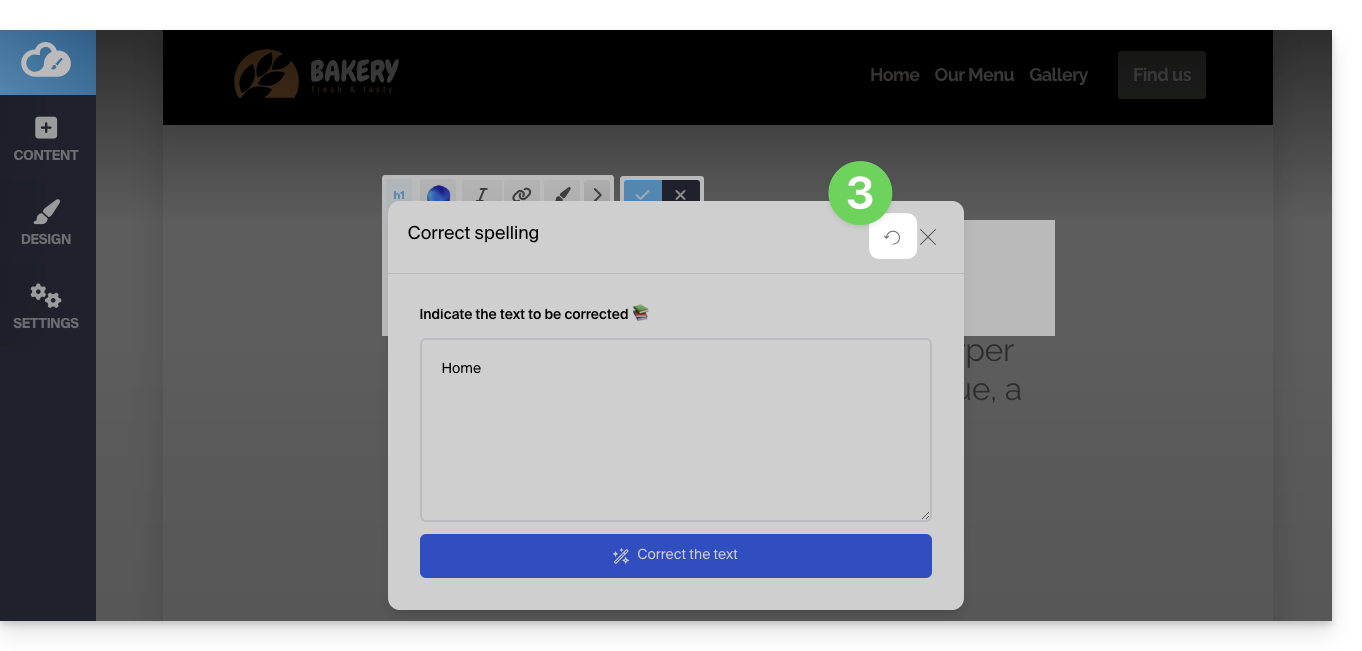
- To go back to the main selection after choosing a type of addition, click on the icon in the top right corner:
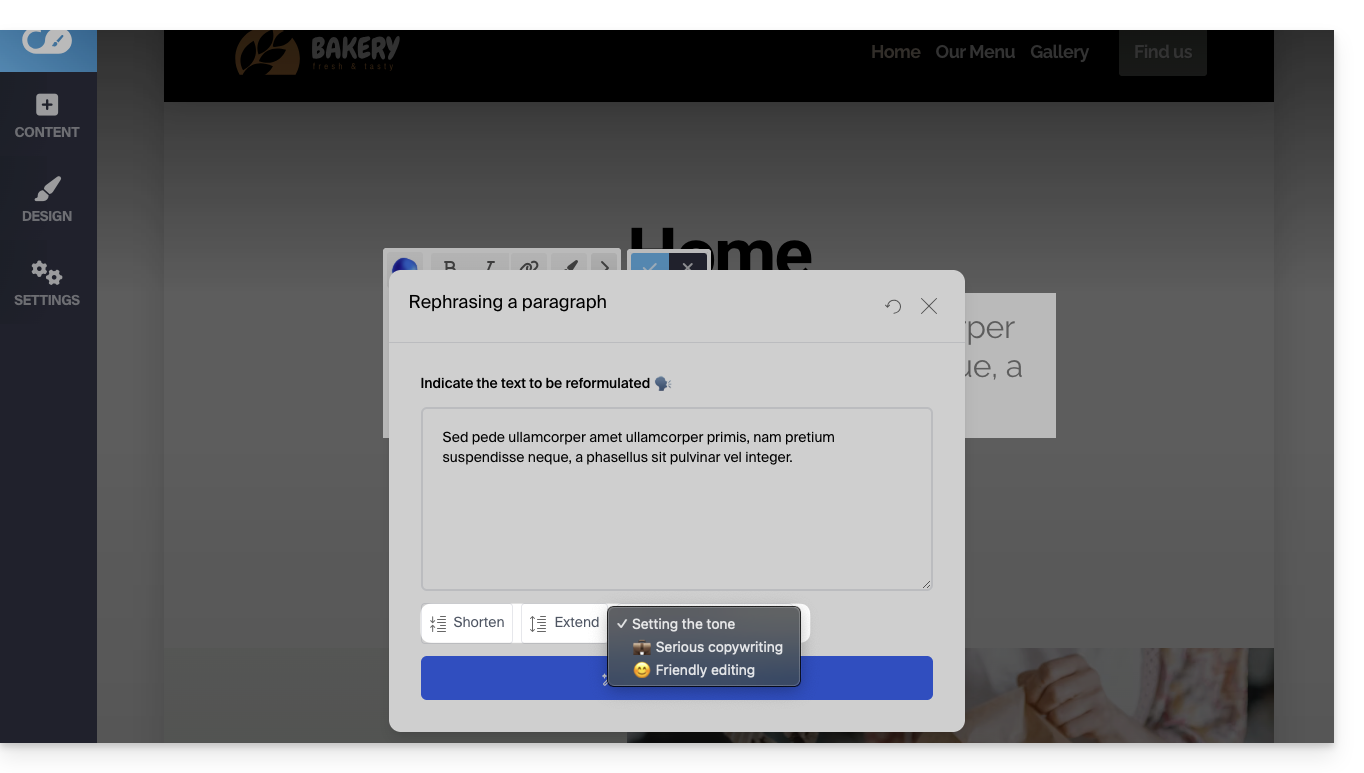
If the block already contains content and you choose to rephrase a paragraph, you will be able to use the assistant's buttons to select the tone for your text (serious / friendly) and add or shorten the suggested phrases…
- For example:
Link to this FAQ: https://faq.infomaniak.com/1542
Has this FAQ been helpful?