Knowledge base
1000 FAQs, 500 tutorials and instructional videos. Here, there are only solutions!
Using VOD/AOD on WordPress
This guide explains how to manage the interactions between your Infomaniak VOD/AOD space and any of your WordPress sites, using an extension developed by Infomaniak.
Introduction
- This WordPress extension allows you to retrieve and manage all your videos stored in an Infomaniak VOD/AOD space, with automatic updates when new videos are added.
- It manages the automatic retrieval of existing Players and playlist management.
- You can search for your videos while writing an article or page, or import media directly from the CMS administration panel.
- Possible incompatibilities:
- The plugin is not compatible with Elementor.
- Test if the problem persists after installing another editor.
- The plugin is not compatible with WordPress Multisite.
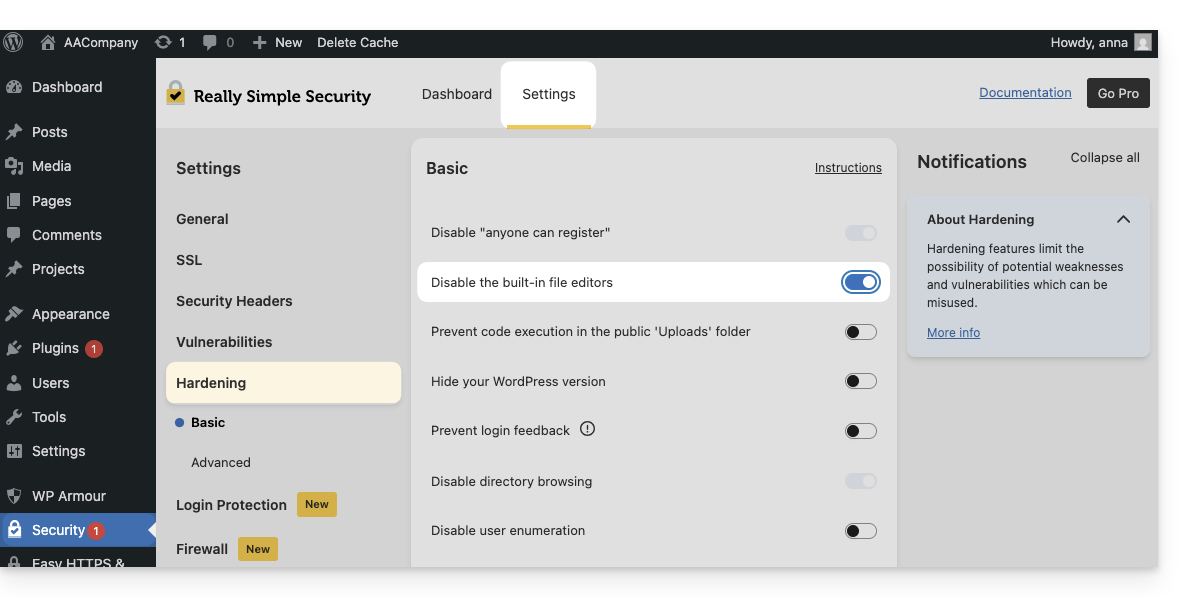
- The plugin is not compatible with Really Simple Security (Really Simple SSL).
- Test if the problem persists by enabling or disabling this setting in the Really Simple Security extension:
- Test if the problem persists after using another similar module.
- If problems persist, refer to this other guide.
- Test if the problem persists by enabling or disabling this setting in the Really Simple Security extension:
- The plugin is not compatible with Elementor.
Get the Infomaniak VOD extension
Go to your VOD space to find the information needed for the external WordPress module:
- Click here to access the management of your product on the Infomaniak Manager (need help?).
- Click directly on the name assigned to the product in question:
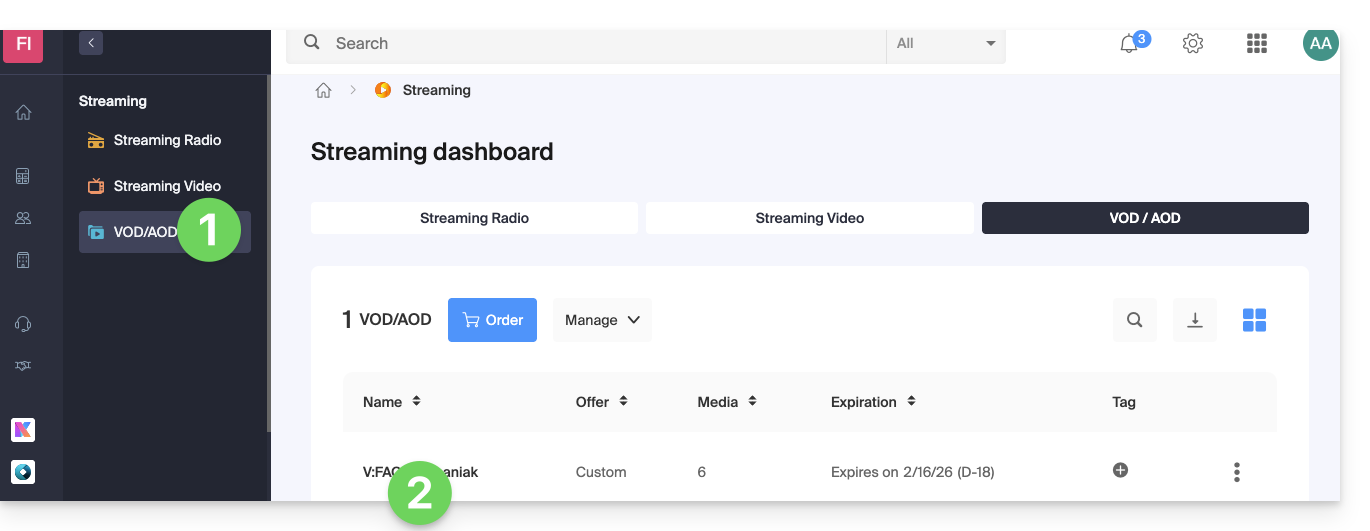
- Click on CMS/API Extensions in the left-hand menu.
- Click on CMS Extensions in the left-hand menu.
- Download the WordPress extension.
- Configure the extension using the instructions provided:
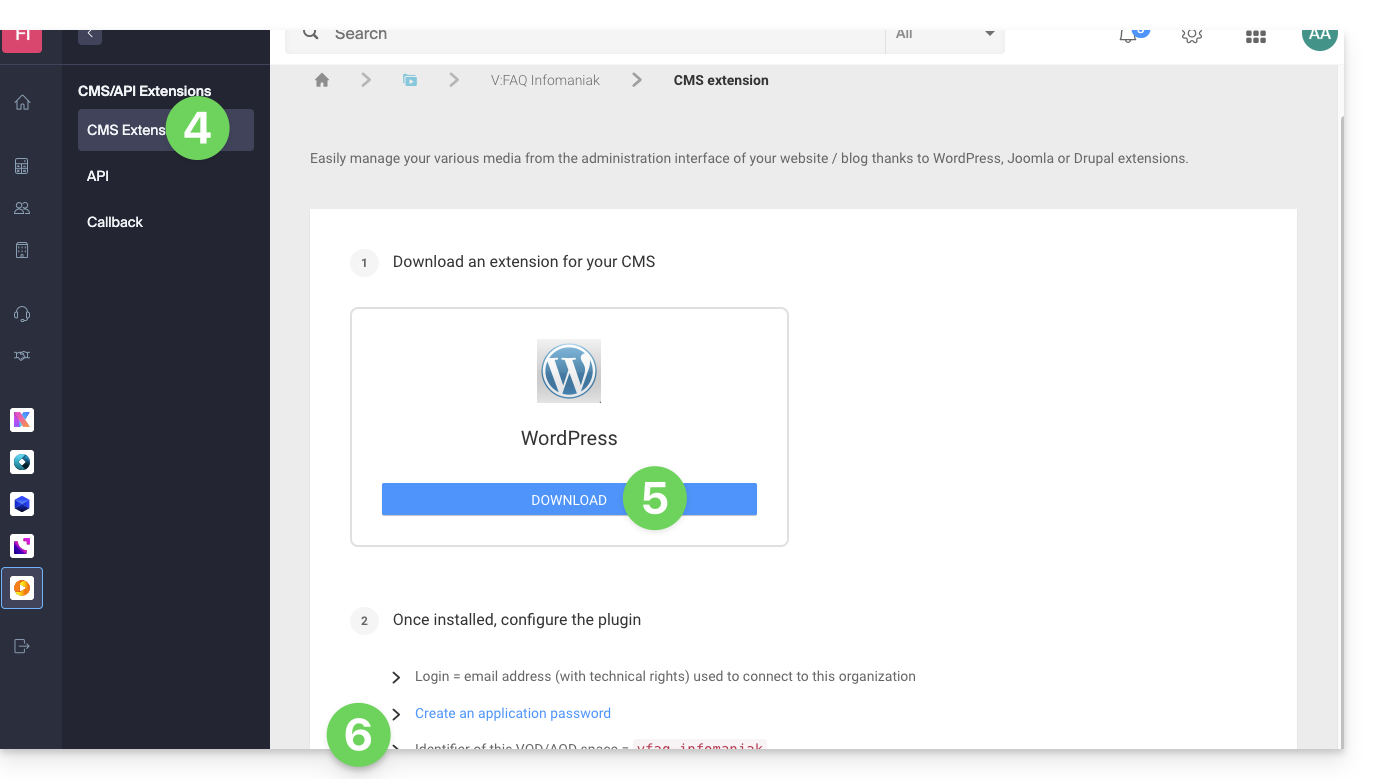
- It is recommended to create a new user in your Organization with only technical rights on the VOD/AOD product and then create the application password from this dedicated account.
You can also download the extension directly from the WordPress extension library: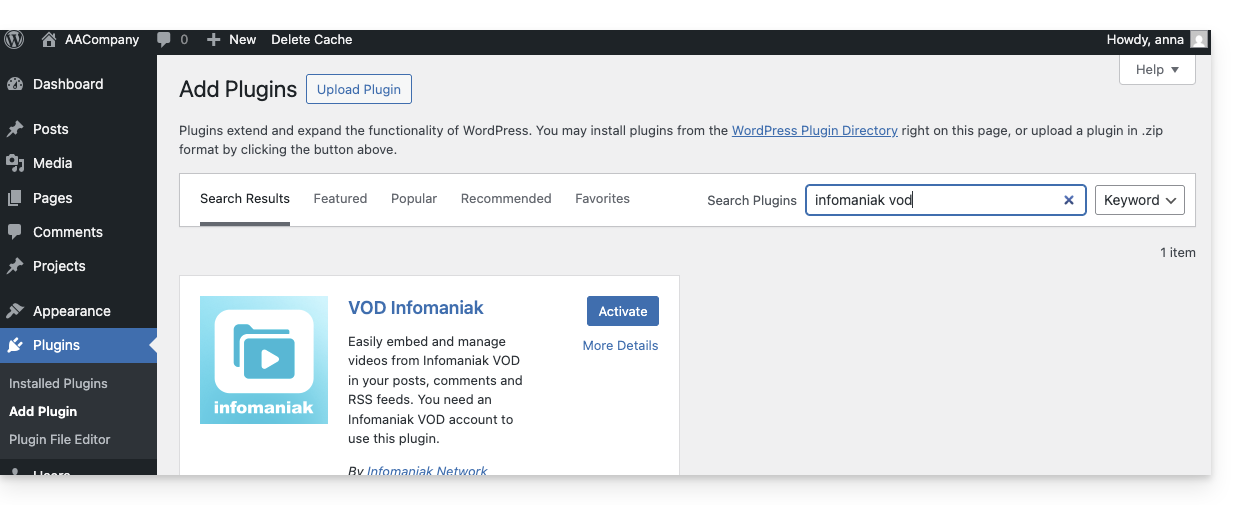
A similar feature exists for Typo3 with the dedicated extension that you can find and install from its extension library: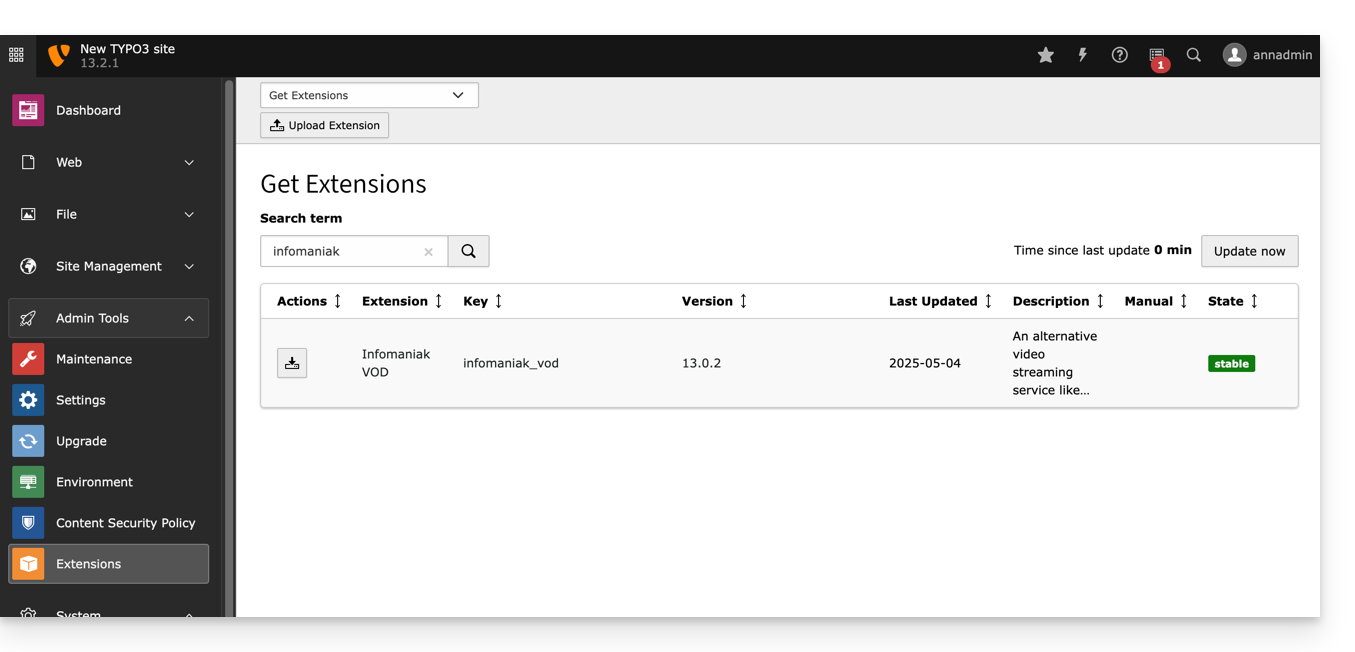
Link to this FAQ: https://faq.infomaniak.com/1539
Has this FAQ been helpful?