Knowledge base
1000 FAQs, 500 tutorials and instructional videos. Here, there are only solutions!
Troubleshooting issues with the VOD/AOD WordPress extension
This guide details how to troubleshoot issues related to the automatic media retrieval feature with the VOD/AOD extension for WordPress, particularly when synchronization fails despite an established connection between the extension and the VOD space.
Introduction
- If the VOD plugin in your CMS can no longer automatically retrieve videos from your VOD space, it is likely that the MySQL user of the database on which the CMS is installed does not have administrator privileges.
- This situation can cause a problem when installing the VOD plugin on your CMS.
Fix automatic video recovery
To be performed on your web hosting
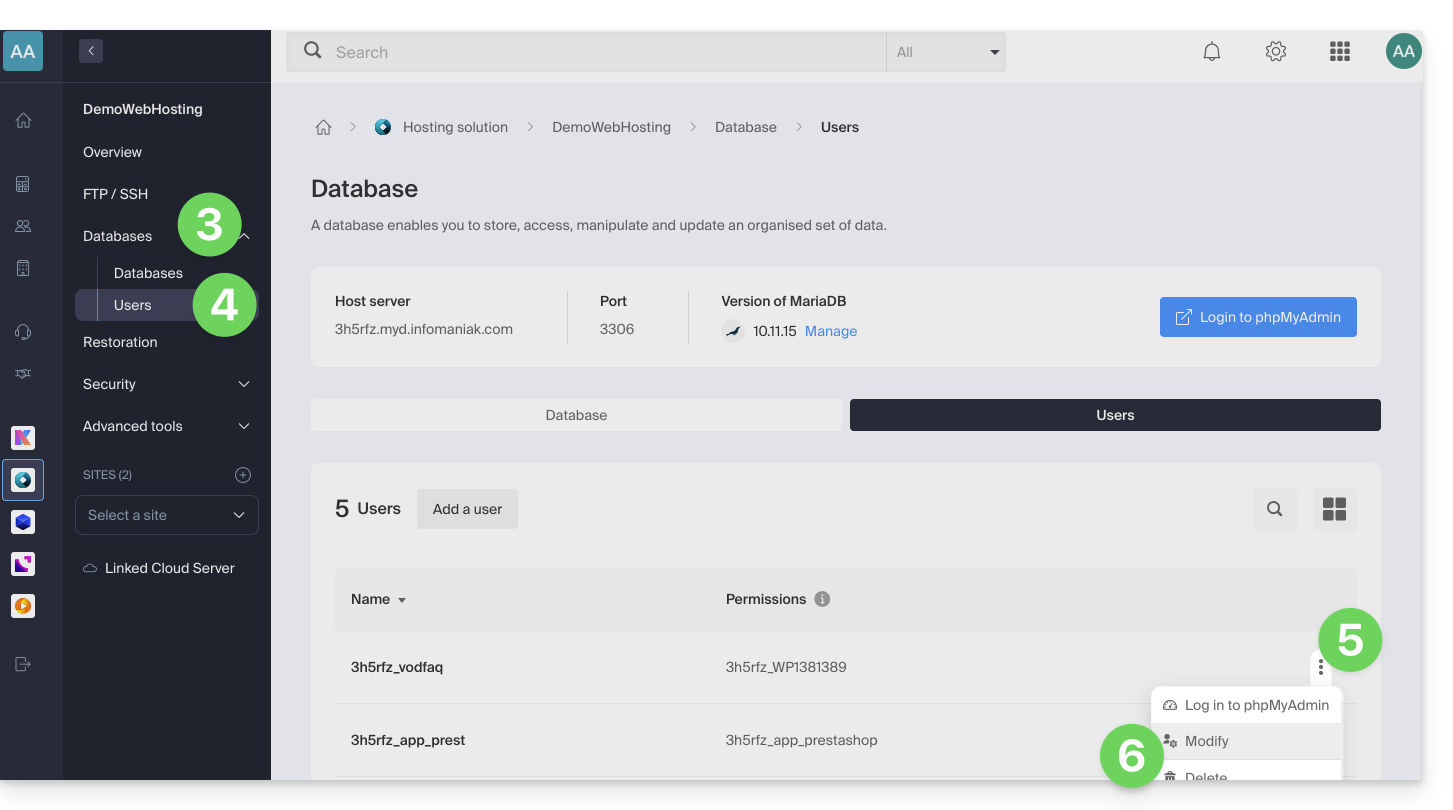
- Click here to access the hosting & website management section in your Infomaniak Manager (❓: help).
- Click on the name of the product in question.
- Click on Databases in the left-hand menu.
- Click on Users in the left-hand menu.
- Click on the action menu ⋮ located to the right of the user who manages the database for your CMS.
- Click on Edit:
- If necessary, add the ADMIN permission to the user for the relevant database:
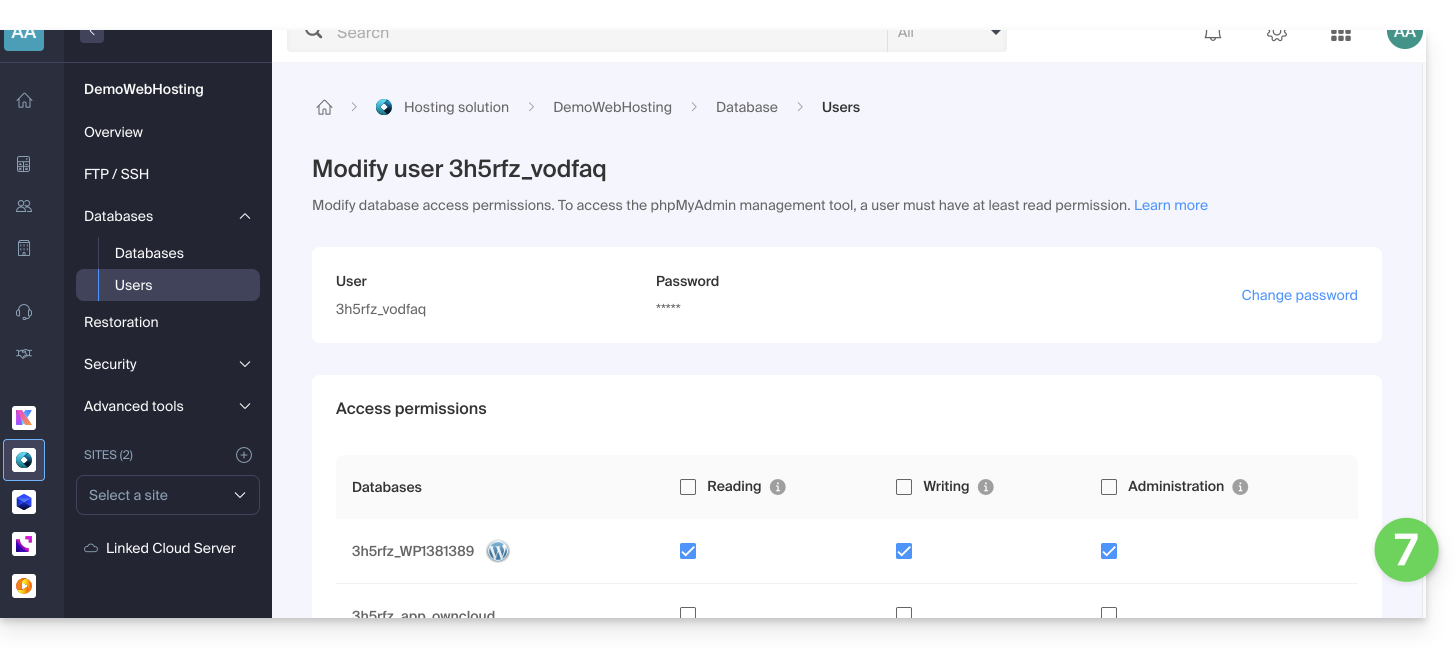
- Click the button to Confirm at the bottom of the page.
To be performed on WordPress
- Uninstall the VOD plugin
- Reinstall and activate the VOD plugin (refer to this other guide)
- Reconfigure the plugin's connection to your Infomaniak VOD account
- Resubmit the video file linking request.
Once the configuration is restored, the MySQL user's administrator privileges can be revoked if necessary.
If an imported video persistently displays a "converting" status, even though it is finalized in the Manager, a conflict with access restriction extensions (such as Members Only) is likely.
In case of abnormal behavior, temporarily disable your third-party extensions to identify any potential software incompatibility.
To force a refresh of a video that is stuck in the conversion process, use the Synchronize function available in the VOD extension settings under WordPress.
To be performed on the Infomaniak Manager
Although the extension synchronizes periodically with your account, the appearance of new items (Players, folders, or playlists) may be delayed on your CMS.
For an immediate update, go to the VOD Management > Configuration section of your Manager and enable Fast Synchronization.
If new media do not appear in the CMS list, check the accessibility of the callback URL. This address, used by the encoding system to notify your site of a video's availability, must be publicly accessible. Refer to the VOD Management > Configuration page for more details.
Link to this FAQ: https://faq.infomaniak.com/1536
Has this FAQ been helpful?