Knowledge base
1000 FAQs, 500 tutorials and instructional videos. Here, there are only solutions!
Share a specific email publicly
Update 10/12/2026
This guide explains how to share a message received by email on Infomaniak's Mail apps using a specific link.
✘ UNAVAILABLE with
my kSuite (ik.me, etik.com, ikmail.com)
Introduction
- You can share any email, regardless of its location (sent messages, archived messages, etc.).
- The sharing link is valid for 30 days.
- Attachments will be visible.
- You do not need an Infomaniak account to view the message.
- Returning to the same message to copy its sharing link again will generate a different link, valid for 30 days.
- Note: it is not possible to revoke a sharing link.
Share the content of a message…
… from the Infomaniak Web Mail app
To get the sharing link for an email from the Infomaniak Mail interface:
- Click here to access your emails on your Infomaniak kSuite (❓: help).
- Open the message you want to share and click on the action menu ⋮ on the right.
- From the menu that appears, select Copy the share link:
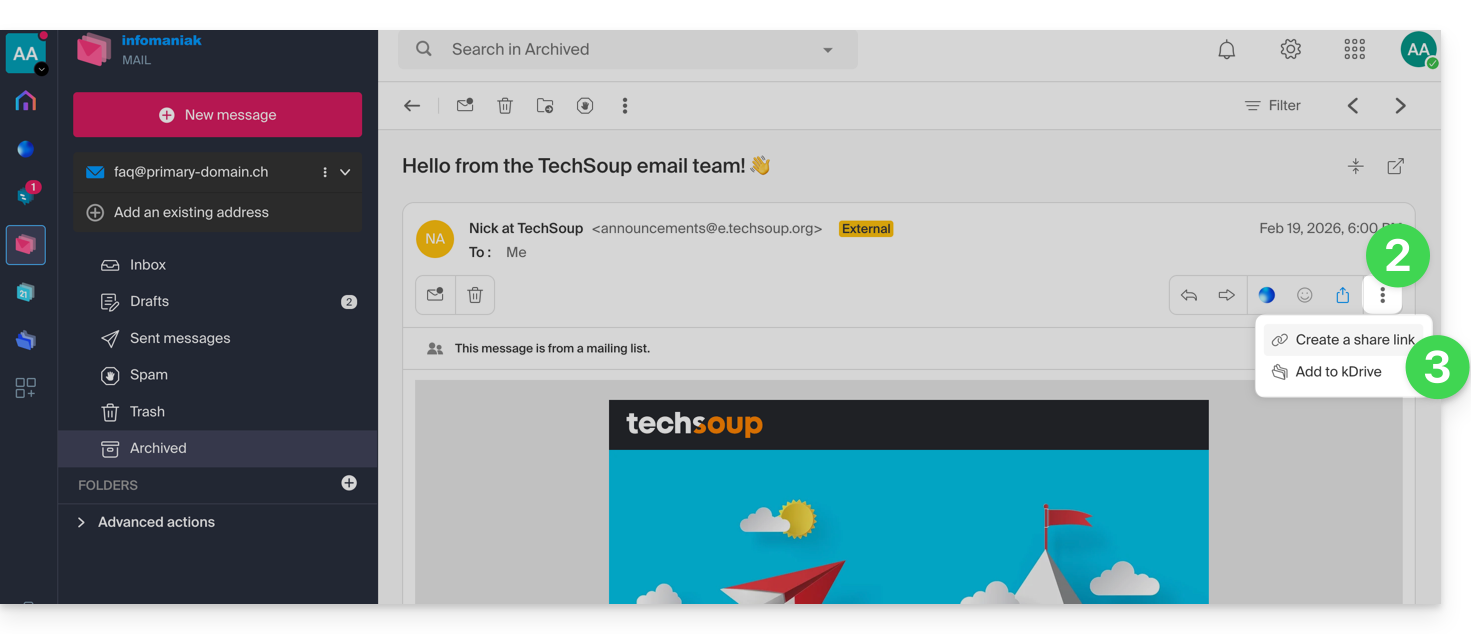
- Confirm the sharing:
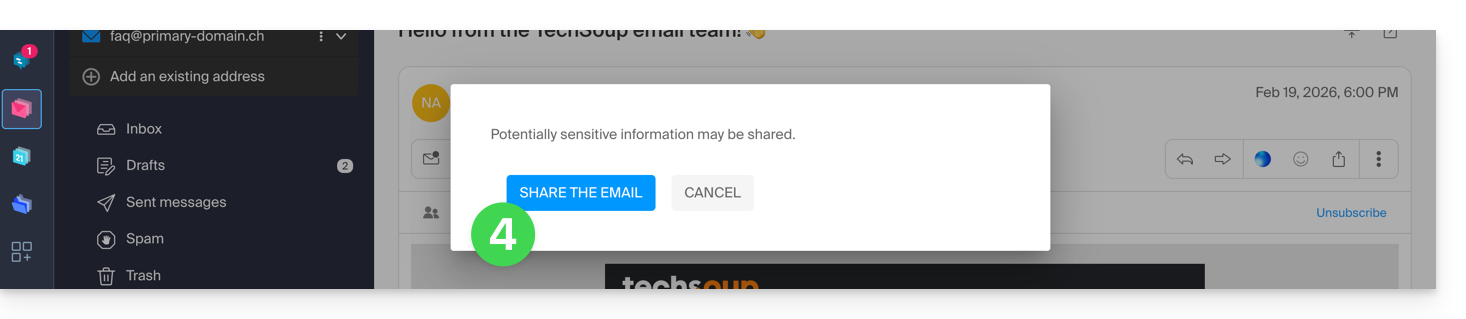
- The link has been copied to your clipboard; you can view the URL to preview the share and forward the URL:

… from the Infomaniak Mail mobile app
To do this:
- Open the email in question on the Infomaniak Mail mobile app (application for iOS/Android smartphones or tablets).
- Click on the action menu ⋮ located in the upper right corner of the email.
- Choose Share email to send the specific link to this email using the methods provided by your device (SMS, Quick Share, etc.).
Link to this FAQ: https://faq.infomaniak.com/1535
Has this FAQ been helpful?