Knowledge base
1000 FAQs, 500 tutorials and instructional videos. Here, there are only solutions!
View your Infomaniak Organization's activity
Update 10/12/2026
This guide explains how to obtain information about the activities performed within your Organization in the Manager.
The same type of logs, but concerning only the activity of your Infomaniak account, is available in your Manager (❓: help).
Prerequisites
- First, switch to the desired Organization (❓: help).
- You must be at least an Administrator of the Organization (❓: help).
Get the Organization's activity log
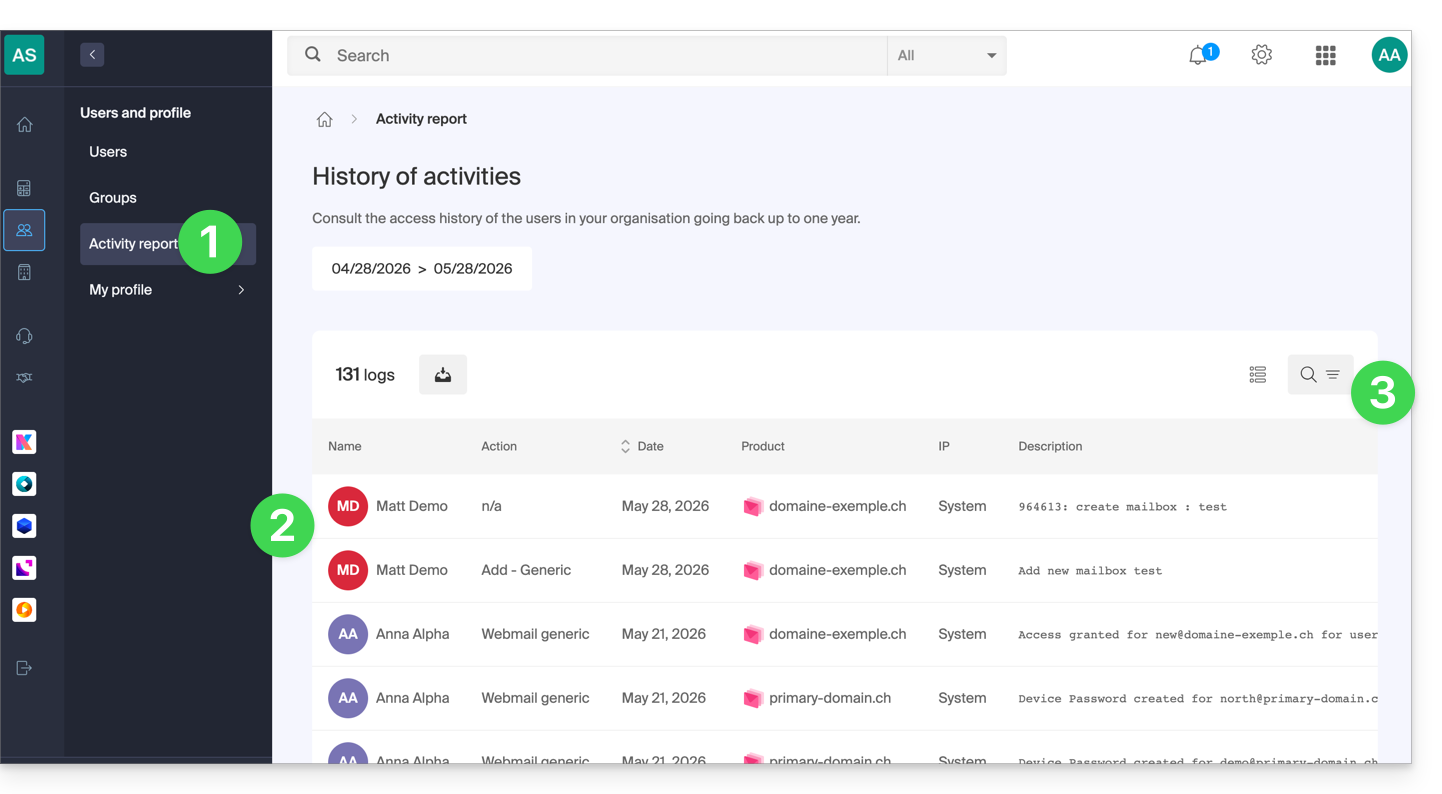
To view an activity log of actions performed on the Infomaniak Manager within the Organization to which you belong:
- Click here to access the Organization's logs on the Infomaniak Manager.
- Review the information.
- Search and filter options are available for logs: term, product, or action type:
Here are the types of actions that can be listed in this table:
- Login attempt
- Successful login
- Successful cookie-based login
- Enable automatic login
- Disable automatic login
- Password recovery request
- Password recovered
- Password change
- Username change
- Email recovery request
- Email address recovered
- Modify email address
- Assign owner role
- Remove owner role
- Assign administrator role
- Remove administrator role
- Add a server
- Modifying a server
- Deleting a server
- Client-server action
- Create a repository
- Submission received
- Order management
- Invoice generation
- Invoice activation
- Disable billing
- Transfer funds
- Add an item
- Modify an item
- Delete an item
- Lock an item
- Unlock an item
- Save video recording
- Using the webmail
- Automatic email sent
- Sending an SMS
- Generic system error
Link to this FAQ: https://faq.infomaniak.com/1504
Has this FAQ been helpful?