Knowledge base
1000 FAQs, 500 tutorials and instructional videos. Here, there are only solutions!
Show website IP address
Update 10/13/2026
This guide explains how to display the IP address of a website on your Web Hosting.
Introduction
- The IPv4 address is generally the same for each website on the hosting (unless you have acquired a dedicated IP address).
Display your website's IP address
The IP address is specified on the hosting management page (Starter or containing multiple sites):
- Click here to access the hosting & site management section in your Infomaniak Manager (❓: help).
- Click on the name of the website in question.
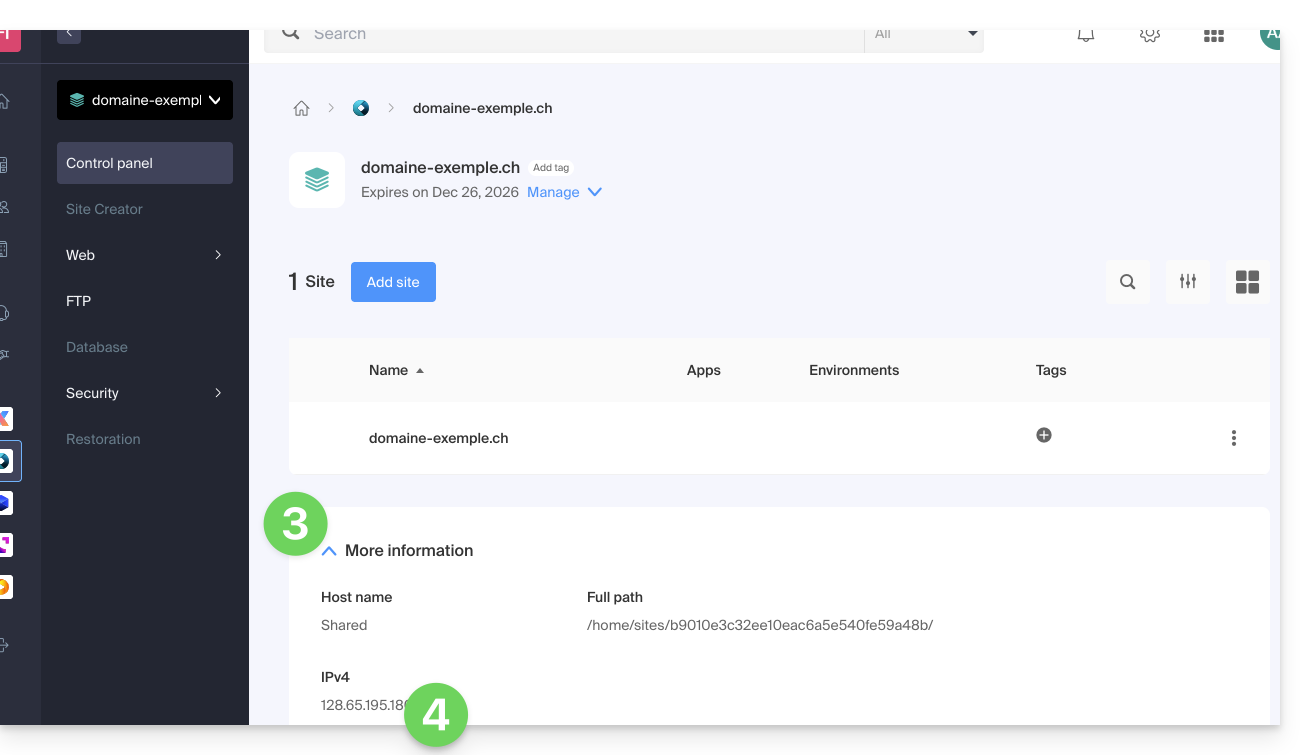
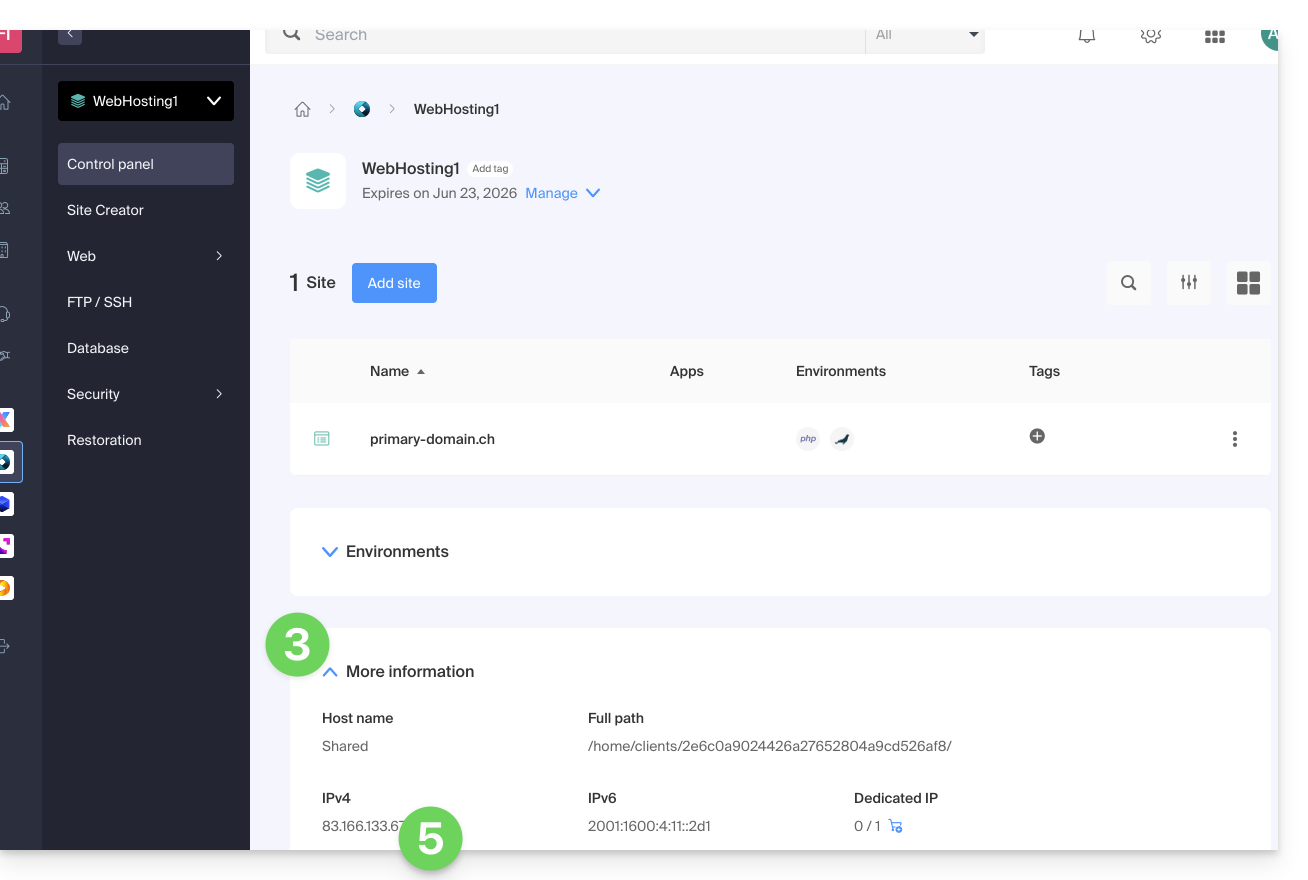
- Then, click on the down arrow to expand the Information section for this hosting.
- The IPv4 address is displayed on the page:
- The IPv6 address is also displayed for paid hosting plans:
Link to this FAQ: https://faq.infomaniak.com/1500
Has this FAQ been helpful?