Knowledge base
1000 FAQs, 500 tutorials and instructional videos. Here, there are only solutions!
Manage DMARC reports
This guide is about the DMARC policy and the optional security reports that can be sent by email, which can be enabled or disabled on request.
Optional DMARC reports
DMARC reports are optional and provide the following information:
- Third-party senders or servers that send emails on behalf of your domain.
- The percentage of messages originating from your domain that successfully pass the DMARC verification process.
- The servers or services that send emails failing DMARC verification.
- The DMARC actions performed by the receiving server for unauthenticated messages from your domain (none, quarantine, or reject).
When reports indicate that most emails pass DMARC checks successfully, it is recommended to strengthen your DMARC settings by enforcing stricter measures. This will enhance the protection of your domain against spoofing.
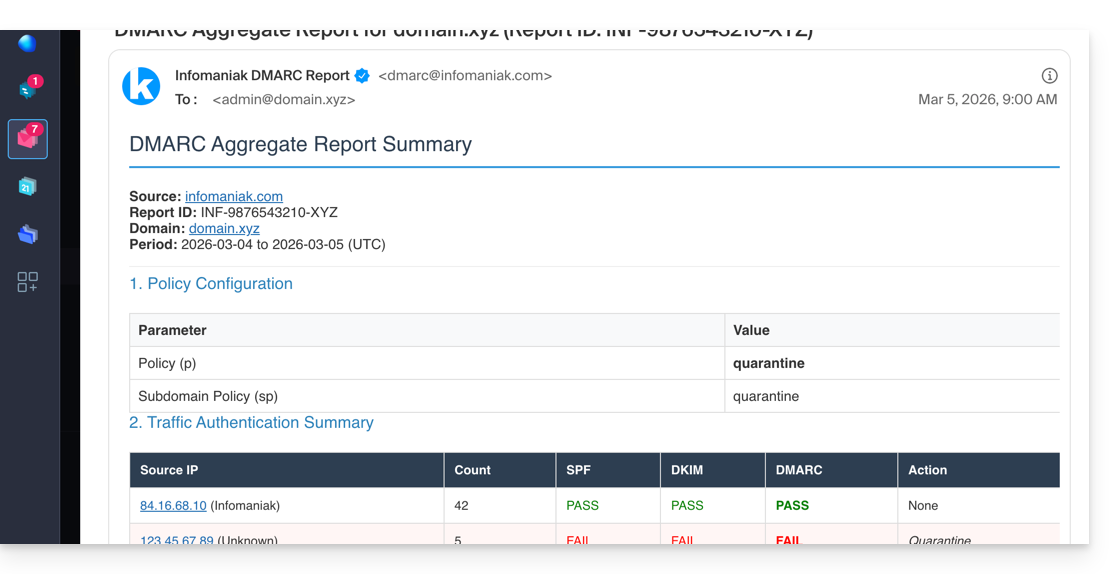
The written report is delivered as a ZIP archive containing the report in XML format. It is sent by email to the address you specify in the configuration and will come from dmarc@infomaniak.com or other providers such as Microsoft, Google, Yahoo, etc.: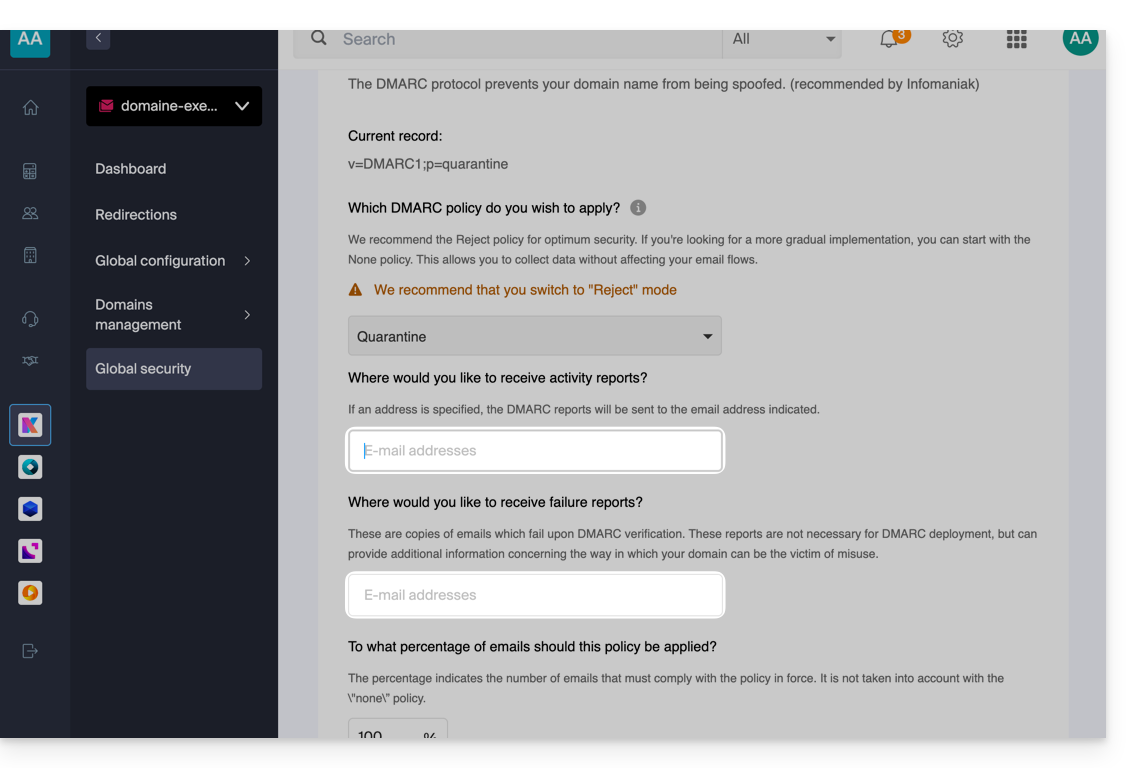
It is also possible to receive copies of the problematic emails.
Analyze a DMARC report
Infomaniak is unable toanalyze your DMARC reports and records. nor can we comment on the validity or compliance of these, as this is entirely your responsibility.
It is recommended to use an external service to analyze a DMARC report, such as https://dmarcadvisor.com/dmarc-analyzer/.
Disable a DMARC report…
… from a Mail Service
To disable the sending of a DMARC report if you still have a Mail Service (otherwise, see below):
- Click here to access the Mail Service management in your Infomaniak Manager (❓: help).
- Click on the name of the Mail Service in question.
- Click on Global Security in the left-hand menu.
- Click on Edit (in the DMARC section).
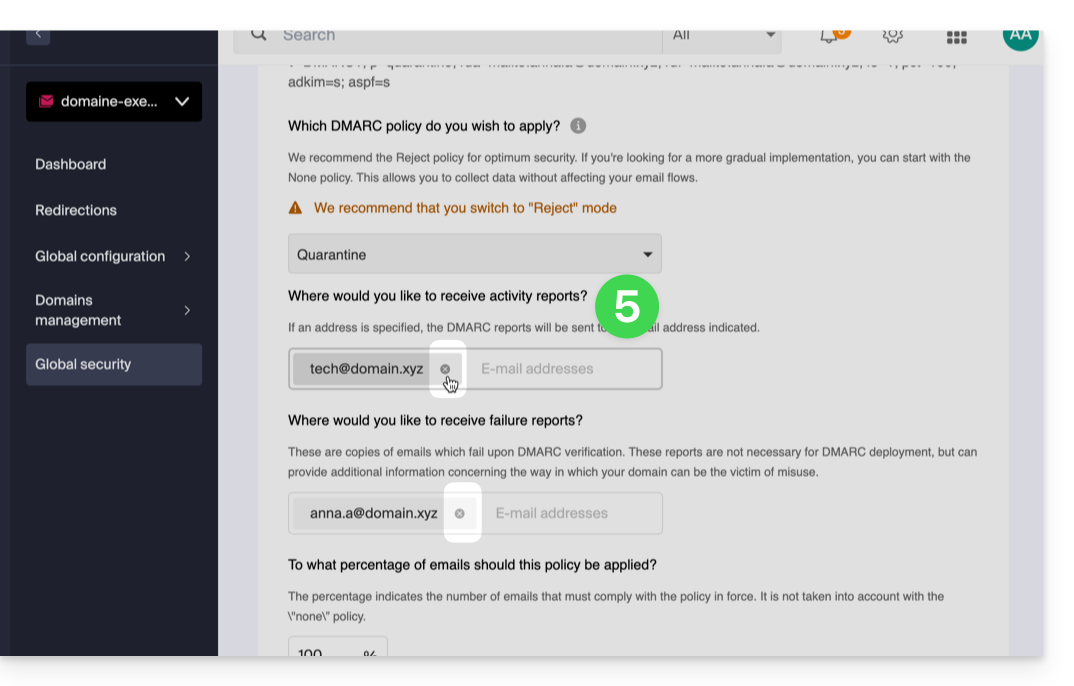
- Remove the saved addresses and validate at the bottom of the page to Apply the changes:
… from a domain's DNS zone
If the Mail service is no longer active but you continue to receive email reports, you need to take action directly on the domain name and delete the dmarc record.from its DNS zone (or simply edit it to completely remove the two rua
The difference between RUA and RUF
It is important to understand what you are disabling by removing ruf:
- RUA (Aggregate): a daily summary (explained above); it provides statistics: "Yesterday, 50 emails were successfully delivered, 10 failed."
- RUF (Forensic/Failure): an email sent instantly as soon as a single message fails the DMARC tests; it often contains the original content of the email (subject, message body).
Link to this FAQ: https://faq.infomaniak.com/1498
Has this FAQ been helpful?