Knowledge base
1000 FAQs, 500 tutorials and instructional videos. Here, there are only solutions!
Configure an encoder for Infomaniak Radio Streaming
This guide explains how to link a stream added to your Infomaniak Streaming Radio with your setup that will broadcast the desired content.
Introduction
- In general, Infomaniak is compatible with all the software listed here: https://www.icecast.org/apps/, but not all of them support AAC streaming, for example.
- An example configuration is provided below for the free, cross-platform application Butt.
- Learn more about Edcast (standalone version) / SpacialAudio SAM Cast… There is also (without a guide) StreamDiffusion / MB Recaster…
Get the login information
To find the information needed to configure your encoder:
- Click here to access the management interface for your product in the Infomaniak Manager (need help?).
- Click directly on the name assigned to the product in question:
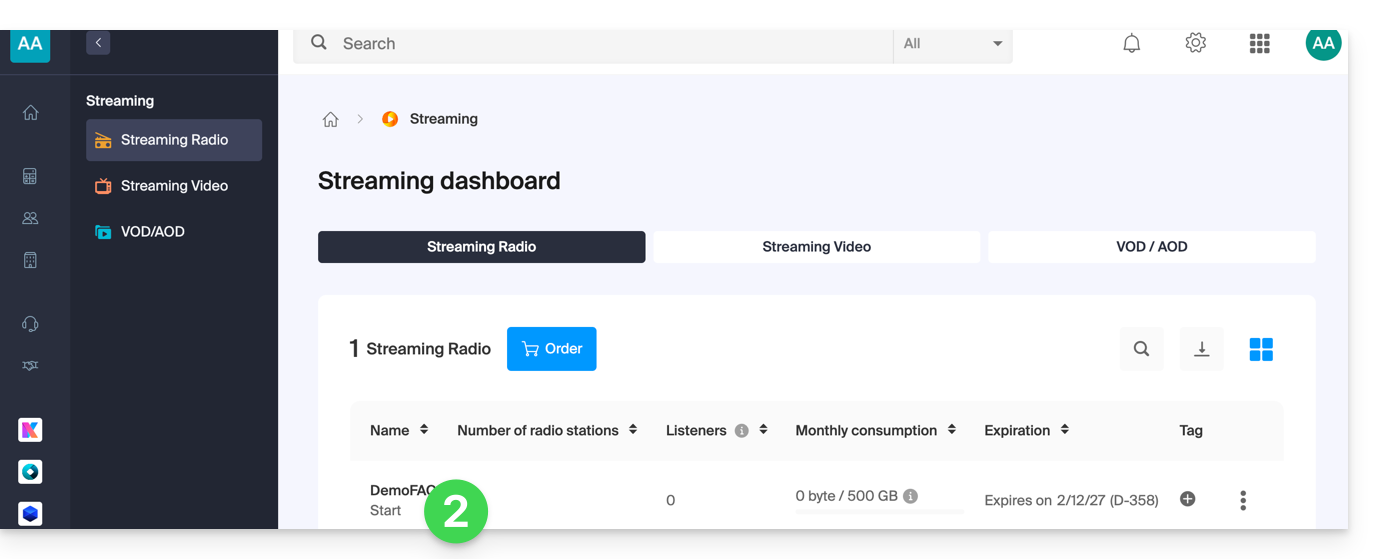
- Click on the name of the radio station in question:
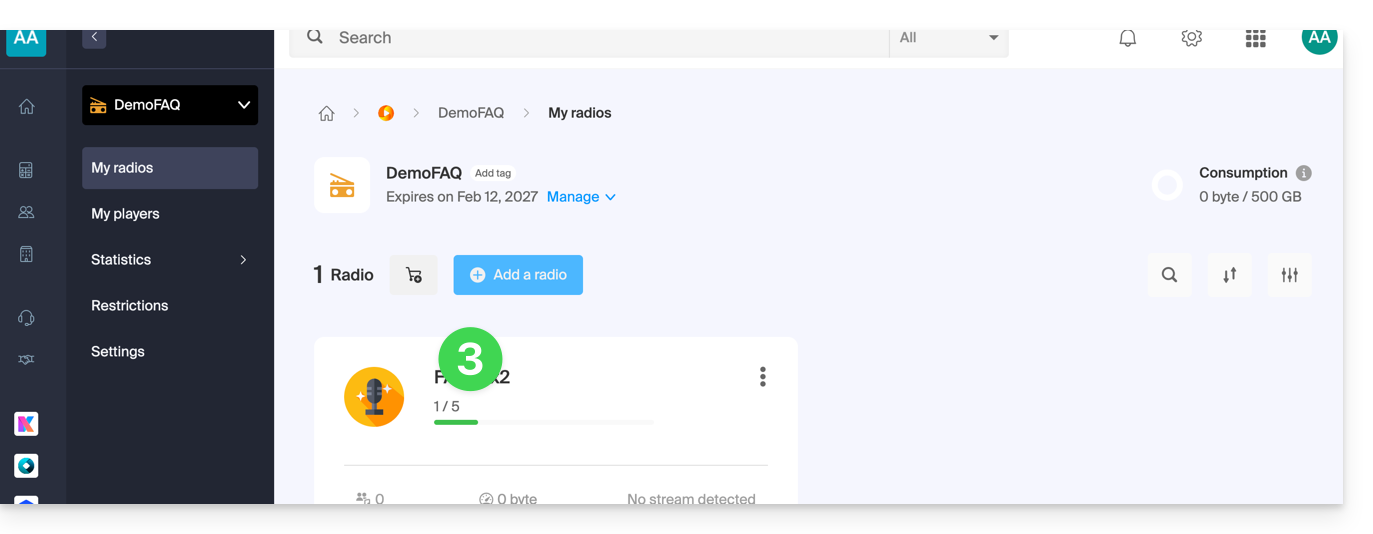
- Click on the name of the audio stream in question to view its details:
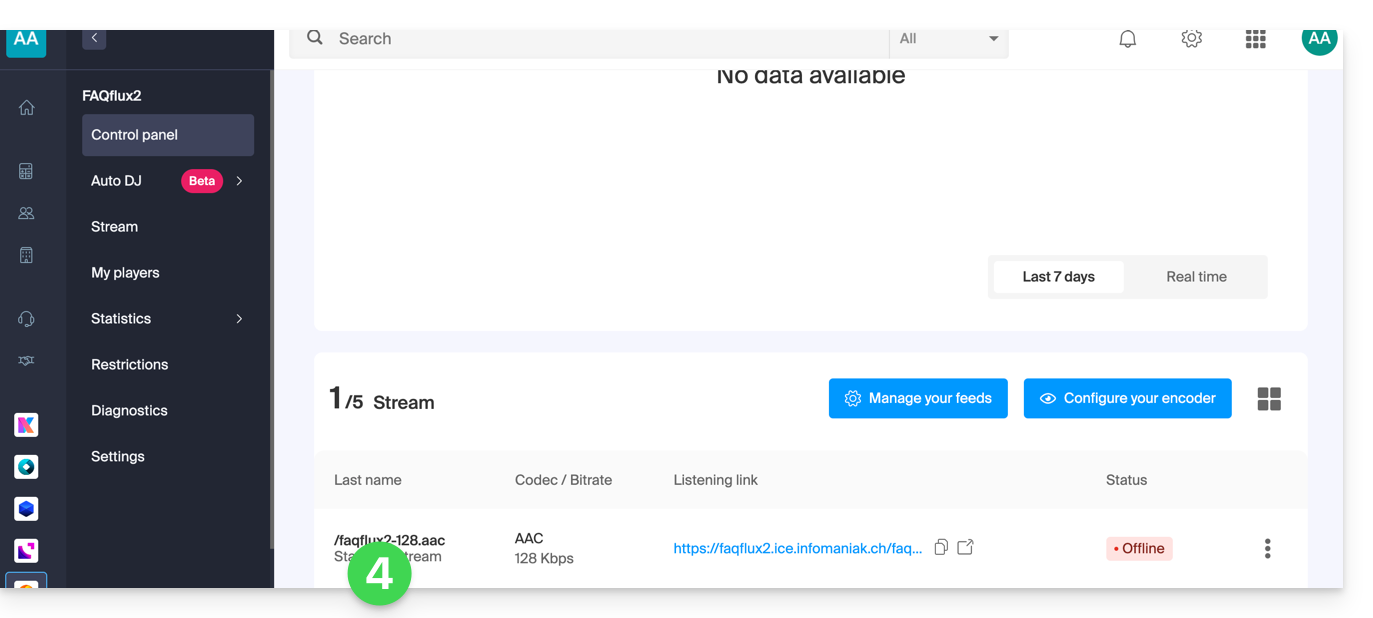
- The relevant information is displayed on the page:
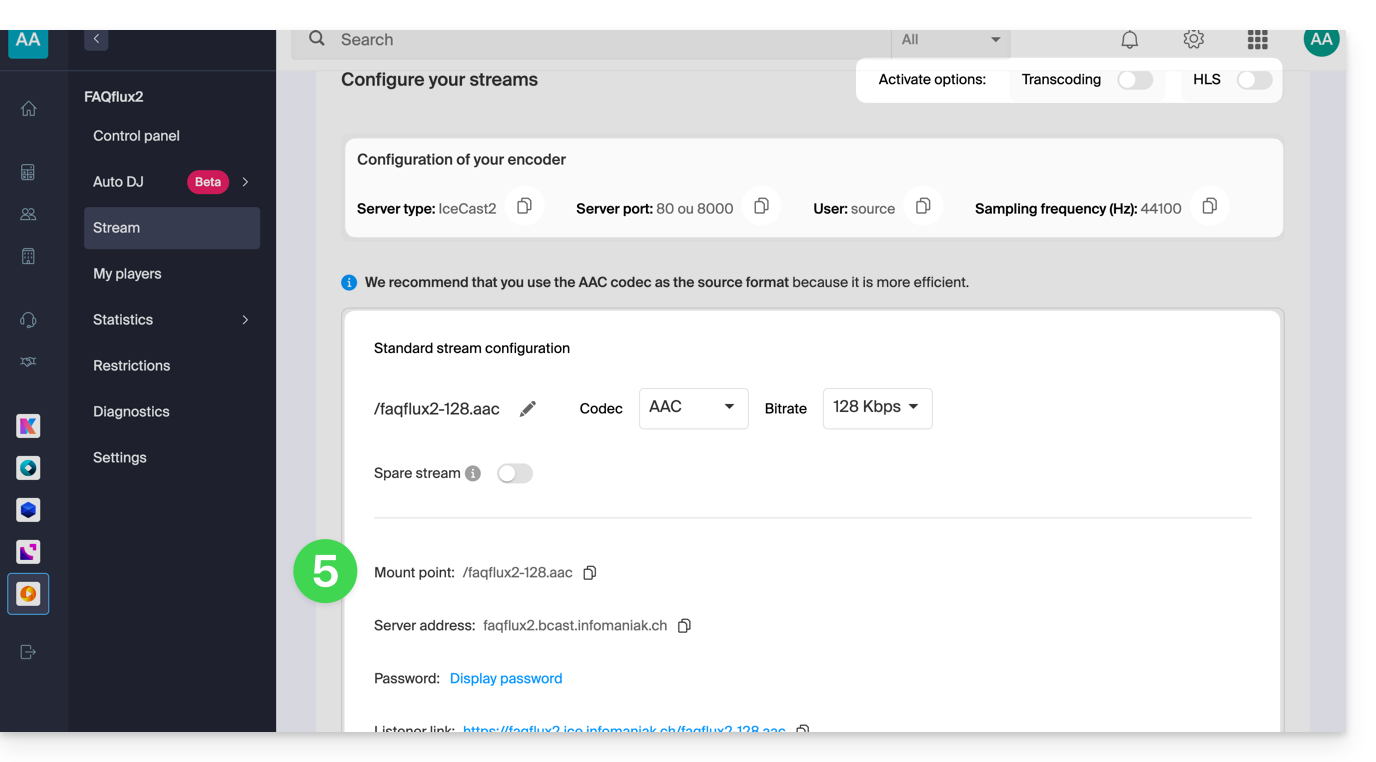
Example of encoder configuration
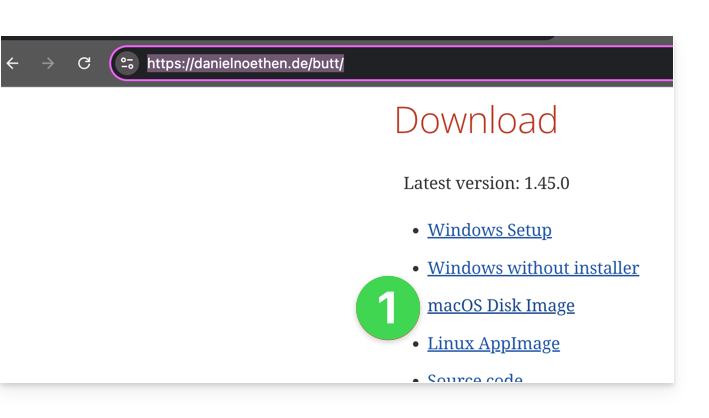
You want to stream audio content from a computer. As specified in the preamble above, there are multiple software solutions available. Here is an example using the Butt tool, which is available, among other platforms, on macOS:
- Download Butt:
- Open the downloaded application on your computer.
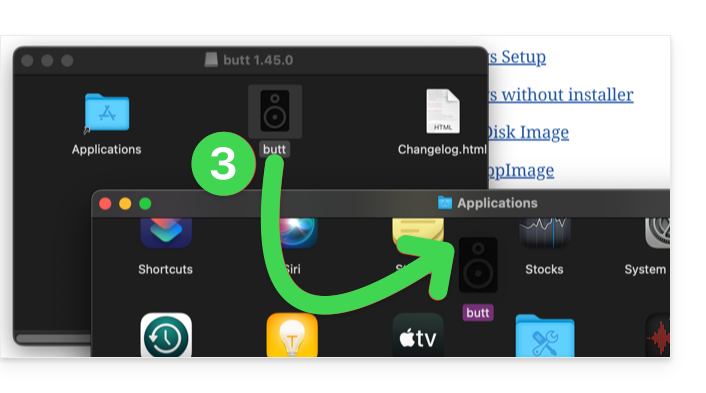
- Install the application:
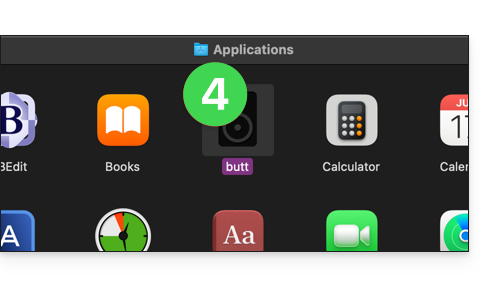
- Launch the application to use it:
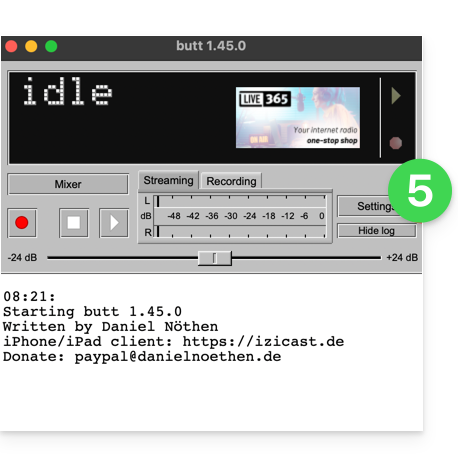
- Click on Settings:
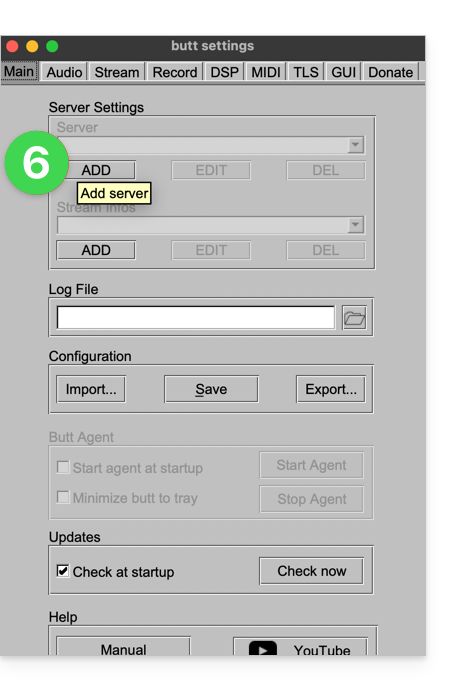
- Click on Add a server:
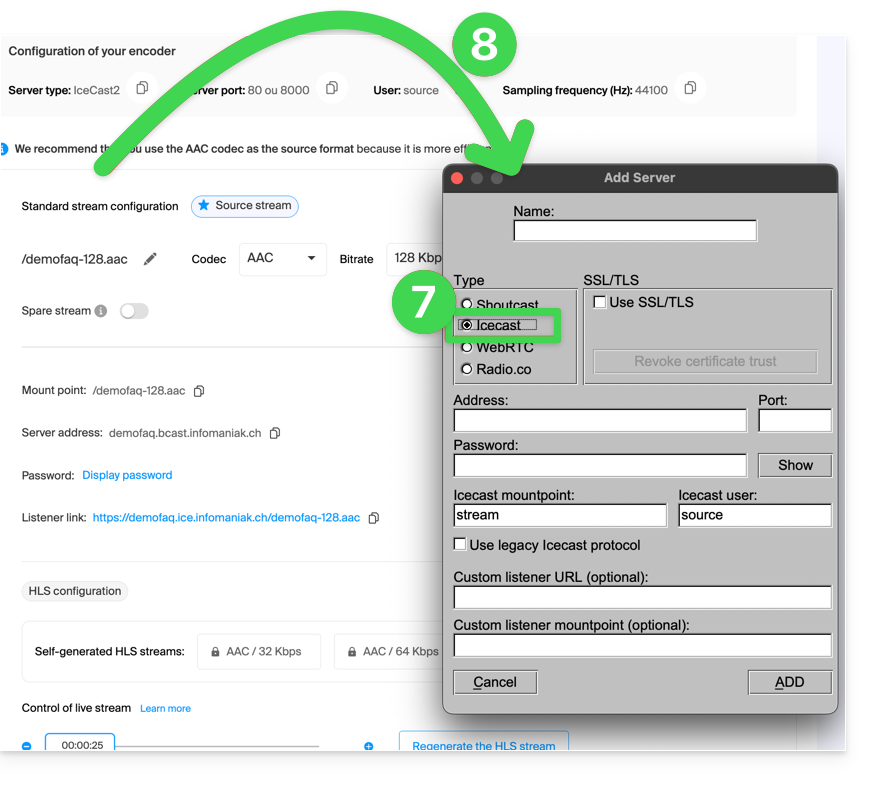
- Select the Icecast type.
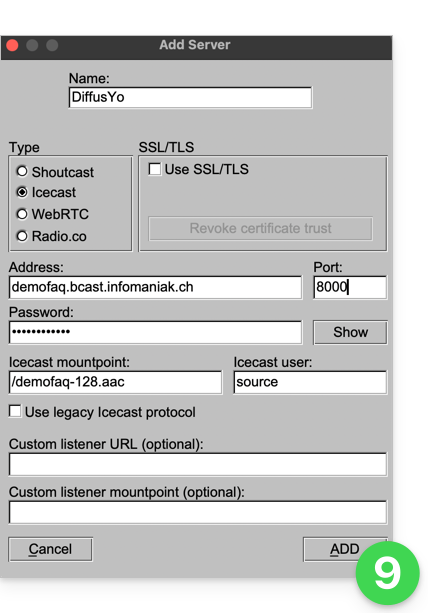
- Copy your stream information to the encoder (for the password, you will first need to enter your login password for the Manager, then the stream password will be copyable (and visible with the eye icon):
- Confirm your settings by clicking Add in the bottom right corner:
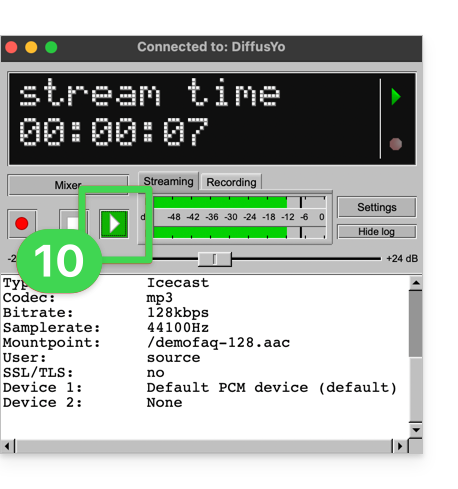
- Close the settings and click the Play button to start the broadcast:
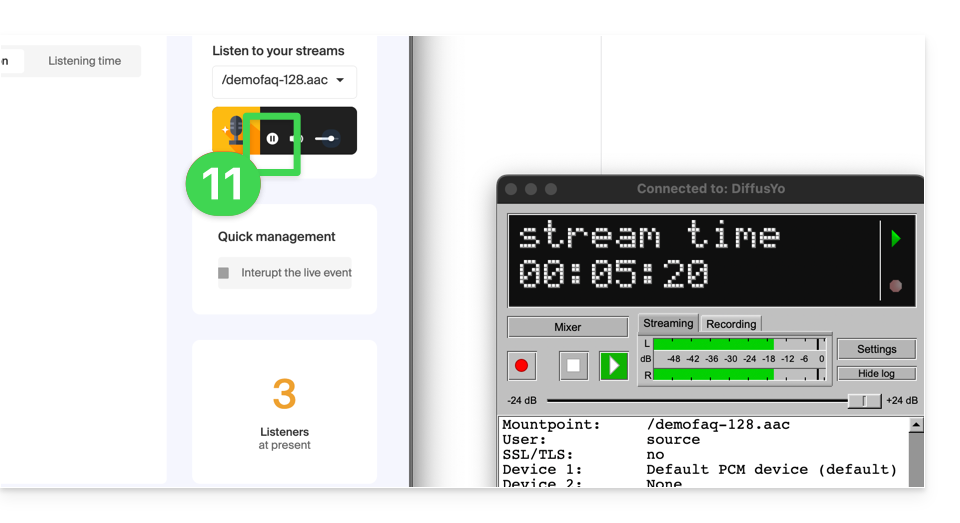
- You can listen to your stream from the Infomaniak dashboard by starting the demo player:
Link to this FAQ: https://faq.infomaniak.com/1466
Has this FAQ been helpful?