Knowledge base
1000 FAQs, 500 tutorials and instructional videos. Here, there are only solutions!
Configure a radio streaming encoder
This guide explains how to link a stream added to your Infomaniak Streaming Radio with your installation that will broadcast the desired content.
Preamble
- In general, Infomaniak is compatible with all the software indicated here: https://www.icecast.org/apps/ but not all support AAC streaming, for example.
- An example configuration is given below for the free and multi-platform application Butt.
- Refer to the information for Edcast (standalone version) / Sam Broadcaster / SpacialAudio SAM Cast… There are also (without guide) StreamDiffusion / MB Recaster …
Obtain connection information
To find the information necessary to configure your encoder:
- Click here to access the management of your product on the Infomaniak Manager (need help?).
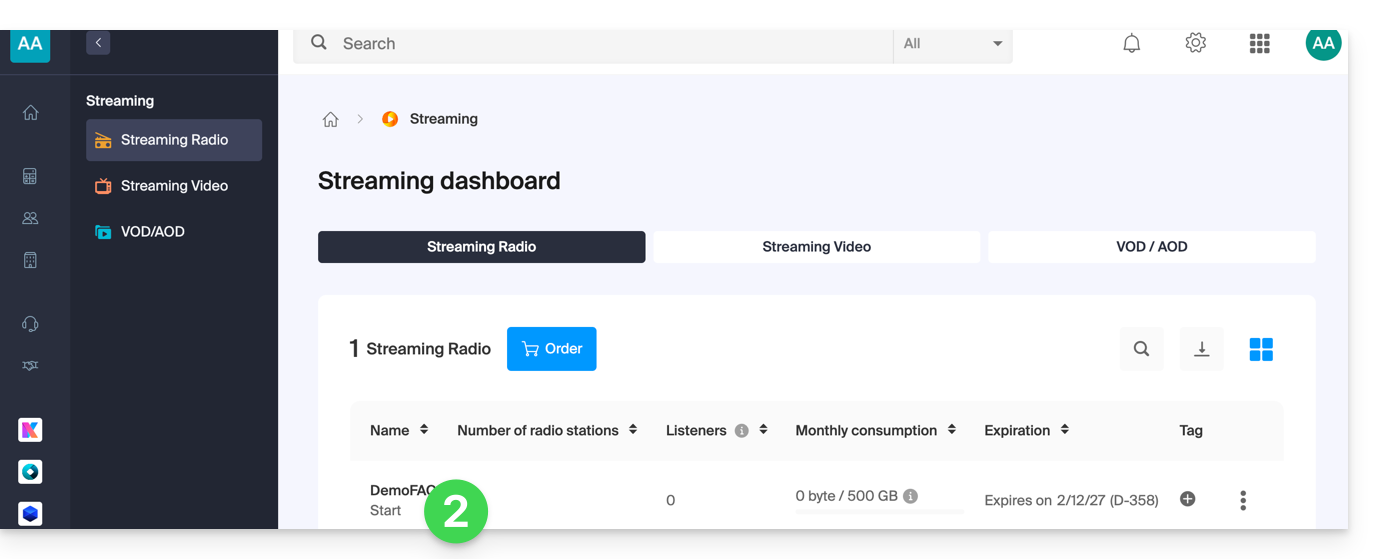
- Click directly on the name assigned to the product concerned:
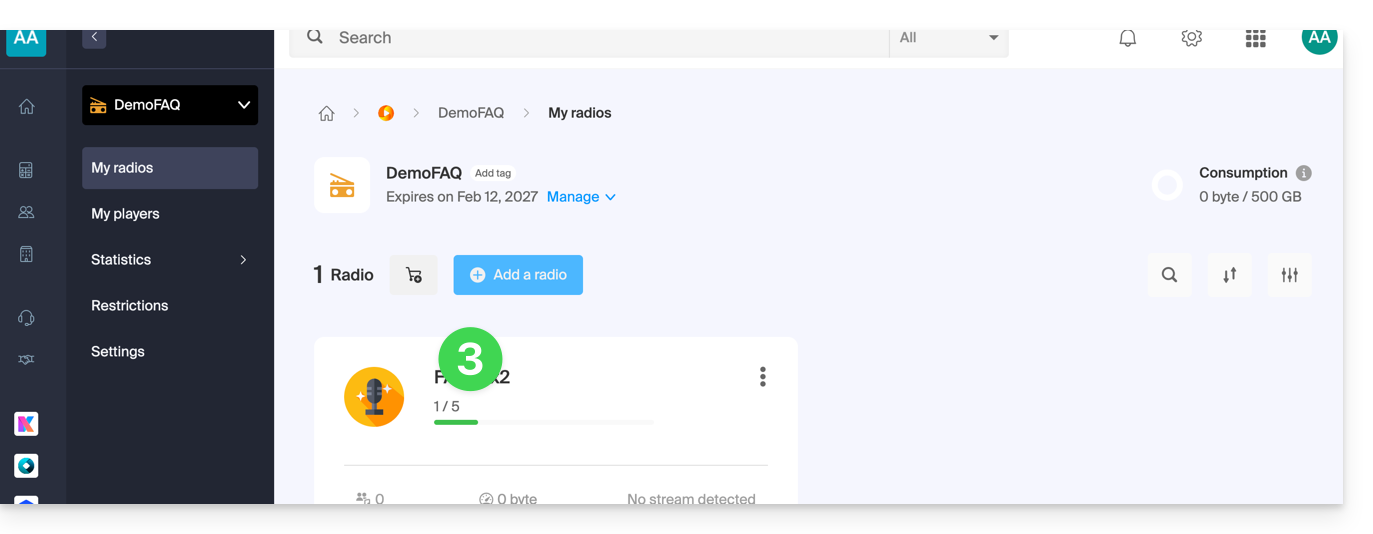
- Click on the name of the radio concerned:
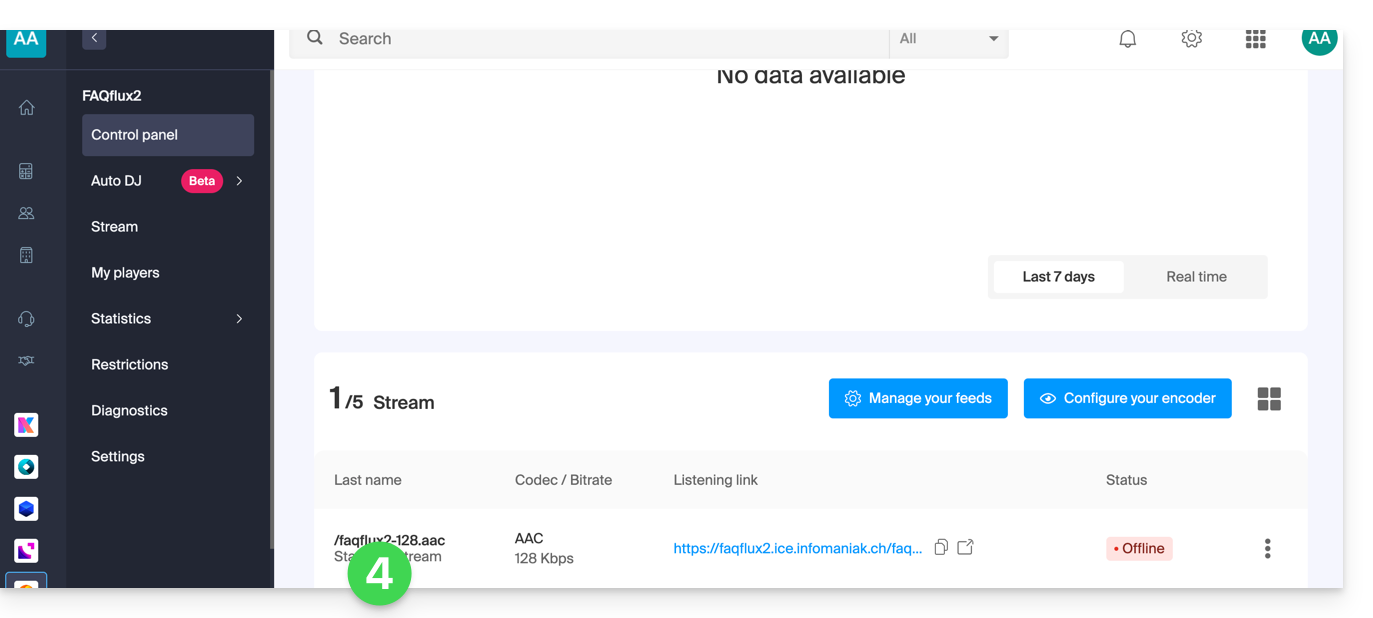
- Click on the name of the audio stream concerned to get its details:
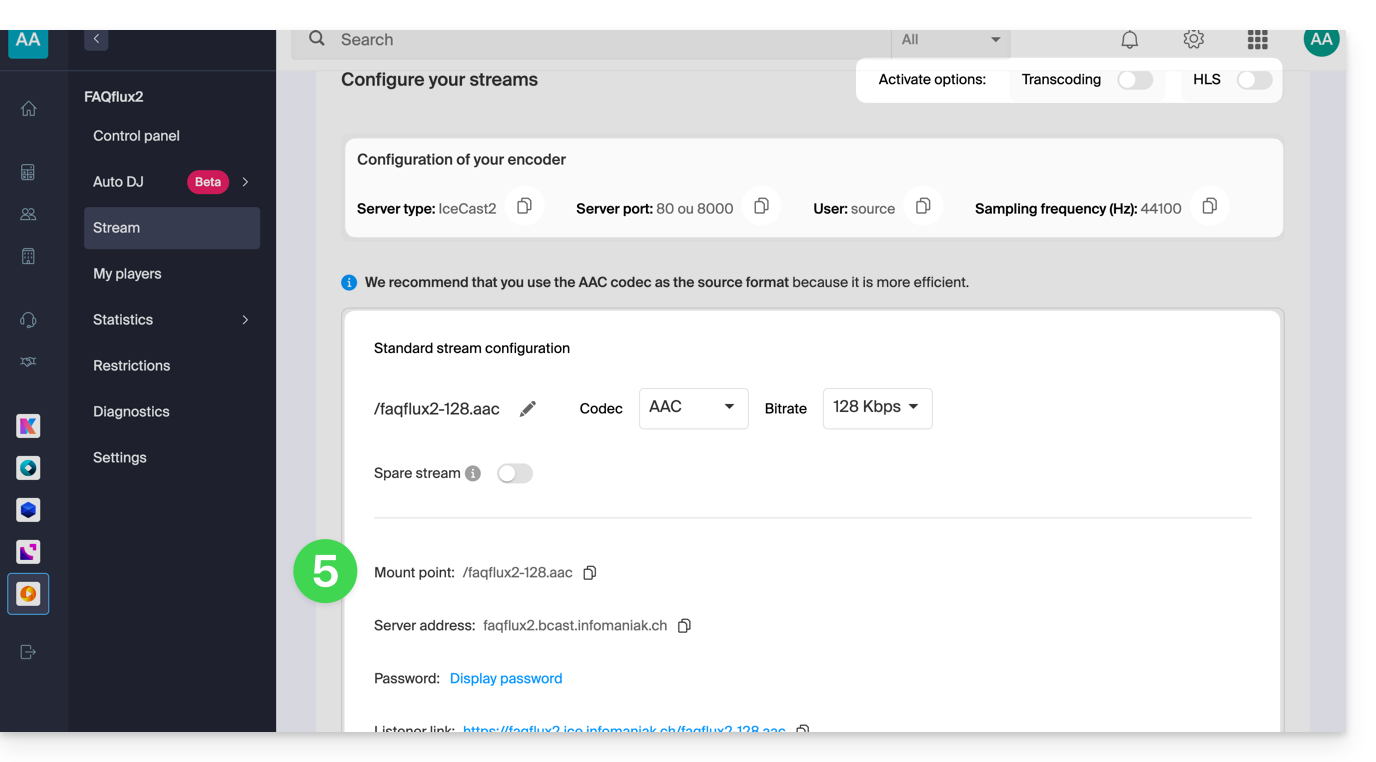
- The useful information is displayed on the page:
Example of encoder configuration
You want to broadcast audio content from a computer. As specified in the preamble above, there are multiple software solutions. Example with the tool Butt available on macOS, among others:
- Download Butt:

- Open the downloaded application on your computer.
- Install the application:

- Launch the application to use it:

- Click on Settings:

- Click on Add a server:

- Select the Icecast type.
- Copy the information of your stream to the encoder (for the password, you will first need to enter your Manager login password, then the stream password will be copyable (and visible with the eye icon):

- Validate your settings by clicking on Add at the bottom right:

- Close the settings and click on the Play button to start the broadcast:

- You can listen to the broadcast of your stream from the Infomaniak dashboard by starting the demo Player:

Link to this FAQ: https://faq.infomaniak.com/1466
Has this FAQ been helpful?