Knowledge base
1000 FAQs, 500 tutorials and instructional videos. Here, there are only solutions!
Download a VOD/AOD media file
Update 10/13/2026
This guide explains how to retrieve the media on your device once it has been uploaded to your VOD/AOD space.
Introduction
- When you upload a video to your VOD space, you obtain the link corresponding to the video's address on the server.
- Most browsers, such as Brave, Chrome, Edge, Firefox, Opera, Safari, etc., will "stream" the video once this address is loaded, meaning the video will be played gradually without you being able to download the entire file to your hard drive.
- If you have deleted the original video from your hard drive, you may want to recover it.
- There is no direct access (e.g., via FTP) to the server hosting the videos.
Download the source media
To access a media file in the VOD space:
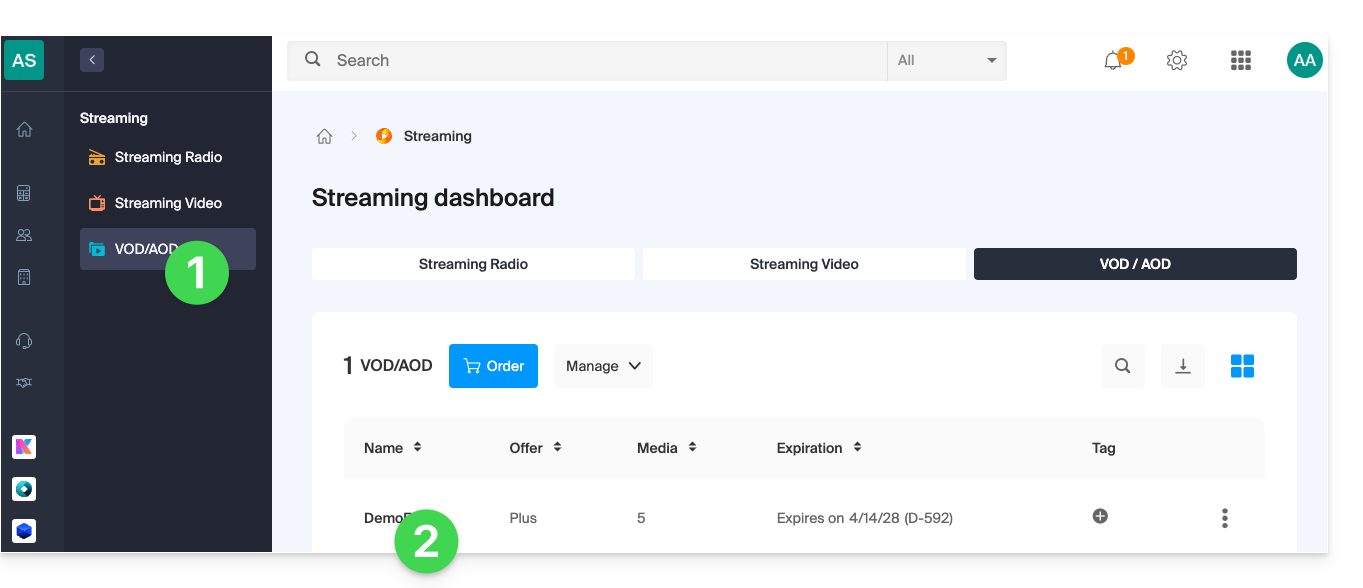
- Click here to access the management of your VOD/AOD in the Infomaniak Manager (need help?).
- Click directly on the name assigned to the product in question:
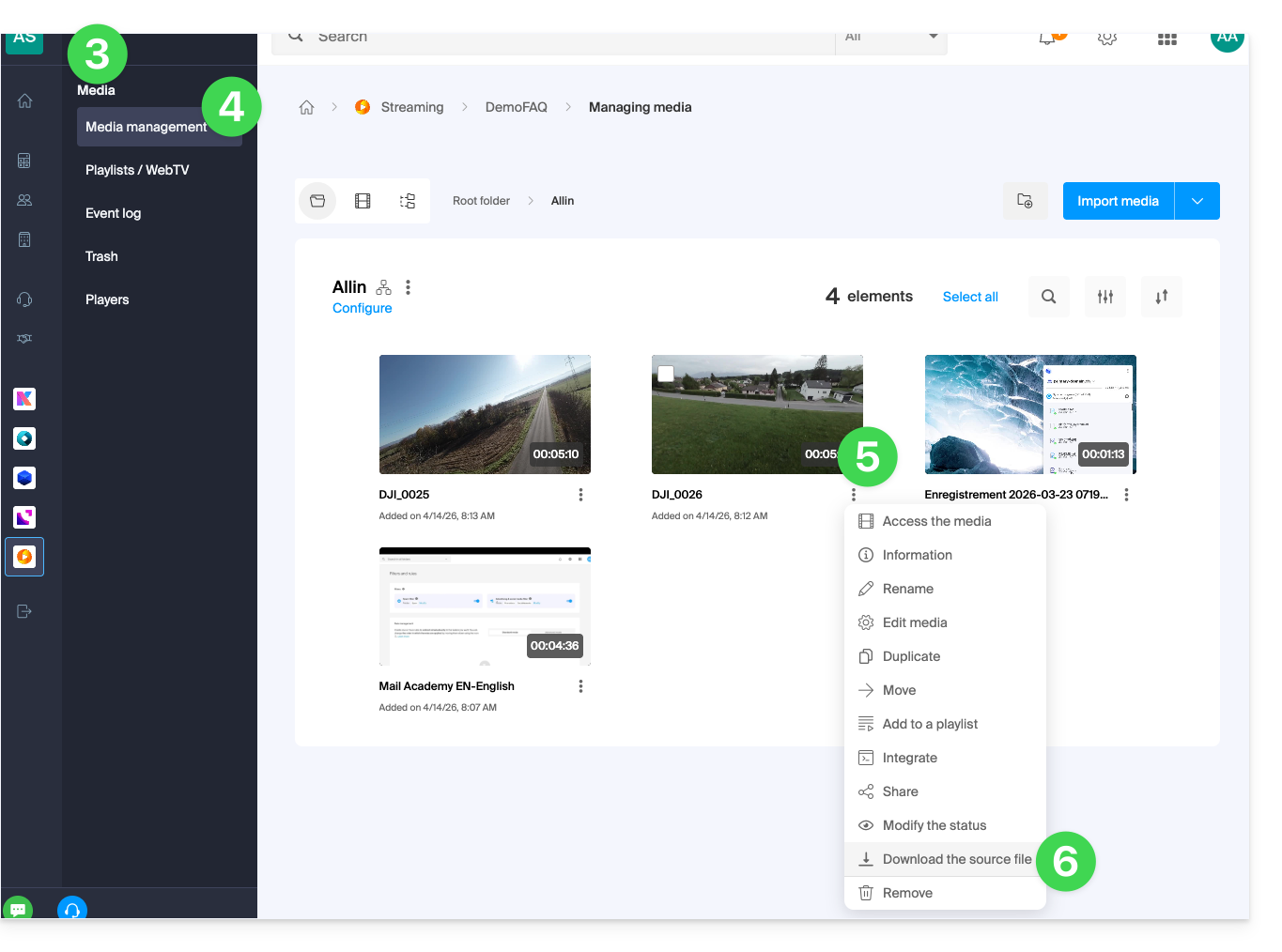
- Click on Media in the left-hand menu.
- Click on Media Management in the left-hand menu.
- Click on the action menu ⋮ of the relevant media thumbnail.
- Click on Download the source file to have your browser offer the download of the source media to your device:
Link to this FAQ: https://faq.infomaniak.com/1464
Has this FAQ been helpful?