Knowledge base
1000 FAQs, 500 tutorials and instructional videos. Here, there are only solutions!
Add a backup audio stream
This guide explains how to specify a backup audio stream for Infomaniak's Radio Streaming.
This way, if your primary stream becomes unavailable, the backup stream will automatically take over the broadcast.
Create a backup stream
To access the Radio Streaming service:
- Click here to access the management of your product in the Infomaniak Manager (need help?).
- Click directly on the name assigned to the product in question:
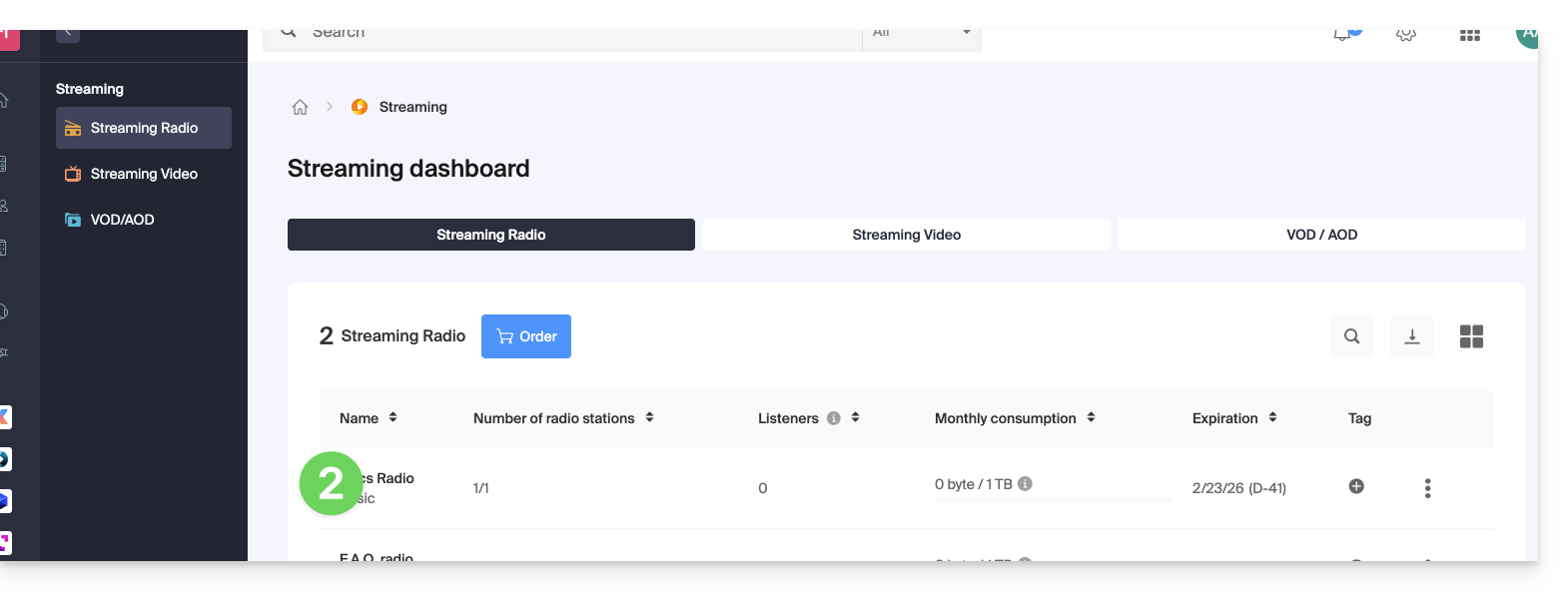
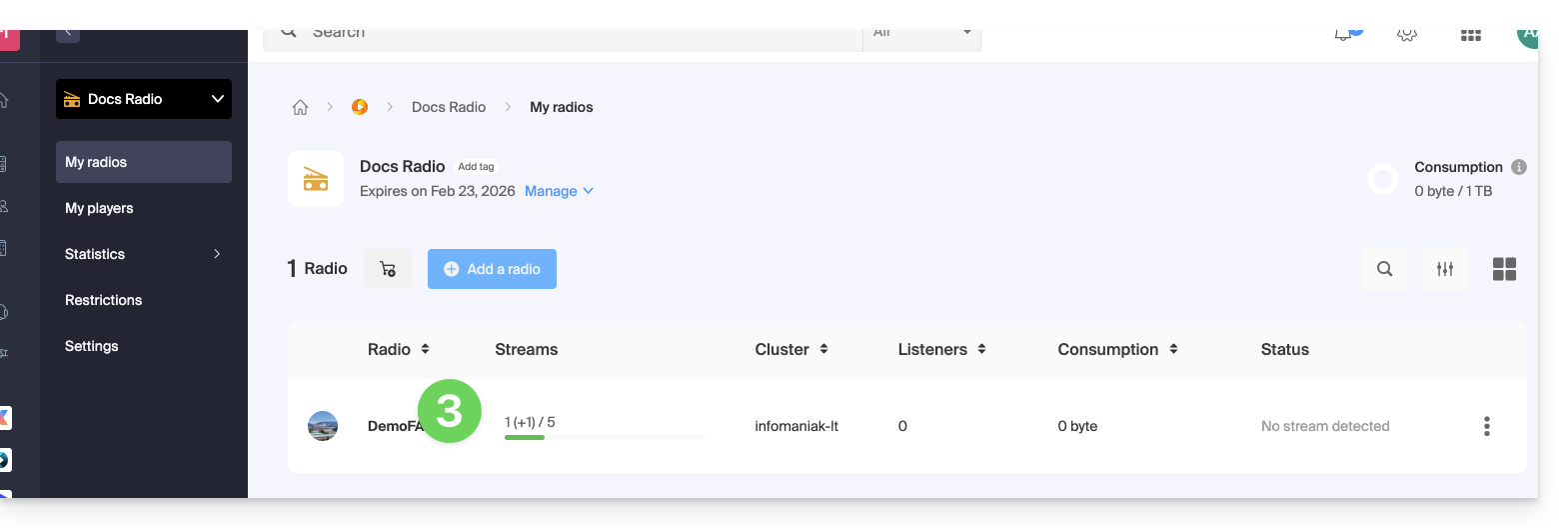
- Click on the name of the radio station in question:
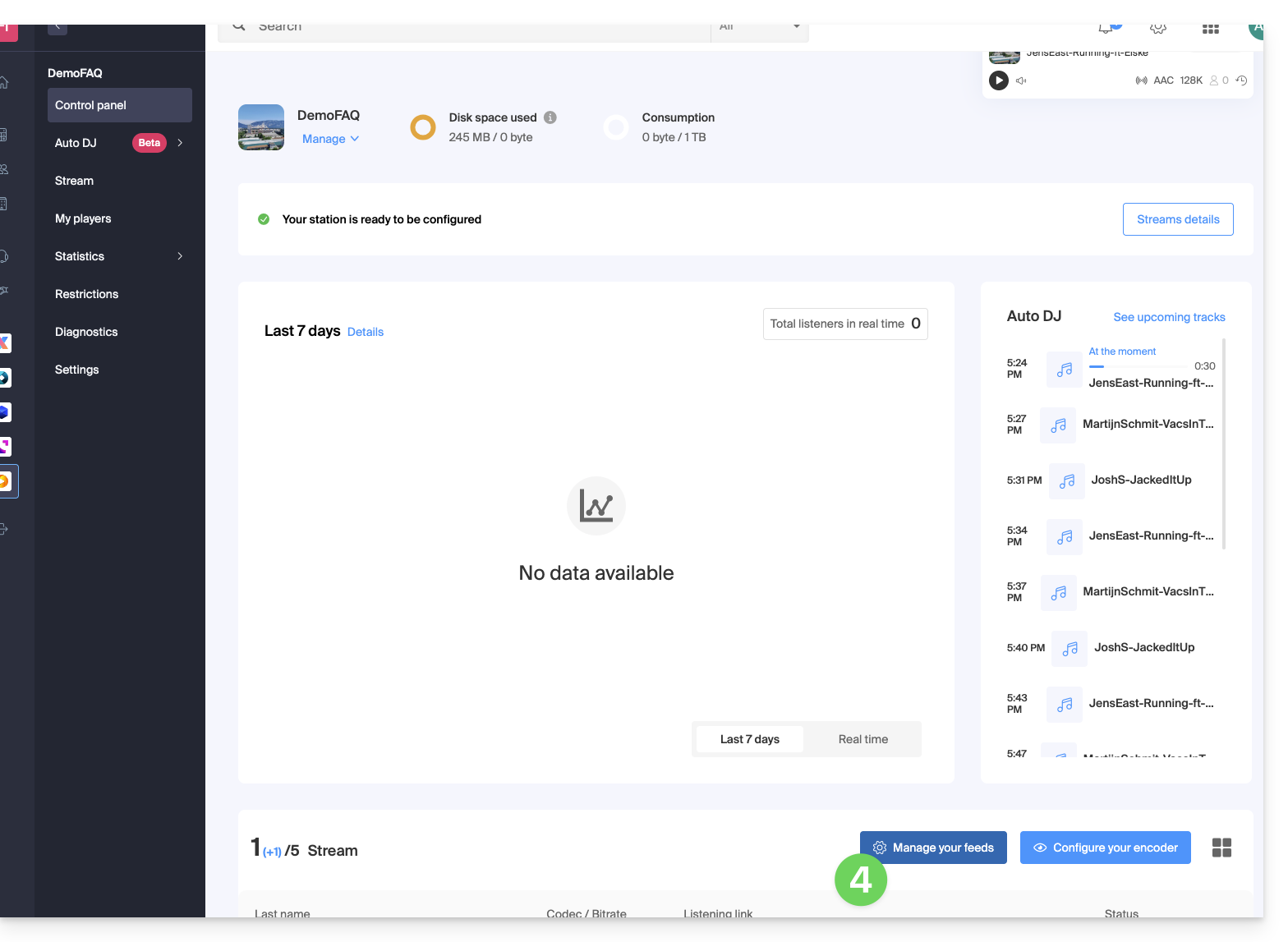
- Click on the button to manage your streams:
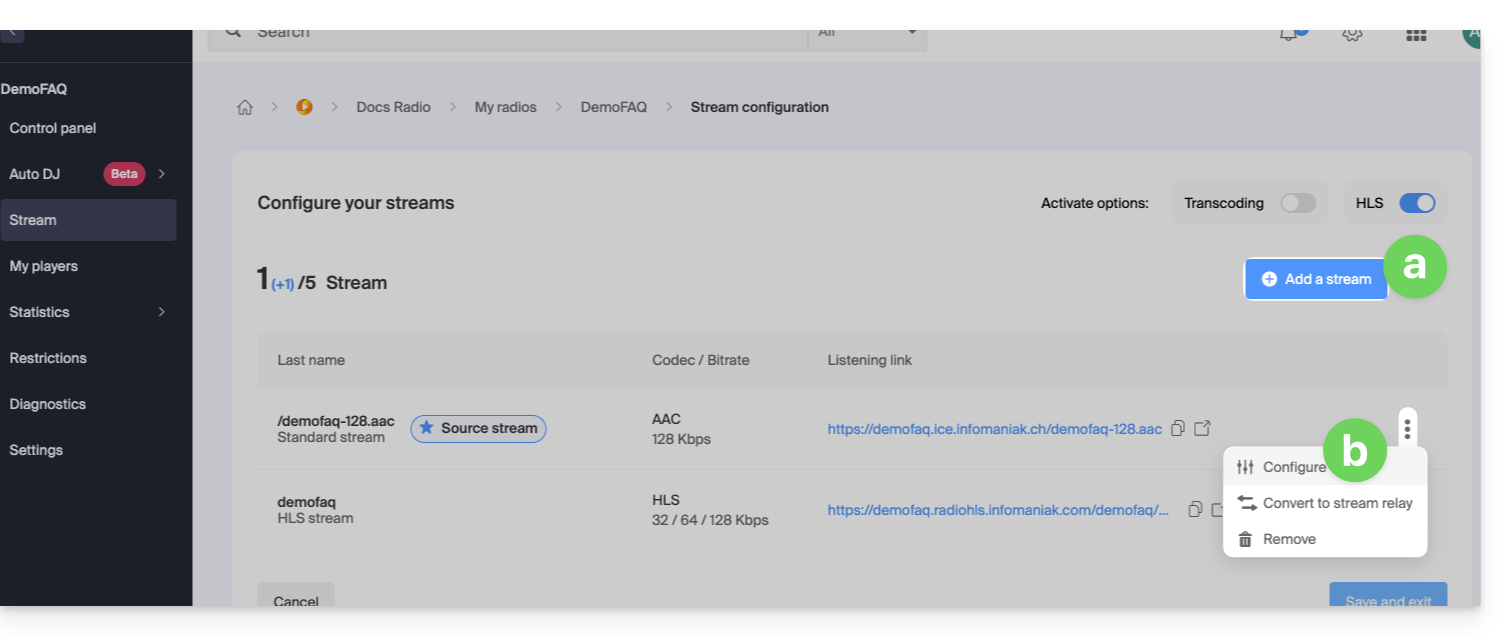
- Either:
- Add a stream to create a new stream and associate a backup stream with it,
- Configure an existing stream to enable the option:
- Click on the toggle switch to enable the backup stream for your stream:
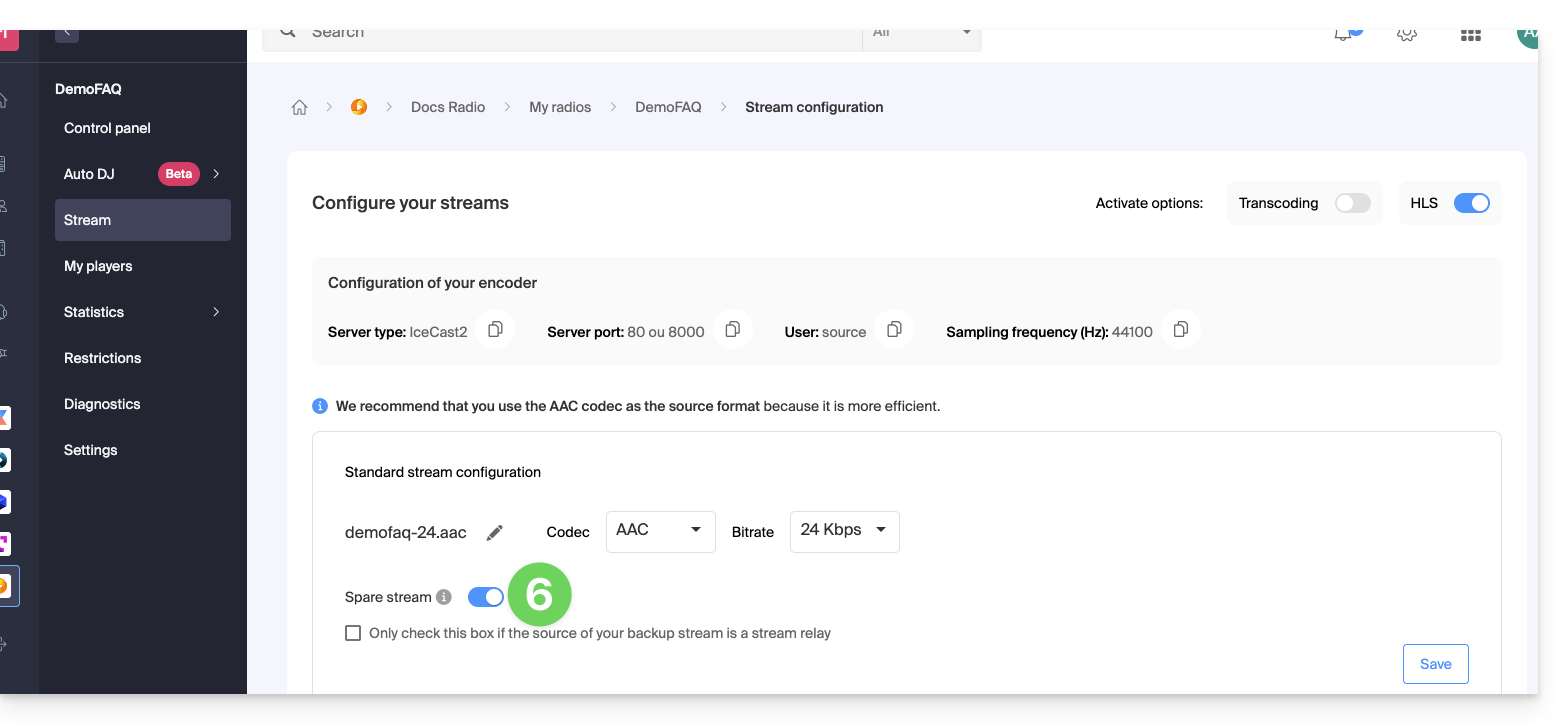
- Copy the information available to configure your backup encoder.
- Save the activation of the backup stream at the bottom right of the page.
- In the same location, you can define the backup stream as a stream relay to manually enter the parameters corresponding to the backup audio stream:
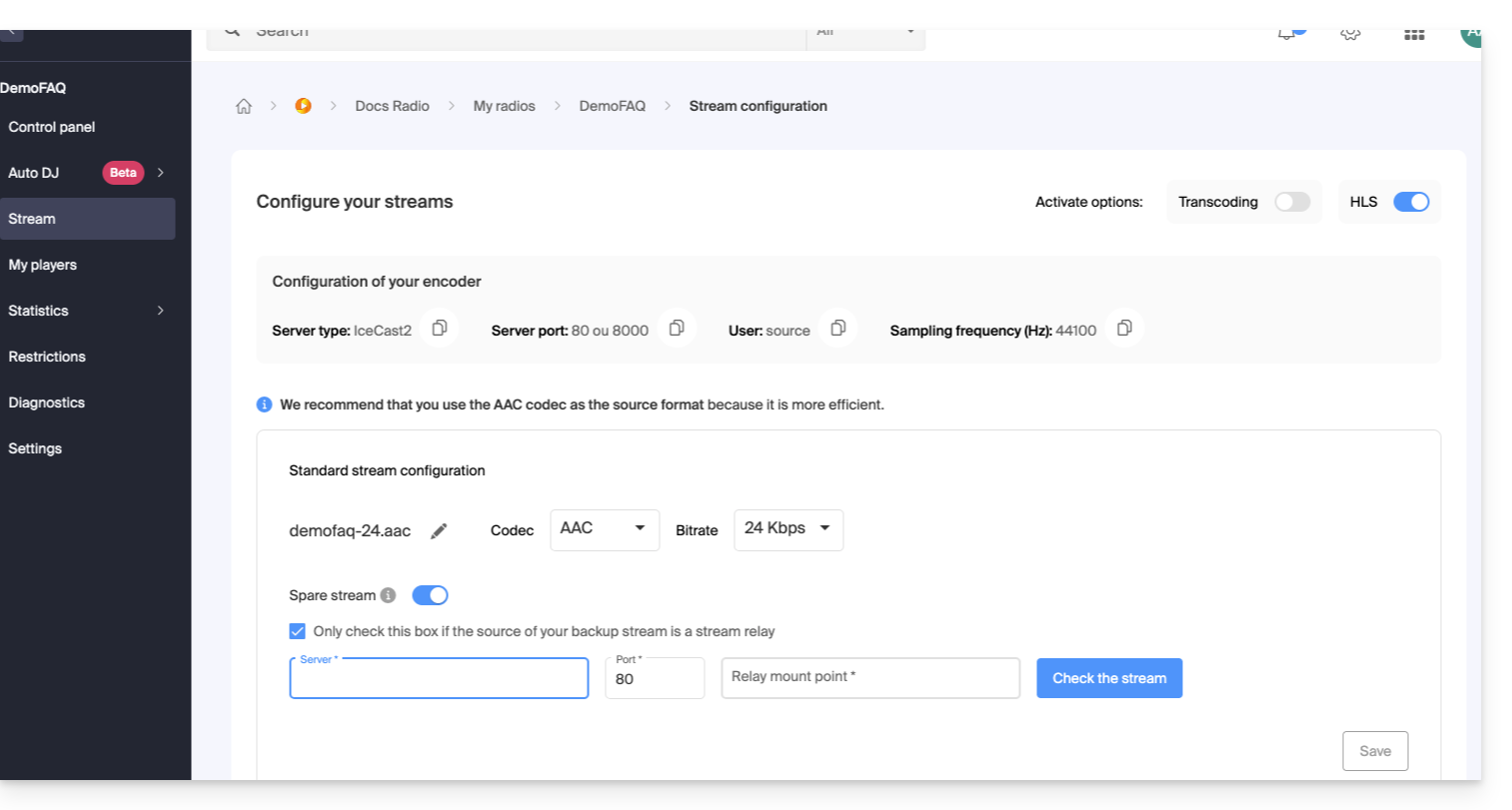
- In the same location, you can define the backup stream as a stream relay to manually enter the parameters corresponding to the backup audio stream:
Save the new information at the bottom right of the page.
Link to this FAQ: https://faq.infomaniak.com/1456
Has this FAQ been helpful?