Knowledge base
1000 FAQs, 500 tutorials and instructional videos. Here, there are only solutions!
Discover Infomaniak Contacts
The easiest way to manage your contacts is to use the Infomaniak Contacts web app (online service ksuite.infomaniak.com/contacts).
How to get started with Infomaniak Contacts?
Whether using kSuite or the Mail app, it is essential to log in with your Infomaniak account credentials (username and password). Simply entering an email address hosted on a service that is not an Infomaniak account will not work. Understand the difference
- Click here to access the Infomaniak Web app Contacts (online service ksuite.infomaniak.com/contacts):
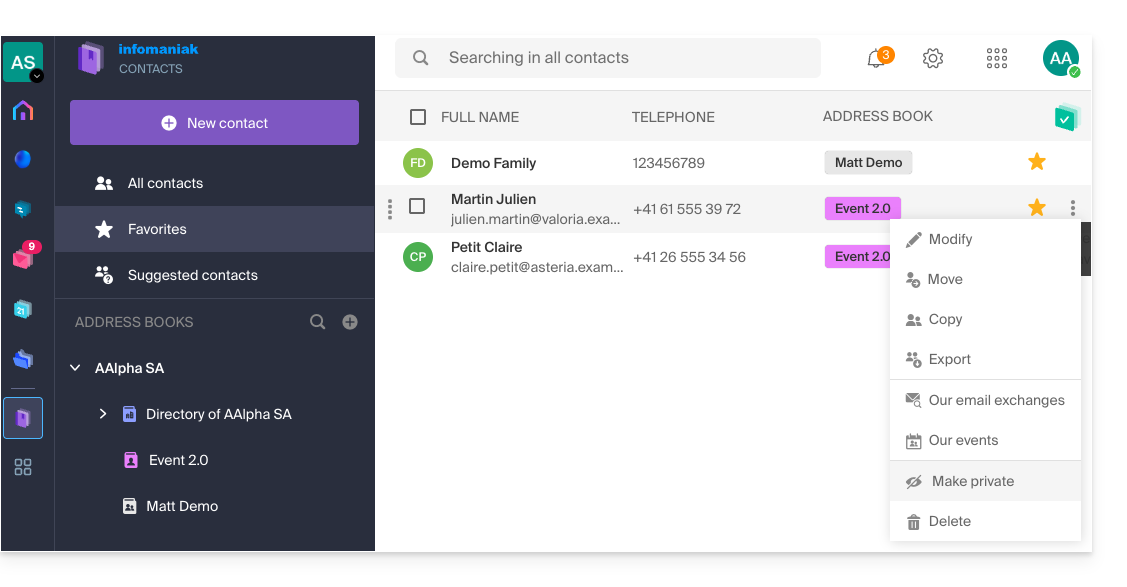
- This interface offers many advantages:
- No software to install or configure.
- Share address books with other users.
- Permanently saved.
- Sync your contacts across devices.
- Secure and respects your privacy, hosted in Switzerland by a neutral and independent company.
What would you like to do?
- Sync contacts & calendars across all your devices
- Manage address books
- Manage contacts
- Manage duplicates
- Import contacts
- Export contacts
- Group contacts
- Copy or move contacts
- Restore contacts
- Search for contacts
- Share an address book
Have a question or feedback?
- Contact Infomaniak support
- Click here to share feedback or a suggestion about an Infomaniak product.
Link to this FAQ: https://faq.infomaniak.com/1452
Has this FAQ been helpful?