Knowledge base
1000 FAQs, 500 tutorials and instructional videos. Here, there are only solutions!
Show Streaming Radio Statistics
Update 10/08/2026
This guide covers the audience and listening statistics for Streaming Radio, allowing you to view all information about listeners and the different audiences for your radio streams.
Introduction
- Refer to this other guide if you wish to process the raw logs yourself.
Access listening statistics
To access this information:
- Click here to access your product management interface on the Infomaniak Manager (need help?).
- Click directly on the name assigned to the product in question.
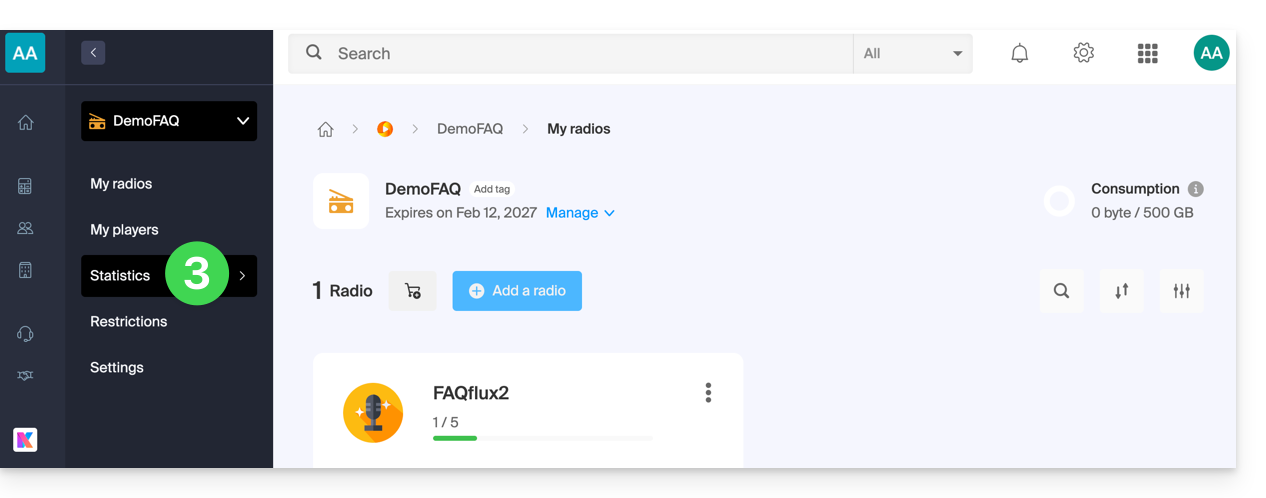
- Click on Statistics in the left-hand menu:
- Click on the various menus in the left-hand sidebar:
Overview

Real-time audience
- Refer to this other guide for more information.
Listeners

Listening time

Consumption

Geolocation

- Exporting to
.csvformat is possible:
- Exporting to
Players

Link to this FAQ: https://faq.infomaniak.com/1408
Has this FAQ been helpful?