Knowledge base
1000 FAQs, 500 tutorials and instructional videos. Here, there are only solutions!
Display Streaming Radio statistics
This guide covers the audience and listening statistics of Streaming Radio, allowing you to view all information about your radio stream listeners and different audiences.
Preamble
- Refer to this other guide if you wish to process the raw logs yourself.
Access listening statistics
To access this information:
- Click here to access the management of your product on the Infomaniak Manager (need help?).
- Click directly on the name assigned to the product concerned.
- Click on Statistics in the left sidebar:
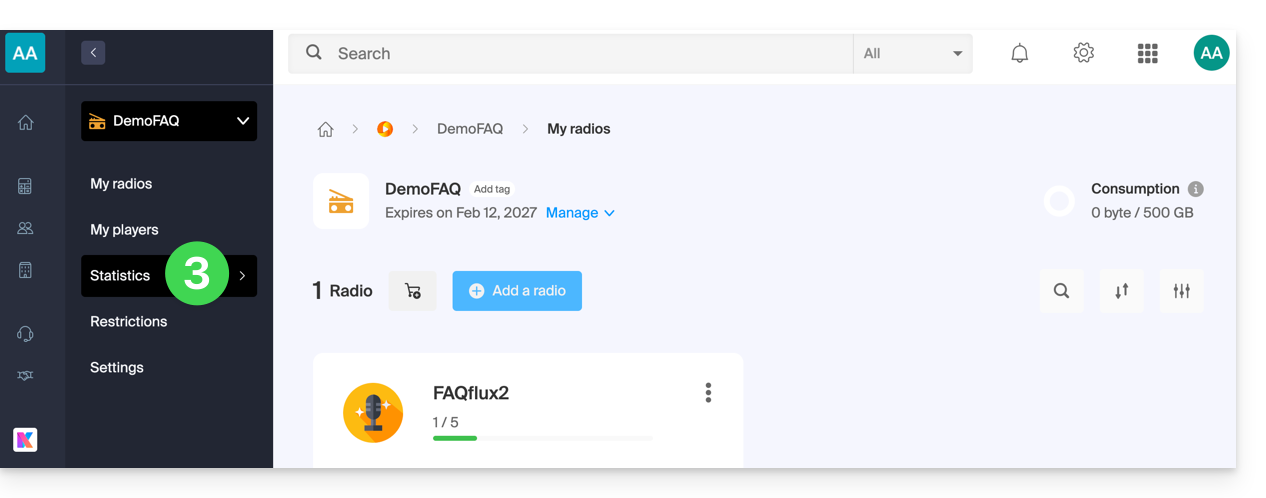
- Click on the different menus in the left sidebar:
Overview

Real-time audience
- Refer to this other guide on this subject.
Listeners

Listening time

Consumption

Geolocation

- Exporting in
.csvformat is possible:
- Exporting in
Players

Link to this FAQ: https://faq.infomaniak.com/1408
Has this FAQ been helpful?