Knowledge base
1000 FAQs, 500 tutorials and instructional videos. Here, there are only solutions!
Manage CAA records
Update 10/05/2026
This guide explains how to add or modify one or more CAA recordsin the DNS zone (of a domain name) managed in the Infomaniak Manager.
Introduction
- A CAA record allows you to specify a certificate authority authorized to issue certificates for a domain.
Add a CAA
To manage this type of record in a DNS zone:
- Click here to access the domain management section in your Infomaniak Manager (❓: help).
- Click on the name of the domain in question.
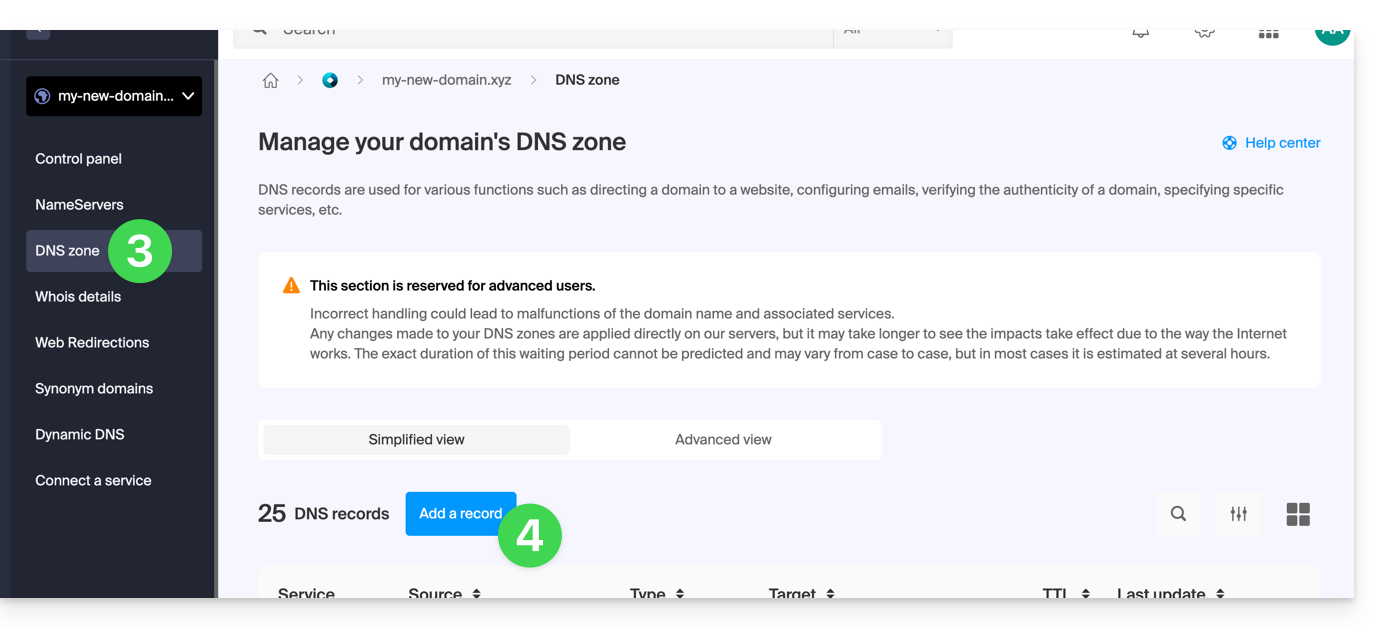
- Click on DNS Zone in the left-hand menu.
- Click the button to add a record:
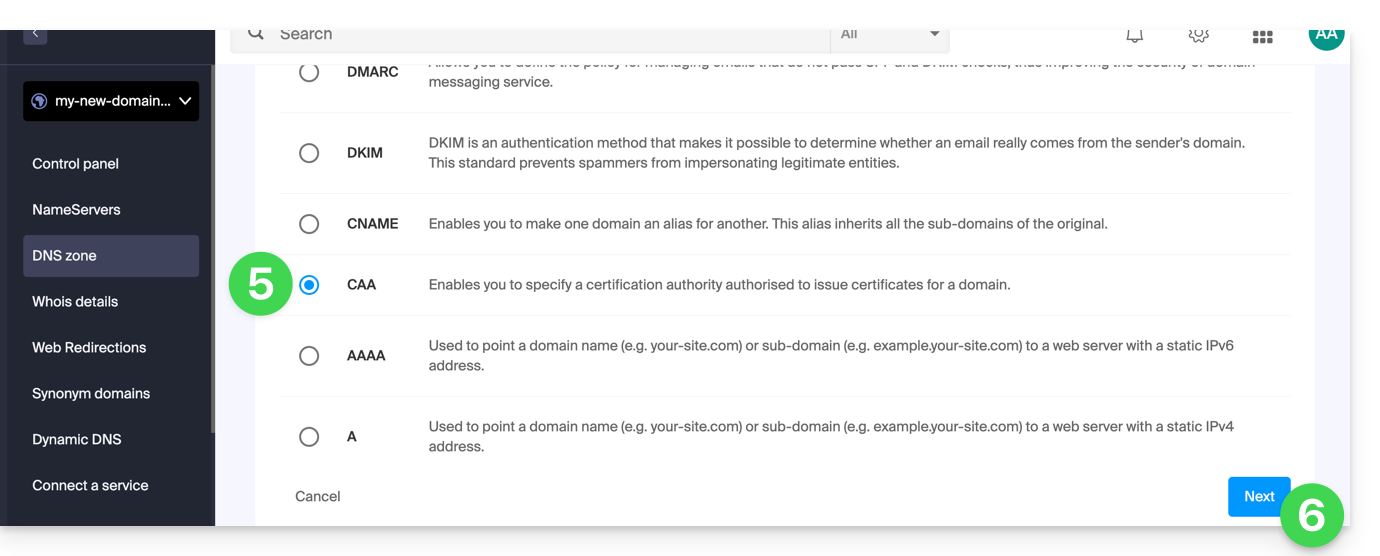
- Click the CAA radio button to add a record.
- Click on the Next button:
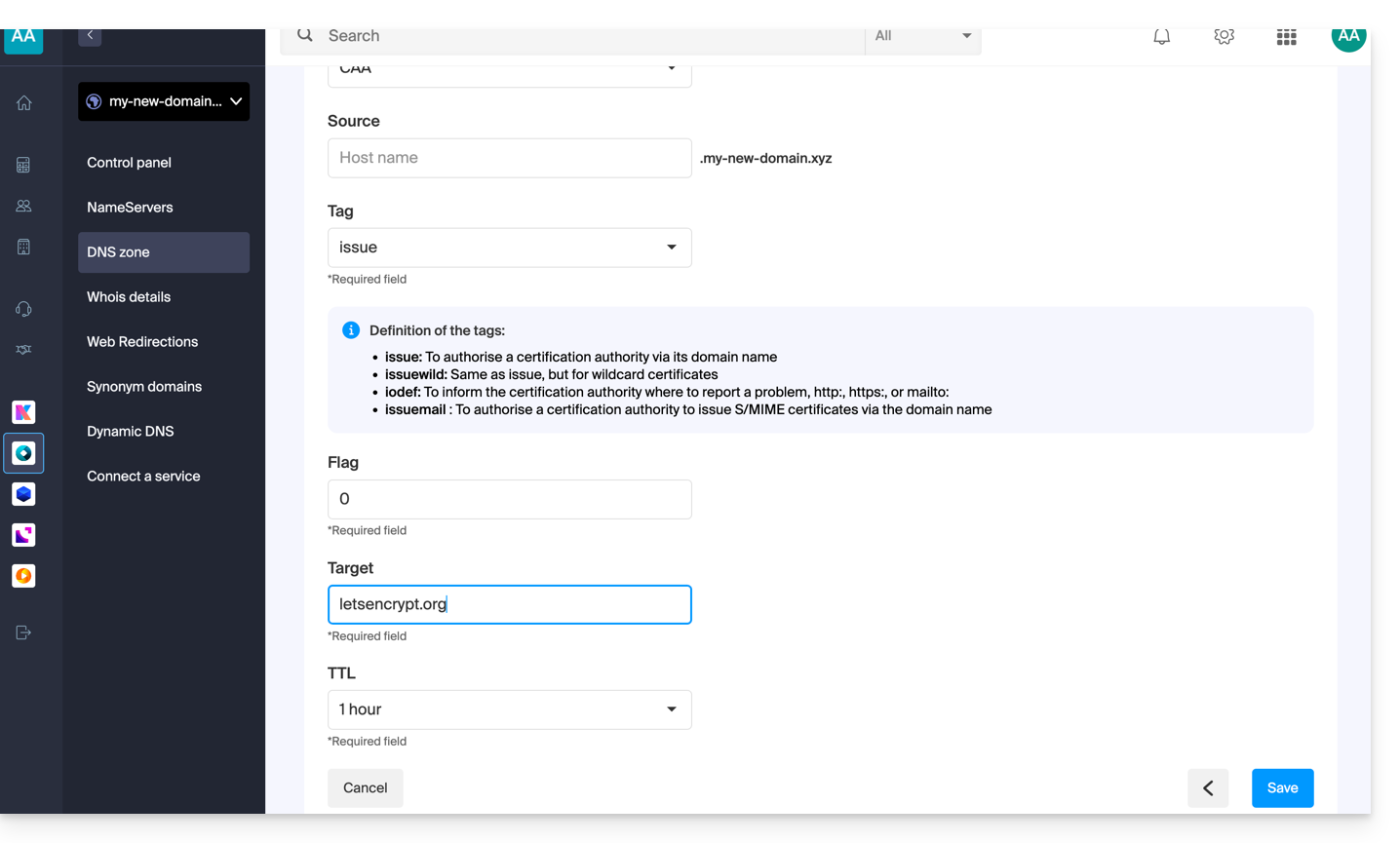
- Enter the CAA values required for your DNS zone: if you are validating an SSL certificate, please refer to the information below.
- Save your information by clicking the button at the bottom of the page.
Adding a CAA record to validate an SSL certificate…
… Sectigo
In the case of a Sectigo SSL certificate validation, follow the generic guide but specifically enter the following data:
- Choose “Issue for certificate authority”.
- Enter the flag:
0. - Specify
sectigo.com.
… Let's Encrypt
In the case of a Let's Encrypt SSL certificate validation, follow the generic guide but specifically enter the following data:
- Choose “Issued by certification authority”.
- Enter the flag:
0. - Specify
letsencrypt.org.
Link to this FAQ: https://faq.infomaniak.com/1394
Has this FAQ been helpful?