Knowledge base
1000 FAQs, 500 tutorials and instructional videos. Here, there are only solutions!
Pay an Infomaniak invoice
Update 11/26/2026
This guide explains how to manually pay an invoice for one of your Infomaniak services.
Introduction
- If invoices are not paid within the specified timeframe, the relevant services will be blocked and then terminated.
- If you encounter any issues, it is important to react quickly.
- To be notified by email when a product is due, check the billing message settings (❓: help) in your Manager.
Pay an Infomaniak Invoice
Prerequisites
- You must have the necessary permissions to manage accounting (❓: help):
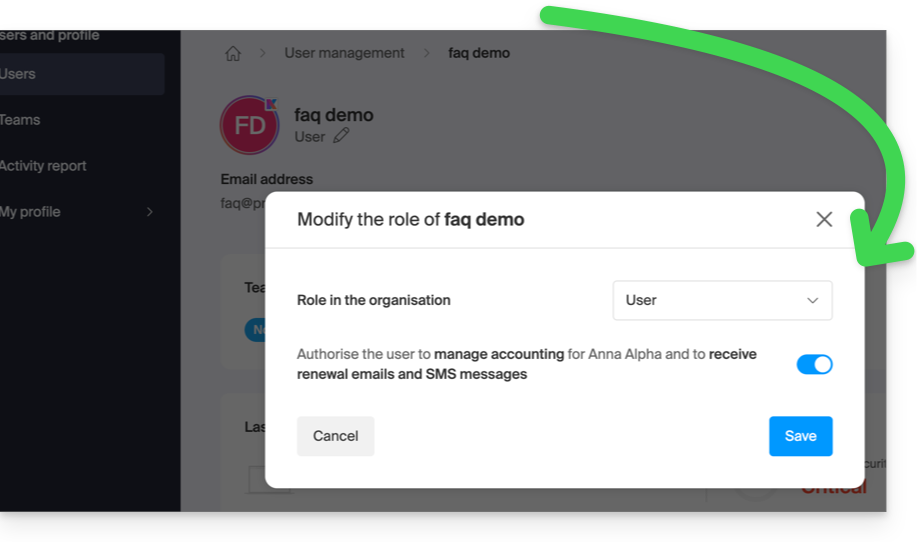
To pay an invoice issued by Infomaniak for one of your active services:
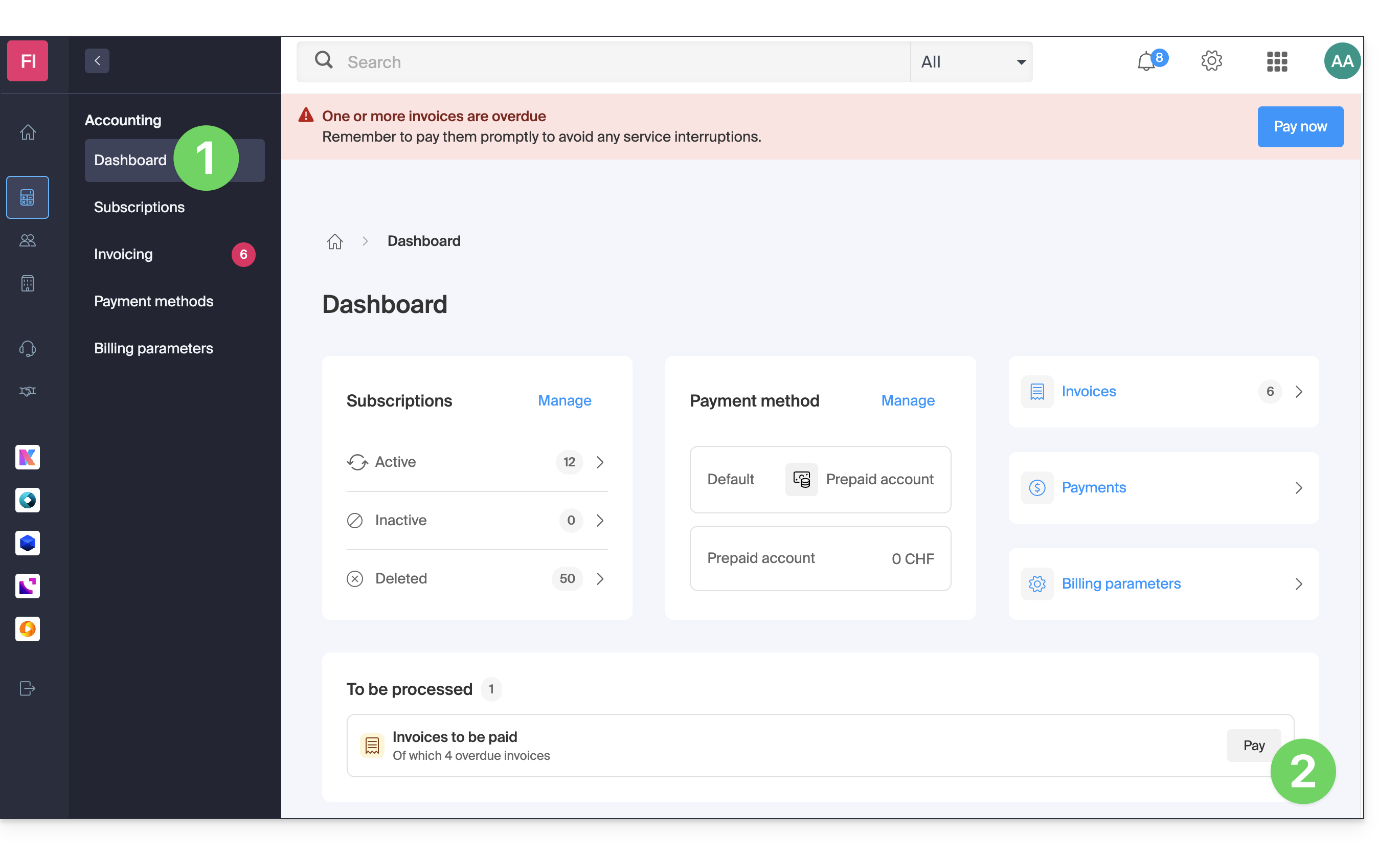
- Click here to access the Billing Dashboard in your Infomaniak Manager.
- If nothing is displayed, you may not be in the Organization to which your service is linked (❓: help).
- Click the button to display the open invoice(s):
- Click to select the invoice(s) you wish to pay.
- Click on the eye icon on the right to view details (opens a PDF containing the QR code for Swiss customers).
- Click the button to pay for the selection:
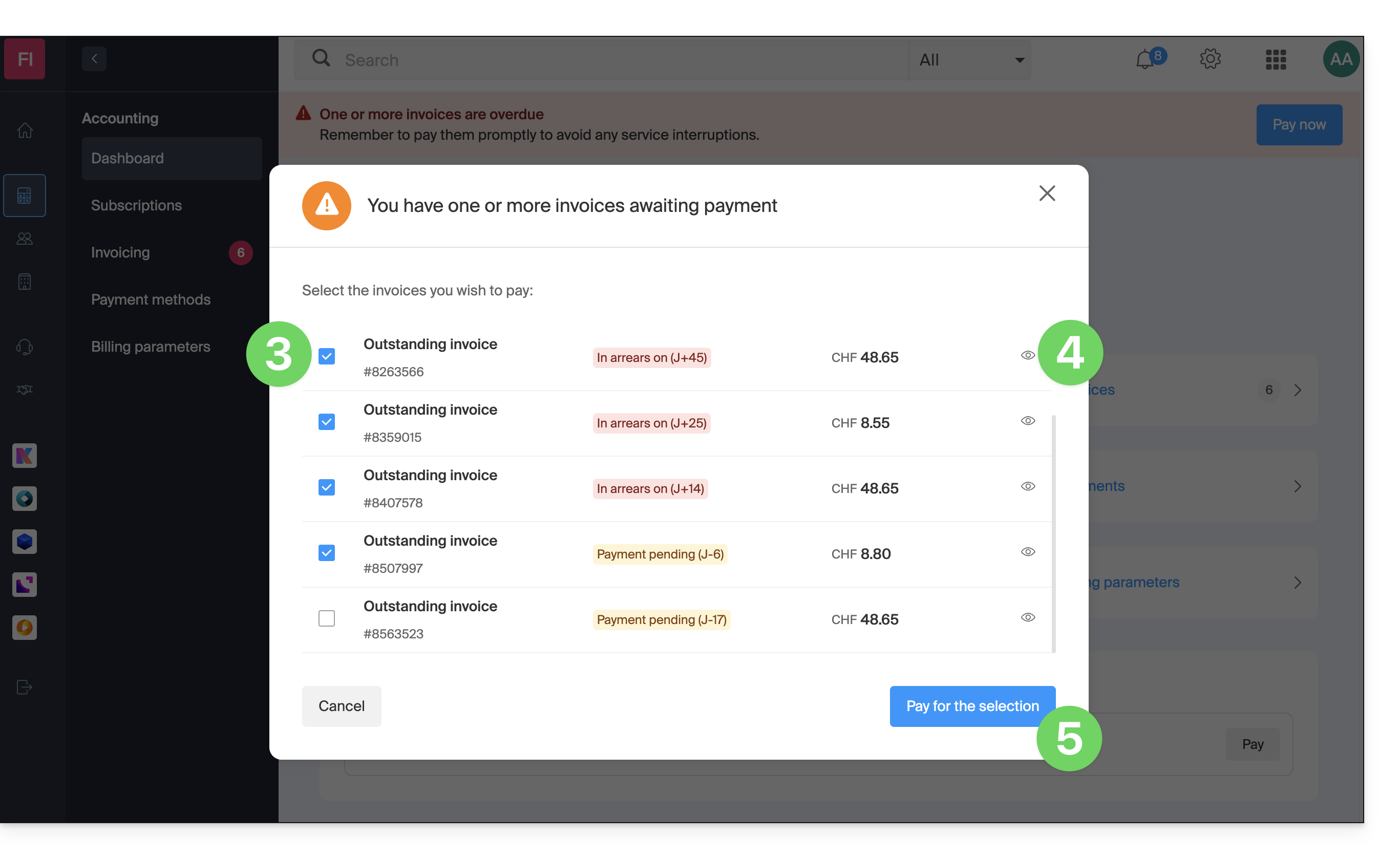
- The payment form will appear, allowing you to pay the amount using your preferred payment method (❓: help).
- Manual transfers via IBAN (❓: help) are not recommended.
Pay an outstanding order
To pay an invoice for a product order:
- Click here to access the invoice management section in your Infomaniak Manager (❓: help).
- Click on Pay invoice for the order in question:
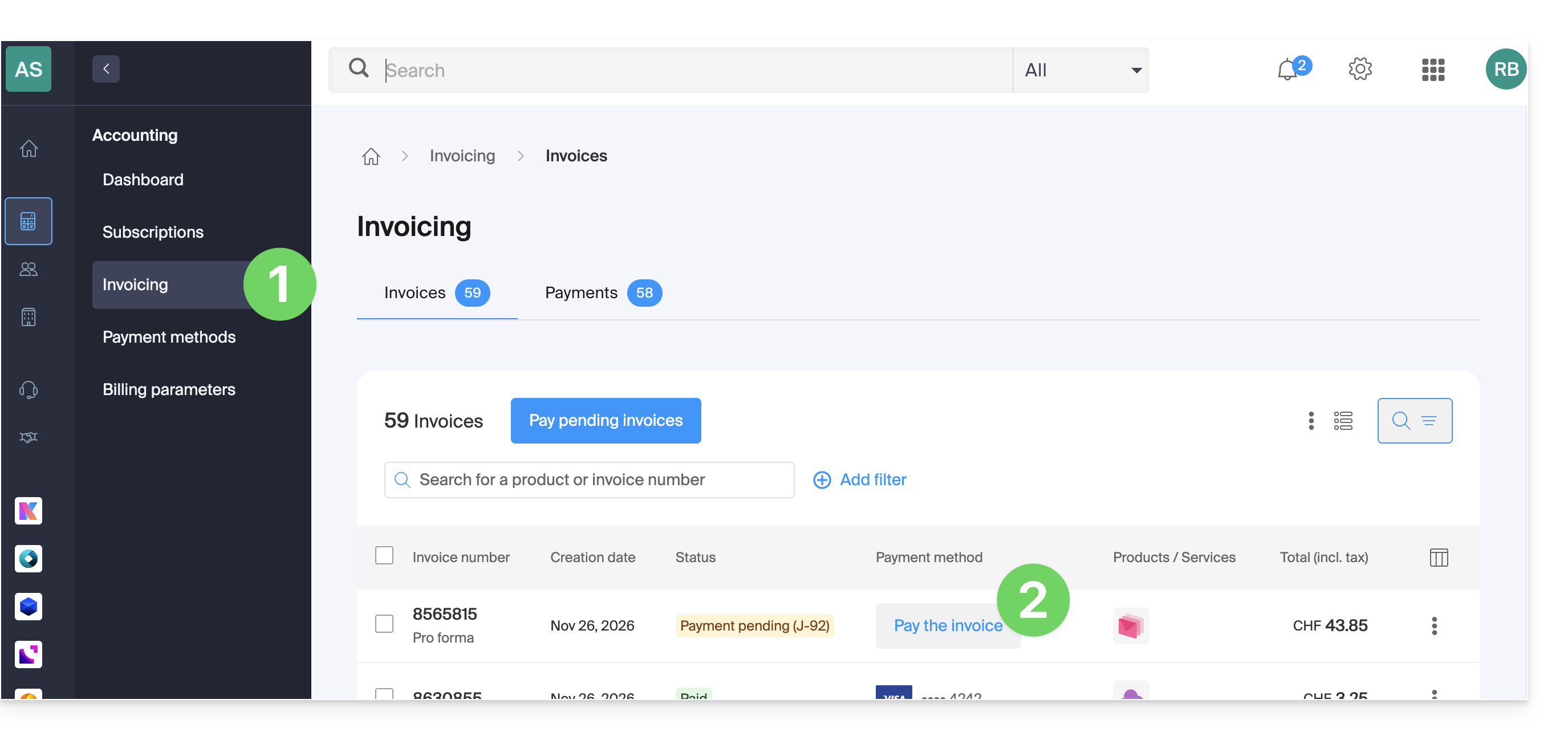
- The payment form will appear, allowing you to pay the amount using your preferred payment method (see below).
Accepted payment methods
Topay for a new order, a renewal, or a change of plan, you can use:
- credit card Visa / Mastercard (❓: help)
- Postfinance (Switzerland❓: help)
- IBAN transfer (❓: help), but any bank fees will be your responsibility.
- PayPal
- Twint (Switzerland❓: help)
- the prepaid account (❓: help): you can use the available balance and pay the remaining amount of an invoice using another payment method.
To credit a prepaid account, you can use:
- credit card Visa / Mastercard (❓: help)
- Postfinance (Switzerland❓: help)
- IBAN transfer (❓: help), but any bank fees will be your responsibility.
The deposit limits for a prepaid account are from 0.1 CHF/EUR to 9999 CHF/EUR.
Generate or print a PDF invoice
Please refer to this other guide if you are looking for information about Infomaniak invoices.
Link to this FAQ: https://faq.infomaniak.com/1385
Has this FAQ been helpful?