Knowledge base
1000 FAQs, 500 tutorials and instructional videos. Here, there are only solutions!
Pay for / Renew a product manually
Update 09/01/2026
This guide explains how to manually pay your Infomaniak invoices and what payment methods are accepted. Please refer to this other guide if you would like to automatically renew certain products.
Introduction
- If invoices are not paid within the specified timeframe, the relevant services will be blocked and then terminated.
- In case of a problem, it is therefore important to react quickly.
- To be notified by email when a product is due,check the billing message settings in your Manager.
Pay for or renew a product
To renew a product before or at its expiration date:
- Click here to access the payment management section in the Infomaniak Manager.
- Access requires authentication with a user who has sufficient rights.
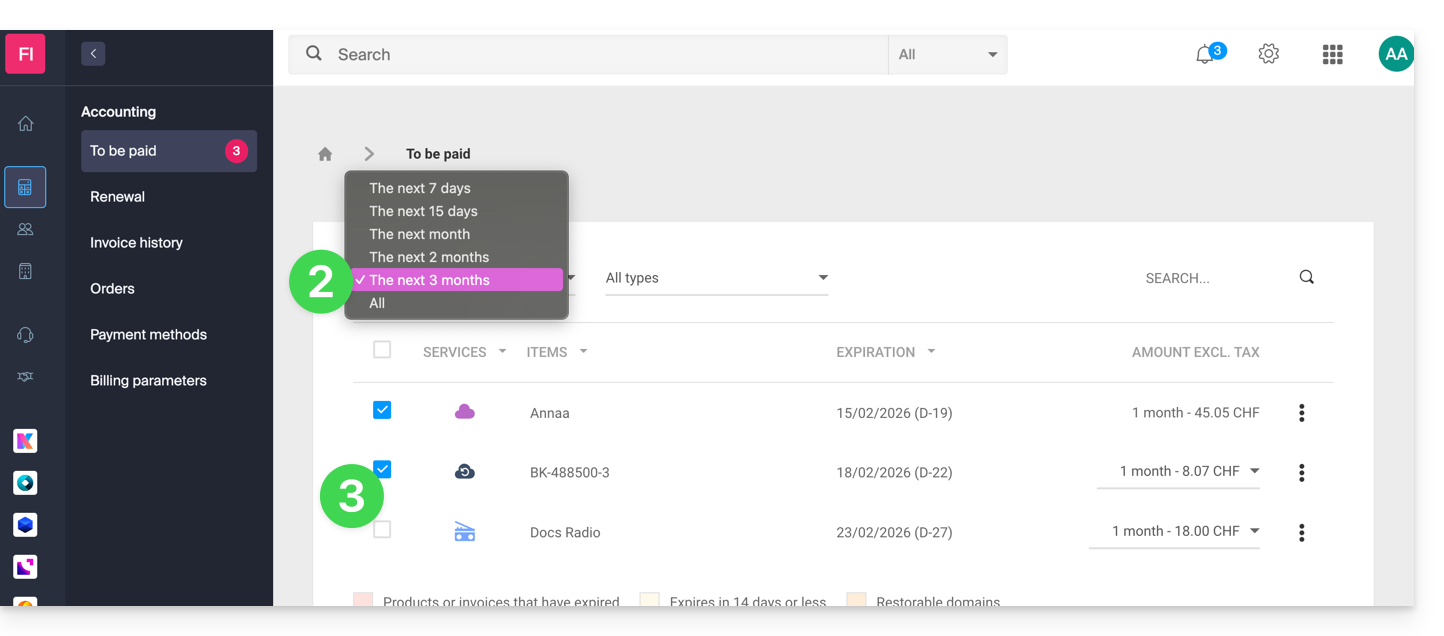
- If necessary, click on the date filter (next 2 months) to Show All.
- Select the products to pay for:
- Click on the Pay for my selection button (or on the button to its left to obtain a Pro Forma invoice before payment):
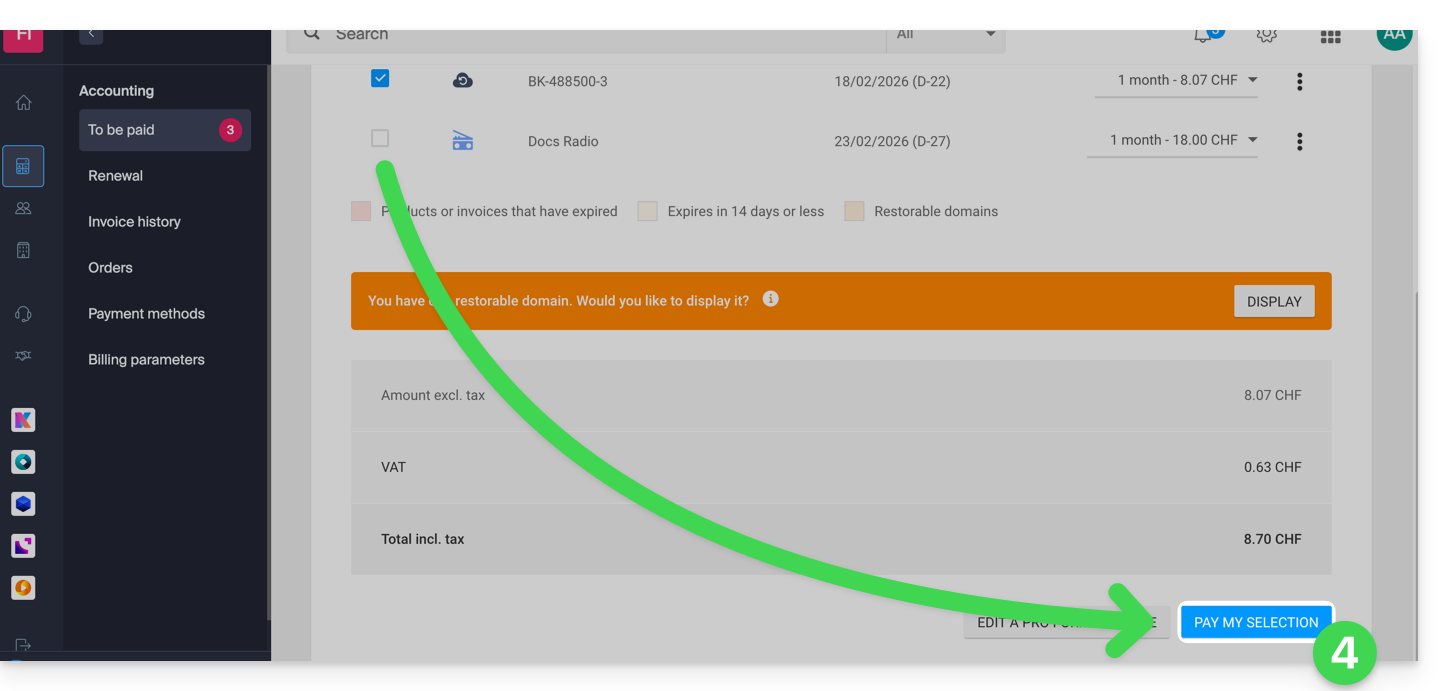
- Enable or ignore any options offered.
- Choose a payment method and complete the process.
Pay for an outstanding order
To manage your order:
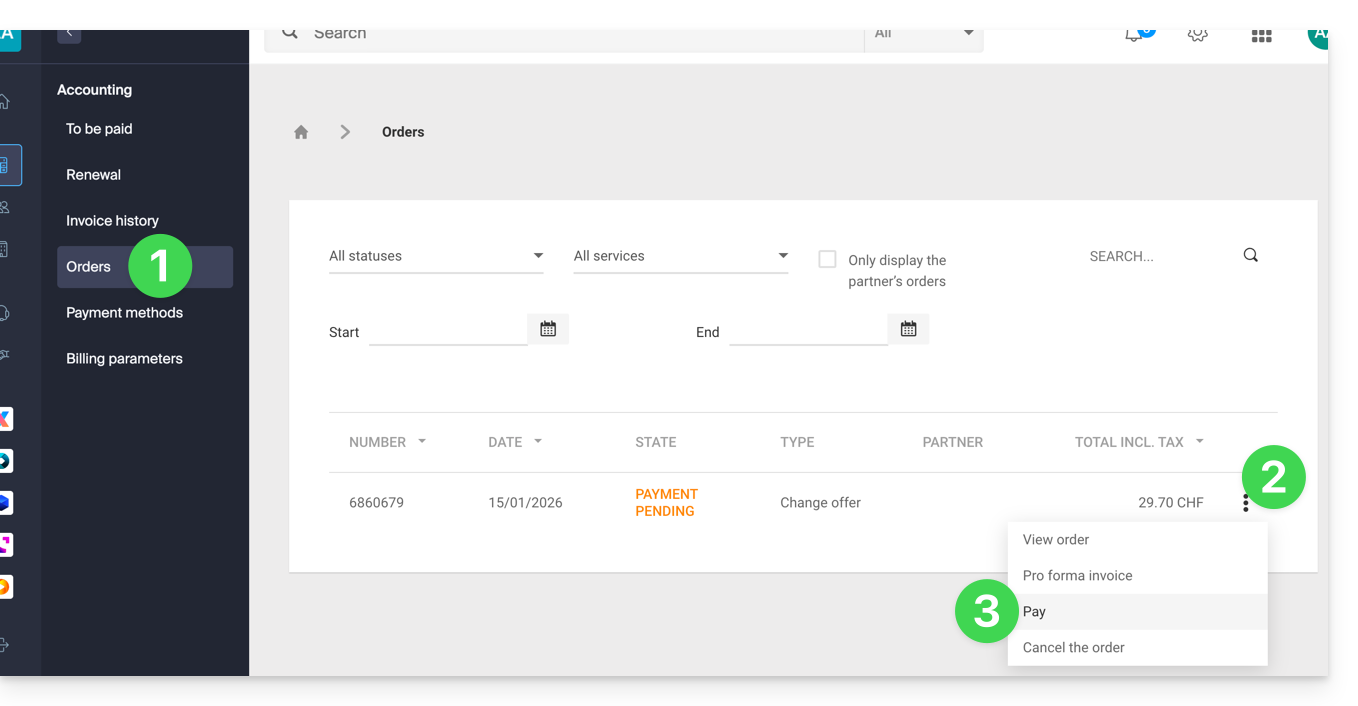
- Click here to access the order management section in the Infomaniak Manager.
- Click on the action menu ⋮ located to the right of the relevant command.
- Choose Pay:
- Choose a payment method and complete the process.
Accepted payment methods
Topay for a new order, a renewal, or a change of plan, you can use:
- credit card Visa, MasterCard, CB Carte Bleue
- PostFinance card (if the currency is CHF)
- IBAN bank transfer (any bank charges will be your responsibility)
- PayPal
- Twint:Just like bank cards, when making a payment on the Manager or the Shop, your Twint profile will be saved in your account as a payment method, which can then be used for automatic renewals or payments without having to scan a QR code again.
- the prepaid account (it is possible to use the available balance and pay the remaining amount of an invoice with another payment method)
To top up a prepaid account, you can use:
- Visa, MasterCard, CB Carte Bleue credit card
- PostFinance card (if the currency is CHF)
- IBAN bank transfer (any bank charges will be your responsibility)
The limits for a deposit on a prepaid account are from 0.1 CHF/EUR to 9999 CHF/EUR.
Generate or print a PDF invoice
Please refer to this other guide if you are looking for information about Infomaniak invoices.
Link to this FAQ: https://faq.infomaniak.com/1385
Has this FAQ been helpful?