Knowledge base
1000 FAQs, 500 tutorials and instructional videos. Here, there are only solutions!
Remove a user from an email address within the Mail service
This guide explains how to remove an user's access to an email address within the Infomaniak ecosystem, from within a Mail service. This means that the user will only be able to access the email address using the Mail Infomaniak web app (online service ksuite.infomaniak.com/mail) and/or the Infomaniak Mail mobile app (application for iOS/Android smartphones or tablets).
Other methods for managing access (e.g., using a password) are described in the main guide; also, refer to this other guide if necessary.Block an entire Mail service for all users.
Prerequisites
- You must have at least the right to manage the Mail Service in question (or be an Administrator / Legal Representative within the Organization).
Managing and removing a user from the Mail Service
The current mail access management model allows each user within an Organization to connect independently and securely to the same mail address, without sharing a global password.
If a user should no longer have access to a mail address and its content, simply remove it from the interface:
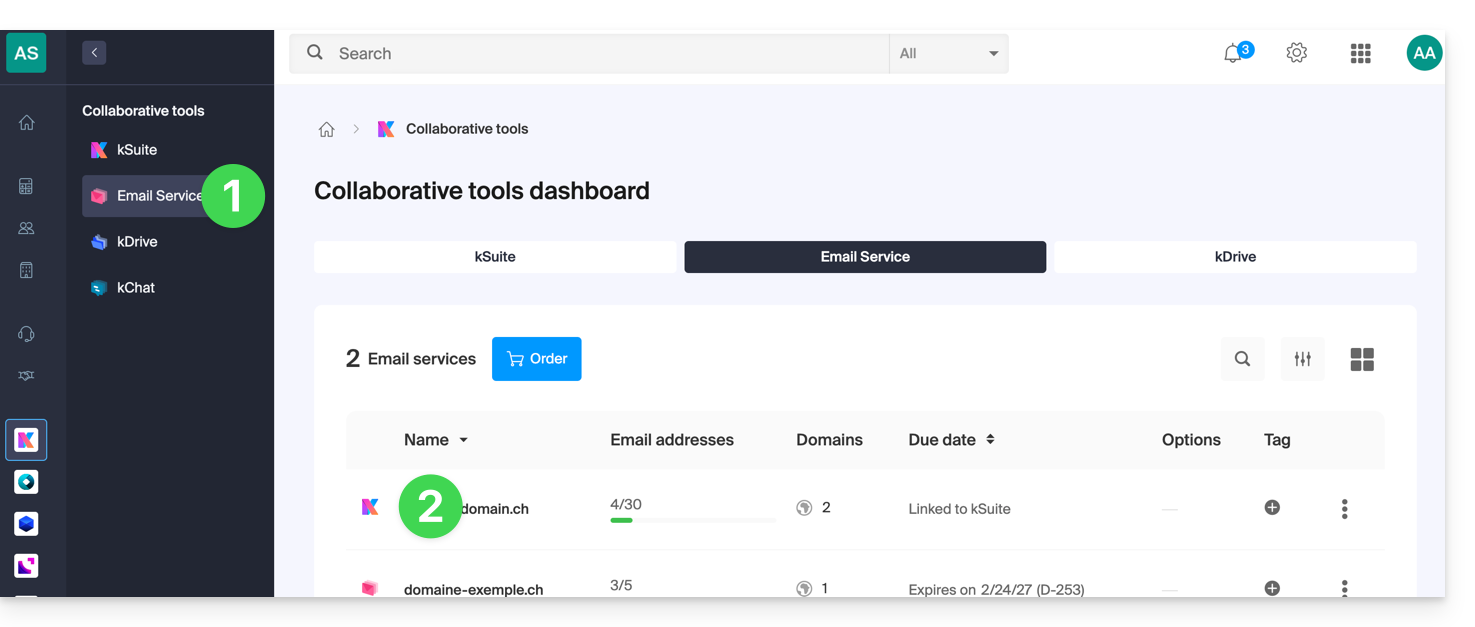
- Click here to access the management of your Mail Service in the Infomaniak Manager (need help?).
- Click directly on the name assigned to the product in question:
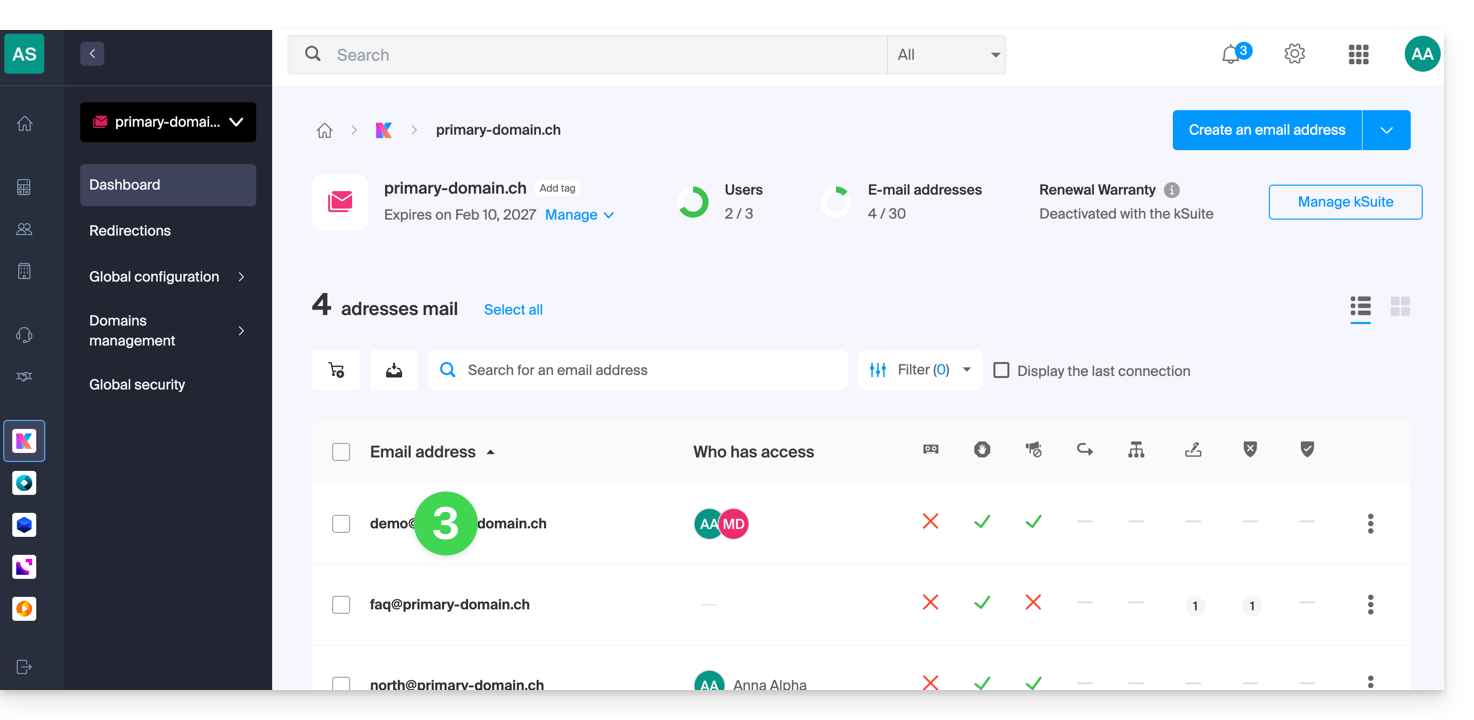
- Click on the email address in question in the table that appears:
- On the list of users who currently have access to the address in question, click on the action menu ⋮ to the right of the user in question.
- Choose to remove their access to the email address:
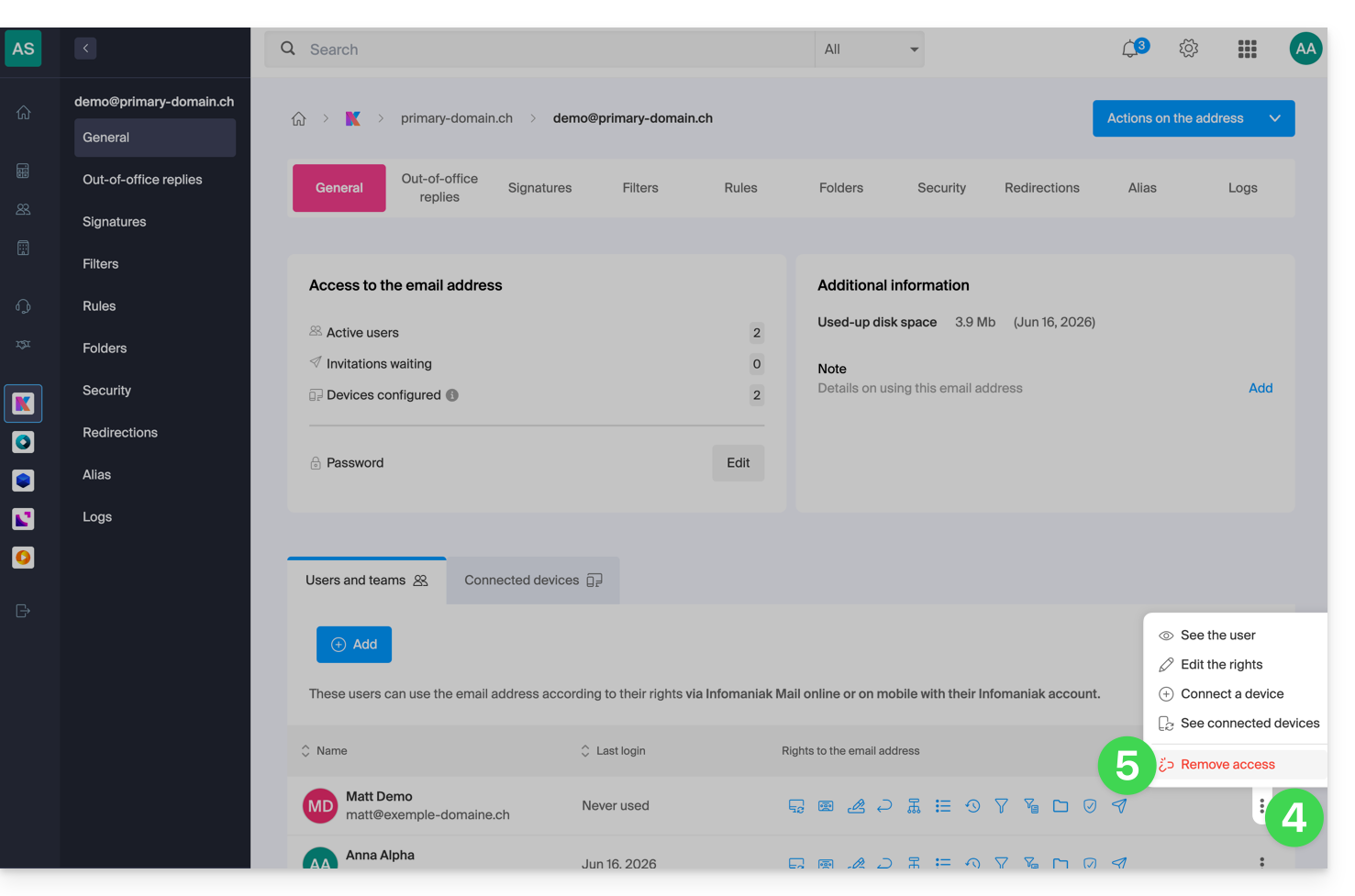
- Confirm the action: all access to the email address will be terminated, and it will no longer be possible to view it.
Link to this FAQ: https://faq.infomaniak.com/1371
Has this FAQ been helpful?