Knowledge base
1000 FAQs, 500 tutorials and instructional videos. Here, there are only solutions!
Automatically recharge your Jelastic Cloud credits
This guide explains how to enable automatic credit top-up for Jelastic Cloud.
Introduction
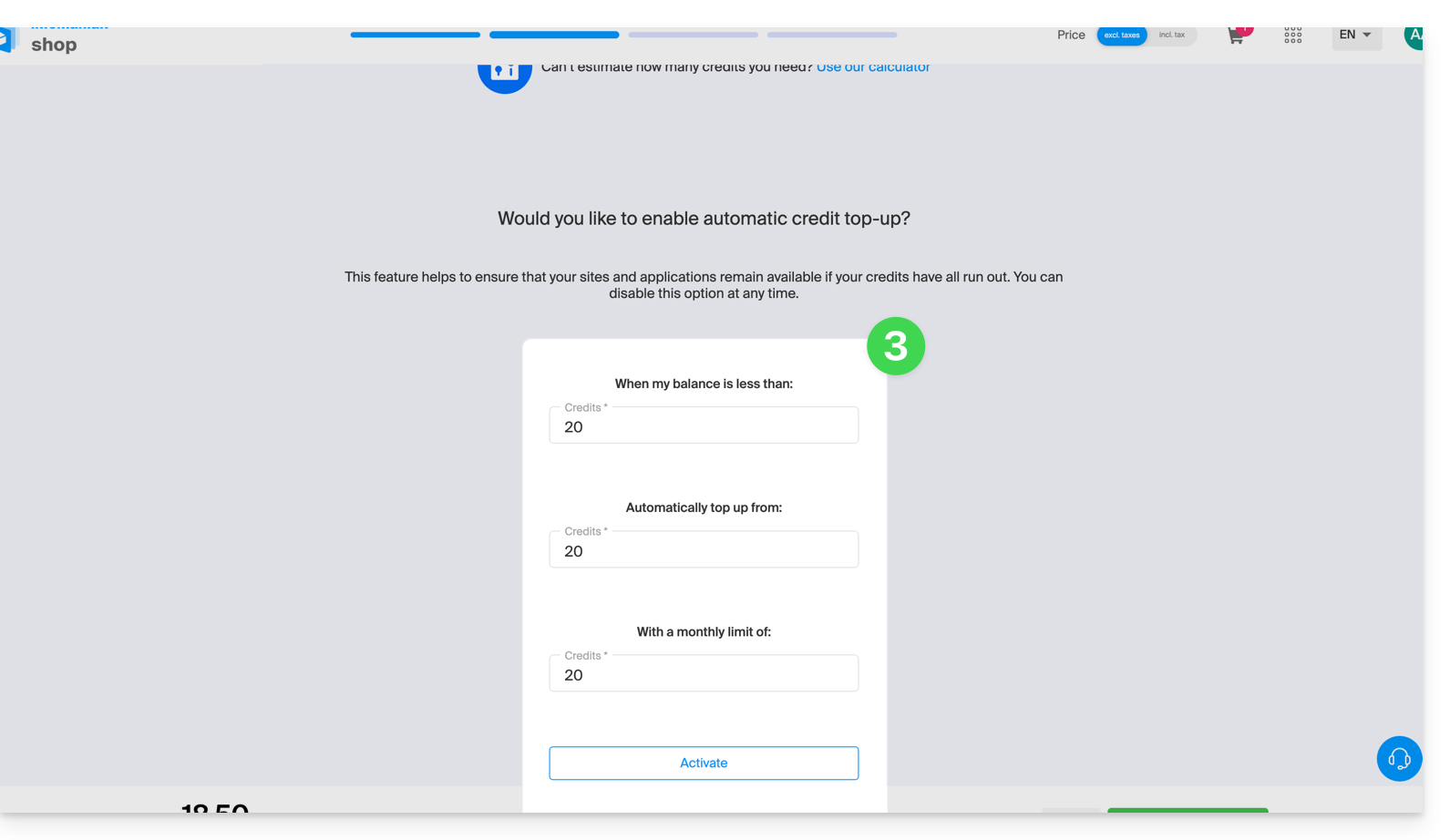
- The automatic top-up feature updates the balance as soon as it falls below the defined limit.
- Email notifications can be enabled.
Define a payment profile
To access Jelastic Cloud:
- Click here to access the management of your product in the Infomaniak Manager (need help?).
- Click on the button to add credits:
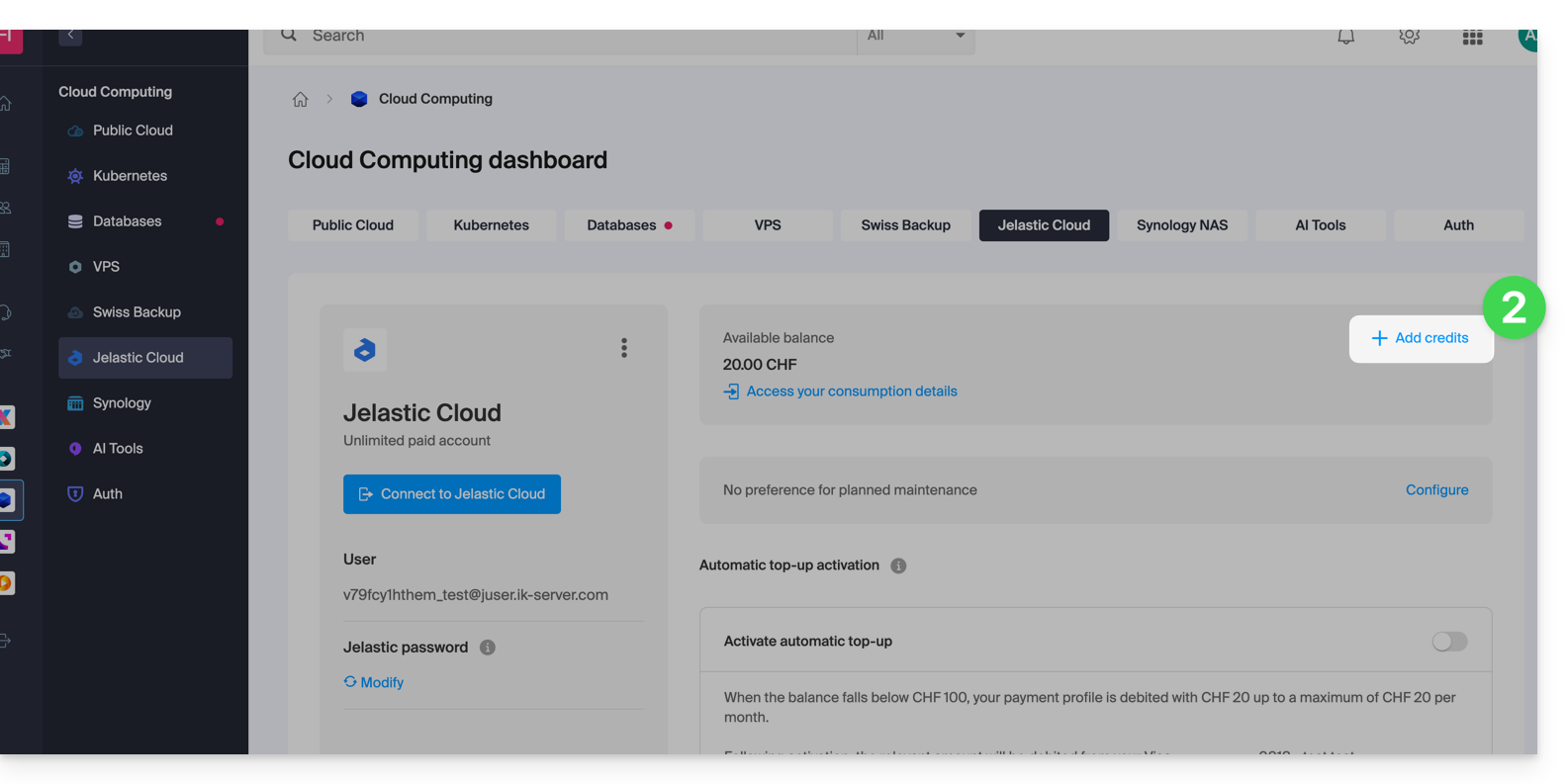
- Since the Infomaniak Shop has been launched,activate automatic top-up by purchasing credit in the usual way:
Link to this FAQ: https://faq.infomaniak.com/1368
Has this FAQ been helpful?