Knowledge base
1000 FAQs, 500 tutorials and instructional videos. Here, there are only solutions!
Send audio stream metadata
This guide explains how to transmit the metadata for the radio stream sent from your radio streaming encoder.
Using the available URL
Simply make a GET request to a URL of the following type:
https://[flux]:[password]@api.infomaniak.com/1/radios/stats/metadata?data=artist - title
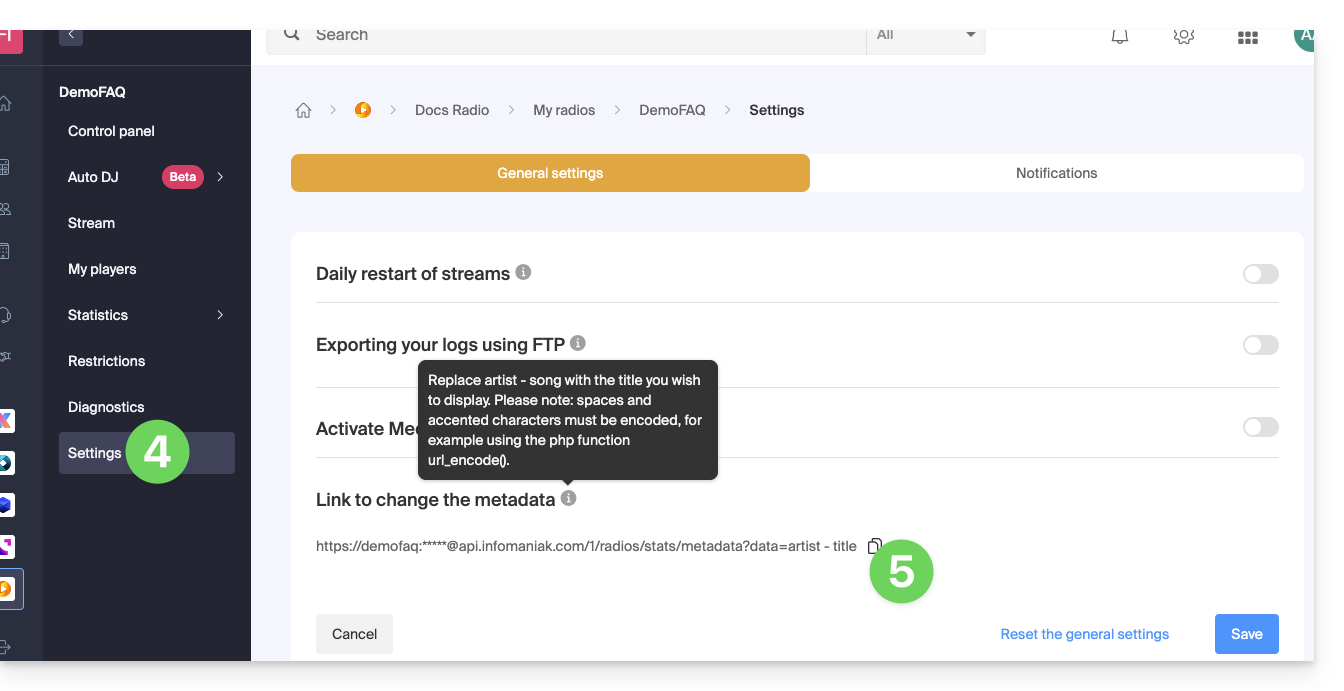
The complete URL is available in the administration interface:
- Click here to access your product management in the Infomaniak Manager (need help?).
- Click directly on the name assigned to the product in question.
- Click on the name of the audio stream in question.
- Click on Settings in the left-hand menu.
- Click on the button to copy the metadata link:
Learn more
For developers creating a player, there are libraries available that can retrieve and display the transmitted information, as the data is transmitted within the stream data. Another option is to retrieve the stream information directly on the server.
Link to this FAQ: https://faq.infomaniak.com/1357
Has this FAQ been helpful?