Knowledge base
1000 FAQs, 500 tutorials and instructional videos. Here, there are only solutions!
Manage notifications during Infomaniak Streaming Radio instability
This guide explains how to obtain and configure notifications when one or more Streaming Radio streams experience an outage (short and/or long duration).
Introduction
- Every minute, a script checks for outages and sends an email and creates an event only if the outage lasts for at least 5 minutes.
- It resends an email if the outage lasts more than 30 minutes.
- If the service is restored and an alert has been sent, a confirmation email is sent.
- All outages are logged and kept for 30 days, but you will not be notified in the event of a minor outage.
- For possible reasons for these outages, please refer to this other guide.
- All outages are recorded by the system and can be viewed in the events section of the Manager.
Email alert
To configure notifications:
- Click here to access the management interface for your product in the Infomaniak Manager (need help?).
- Click directly on the name assigned to the product in question:
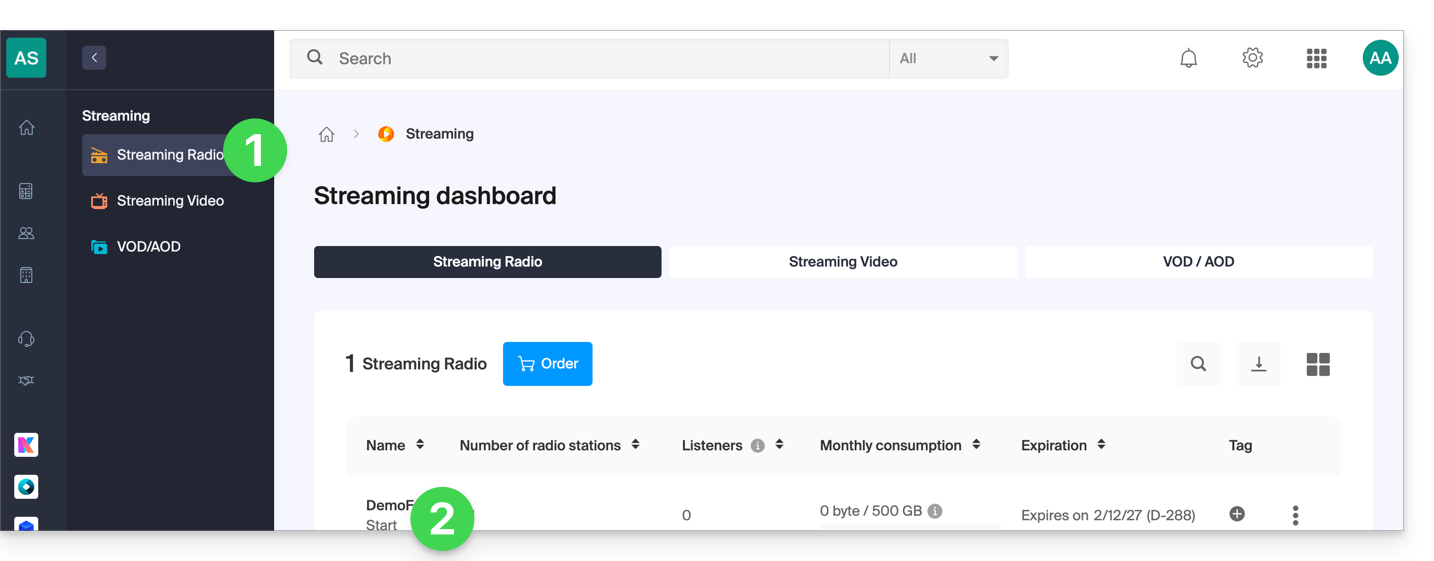
- Click on the name of the audio stream in question:
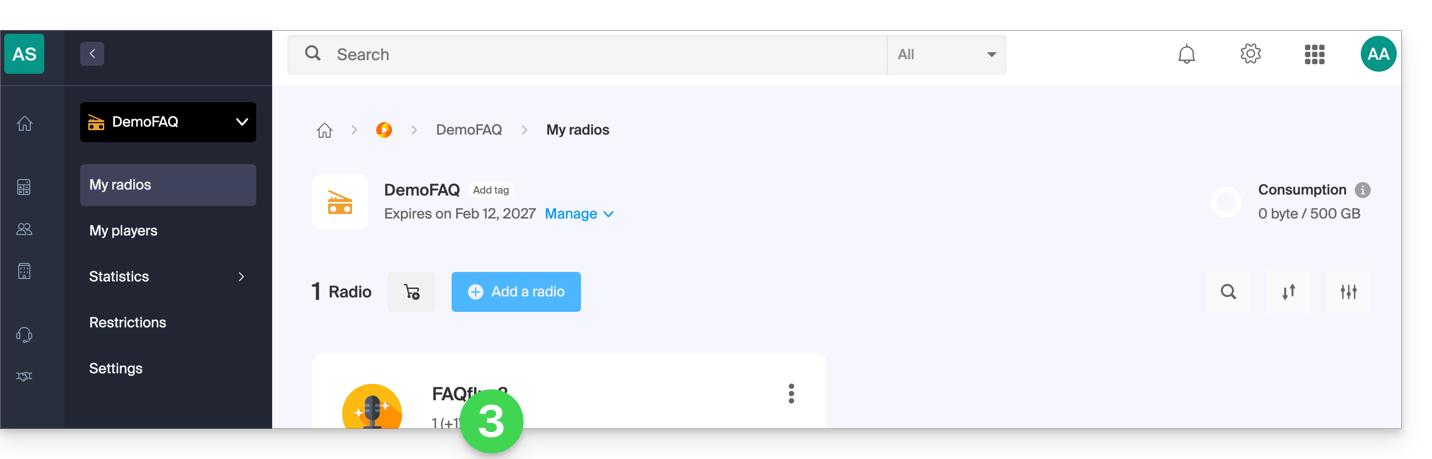
- Click on Settings in the left-hand menu.
- Click on the Notifications tab.
- Enable notifications using the toggle switch:
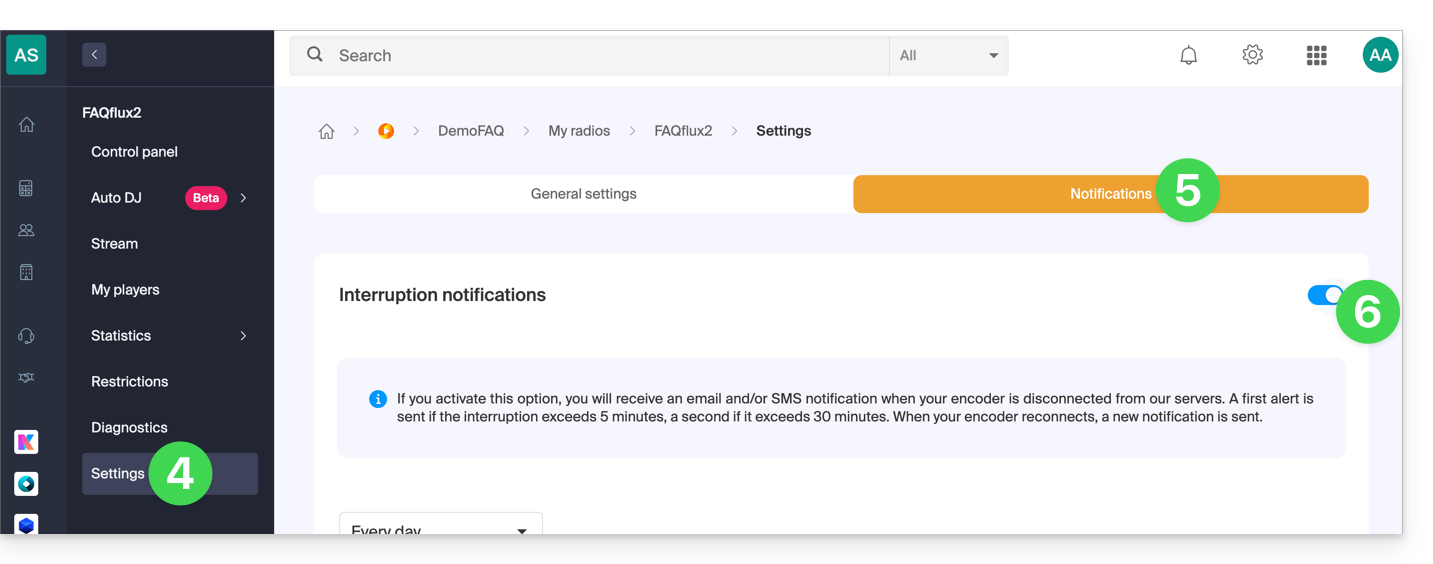
- Configure the monitoring schedule (days of the week / hours).
- Save your changes.
- Add the users in the Organization who should be notified by email or SMS (depending on the settings above):
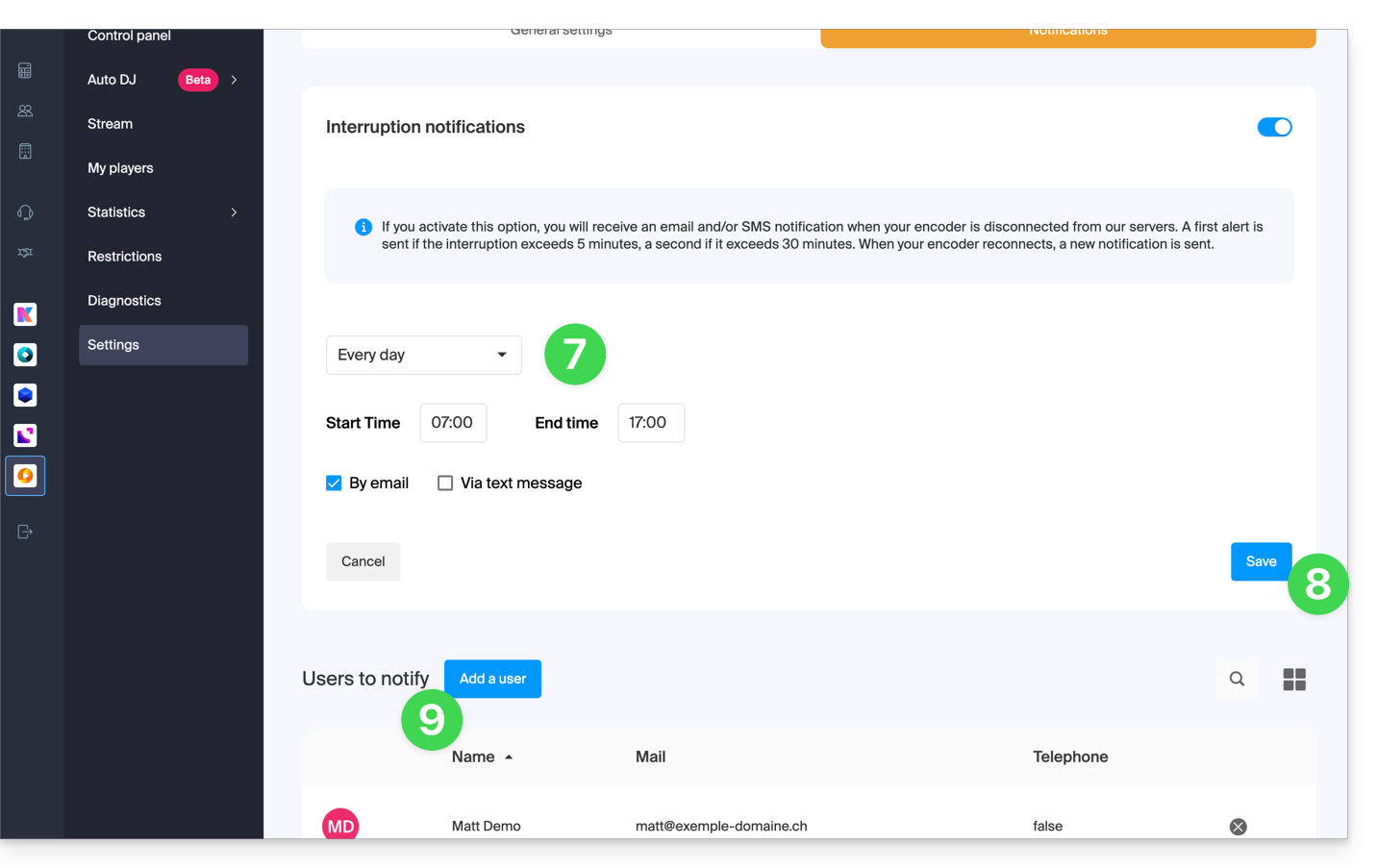
Link to this FAQ: https://faq.infomaniak.com/1345
Has this FAQ been helpful?