Knowledge base
1000 FAQs, 500 tutorials and instructional videos. Here, there are only solutions!
Ticketing: manage the end date/time of ticket sales
This guide explains how to modify the dates and times of sales closures within the Infomaniak ticketing system.
Sales end parameters
You can modify the date and time of closure at each level independently: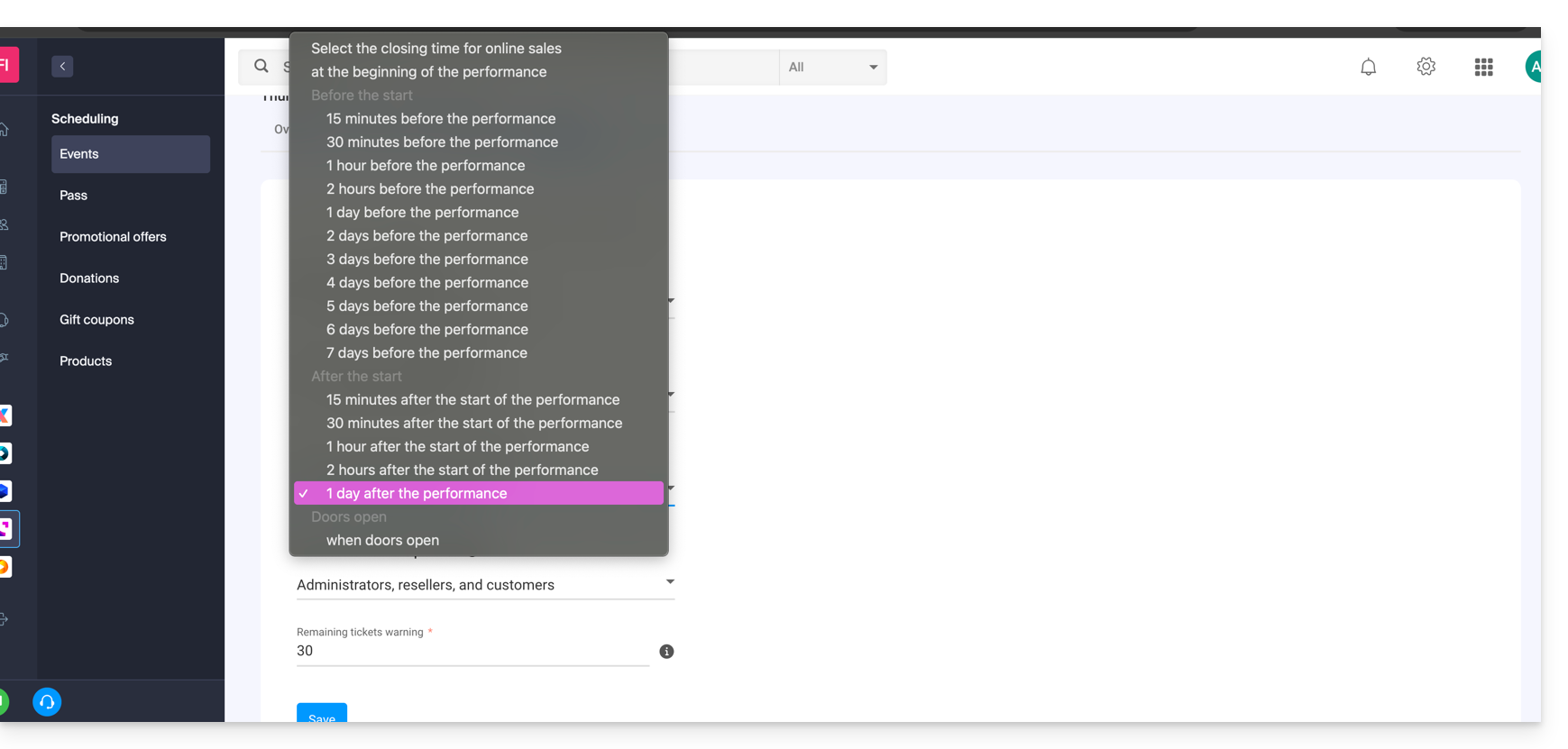
- End of online sales
- Allows you to close the event sales from your online ticketing system and on the Infomaniak portal. People will no longer be able to order tickets online for this event from a website.
- End of Reseller Counter Sales
- Defines when people with restricted access to the counter only will stop their sales from the counter on the manager or tablet.
- End of Administrator Counter Sales
- For administrators conducting sales from the Counter accessible from the manager or tablet.
Setting up sales end parameters
These parameters can be set when creating an event, during the third step of the procedure by activating the option Modify sales closure: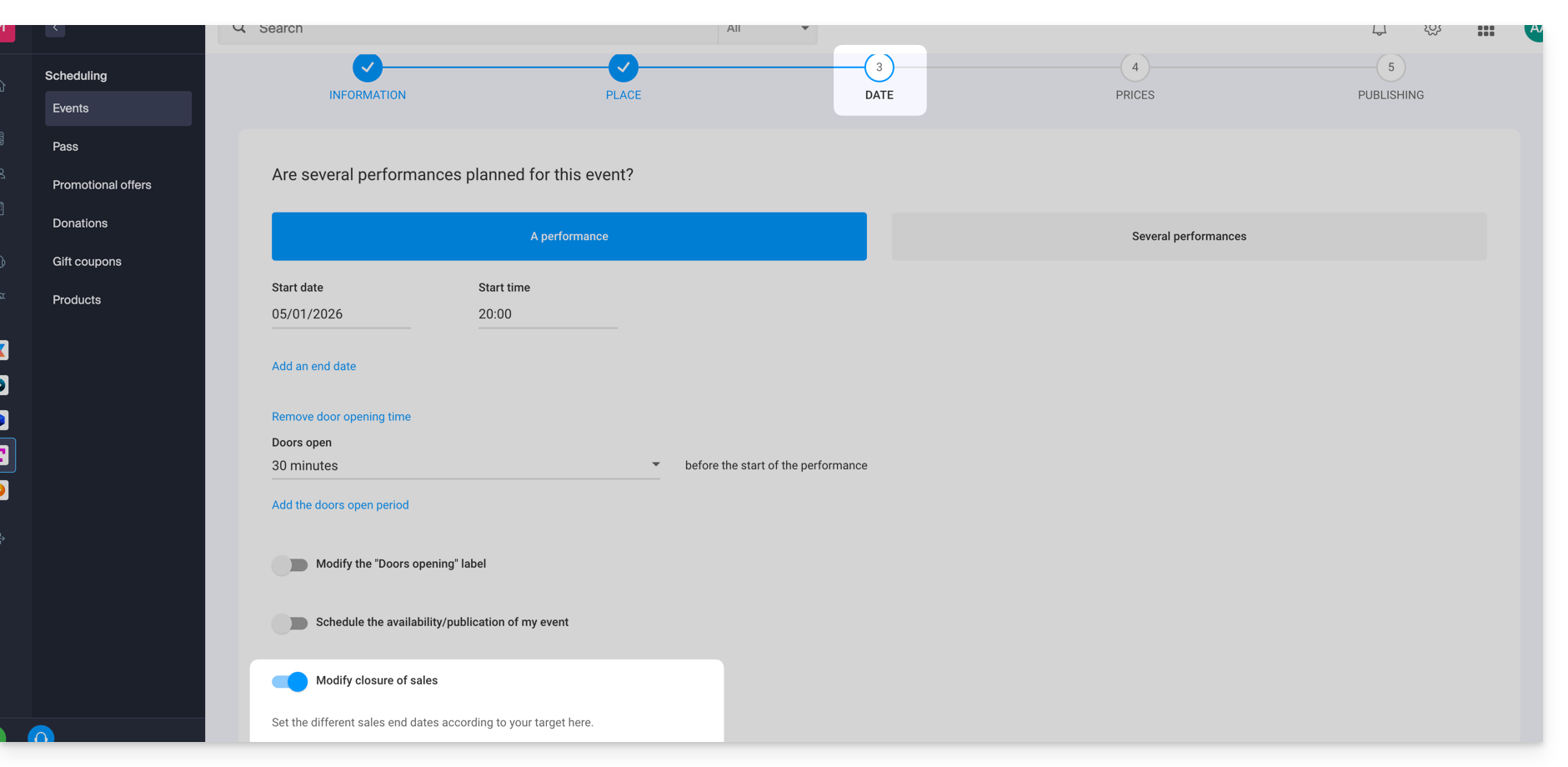
They can be edited at the event level once it is created by going to the Settings tab: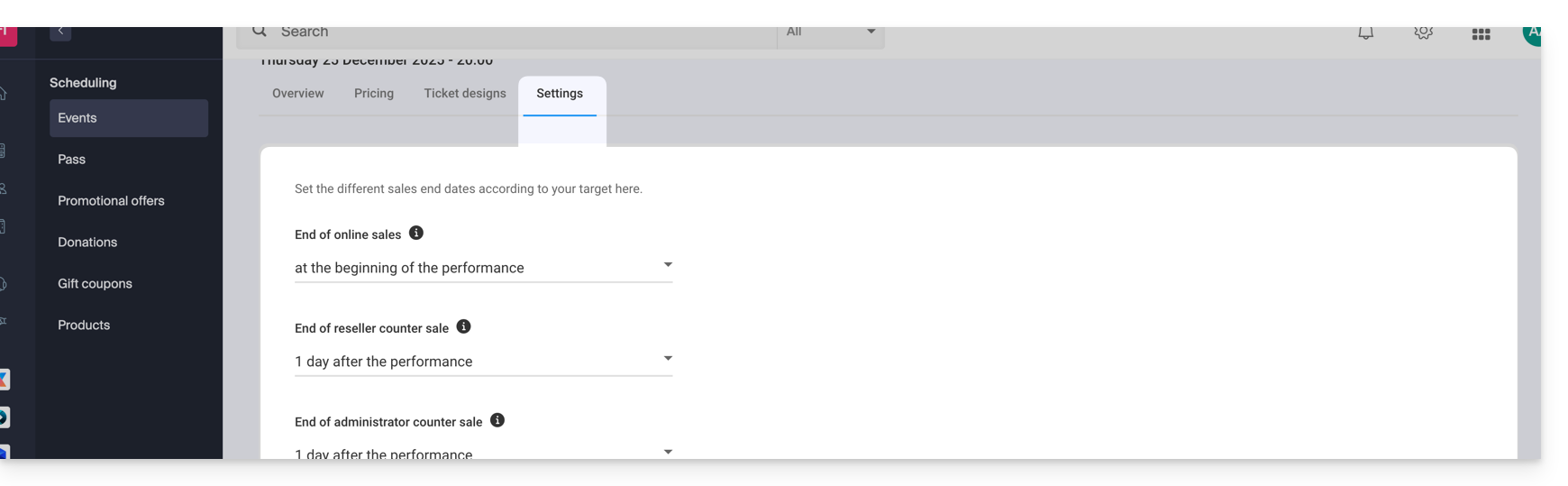
For multi-date events
The Settings tab is located at each performance. However, it is possible to modify the end of sales for multiple dates at once by using the actions on multiple dates:
- Go to the Dates tab of your event.
- Switch to list mode:

- Select the dates you want to configure.
- Click on Actions and Modify performance parameters:

Link to this FAQ: https://faq.infomaniak.com/1326
Has this FAQ been helpful?