Knowledge base
1000 FAQs, 500 tutorials and instructional videos. Here, there are only solutions!
Ticketing: manage the end date/time for ticket sales
This guide explains how to modify the closing dates and times for sales within the Infomaniak ticketing system.
End-of-sales settings
You can modify the closing date and time independently for each level: 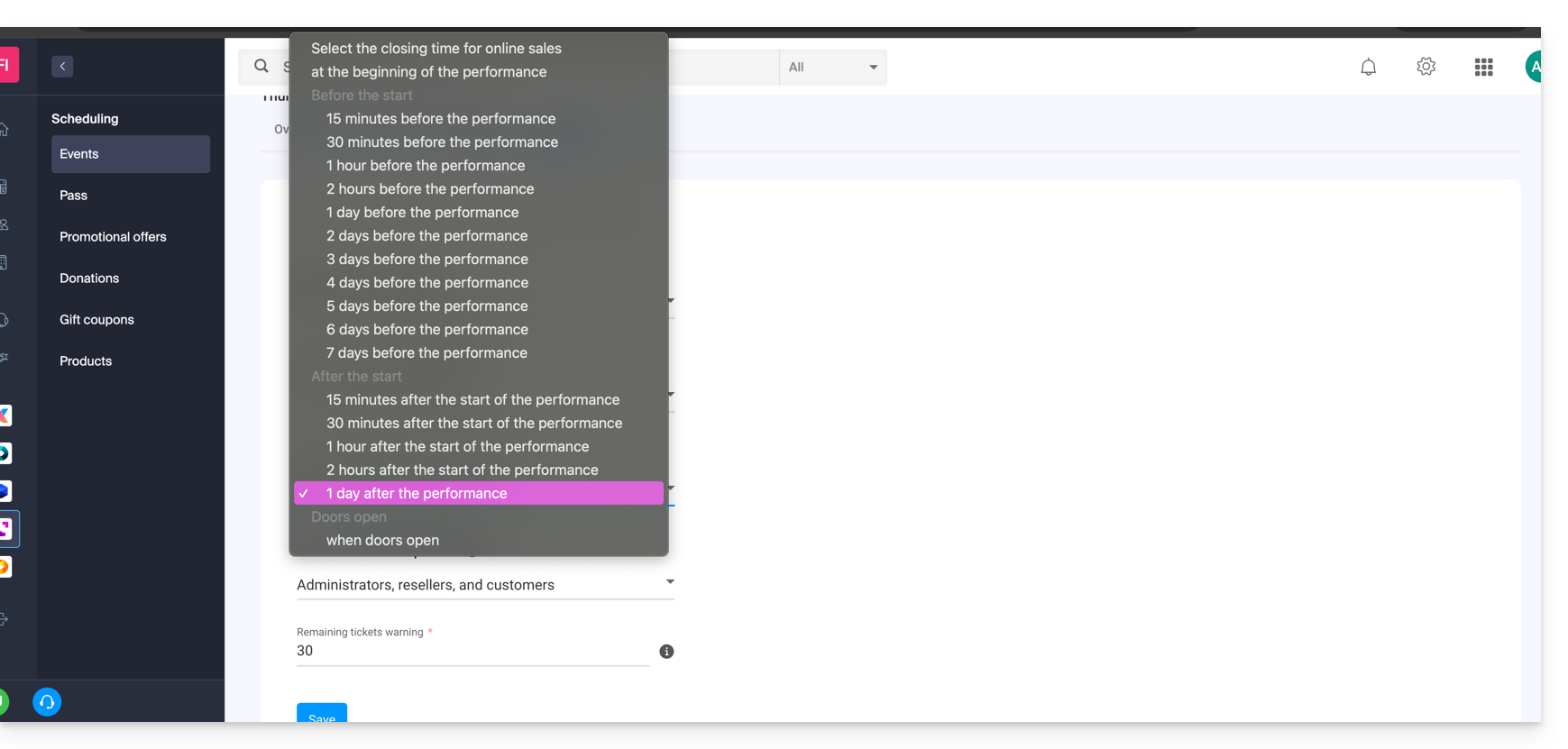
- End of online sales
- Allows you to close ticket sales for the event from your online ticketing system and on the Infomaniak portal. People will no longer be able to order tickets online for this event from a website.
- End of reseller counter sales
- Defines the time when people with restricted access to the counter will stop selling tickets from the counter on the manager or tablet.
- End of Sales via the Admin Interface
- For administrators who make sales using the interface accessible from the manager or the tablet.
Setting up end-of-sales parameters
These settings can be defined when creating an event, during the third step of the process, by activating the Modify sales closing option: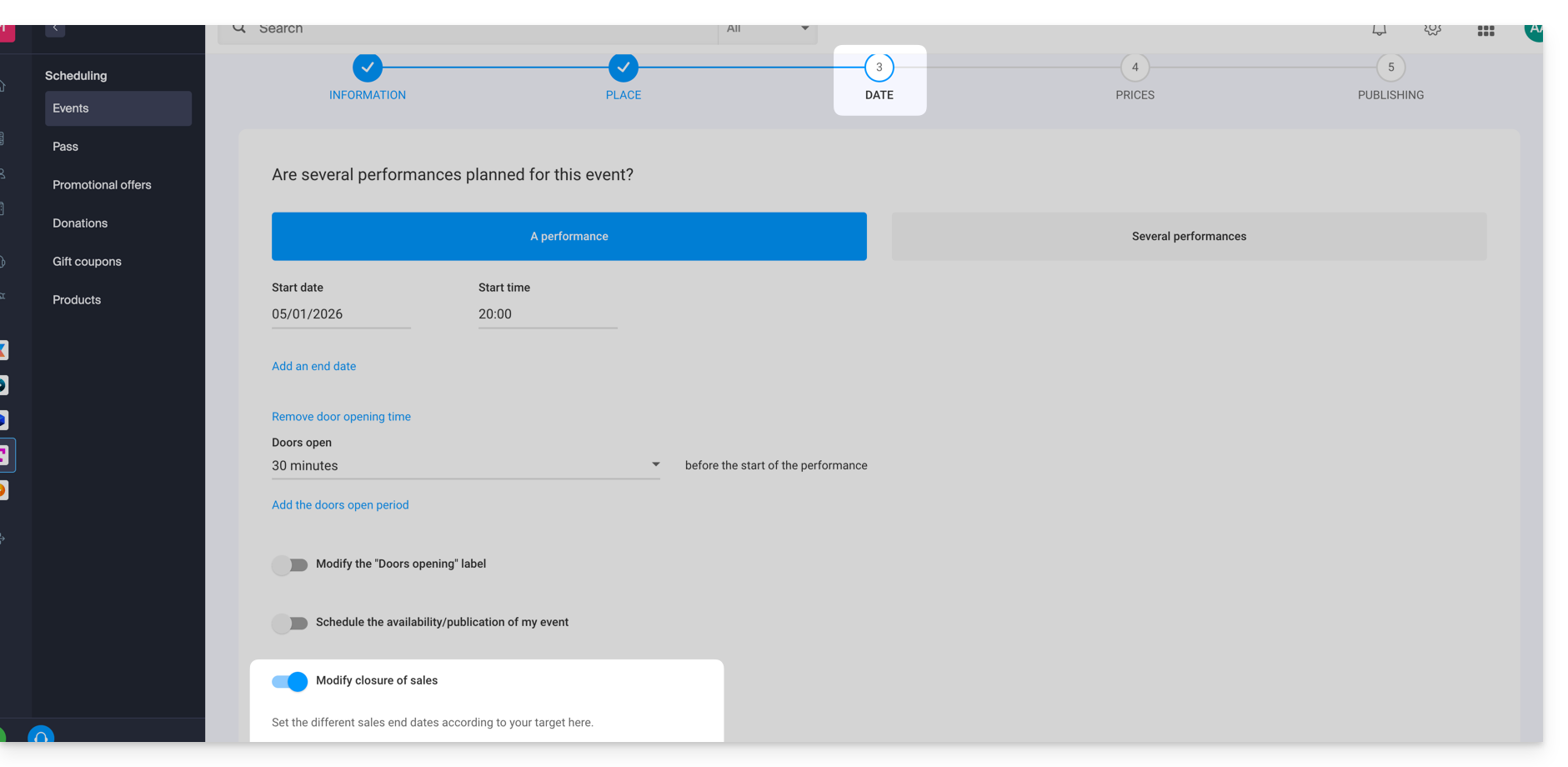
They can be edited at the event level once the event has been created by going to the Settings tab: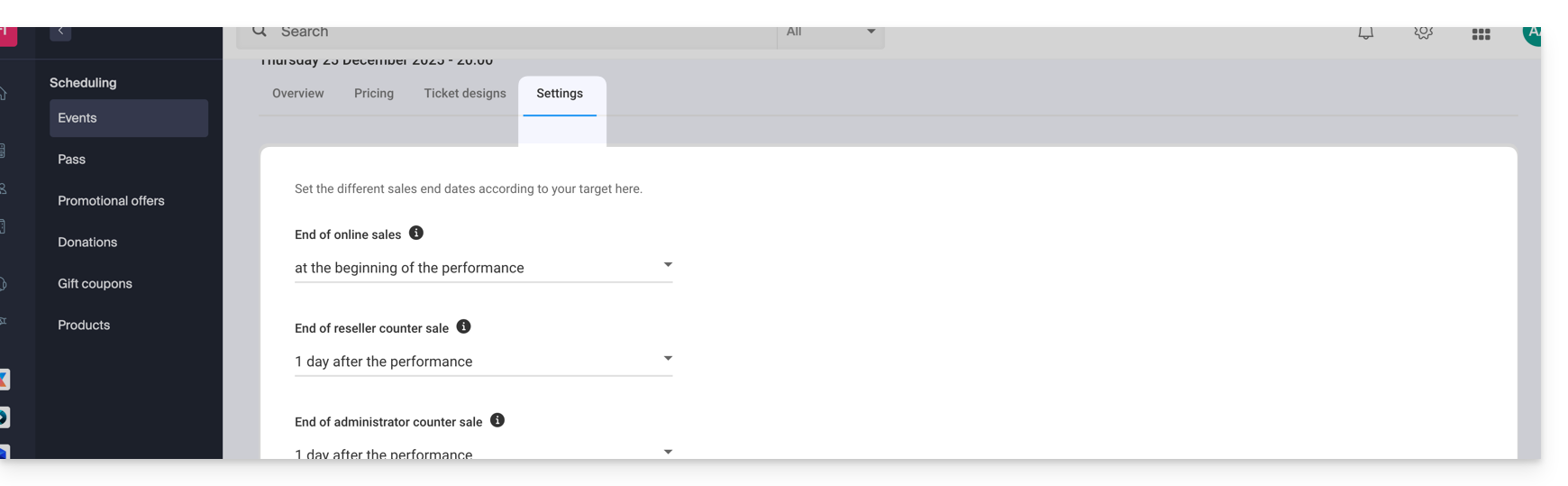
For multi-date events
The Settings tab is located at the level of each event date. However, it is possible to modify the end date for sales for multiple dates at once by using the multi-date actions:
- Go to the Dates tab of your event.
- Switch to list mode:

- Choose the dates you want to configure.
- Click on Actions and Modify display settings:

Link to this FAQ: https://faq.infomaniak.com/1326
Has this FAQ been helpful?