Knowledge base
1000 FAQs, 500 tutorials and instructional videos. Here, there are only solutions!
Create a Streaming Radio Player
A Player (i.e., an audio stream player) is essential for your Streaming Radio stations on Infomaniak when you want to broadcast them to your listeners and internet users.
Prerequisites
- Add at least 1 Radio and 1 audio stream.
Create an audio player
To create a Player and offer the audio stream to your users:
- Click here to access the management interface for your product on the Infomaniak Manager (need help?).
- Click directly on the name assigned to the product in question:
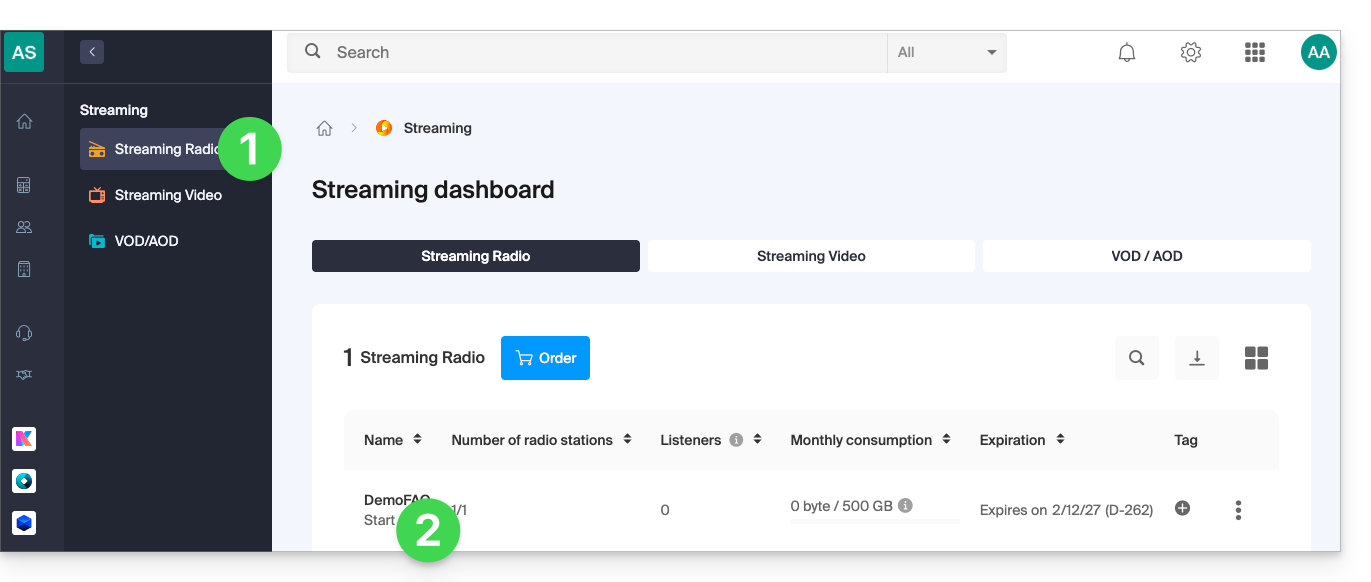
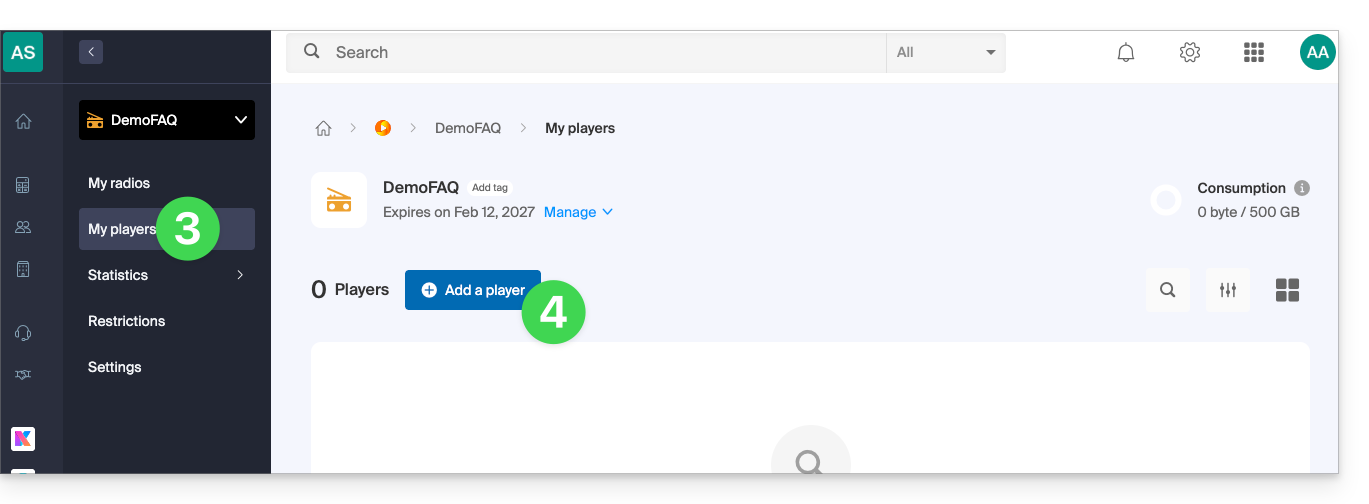
- Click on My players in the left-hand menu.
- Click the blue button to add an audio player:
- You can then choose between:
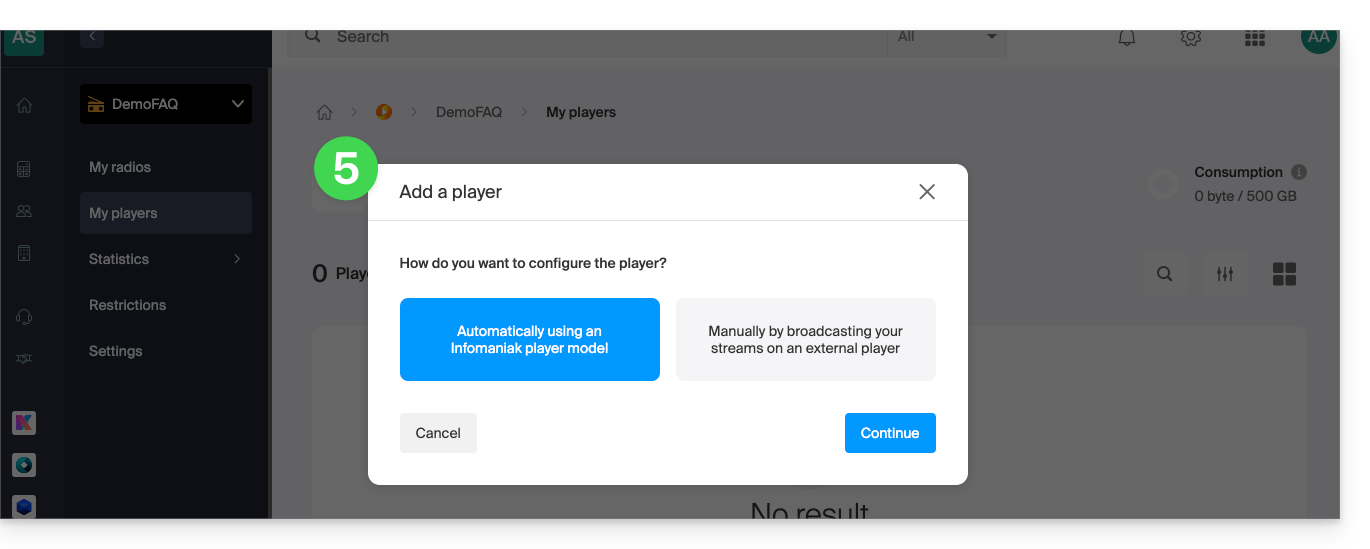
- automatic configuration
- use the information/URL provided for your browser, external player/app, or Android or iOS, if you have your own player or application…
Refer to this other guide about the additional configuration of radio players: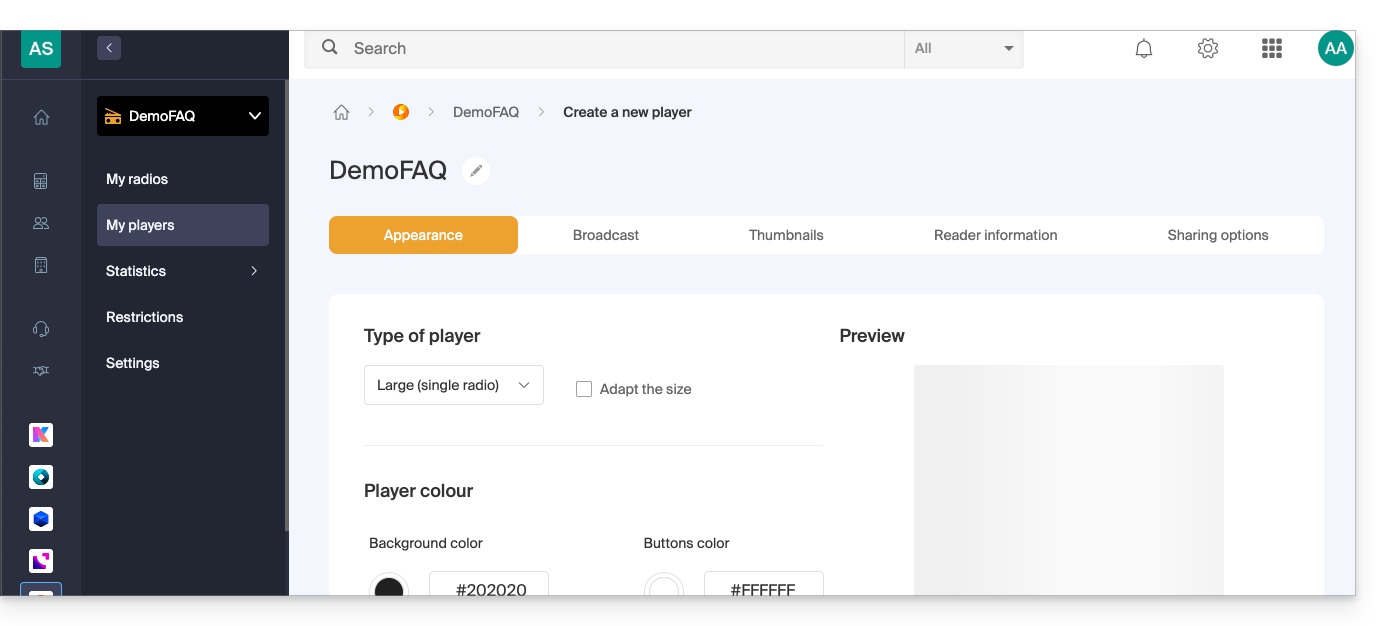
Link to this FAQ: https://faq.infomaniak.com/1325
Has this FAQ been helpful?