Knowledge base
1000 FAQs, 500 tutorials and instructional videos. Here, there are only solutions!
Delete all emails (empty the mailboxes)
This guide offers several solutions to quickly delete a large number of emails within an email address hosted by Infomaniak. Please note that the size of your mailbox is not limited.
Deleting emails in bulk…
… from the Infomaniak Web Mail app
- Click here to access your emails on your Infomaniak kSuite (❓: help).
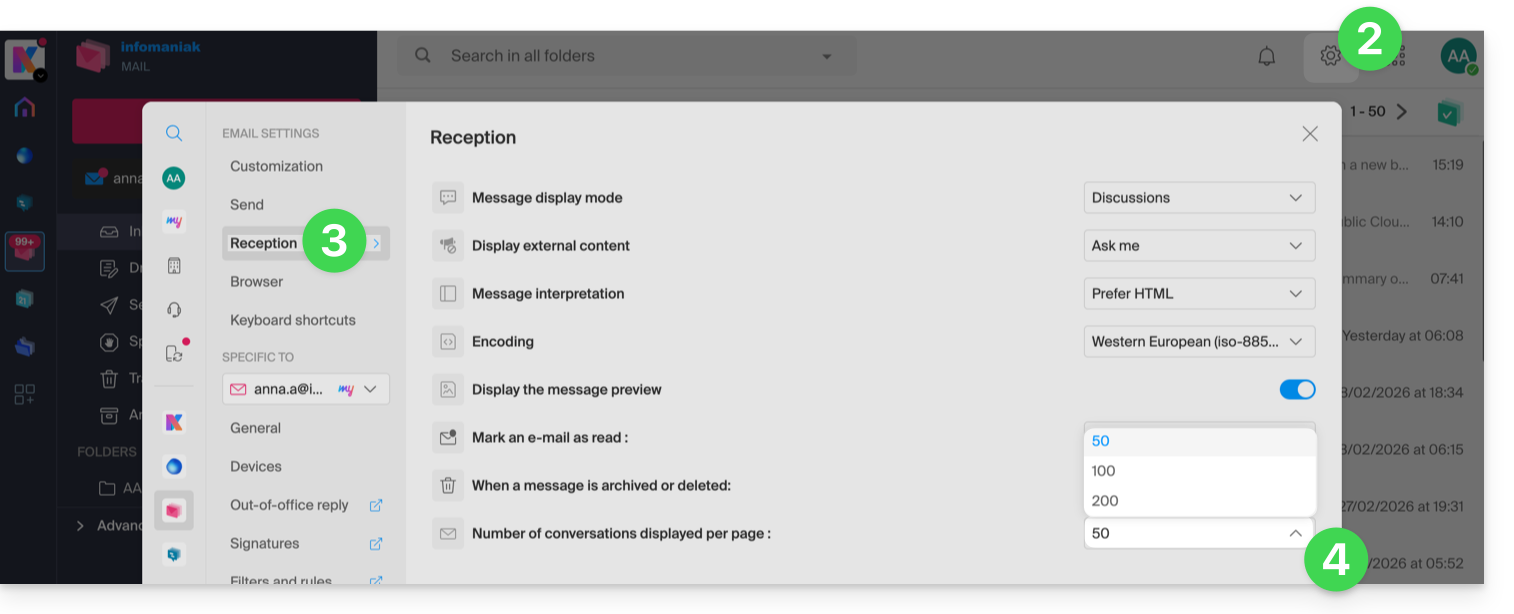
- Click on Settings in the top right corner.
- Click on Reception.
- Display the maximum number of items loaded at once:
- To empty the inbox:
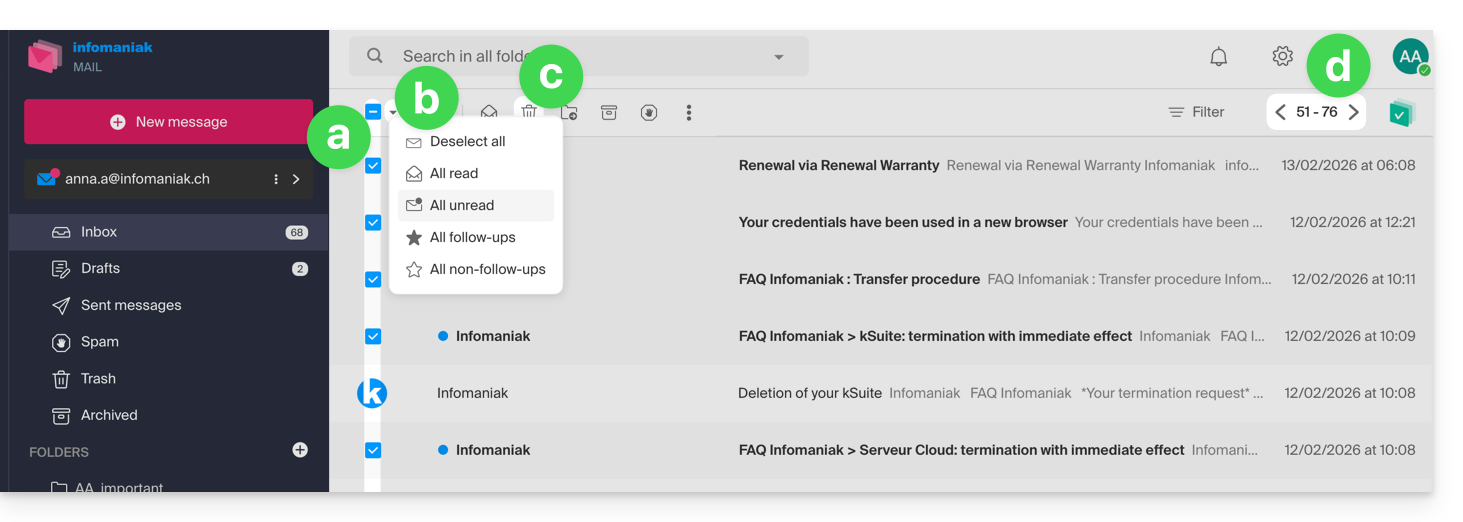
- Select all items visible on the screen.
- A more precise selection is possible.
- Click on the Trash icon to send them to the trash.
- Repeat this process on all pages:
- Besides the inbox, folders can be emptied in a few clicks:
- Click on the action menu ⋮ to the right of the folder in question.
- Click on Empty the folder:
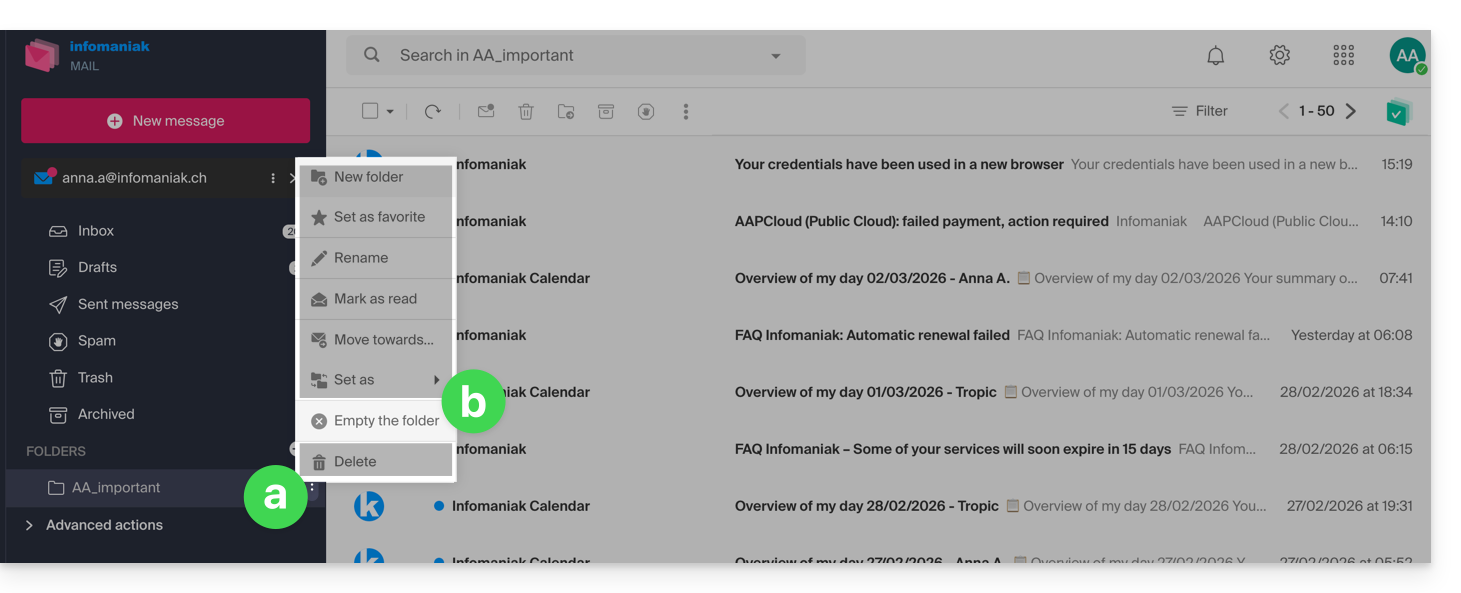
- Please note that emails are deleted without going through the trash, as if you were deleting the folder itself — only a restore can allow for possible recovery.
You can also delete the email address within a Mail Service, and then recreate it. It will then be completely empty.
… using an IMAP email client/application
A reliable solution is to configure the email address in an IMAP email client/application, which will allow you to select all messages (without pagination…) and therefore delete them easily and quickly:
- Install Thunderbird (or any other email app on your device).
- Add your email address, providing its password.
- Wait for the inbox to load.
- Select all messages.
- Click on Delete.
- That's it, you can remove the application if you wish.
Special case: crossed-out messages
To permanently delete any crossed-out or strikethrough emails that may appear in your email software/client or on Mail Infomaniak: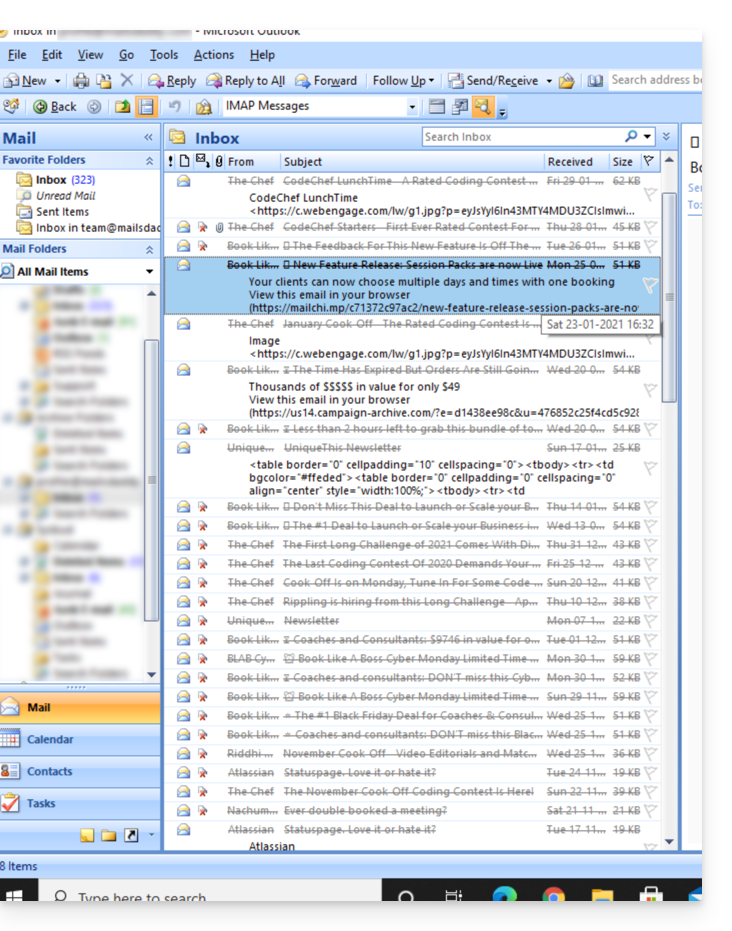
- Microsoft Outlook
- Go to the Edit menu -> Clear Deleted Messages (in English, you should have a Purge menu)
- Apple Mail
- Go to the Mail menu -> Clear Deleted Items
They will then also disappear from the Infomaniak Mail interface.
Link to this FAQ: https://faq.infomaniak.com/1247
Has this FAQ been helpful?