Knowledge base
1000 FAQs, 500 tutorials and instructional videos. Here, there are only solutions!
Translate the content of an email in Mail Infomaniak
This guide details the automatic translation service integrated into the Infomaniak Web app Mail (online service ksuite.infomaniak.com/mail).
Introduction
- The Infomaniak Web Mail app (online service ksuite.infomaniak.com/mail) includes an automatic translator for both reading and writing, supporting French, German, English, Italian, and Spanish.
- This AI solution does not rely on a third-party service (DeepL, Google Translate, etc.) contacted via API; instead, it is hosted, operated, and partially trained by Infomaniak.
Translate the text…
… while writing
To automatically translate a message you are writing into a foreign language:
- Click here to access your emails in your Infomaniak kSuite (❓: help).
- Write a new message without sending it.
- Select the text to translate.
- Click on Translate:
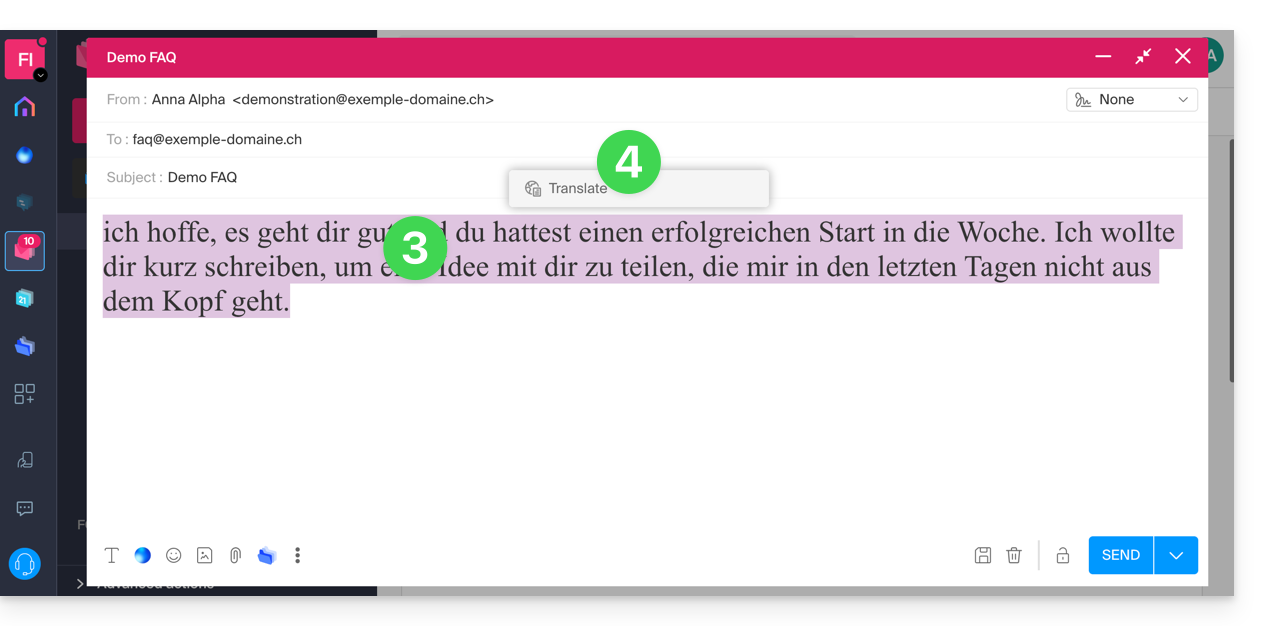
- Modify the languages if necessary.
- Click on Apply translation:
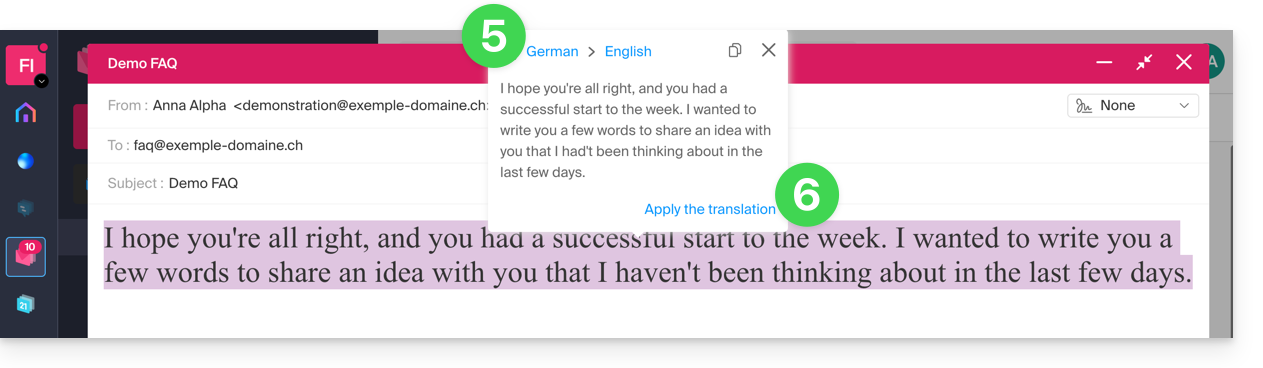
… while reading
To automatically translate a received message written in a foreign language into your language:
- Click here to access your emails in your Infomaniak kSuite (❓: help).
- Check the email to be translated.
- Select the text to be translated.
- Click on Translate:
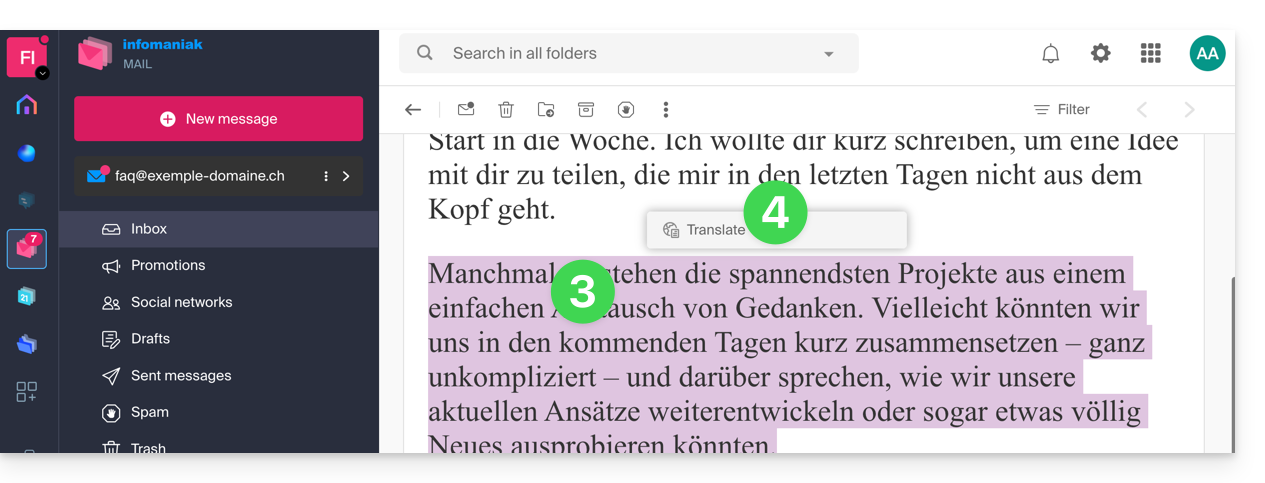
- Click on the name of the languages to change the languages used.
- You can also copy the translated text to your clipboard to use it later:
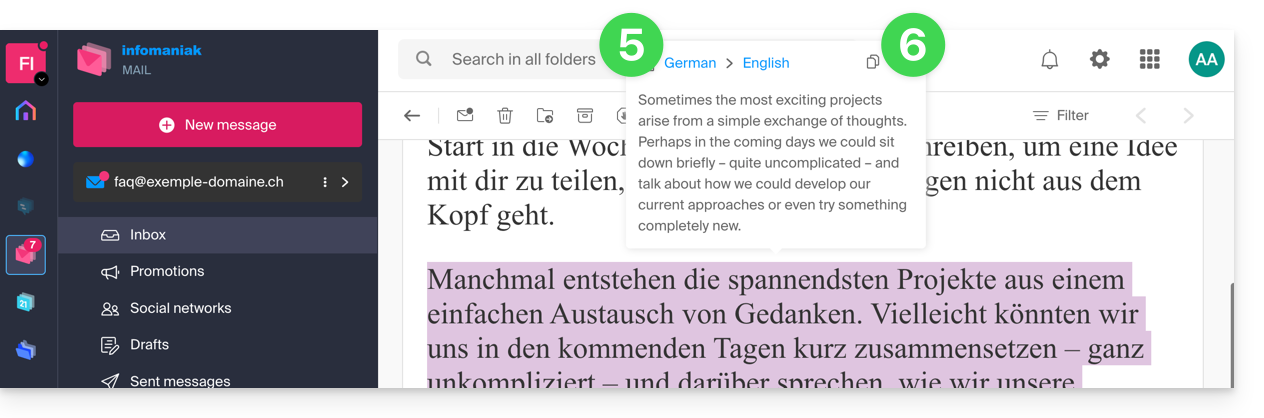
- You can also enable the visibility of the translation icon (❓: help):
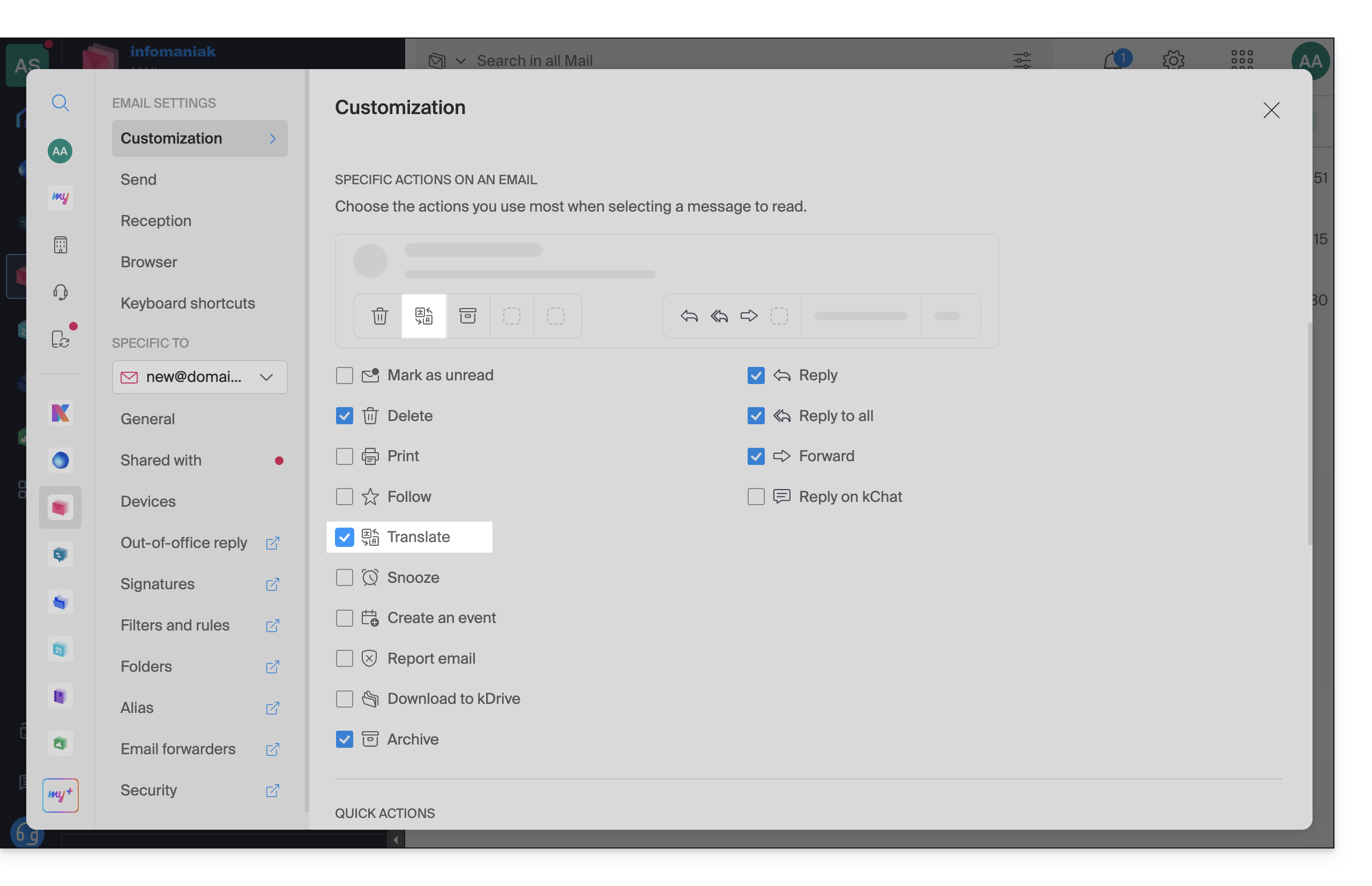
- In this case, you can translate an email from the toolbar of the received message:
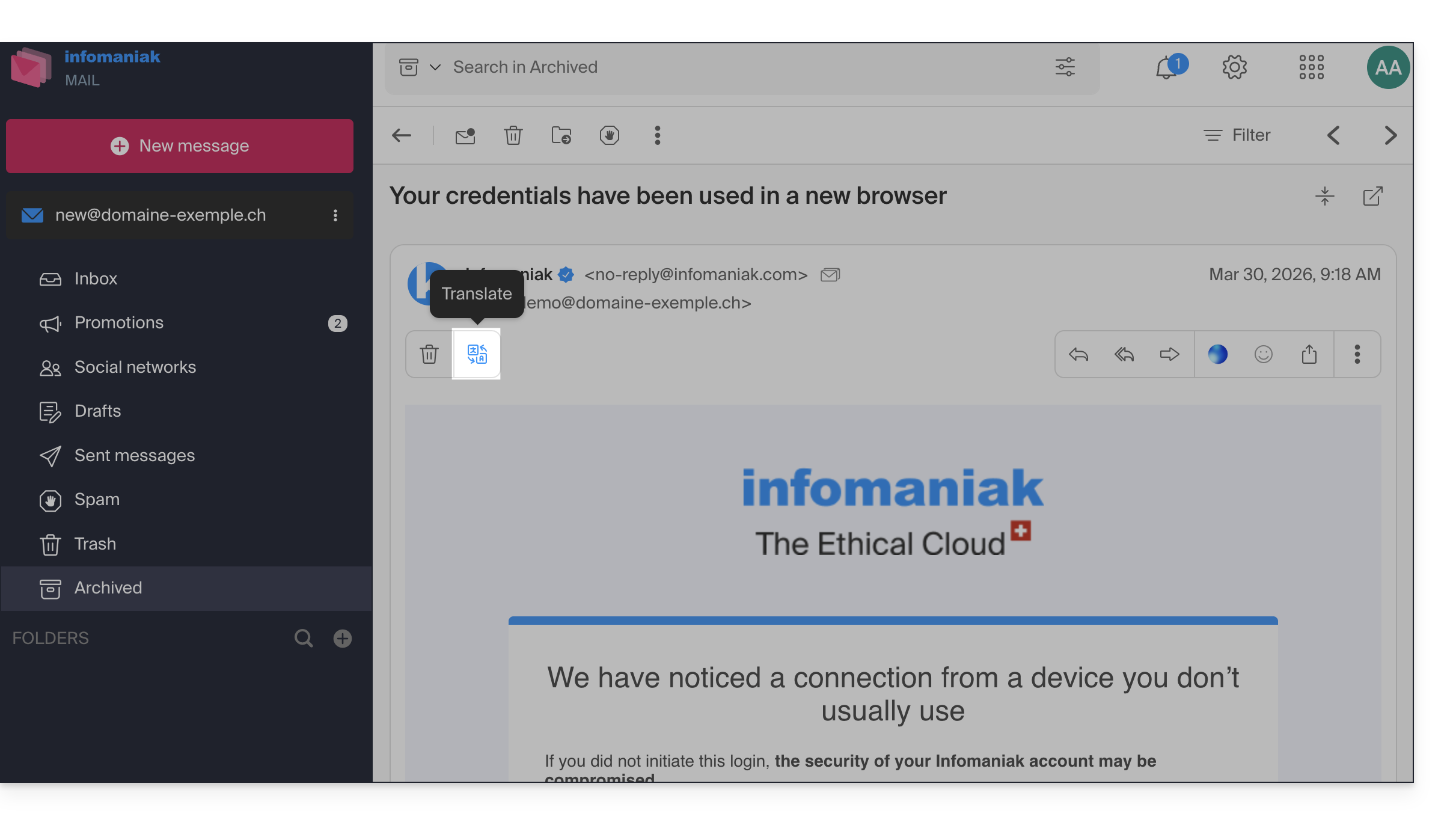
- In this case, you can translate an email from the toolbar of the received message:
Disable the translator
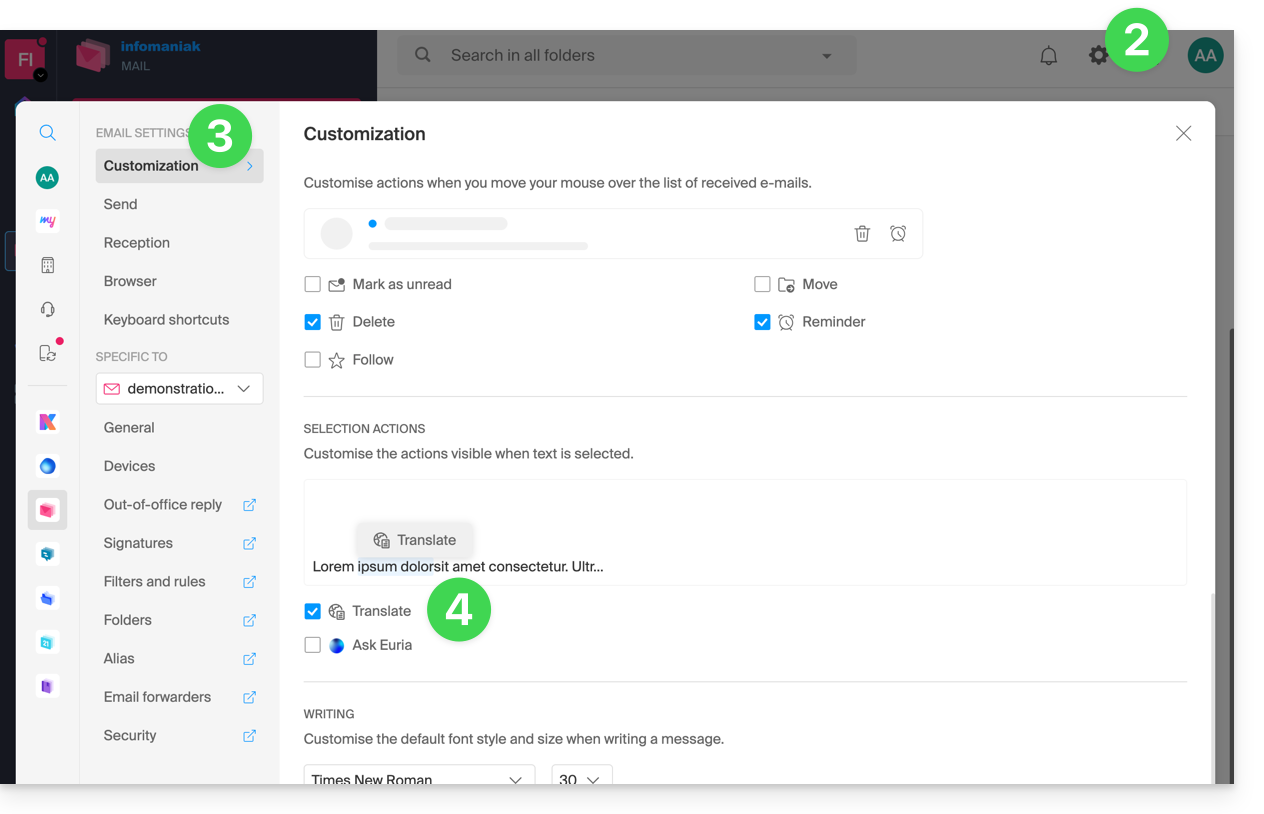
You can configure the elements (translations / Euria) that are displayed when you click on your message:
- Click here to access your emails on your Infomaniak kSuite (❓: help).
- Click on Settings in the top right corner.
- Click on Customization in the left-hand menu.
- Check or uncheck the actions you want to trigger with a click:
Link to this FAQ: https://faq.infomaniak.com/1215
Has this FAQ been helpful?