Knowledge base
1000 FAQs, 500 tutorials and instructional videos. Here, there are only solutions!
Include the original text when replying to a Mail Infomaniak message
Update 10/13/2026
This guide explains how to enable or disable the inclusion of the original message when replying to an email from the Infomaniak Mail web app (online service ksuite.infomaniak.com/mail).
Stop quoting the initial message
By default, the text of the message you are replying to will be placed below your reply (A):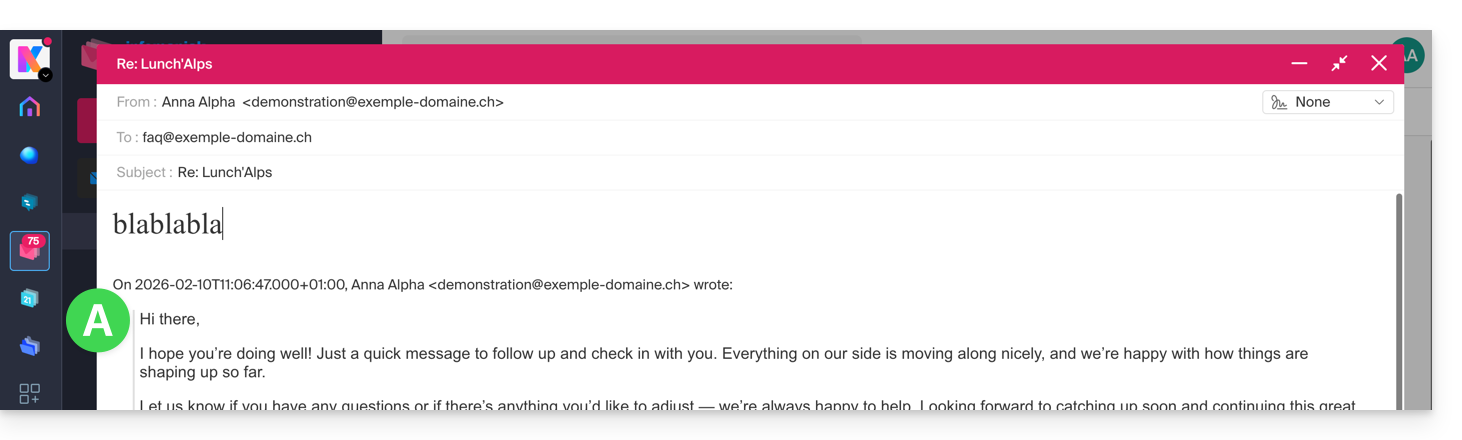
By following the guide below, nothing from the original message will be quoted, and you will reply from a blank slate, with or without a signature (B):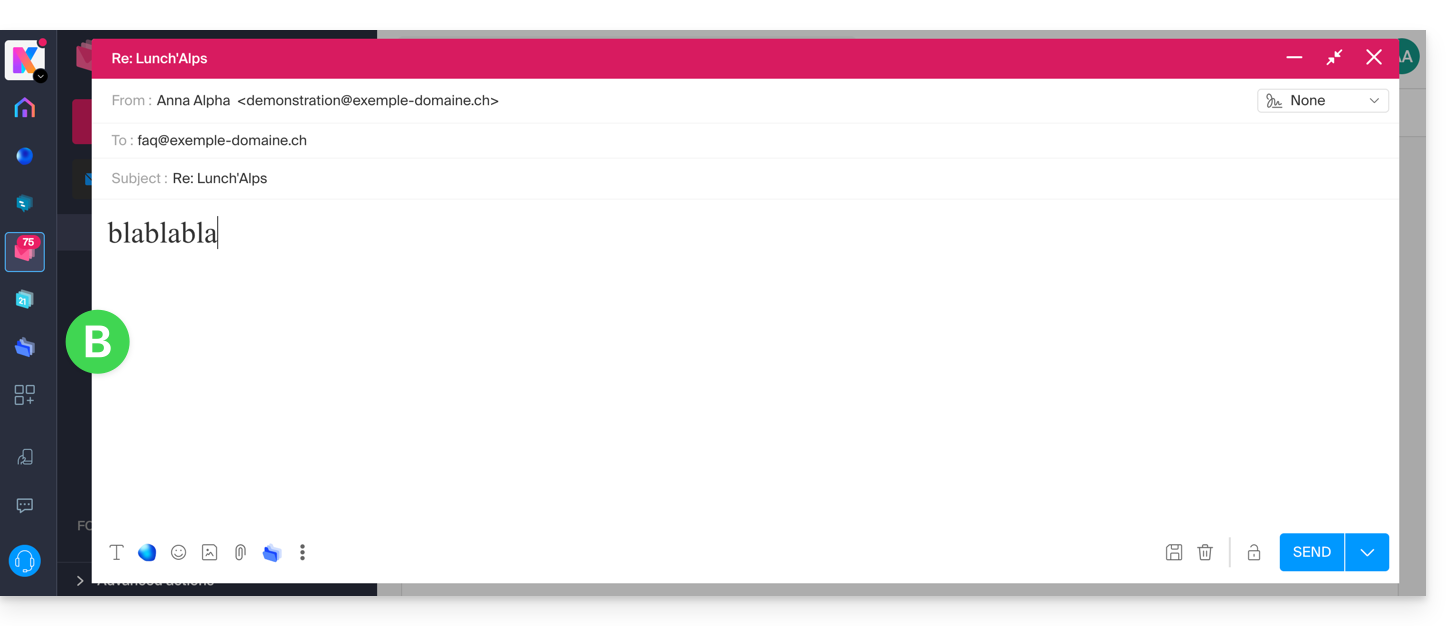
To prevent the original message from being quoted in replies:
- Click here to access the Infomaniak Mail web app (online service ksuite.infomaniak.com/mail).
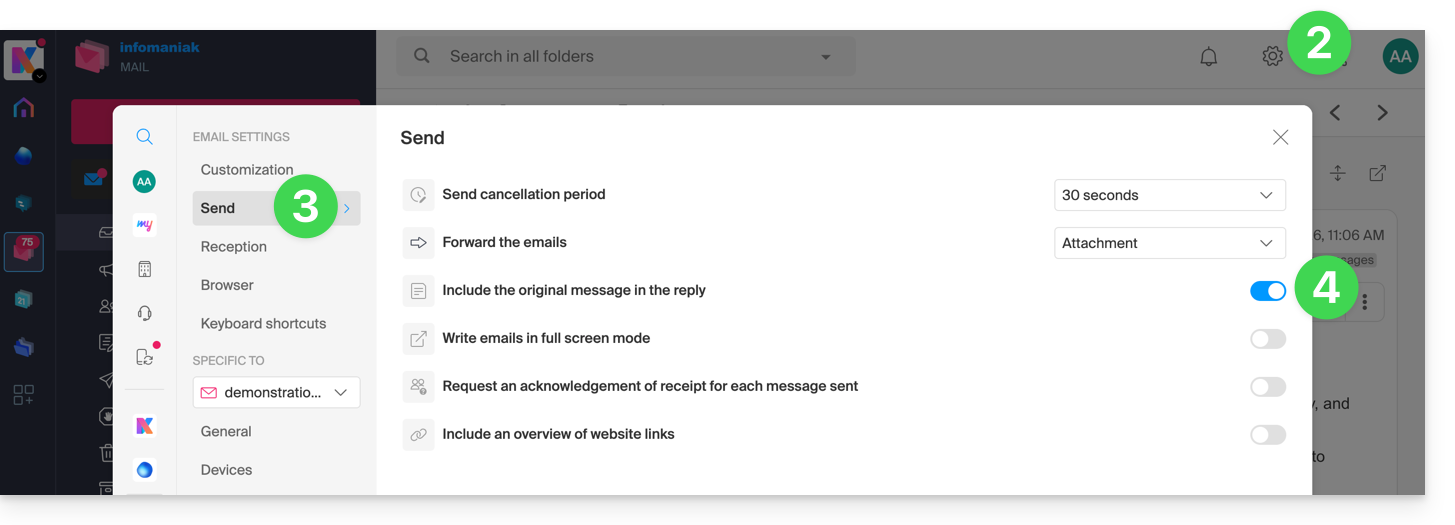
- Click on Settings in the top right corner.
- Click on Sending in the left-hand menu.
- Disablethe toggle switch to the right of the "Include the original message in the reply" item:
Link to this FAQ: https://faq.infomaniak.com/1199
Has this FAQ been helpful?