Knowledge base
1000 FAQs, 500 tutorials and instructional videos. Here, there are only solutions!
Include the original text when replying on the Infomaniak Mail web app
Update 05/15/2026
This guide explains how to enable or disable the inclusion of the original message when replying to an email from the Infomaniak Web app Mail (online service ksuite.infomaniak.com/mail) for web browser.
No longer quote the original message
By default, the text of the message you are replying to will be placed below your own reply text (A):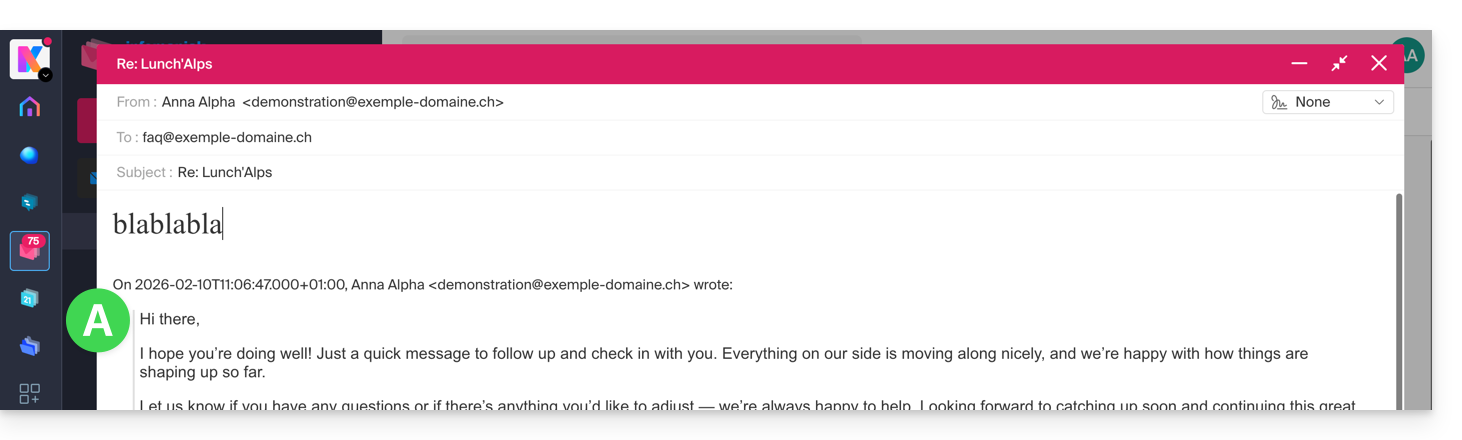
By following the guide below, nothing will be quoted from the original message and you will reply from a blank base with or without signature (B):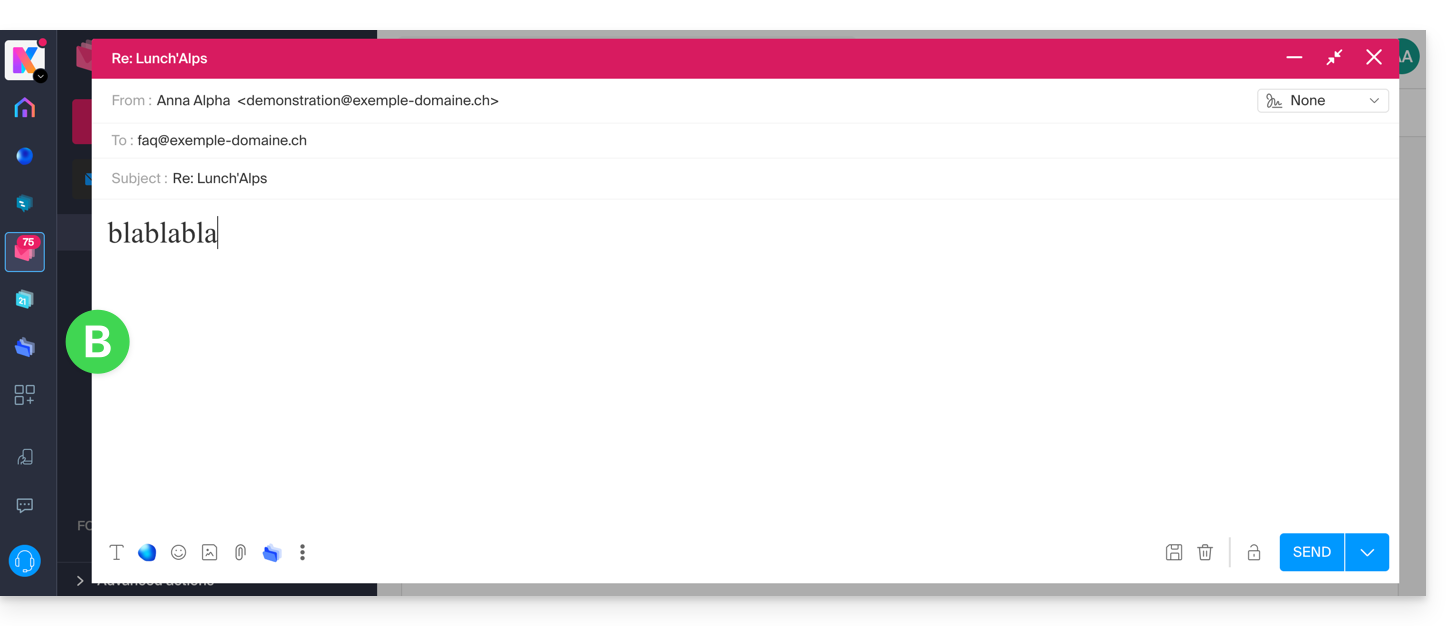
To never quote the original message when replying to a correspondent:
- Click here to access the Infomaniak Web app Mail (online service ksuite.infomaniak.com/mail).
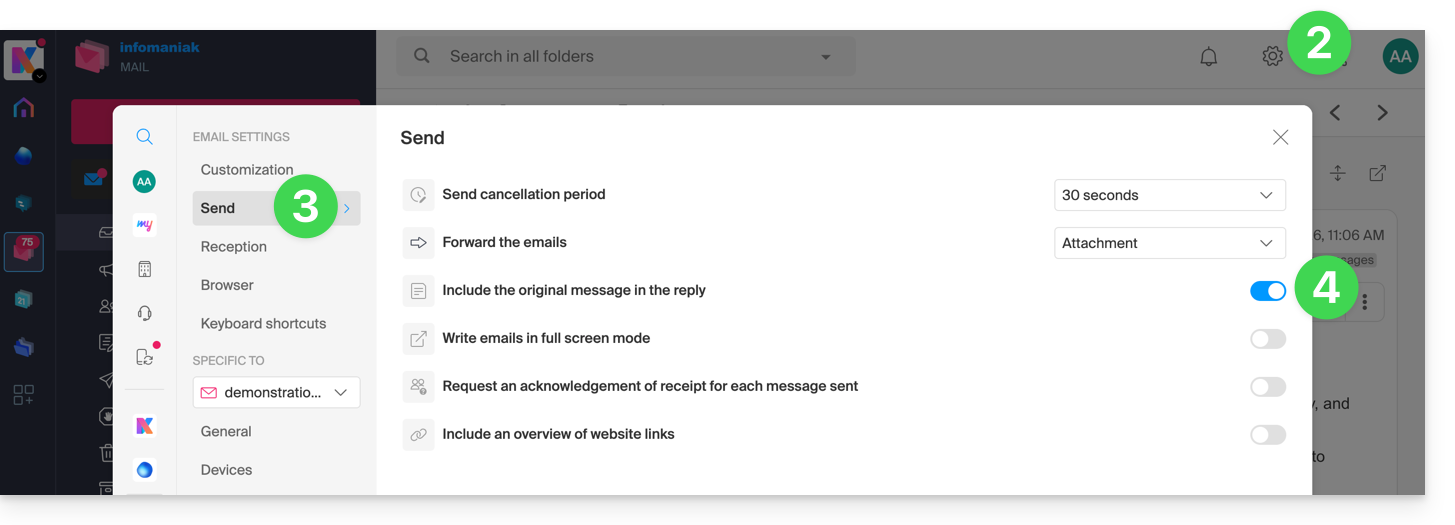
- Click on the Settings icon at the top right.
- Click on Sending in the left sidebar.
- Disable the toggle switch to the right of the "Include the original message in the reply" element:
Link to this FAQ: https://faq.infomaniak.com/1199
Has this FAQ been helpful?