Knowledge base
1000 FAQs, 500 tutorials and instructional videos. Here, there are only solutions!
Export a calendar from Infomaniak Calendar
This guide explains how to save and export a calendar from the Infomaniak Web app Calendar (online service ksuite.infomaniak.com/calendar) in .ics format.
Exporting a calendar
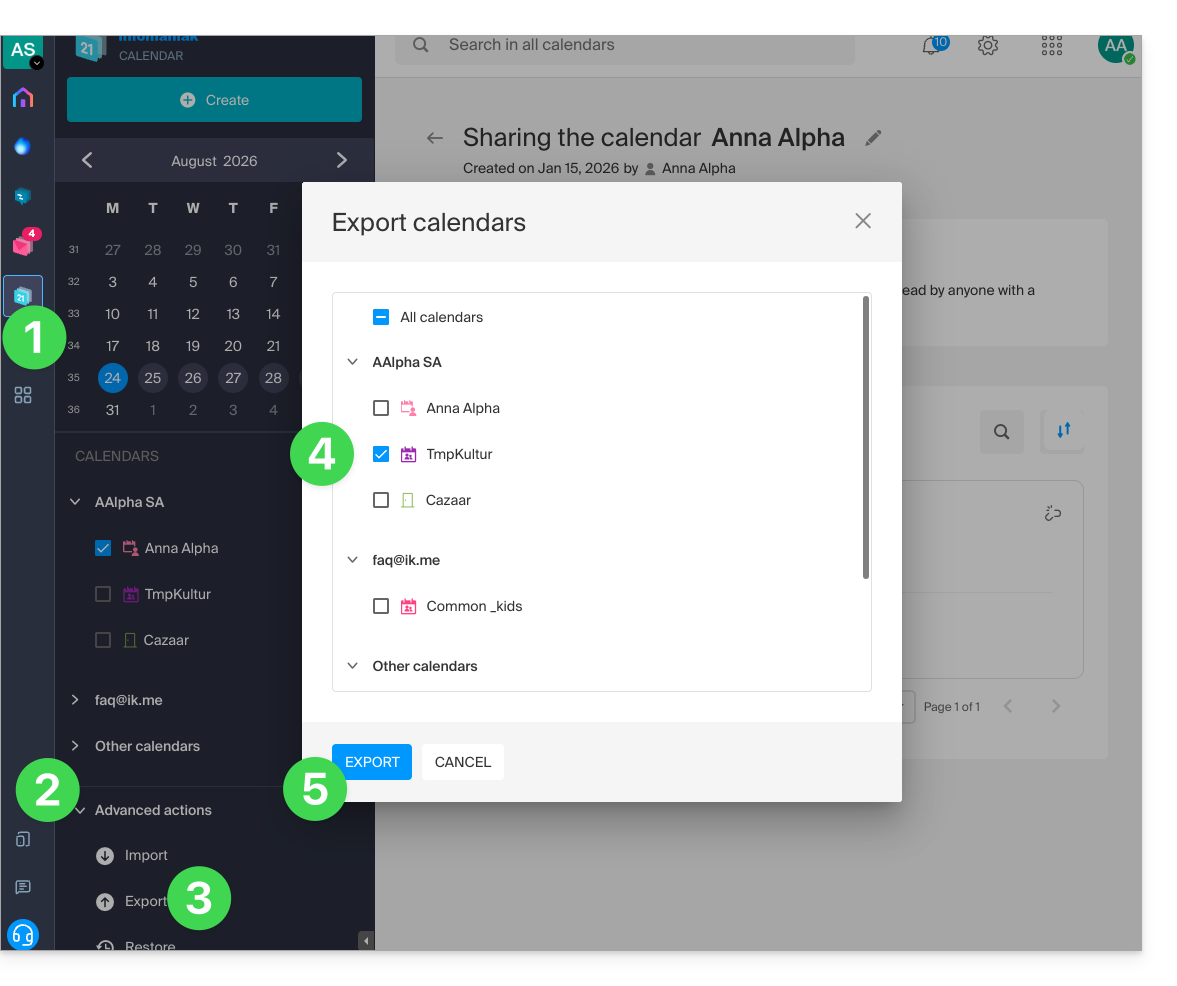
To export the calendar in .ics format:
- Click here to access the Infomaniak Calendar web app (online service ksuite.infomaniak.com/calendar).
- Click on Advanced actions in the left-hand menu.
- Click on Export in the left-hand menu.
- Check the calendar(s) you want to export.
- Click on Export:
- Save the
.icsfile to your computer.
Refer to this other guide if you are looking for information about importing events.
Link to this FAQ: https://faq.infomaniak.com/1173
Has this FAQ been helpful?