Knowledge base
1000 FAQs, 500 tutorials and instructional videos. Here, there are only solutions!
Report a phishing email from Mail Infomaniak
This guide explains how to report a phishing attemptwhich you would be a victim of.
Preamble
- Phishing is a fraud and scam attempt aimed at fraudulently obtaining sensitive information.
- Generally, the victim receives a message in their inbox that appears to be from Infomaniak, their bank, or a trusted organization, indicating that a problem has occurred with their account or in their daily life:
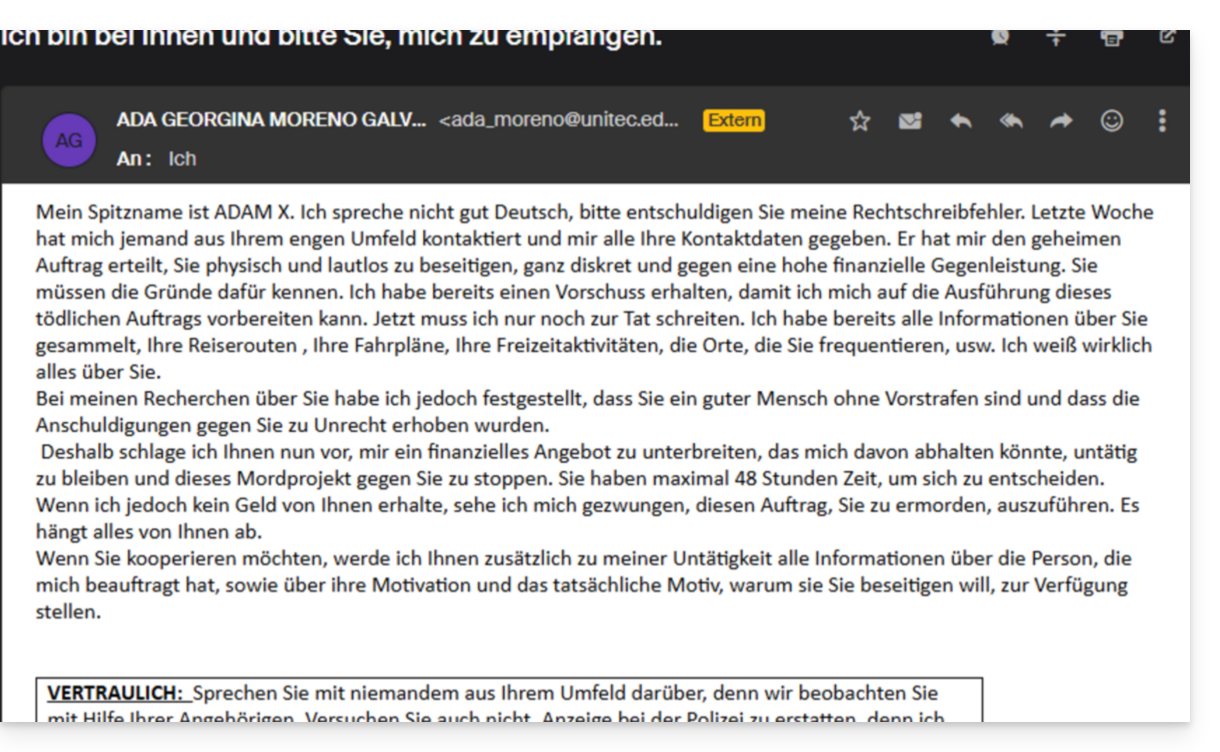
- The purpose of this identity theft is usually to trick the user into voluntarily visiting a page and providing private information, which will then be used for various purposes, primarily financial ones.
- If it is not a “pretending to be something it is not”, but if it is simply an unsolicited advertising message, it is best to report it as Spam.
Report a Phishing Email
Prerequisites
- Check that the spam filter is active.
- For added security, enable the external email warning.
If you find an email of this type directly in your inbox, you can take action to reduce the number of these messages and eventually eliminate them from email systems:
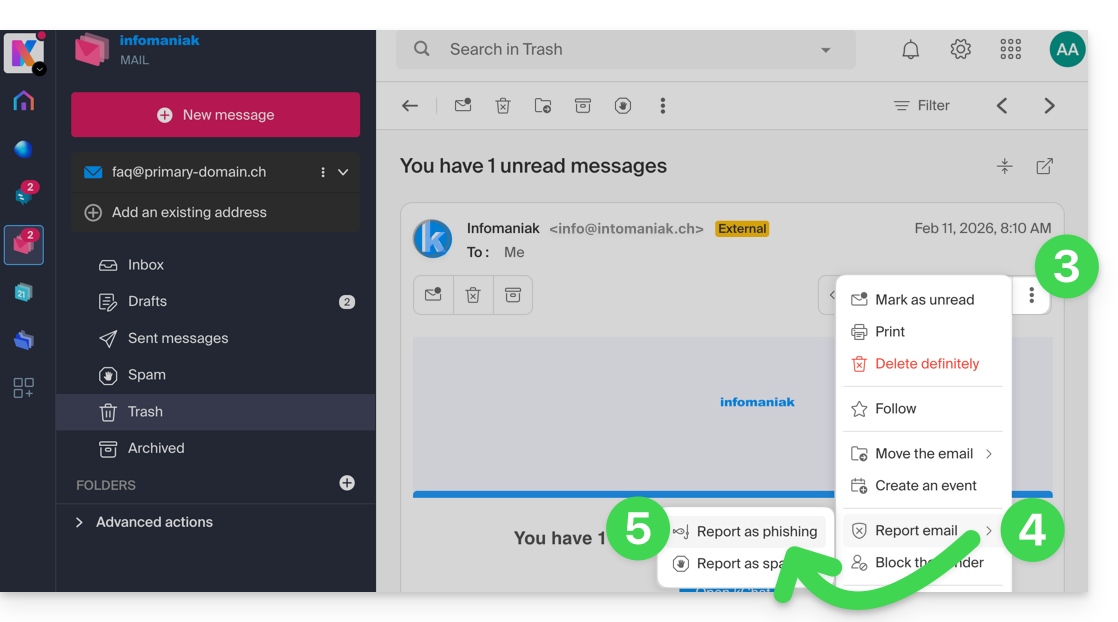
- Click here to access the emails in your Infomaniak kSuite (❓: help).
- Open the phishing message.
- Click on the action menu ⋮ on the right.
- Click on Report message.
- From the menu that appears, select Report as phishing:
- Confirm sending for processing.
- Delete the email.
Once you have clicked on Report as phishing, an email is automatically sent to Infomaniak with all the information needed to process the scam report.
In the event of a more serious problem (when the message is directly addressed to you by someone you know or a contact, and it is not a mass mailing), it is recommended to contact an organization such as report.ncsc.admin.ch.
Link to this FAQ: https://faq.infomaniak.com/1172
Has this FAQ been helpful?