Knowledge base
1000 FAQs, 500 tutorials and instructional videos. Here, there are only solutions!
Quickly access the server (Web FTP)
This guide explains how to use the Web FTP file manager, which allows you to easily and quickly manage the content of your Web Hosting.
Introduction
- The online Web FTP / FTP Manager service does not require any special access as long as you have management rights for a hosting account in the Infomaniak Manager and are logged in.
- Therefore, you do not need to have an FTP account and its password; the password for your Infomaniak account is sufficient.
- This allows you to:
- create files,
- navigate through directories,
- manage existing files (copy, rename, move, delete, unzip, etc.),
- edit and view text, php, and html files of less than 1 MB,
- transfer files of less than 50 MB between your computer and the server:
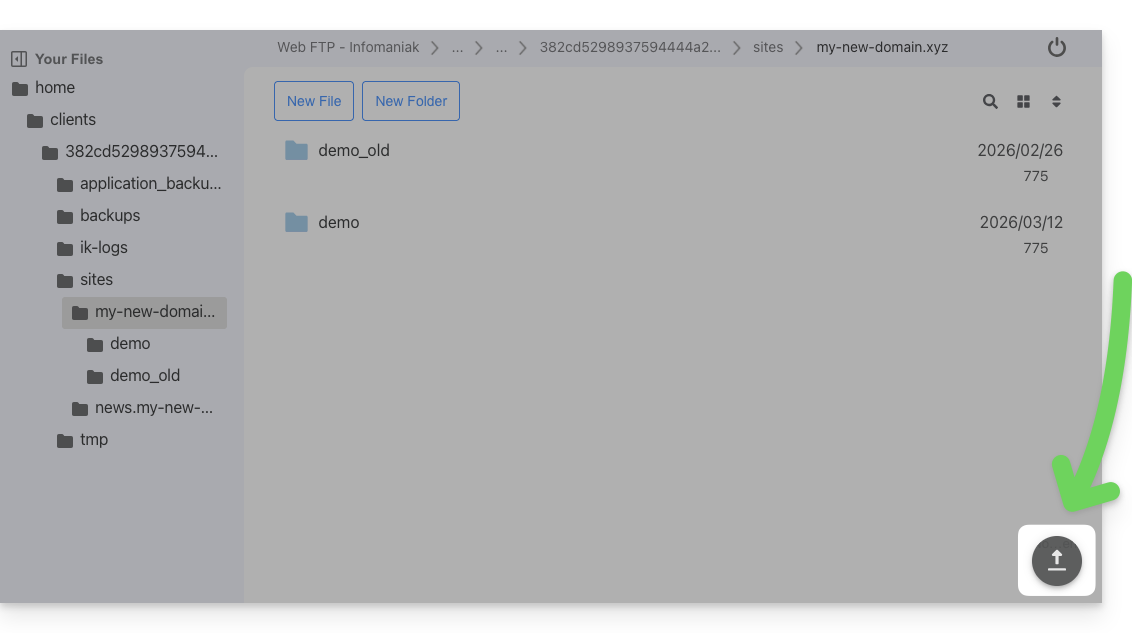
- including by drag-and-drop directly from your computer to the Web FTP window:
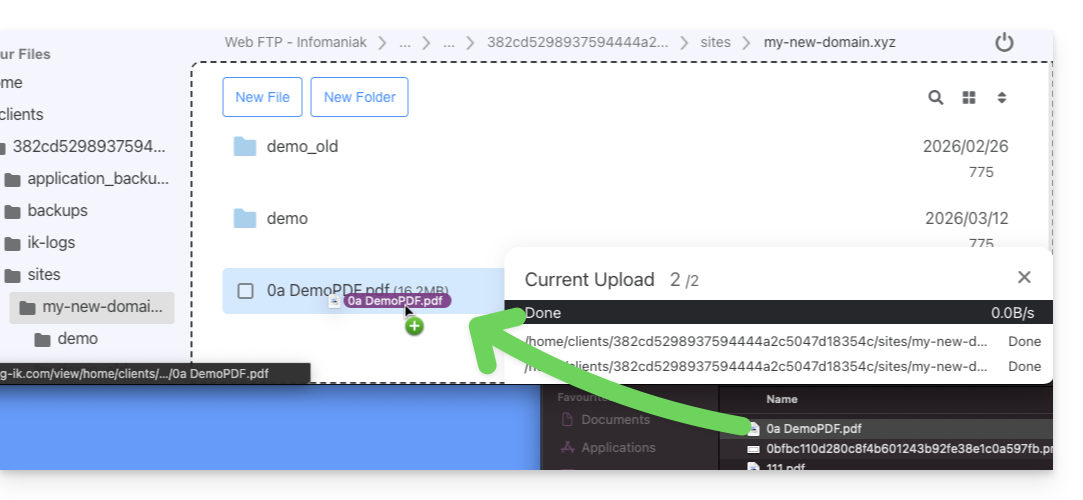
- to go beyond this limit and for more advanced features such as background processing, resuming transfers after a disconnection, and limiting transfer speeds, use an FTP software/client.
- including by drag-and-drop directly from your computer to the Web FTP window:
Access the server via Web FTP
To quickly access the website server via FTP or SSH:
- Click here to access the management of your hosting account in the Infomaniak Manager (need help?).
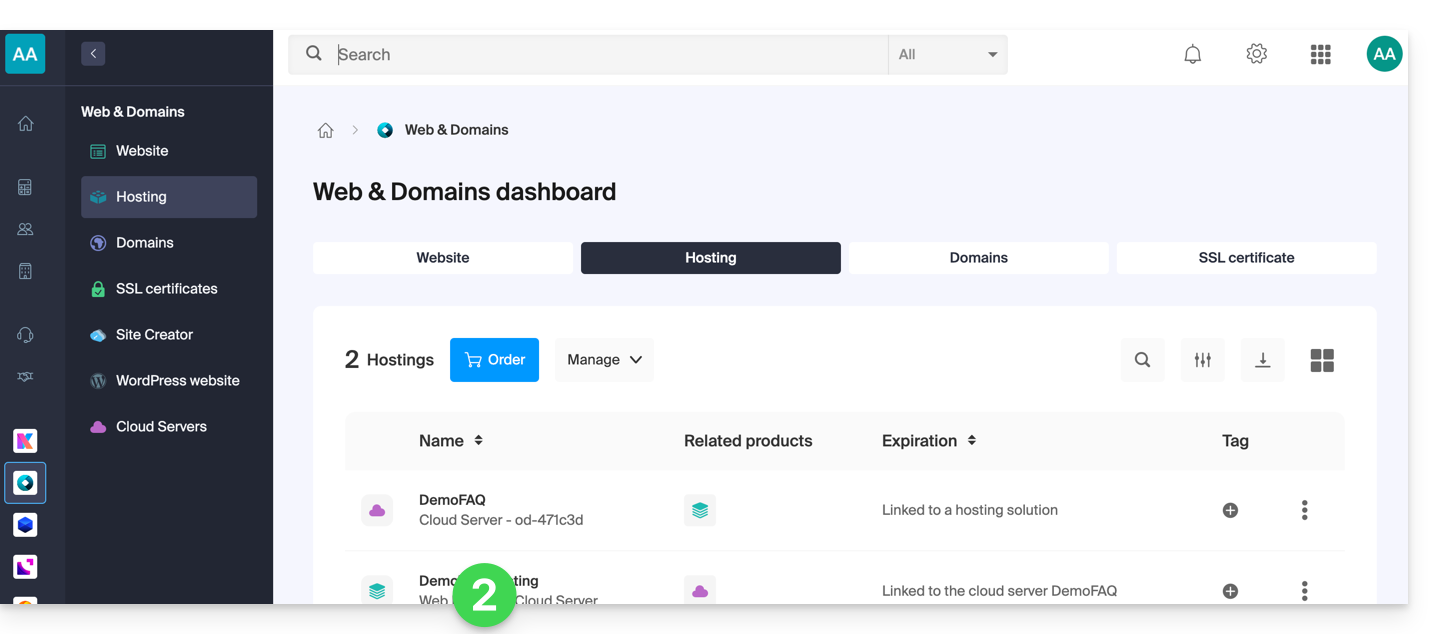
- Click directly on the name assigned to the hosting in question:
- Click on FTP / SSH in the left-hand menu.
- Click on the
Web FTPorSSH consolebuttons available to you: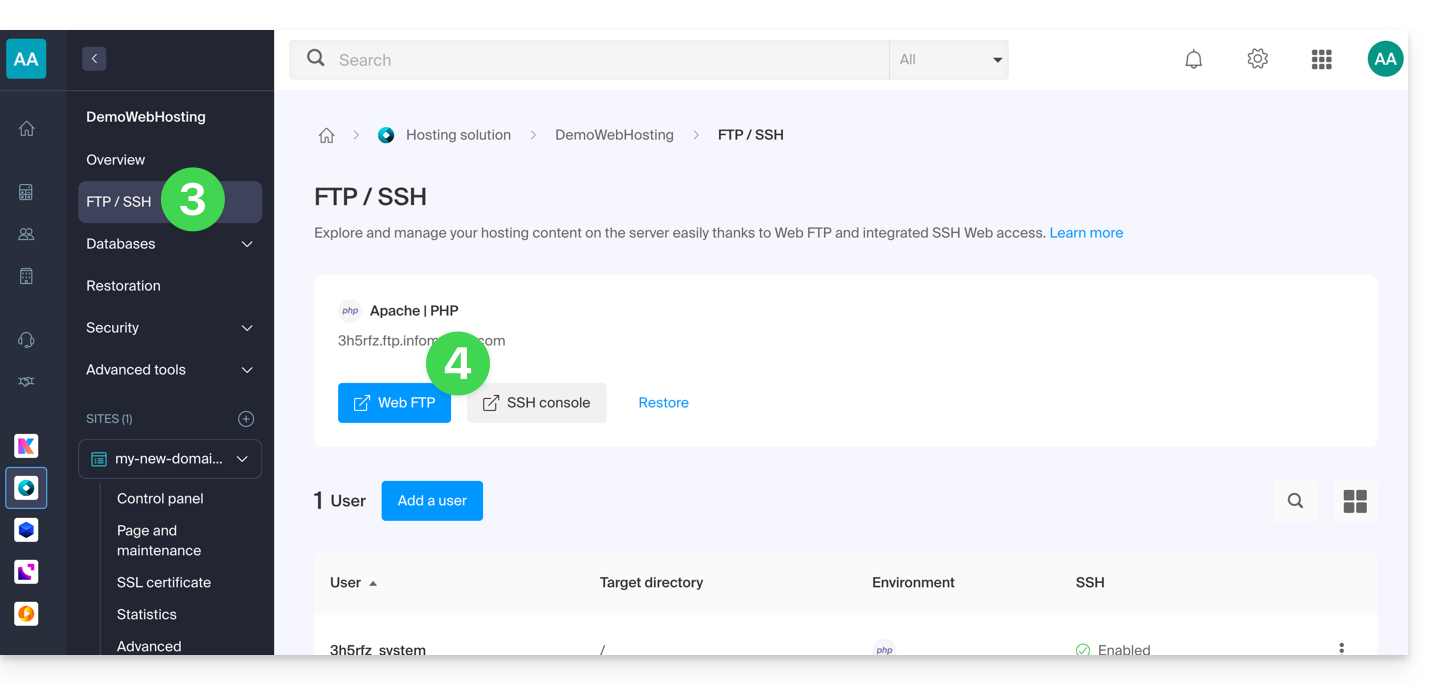
Link to this FAQ: https://faq.infomaniak.com/1130
Has this FAQ been helpful?