Knowledge base
1000 FAQs, 500 tutorials and instructional videos. Here, there are only solutions!
Manage SRV records
Update 10/05/2026
This guide explains how to add or modify one or more SRV records in the DNS zone (of a domain name) managed in the Infomaniak Manager.
Introduction
- This type of record indicates which services are available for a domain.
- They are often used for XMPP, LDAP protocols, or to configure Microsoft Office 365.
Modify the DNS zone
To manage this type of record in a DNS zone:
- Click here to access the domain management section in your Infomaniak Manager (❓: help).
- Click on the name of the domain in question.
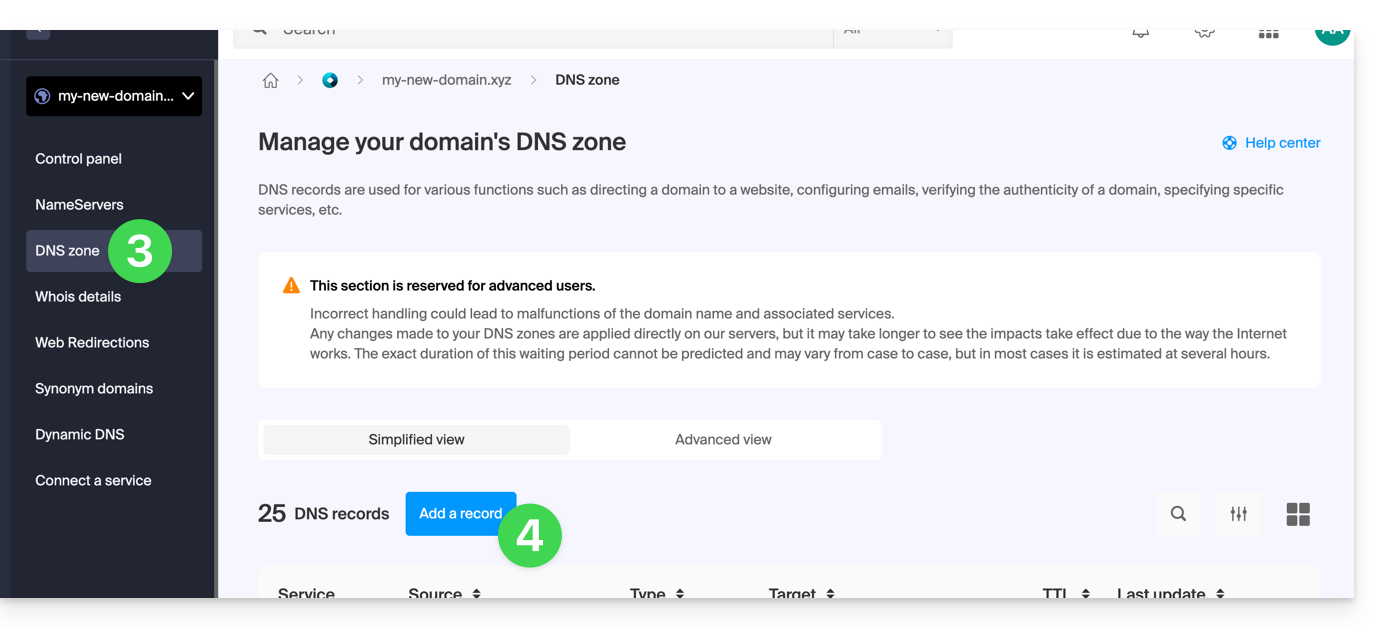
- Click on DNS Zone in the left-hand menu.
- Click the button to add a record:
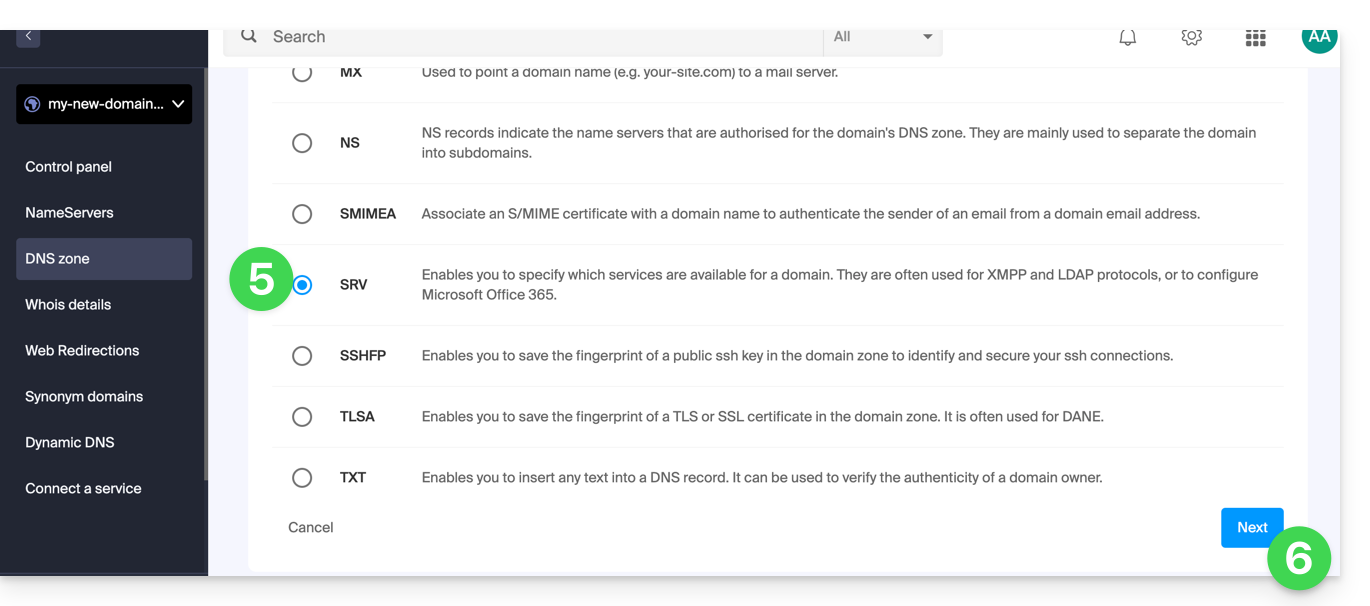
- Click the SRV radio button to add a record.
- Click the Next button:
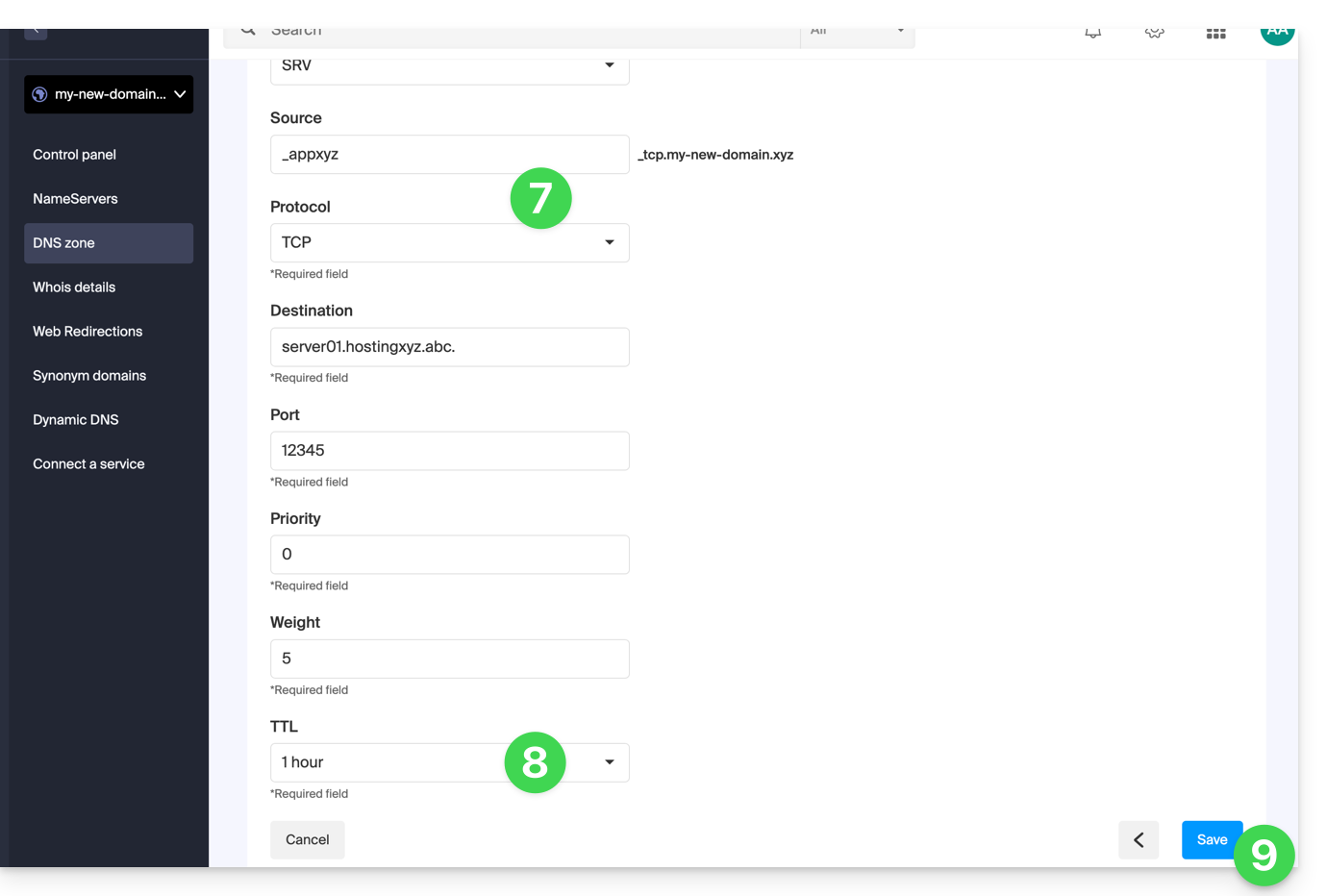
- Enter the values for the SRV record required for your DNS zone (the
._tcp.domain…is already entered). - Leave the default value for the TTL.
- Click the Save button:
Verify that the complete SRV record has been added correctly in the records table: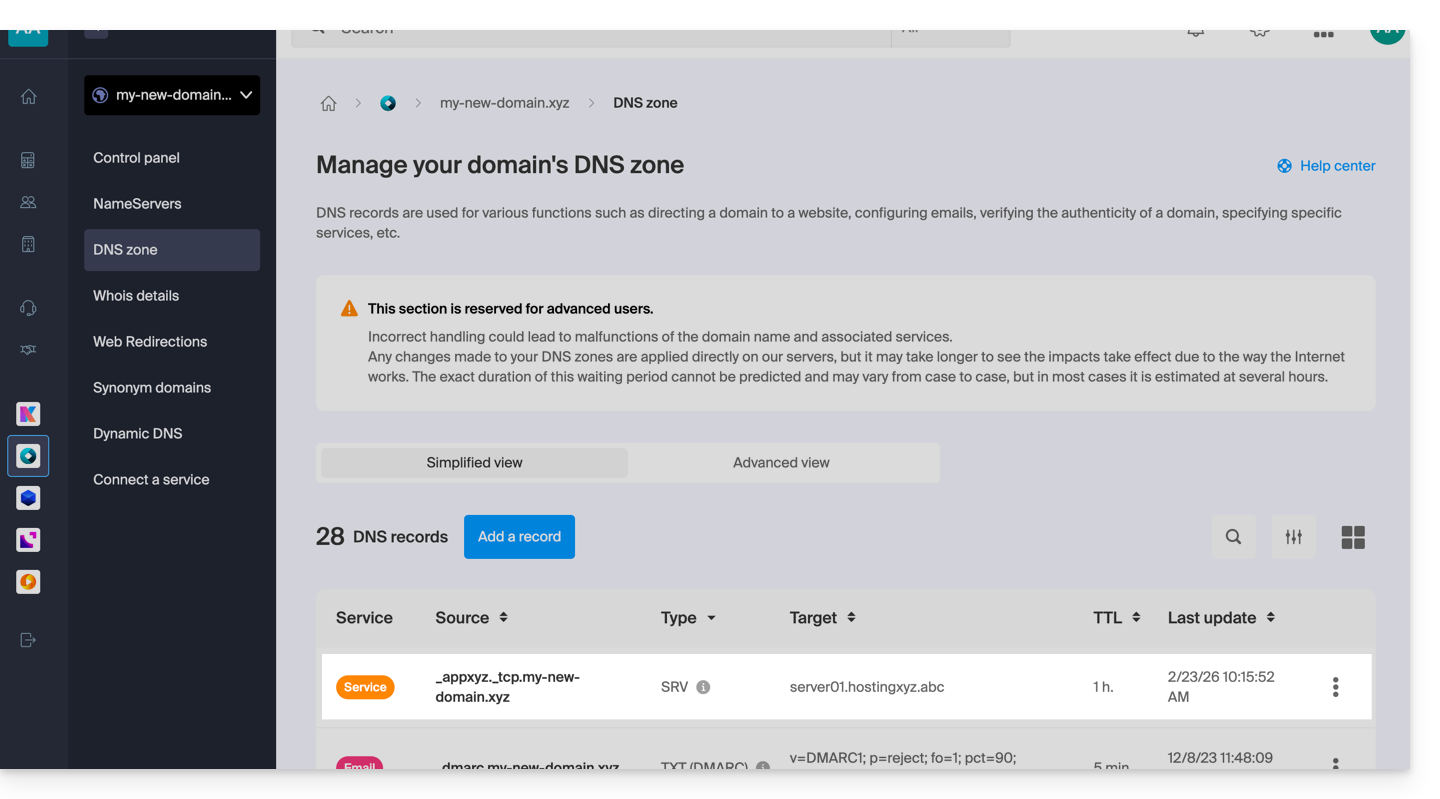
Link to this FAQ: https://faq.infomaniak.com/110
Has this FAQ been helpful?