Knowledge base
1000 FAQs, 500 tutorials and instructional videos. Here, there are only solutions!
Access the server via FTP with an application
This guide explains how to manage the files of a Web Hosting with an FTP software/client.
Preamble
- To easily & quickly manage the files of your web hosting without having to install an application or enter FTP credentials, use the Web FTP on the Manager (it allows, among other things, CHOWN and file compression/decompression
zip). - Regarding the protocols supported by Infomaniak (FTP, SFTP, etc.) depending on your hosting offer (Starter, Node.js, etc.), refer to this other guide.
Parameters to provide for FTP software
Prerequisites
- Create an FTP/SSH account.
- Install an FTP software/client like Filezilla, Cyberduck, Commander One, Transmit, etc.
Regardless of your FTP software/client, the 3 essential parameters for configuring FTP access are always:
- Hostname: FTP server address
- Username: FTP account name
- Password: that of the FTP account
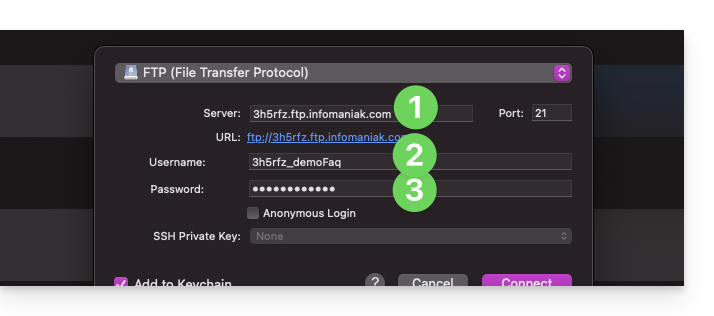
- The port number is usually left at default.
- The type and connection mode are usually left at default.
- If a limit on the number of simultaneous connections is offered, it is recommended to activate it.
Obtain the connection information to the hosting
You will find all the information on your Infomaniak Manager:
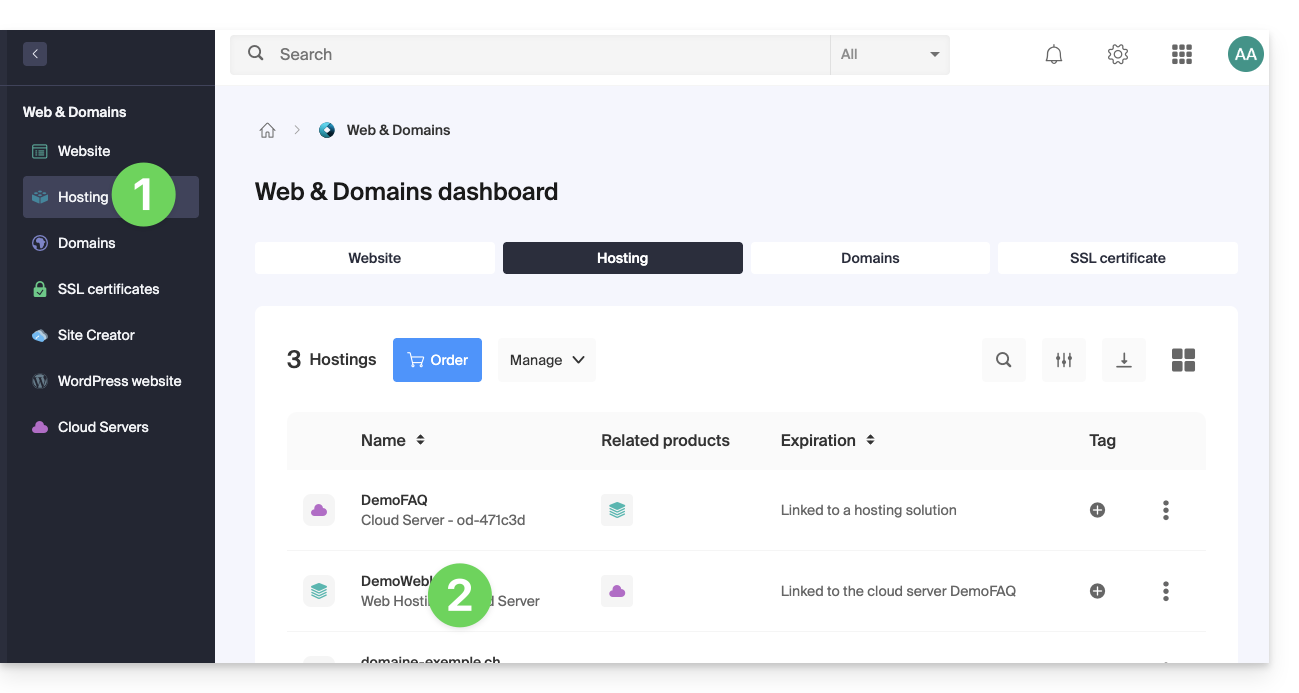
- Click here to access the management of your hosting on the Infomaniak Manager (need help?).
- Click directly on the name assigned to the hosting concerned:
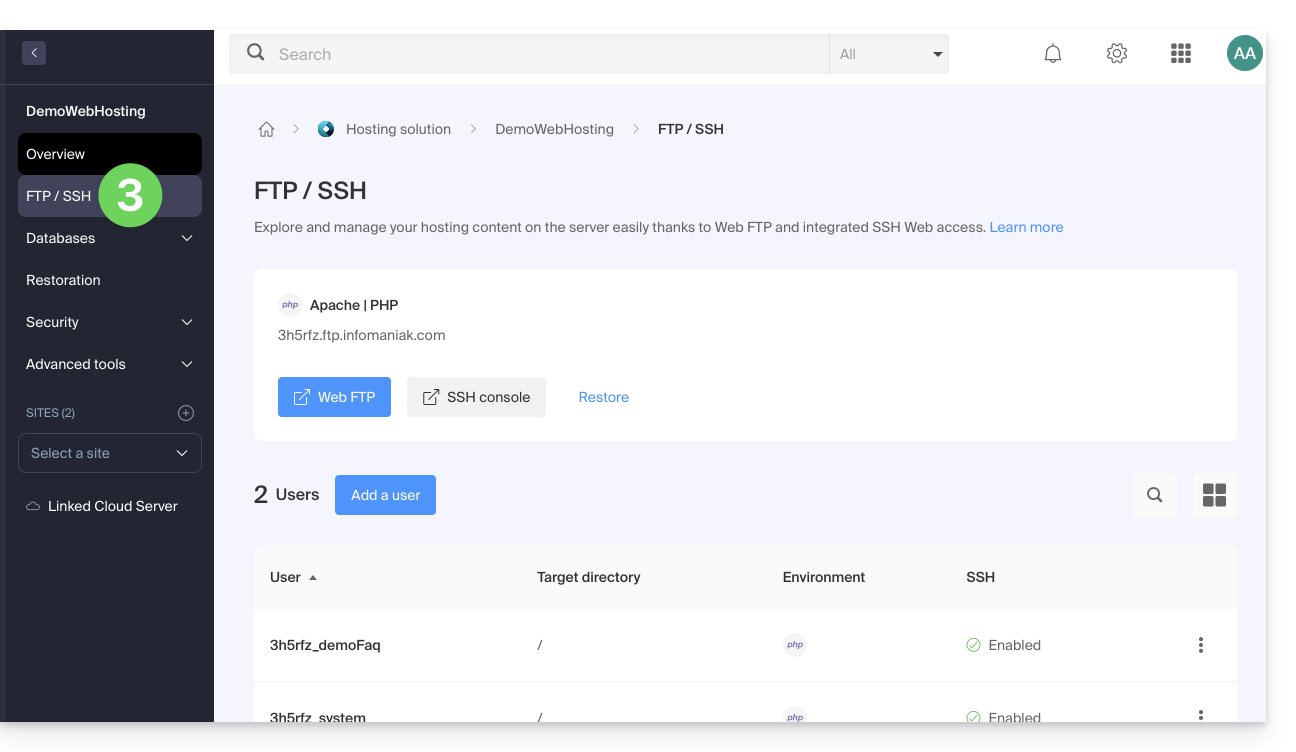
- Click on FTP (or FTP / SSH) in the left sidebar
1. FTP hostname
The hostname to use in your FTP software/client is specified at the top of the page obtained in point 3 above and an icon allows you to copy the address to the clipboard.
Starter Offer - Basic Web Page
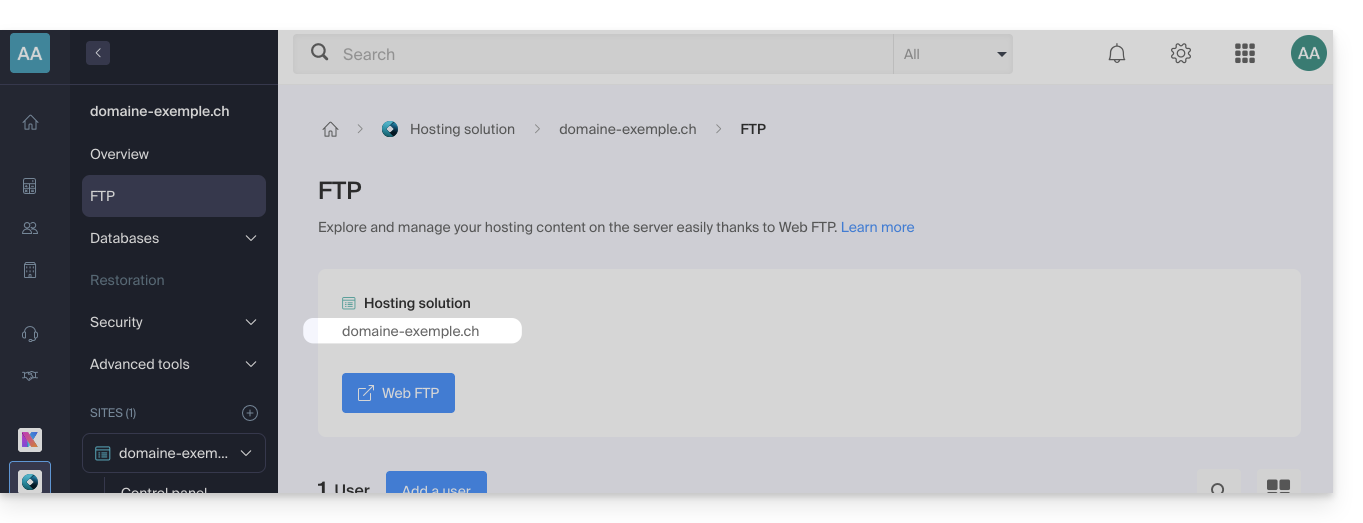
If the specified domain is not functional (does not point to the hosting IP address, for example), then use the IP address as the host name, in the form 123.45.678.123 (refer to this other guide).
Paid Web Hosting
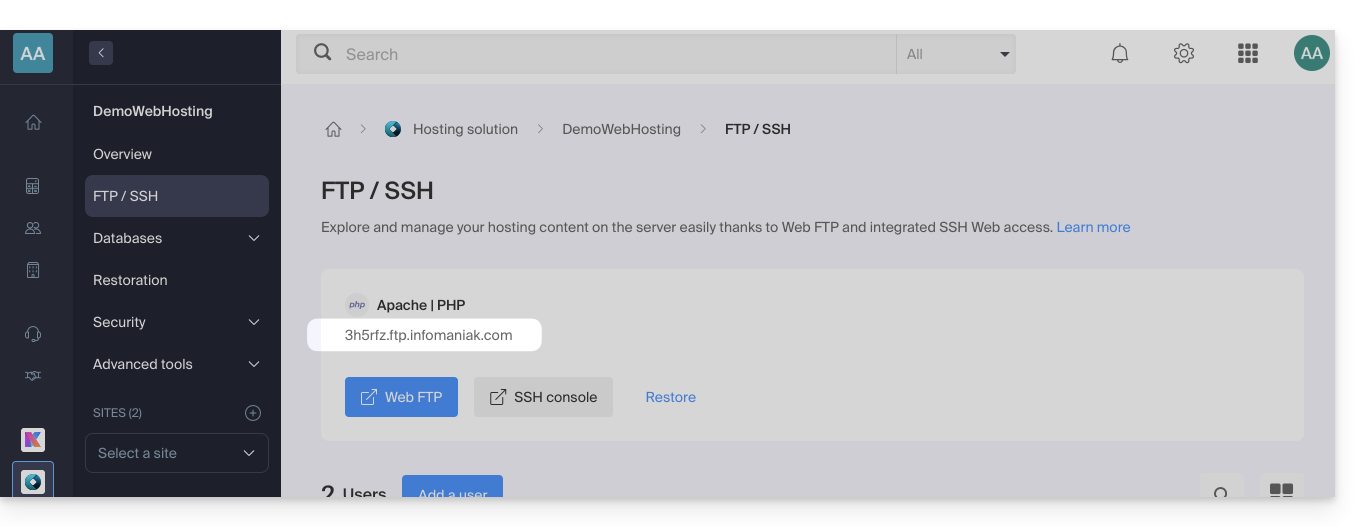
Use the host name in the form xyzb.ftp.infomaniak.com, for example.
2. FTP Username
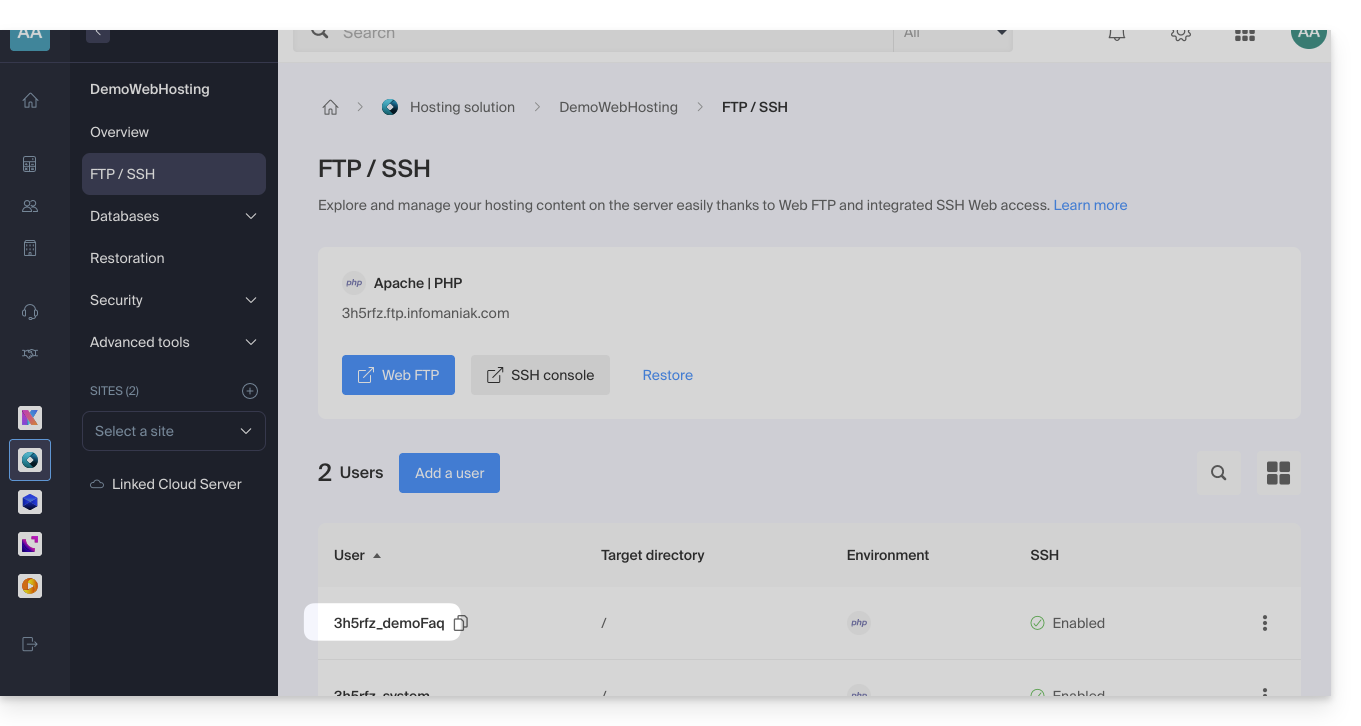
The username is the name of the account to be created in your Manager: xyzb_abcdefg, for example.
3. FTP User Password
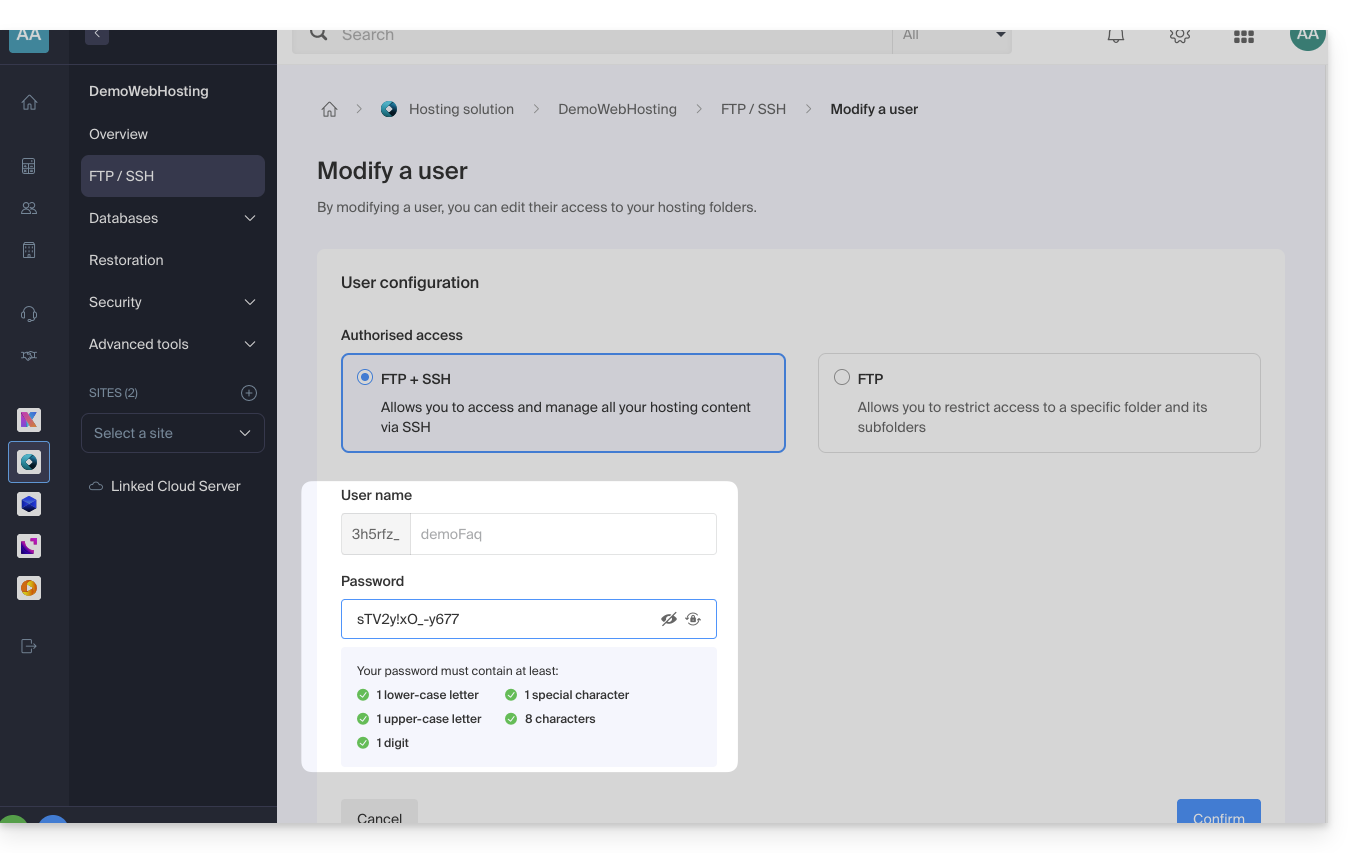
The FTP user password is set by the creator of the FTP account. If you forget it, edit the FTP account by clicking on it and set a new password.
It is not possible to display an already applied password; you must reapply a new password if you no longer have the currently defined password.
Once the connection is established…
When you enter the 3 required parameters, your FTP application should display the directory structure of your hosting: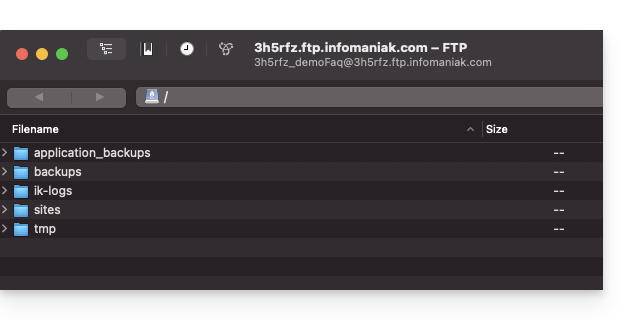
Link to this FAQ: https://faq.infomaniak.com/1083
Has this FAQ been helpful?