Knowledge base
1000 FAQs, 500 tutorials and instructional videos. Here, there are only solutions!
Display another Organization in Mail Infomaniak
This guide explains how, when you belong to multiple Organizations, to switch from displaying one Organization to anothervia the Infomaniak Mail web interface (ksuite.infomaniak.com/mail) to access the email addresses associated with each of them.
Introduction
- Every email address hosted with Infomaniak is linked to a specific Organization, which is the one in which the Mail service is created.
- The Mail web interface displays the email addresses linked to the currently selected Organization.
- To view a different email address belonging to another organization, simply switch to the corresponding Organization.
- Do you want to view email addresses hosted by different Organizations simultaneously? Simply open multiple tabs in your browser, each dedicated to a specific Organization.
- The principle is the same in the interface where you manage your products, the Infomaniak Manager (refer to this other guide).
Switching Between Organizations in Mail Infomaniak
To display the email addresses present in another Organization to which your Infomaniak account is linked:
- Click here to log in to the Infomaniak Mail web interface.
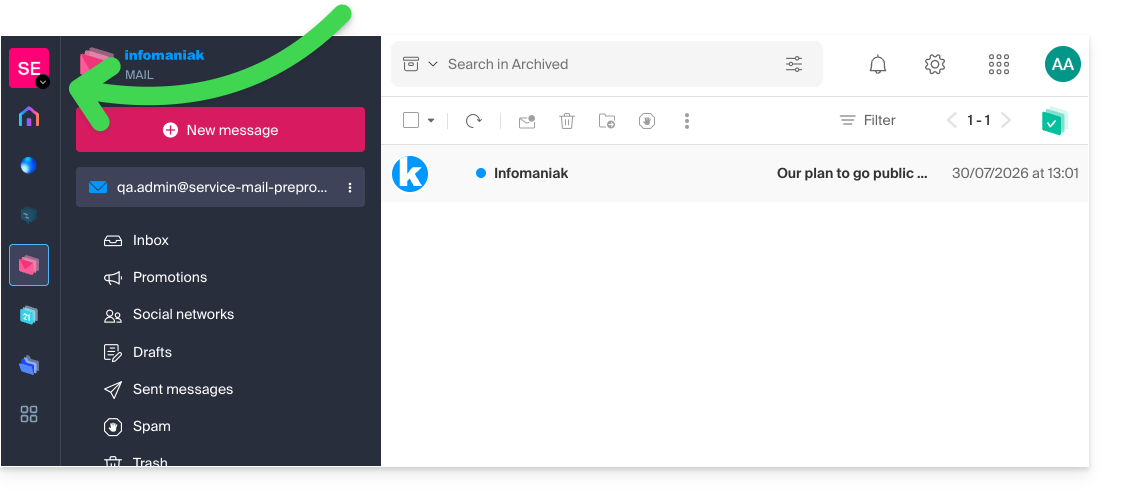
- Click on the name of the active Organization or on the chevron located at the top left of the interface:
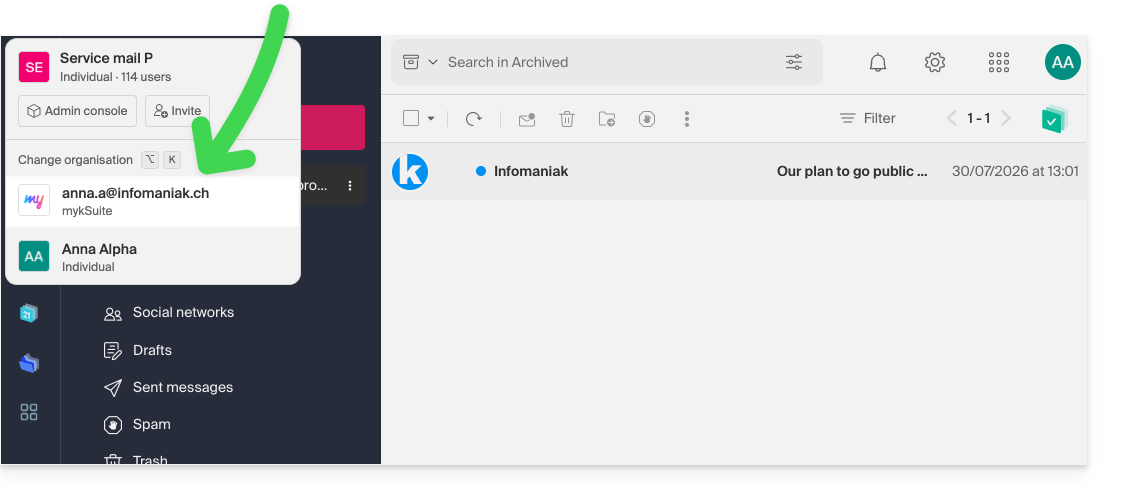
- In the drop-down menu that appears, click on the name of the Organization you want to access:
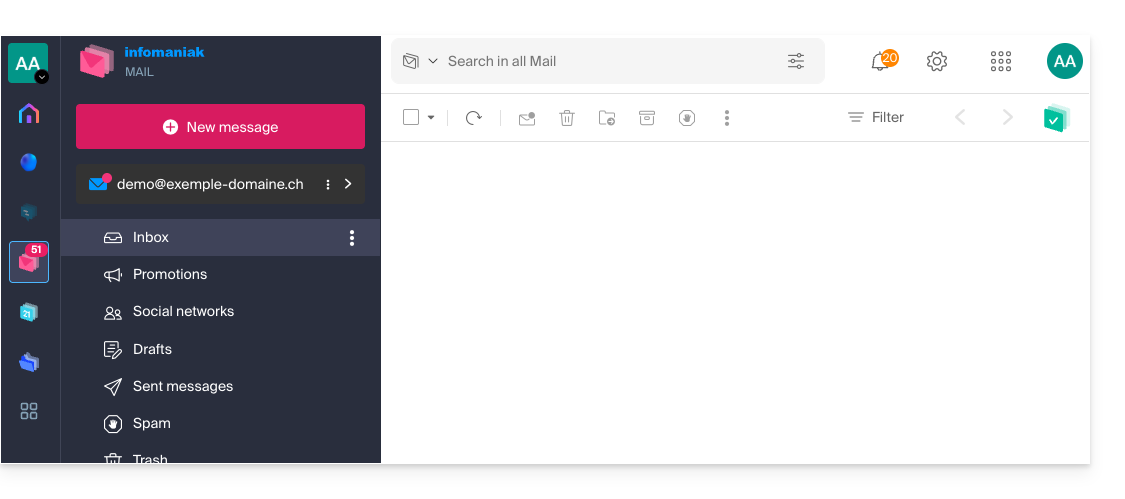
- The interface updates immediately and loads the list of email addresses authorized for this Organization:
- Repeat the procedure from step 2 to switch to another Organization at any time.
Link to this FAQ: https://faq.infomaniak.com/108
Has this FAQ been helpful?