Knowledge base
1000 FAQs, 500 tutorials and instructional videos. Here, there are only solutions!
Manage the Web App Contacts
This guide explains how to add or delete contacts in the address books of the Infomaniak Web app Contacts (online service ksuite.infomaniak.com/contacts).
Add a new contact
To add a new contact card to an address book:
- Click here to access the Infomaniak Web app Contacts (online service ksuite.infomaniak.com/contacts).
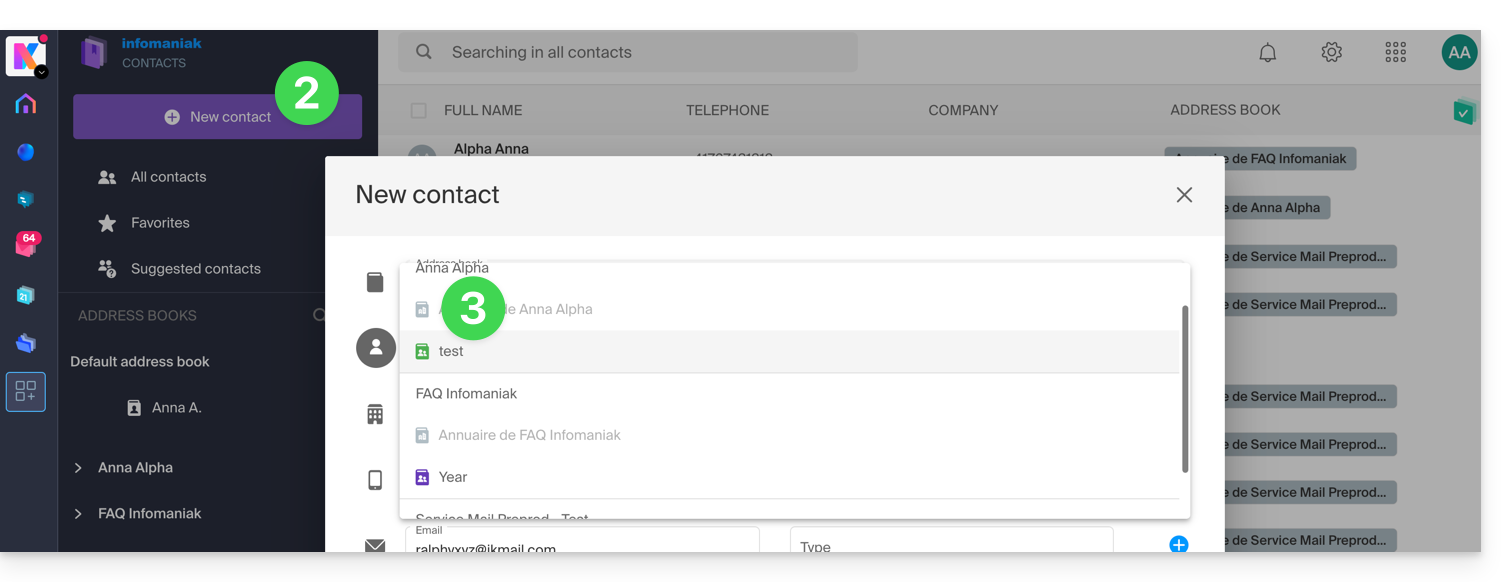
- Click on New contact at the top left.
- Choose the existing address book to which to add the contact:
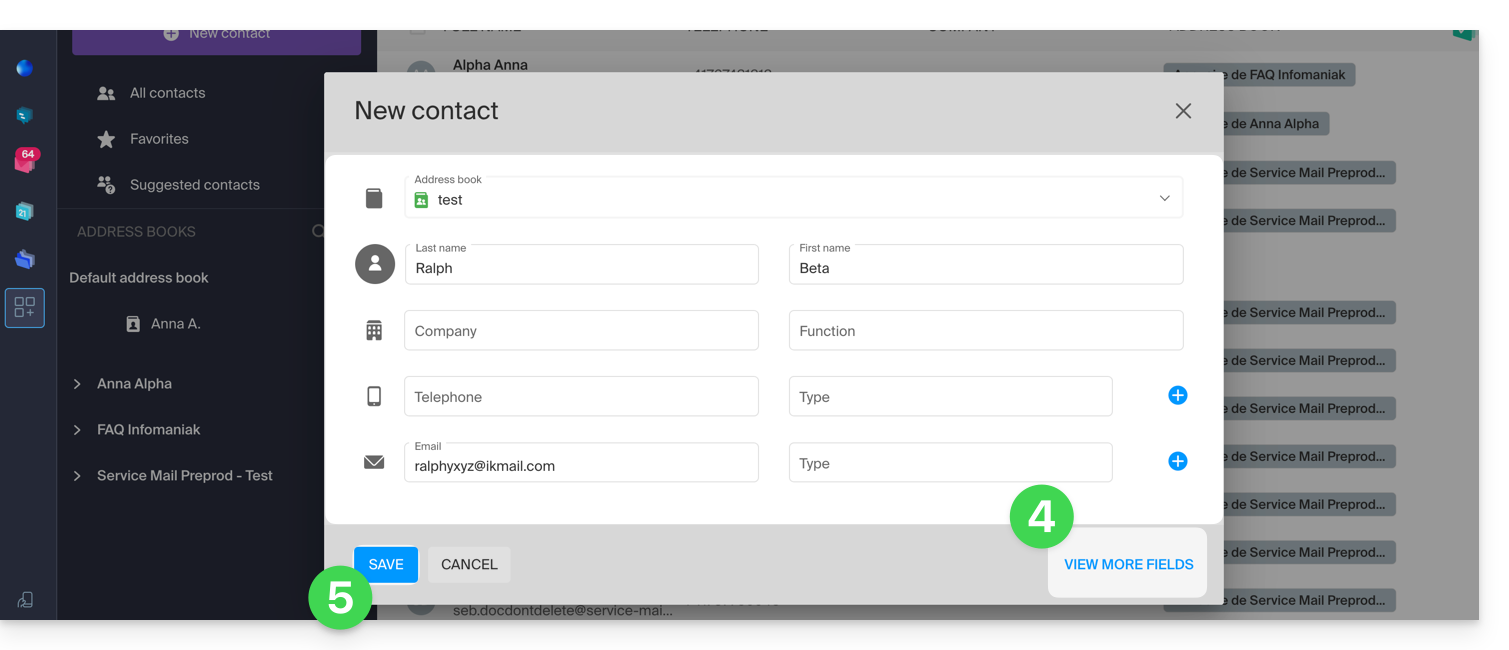
- Fill in the main information (or additional information via the link at the bottom right).
- Validate with the Save button:
Add from frequently used contacts
You can complete an address book from the frequent contacts suggested by the app (based on your use of the Web Mail app). The first name/last name/email will be pre-filled if available:
- Click here to access the Infomaniak Web app Contacts (online service ksuite.infomaniak.com/contacts).
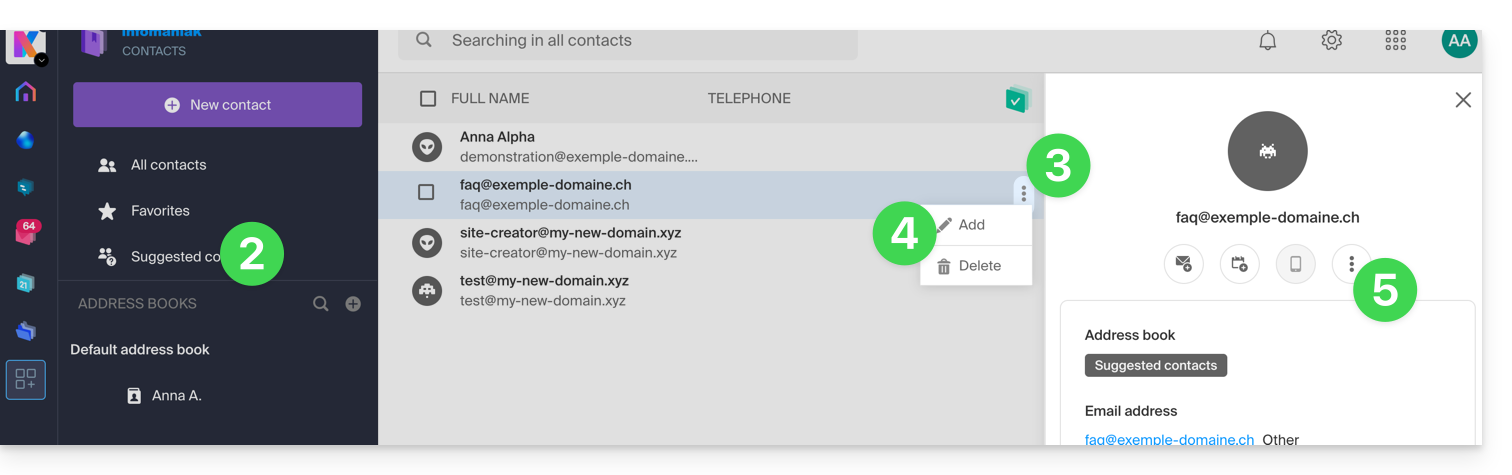
- Click on Suggested contacts in the left sidebar menu.
- Click on the action menu ⋮ to the right of the contact concerned.
- Click on Add to add the contact to an existing address book.
- You can also click on the action menu ⋮ in the right sidebar:
- Complete the contact information if necessary, then click on Save.
To add all suggested contacts at once:
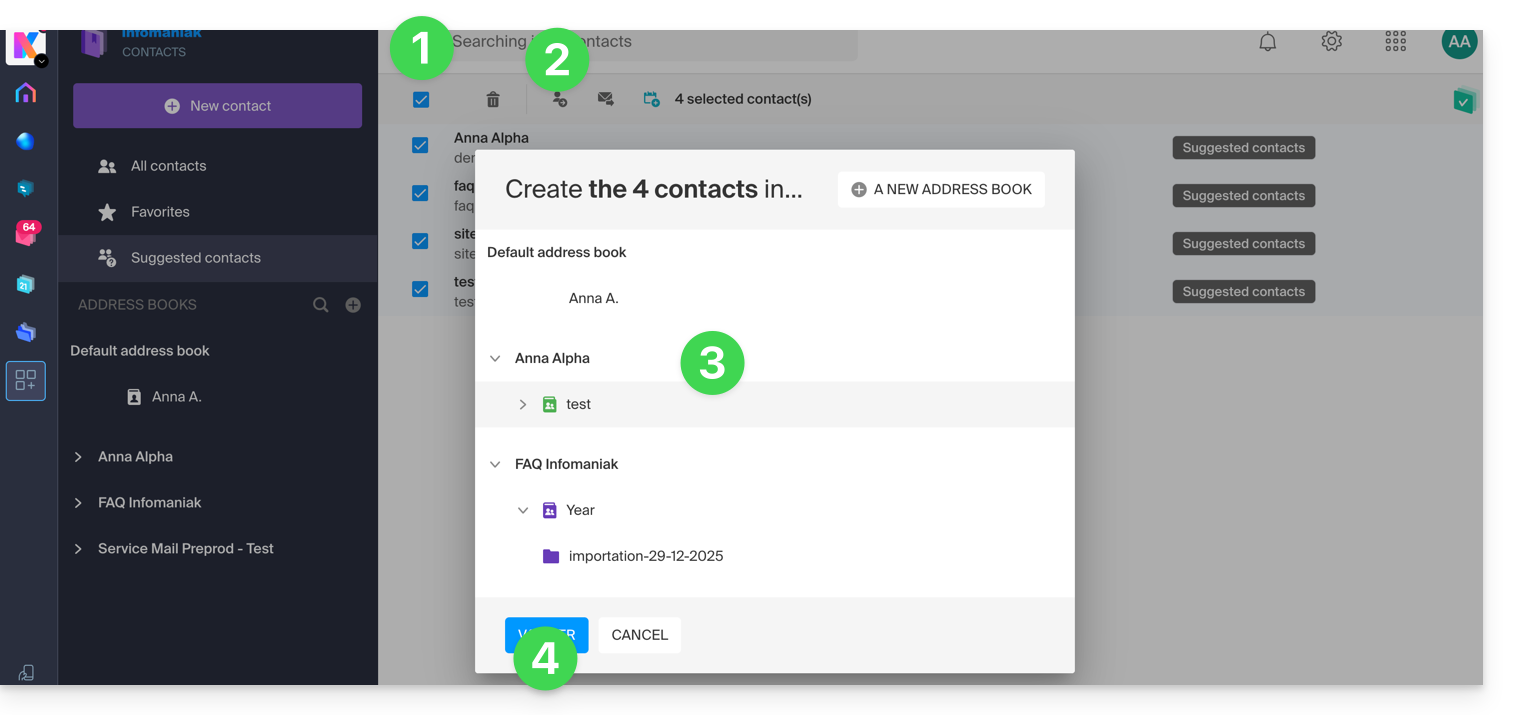
- Click at the top of the column to select all contacts.
- Then click on the icon that appears at the top of the table.
- Choose the existing address book to which to add the contacts.
- Click on the button to save all selected contacts:
Delete one or more contacts
To remove a contact from your lists:
- Click here to access the Infomaniak Web app Contacts (online service ksuite.infomaniak.com/contacts).
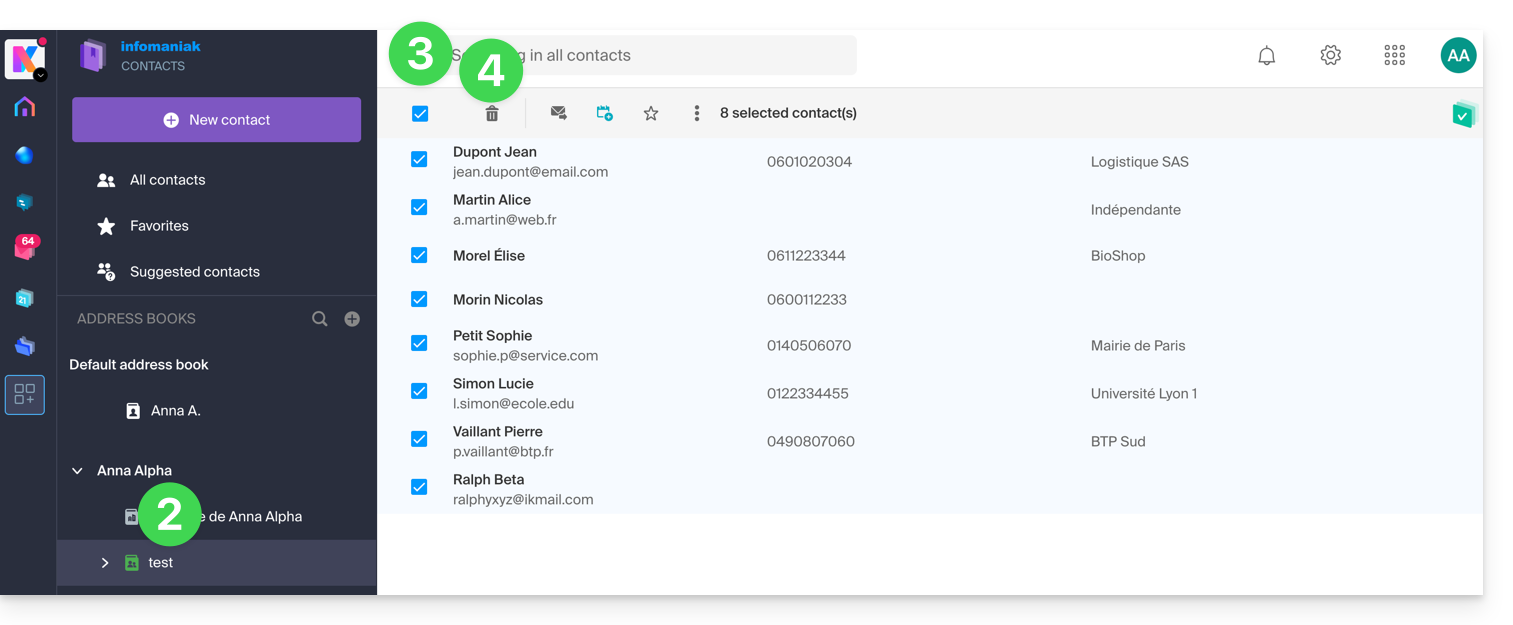
- Select the address book from which to delete your contacts:
- Select the contact(s) to delete.
- The Trash icon appears at the top of the column, allowing you to delete the selected contacts:
Note that displaying all contacts does not always allow deletion, especially if some of them are contacts from Organizations of which you are not the administrator.
Link to this FAQ:
Has this FAQ been helpful?