Knowledge base
1000 FAQs, 500 tutorials and instructional videos. Here, there are only solutions!
Create a task on the Infomaniak Web Calendar app
This guide explains how to use the task manager available on the Infomaniak Web app Calendar (online service ksuite.infomaniak.com/calendar/tasks).
Manage your tasks to be done
To add a task to the task manager:
- Click here to access the Web app Tasks (online service ksuite.infomaniak.com/calendar/tasks)…
- … also accessible from your agenda by clicking on the Tasks icon in the right sidebar:
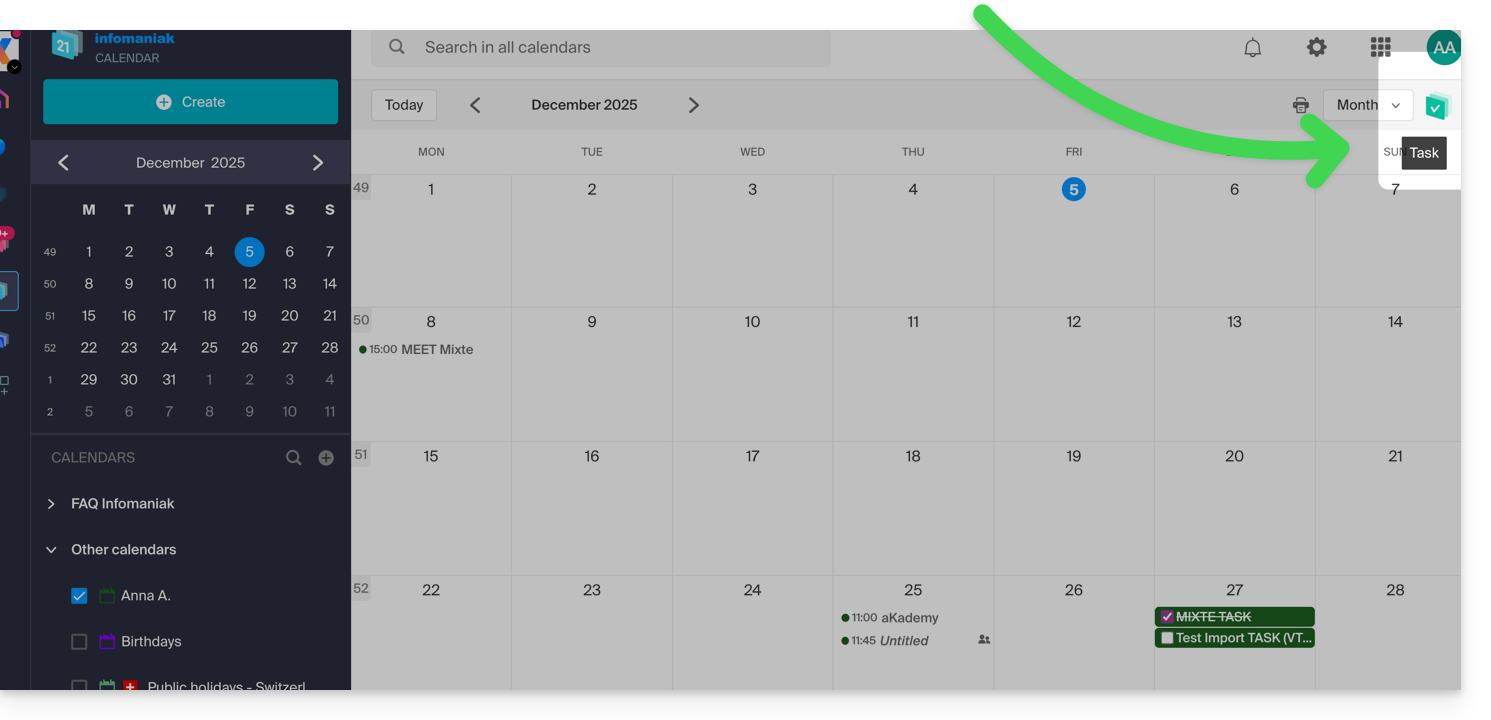
- … also accessible from your agenda by clicking on the Tasks icon in the right sidebar:
Once the manager is open, you can Create a task in the top left, linked to the calendar specified to the right of the button: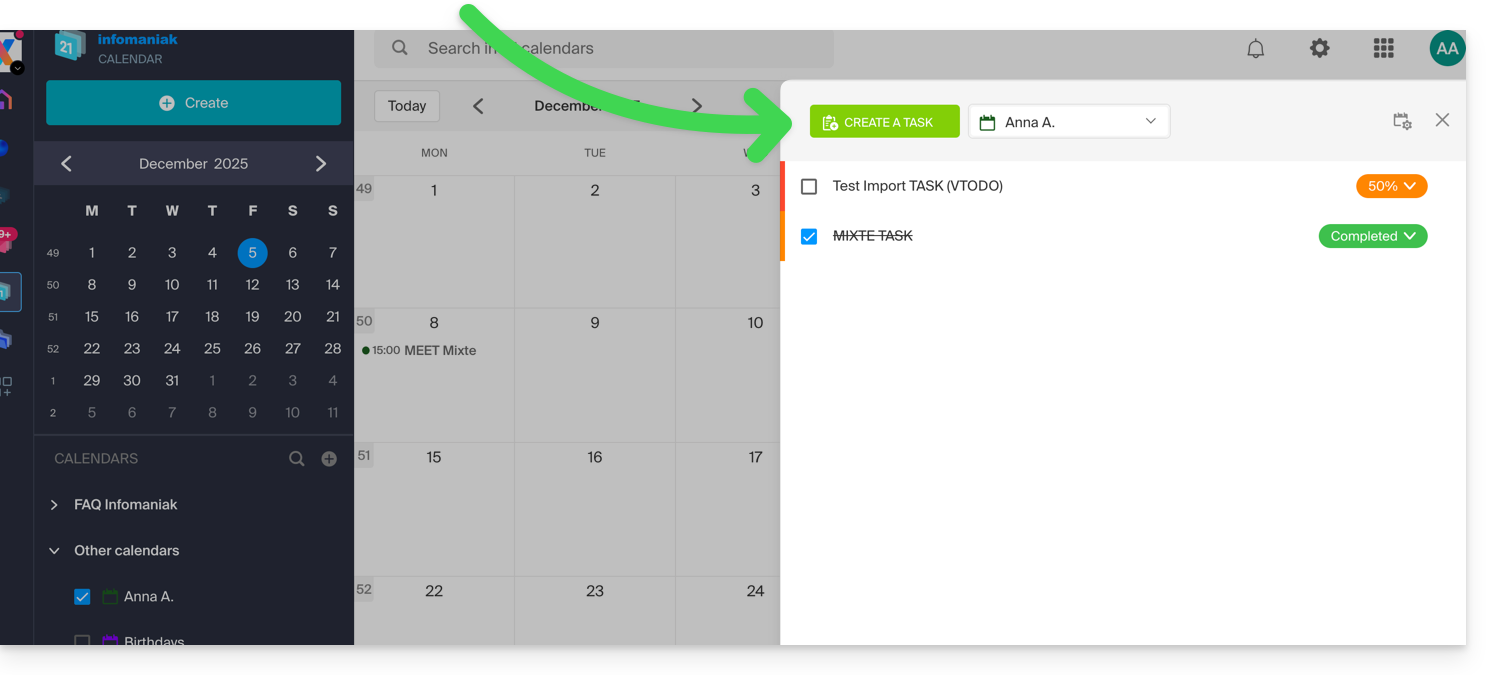
If you add a due date to your task, it will appear on the corresponding agenda: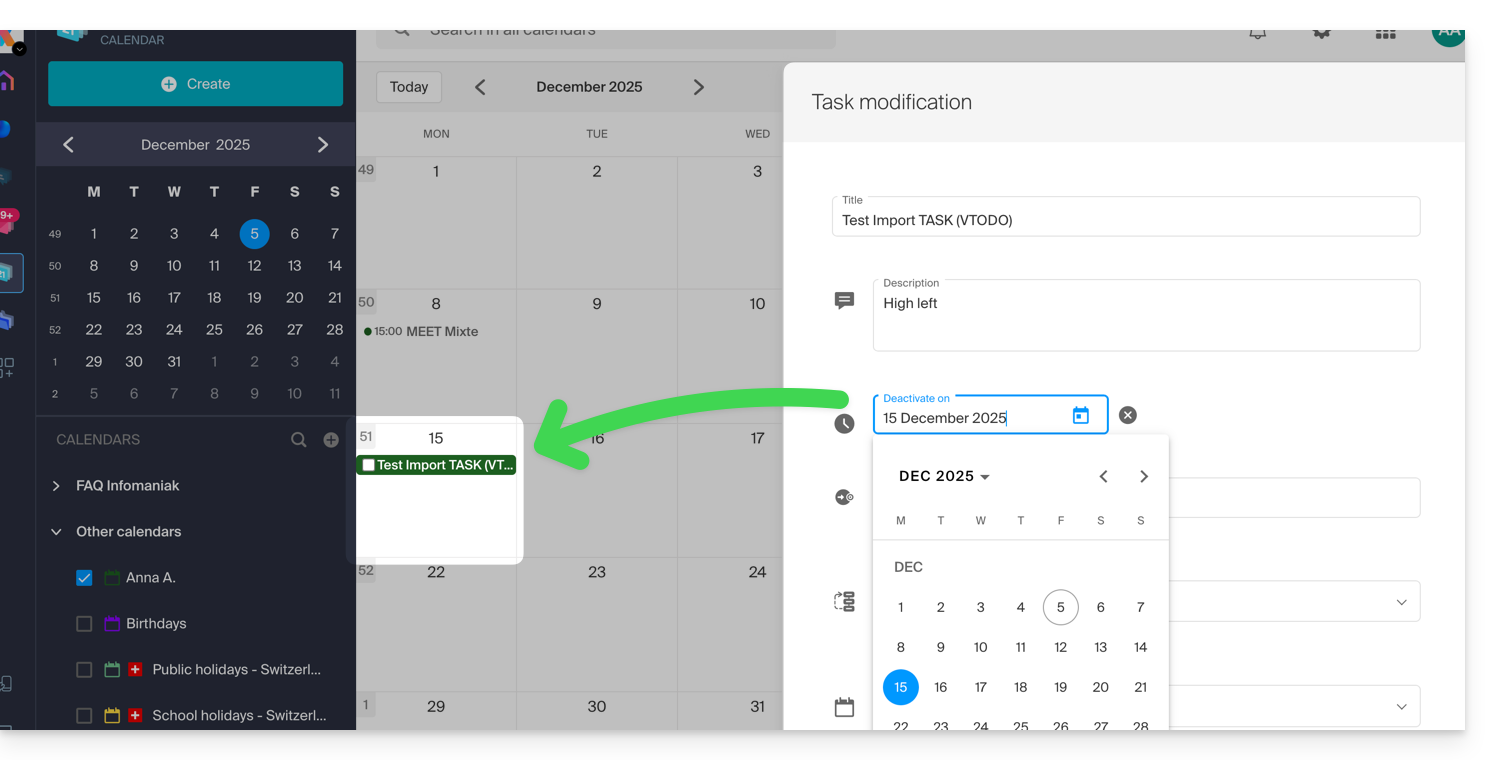
You can also filter and sort your displayed tasks using the button located at the top right of the manager, next to the cross that allows you to close it: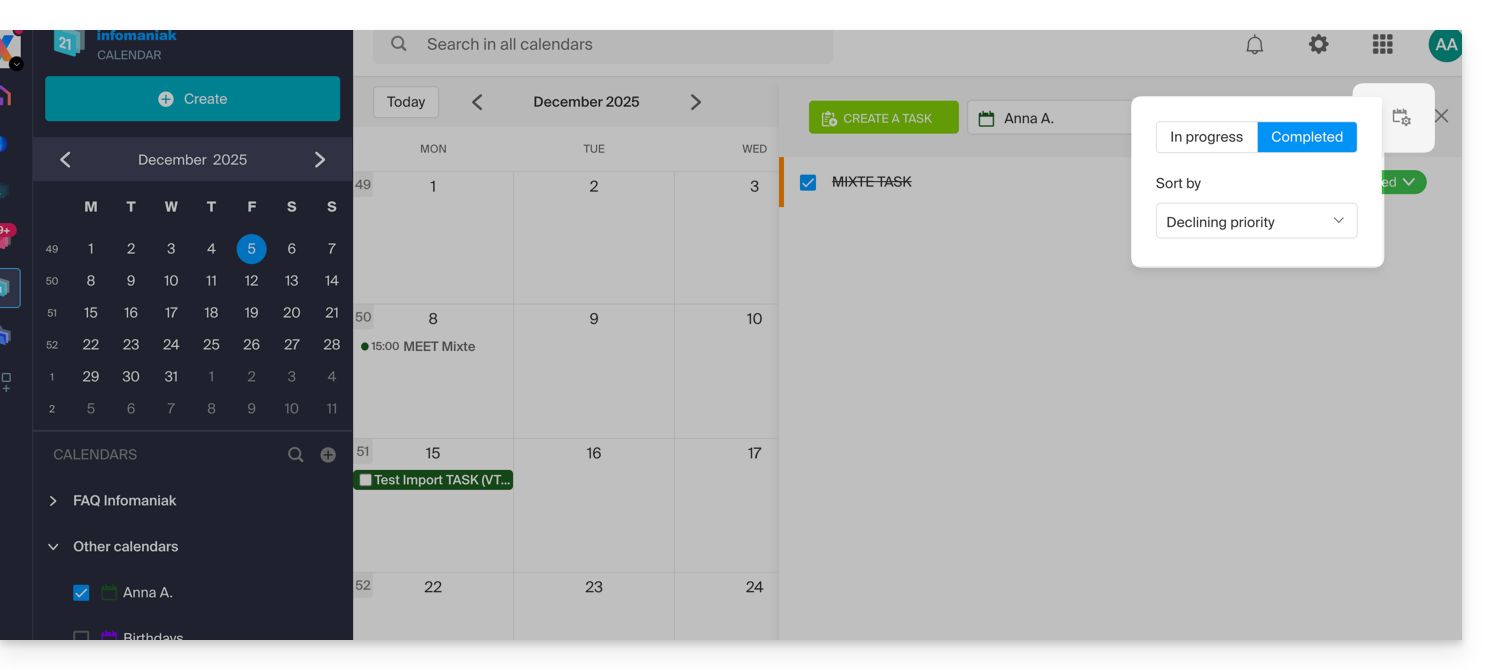
You can import tasks to your calendar.
To synchronize tasks with an Android device, refer to this other guide.
Link to this FAQ:
Has this FAQ been helpful?