Knowledge base
1000 FAQs, 500 tutorials and instructional videos. Here, there are only solutions!
Manage the external email warning
This guide explains what the external mail notice, "External" means, which appears on the Web app Mail (online service ksuite.infomaniak.com/mail) and the mobile app Infomaniak Mail (application for iOS/Android smartphone or tablet) when reading certain messages: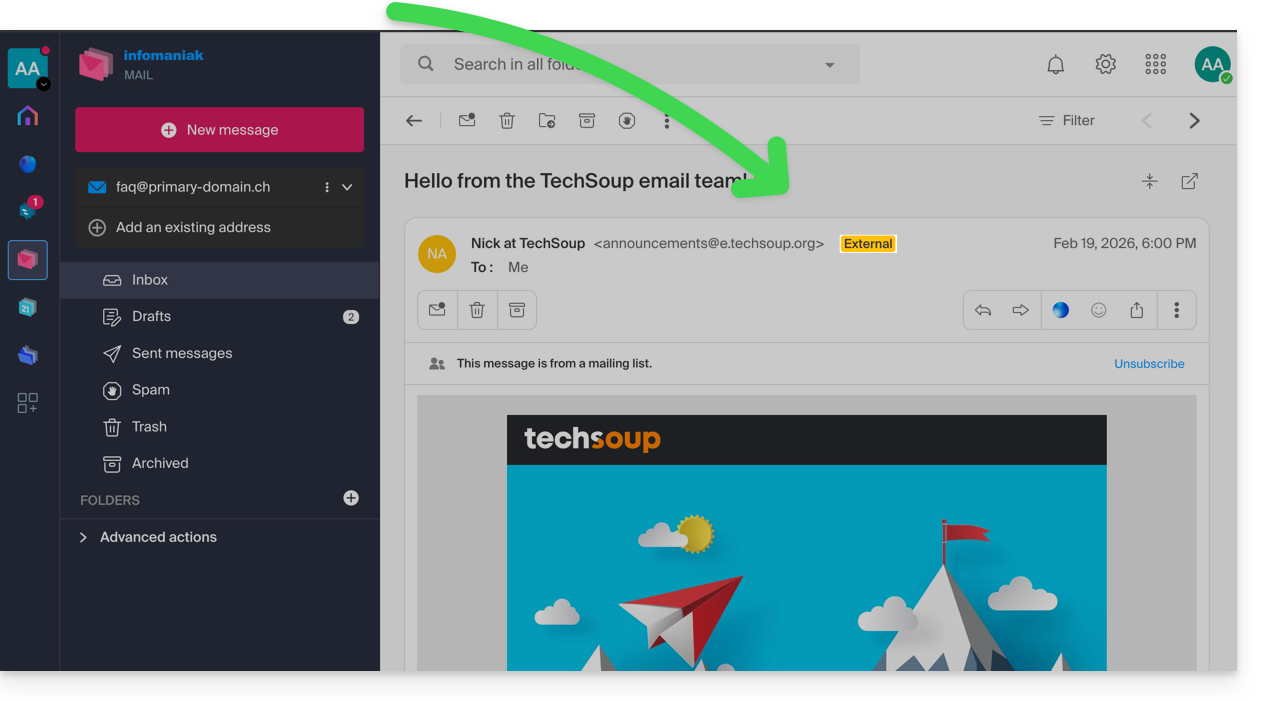
External mail notice
The external mail notice appears in the following cases:
- The sender's domain name (or alias) does not match the email address configured in Mail.
- The sender is not part of the contacts (including suggested contacts).
- The email comes from an address hosted outside the Organization.
The notice will display as unknown instead of “ external” with some free offers like my kSuite.
Enable or disable the notice
You can enable or disable the notice, the effect is immediate for incoming emails and in the case of a response to an external email. To do this:
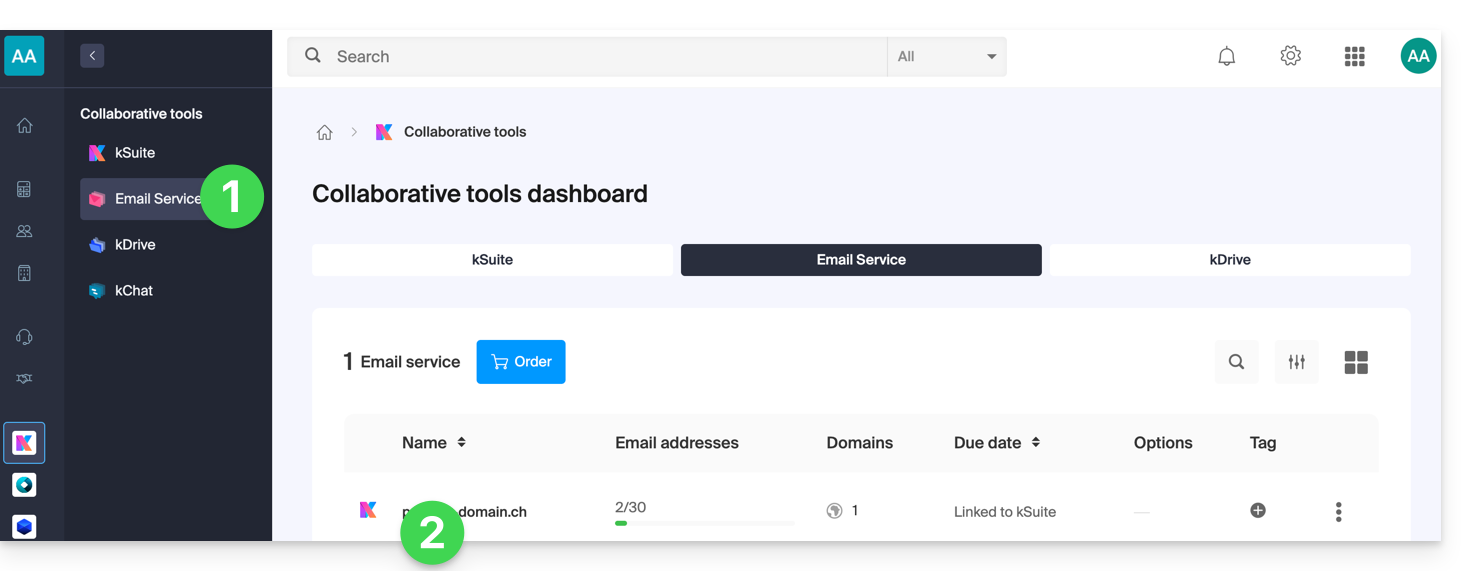
- Click here to access the management of your Mail Service on the Infomaniak Manager (need help?).
- Click directly on the name assigned to the Mail Service concerned:
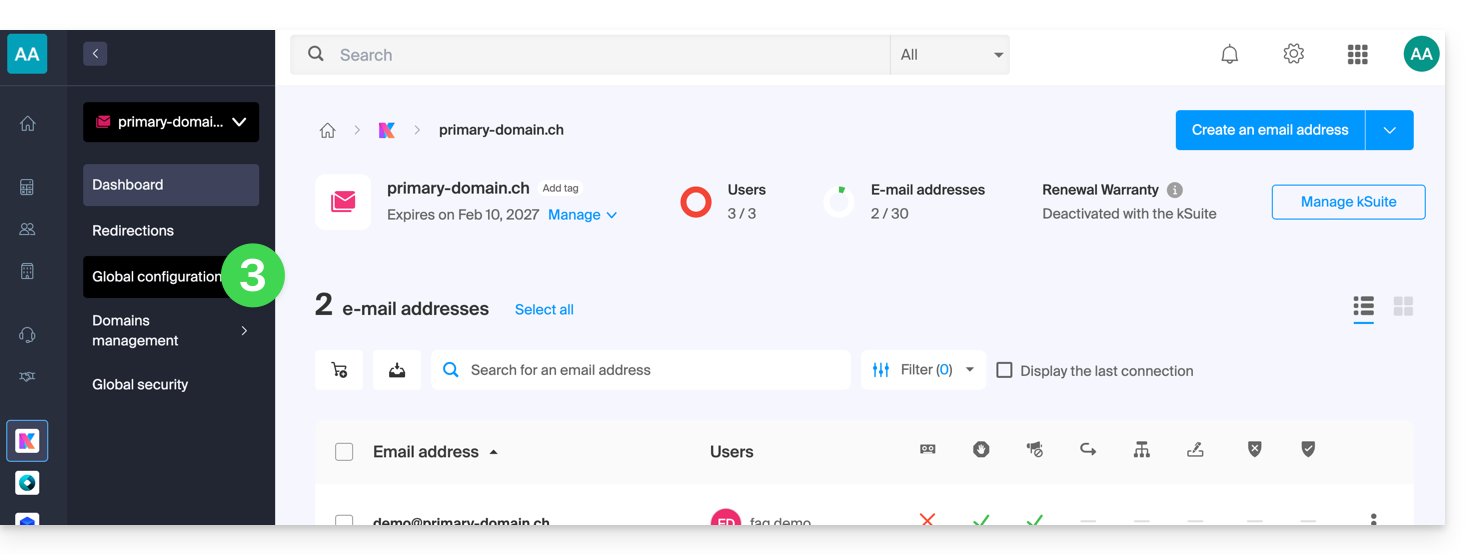
- Click on Global Configuration in the left sidebar:
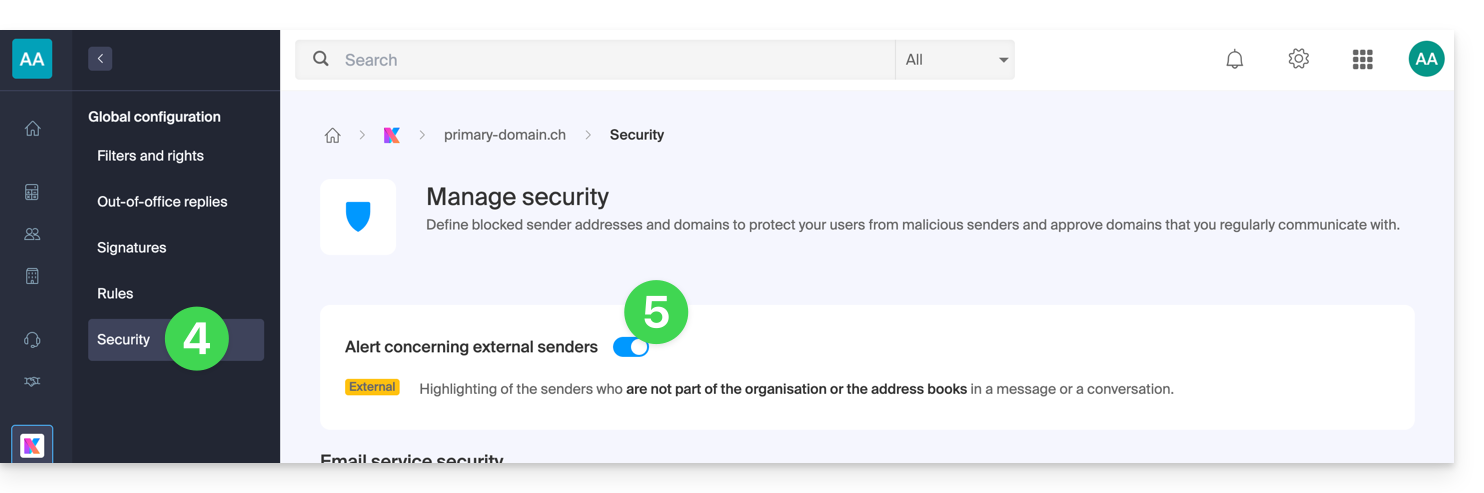
- Click on the Security tab.
- Enable or disable the toggle switch:
Link to this FAQ: https://faq.infomaniak.com/964
Has this FAQ been helpful?