Knowledge base
1000 FAQs, 500 tutorials and instructional videos. Here, there are only solutions!
Create a single event in the Infomaniak Web Calendar app
This guide explains how to add a simple new, one-time event to a calendar in the Infomaniak Web app Calendar (online service ksuite.infomaniak.com/calendar).
Introduction
- To create a recurring event, please refer to this other guide.
- To schedule a meeting with multiple users and find the best time slot, please refer to this other guide on the meeting scheduler.
Add a new event
To schedule a one-time event in a calendar managed by Infomaniak:
- Click here to access the Infomaniak Web app Calendar (online service ksuite.infomaniak.com/calendar).
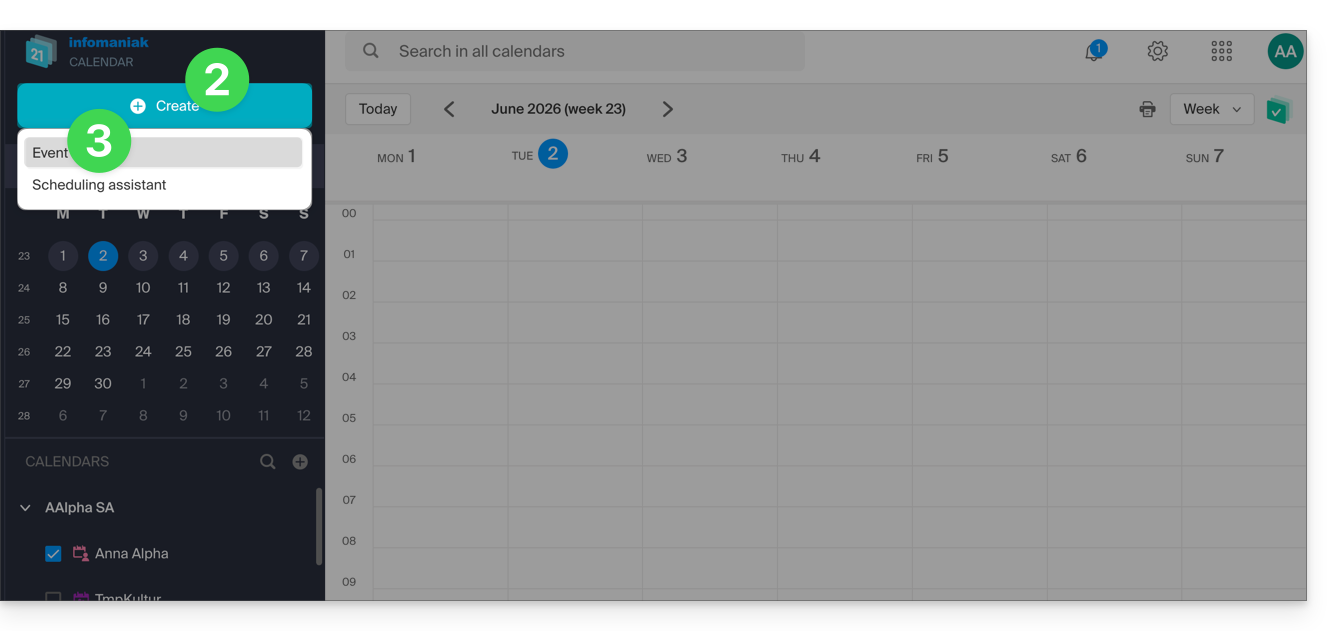
- Click on the Create button in the top left corner.
- Click on Event:
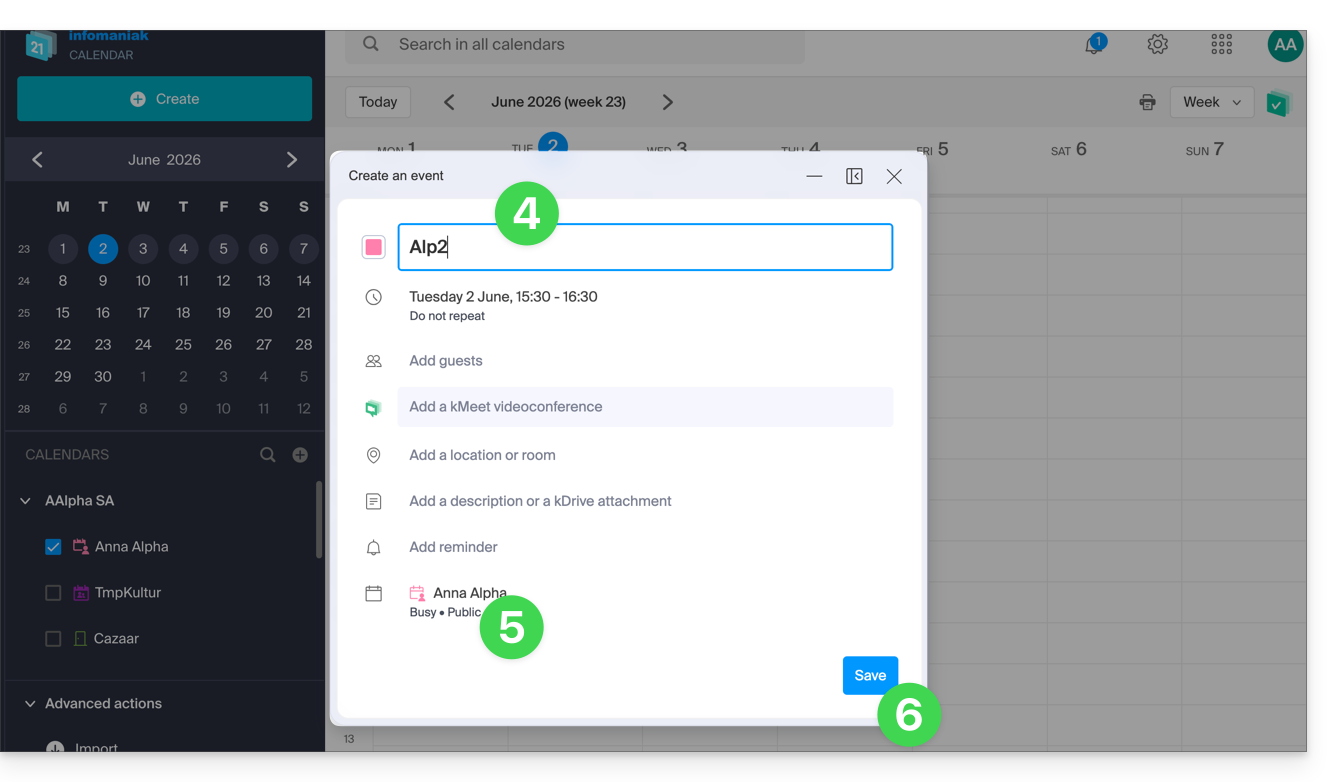
- Fill in the various fields:
- Color and title (subject) of the event
- Date/time or duration, possible recurrence
- Possible participants (see below)
- kMeet link if the event corresponds to a meeting between several people
- Geographical location or meeting room
- Description or attachment from kDrive
- Reminder (notification) deadline
- Calendar concerned
- Choose:
- the calendar concerned
- whether the event should have a busy or free status (in order not to block any possible appointment scheduling)
- whether it should be public or private (and in this case, no one will see the event in your calendar unless they have editing rights)
- Click on SAVE to add the event to the selected calendar:
You can also click directly on the calendar to add a new event by dragging the mouse pointer over the desired time period. The editing window can be moved on the screen or even inserted into the left sidebar for better calendar visibility: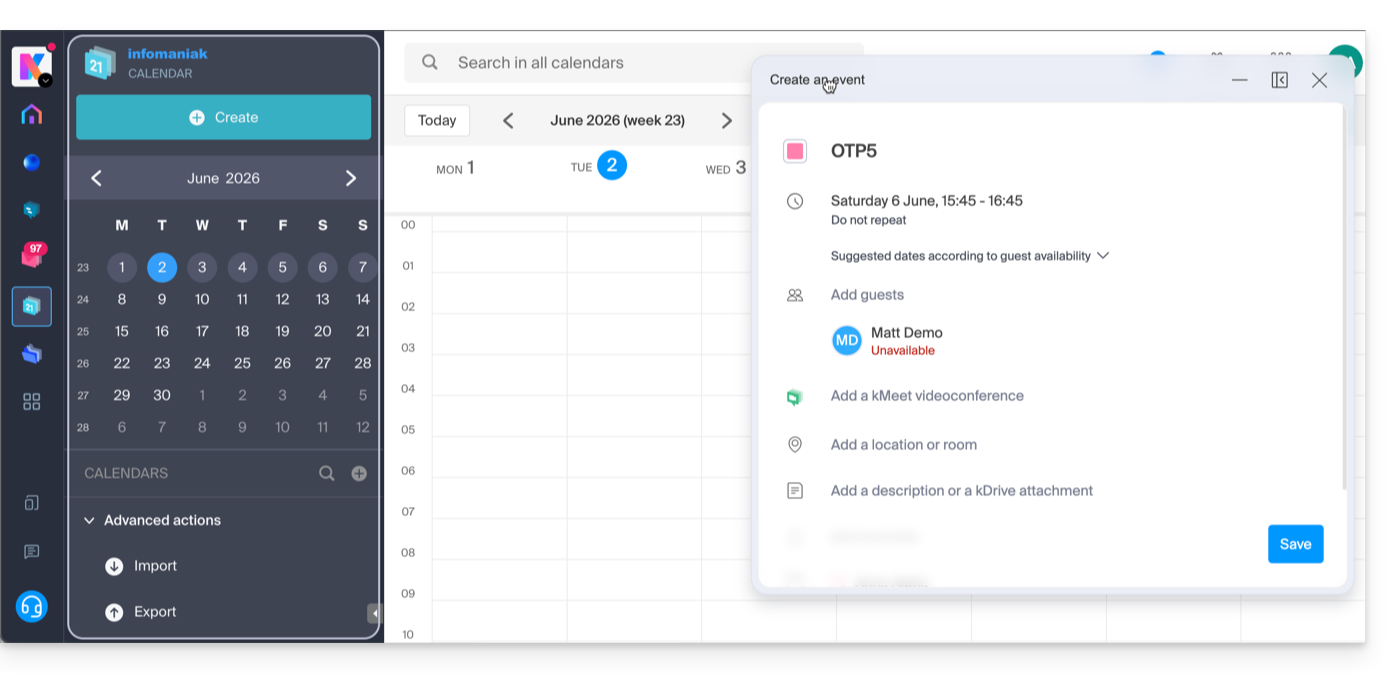
Add participants to the event
To invite users, add their name or email address when creating the event or later: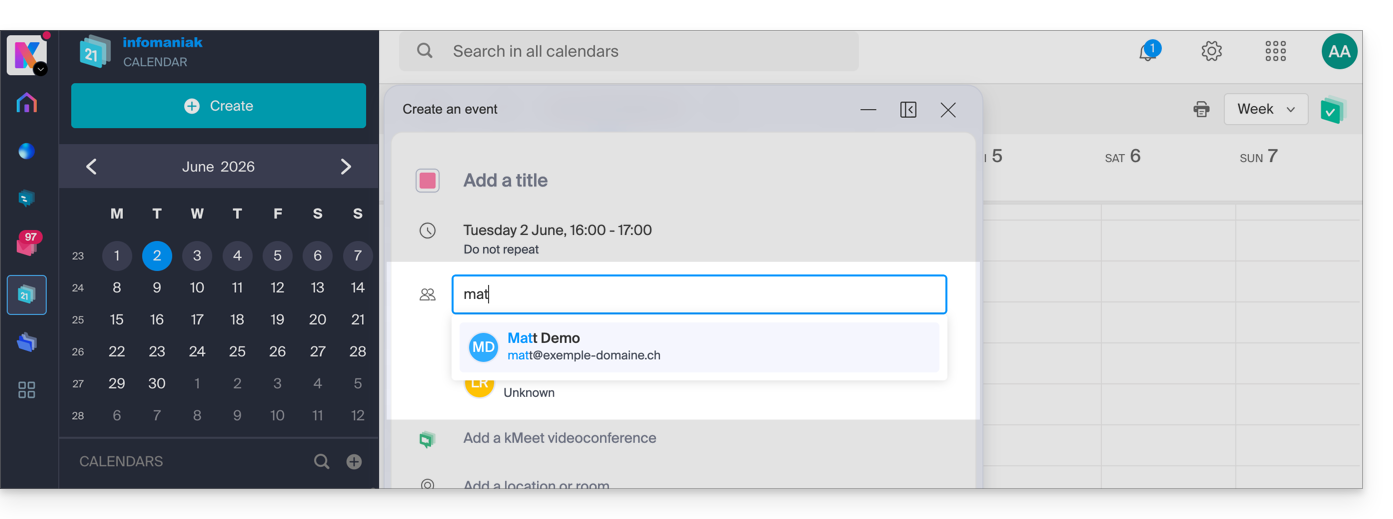
You will be notified of their attendance or rejection if they follow the procedure sent to them by email when the event is created.
Any update to a scheduled event is also sent by email to all participants.
Link to this FAQ: https://faq.infomaniak.com/956
Has this FAQ been helpful?