Knowledge base
1000 FAQs, 500 tutorials and instructional videos. Here, there are only solutions!
Cancel kSuite
Update 07/03/2026
This guide explains how to completely cancel a kSuite offer from Infomaniak.
Cancel the free kSuite offer
If there is a kSuite in your Organization that you did not order (free kSuite offer), it is linked to the Organization and the latter must be deleted to cancel kSuite. Refer to this other guide.
You can also simply detach the domain name if necessary.
Cancel the paid kSuite offer
Preamble
- When you decide to cancel kSuite, if a domain name is linked to it, it will be kept in your user account until its expiration.
- All other products in the kSuite will be permanently deleted.
- Existing users will always be part of your Organization.
- Open and out-of-package fees remain due.
To access the cancellation of the paid kSuite offer:
- Click here to access the management of your kSuite on the Infomaniak Manager (need help?).
- Click on the action menu ⋮ to the right of the kSuite name.
- Choose Cancel:
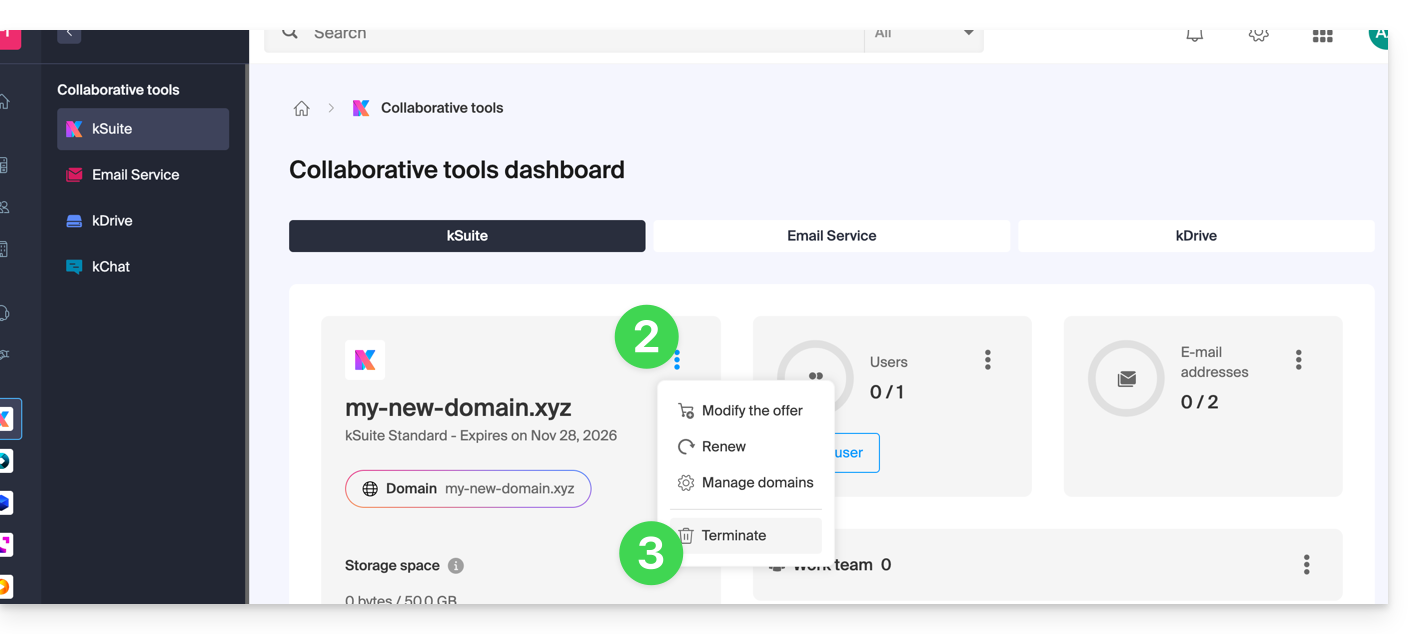
- Follow the procedure to the end by confirming the operation by email:
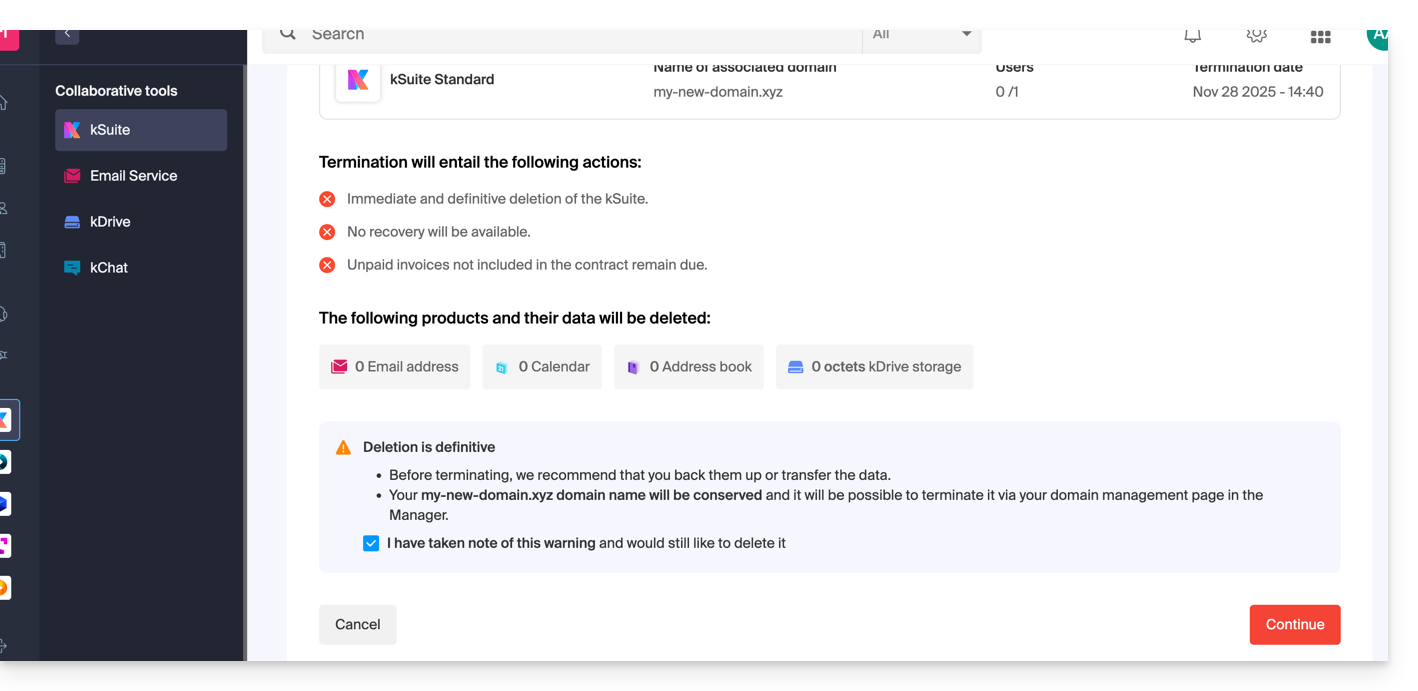
After these operations, the possible domain name is detached and remains accessible from the Manager, while kSuite is no longer available in its paid version.
Link to this FAQ: https://faq.infomaniak.com/955
Has this FAQ been helpful?