Knowledge base
1000 FAQs, 500 tutorials and instructional videos. Here, there are only solutions!
Display web statistics
This guide explains how to view information about visitors who have accessed your Web Hosting sites (traffic statistics).
Preamble
- The result is presented in a simple format with graphs, allowing for easy interpretation.
- Annual, monthly, daily, and hourly statistics are displayed by site, HTTP address, referring site, country, etc.
- Refer to this other guide if you are specifically looking for access logs.
Accessing visit statistics
To view public traffic statistics:
- Click here to access your site management on the Infomaniak Manager (need help?).
- Click directly on the name assigned to the site in question.
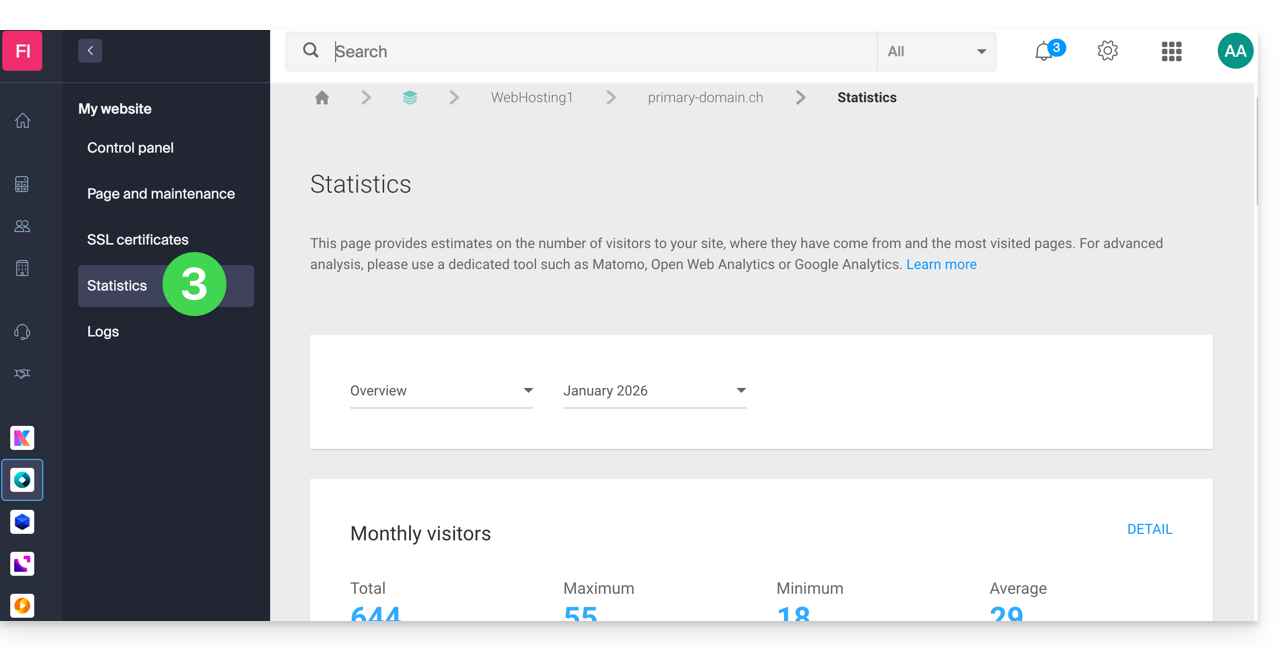
- Click on Statistics in the left sidebar:
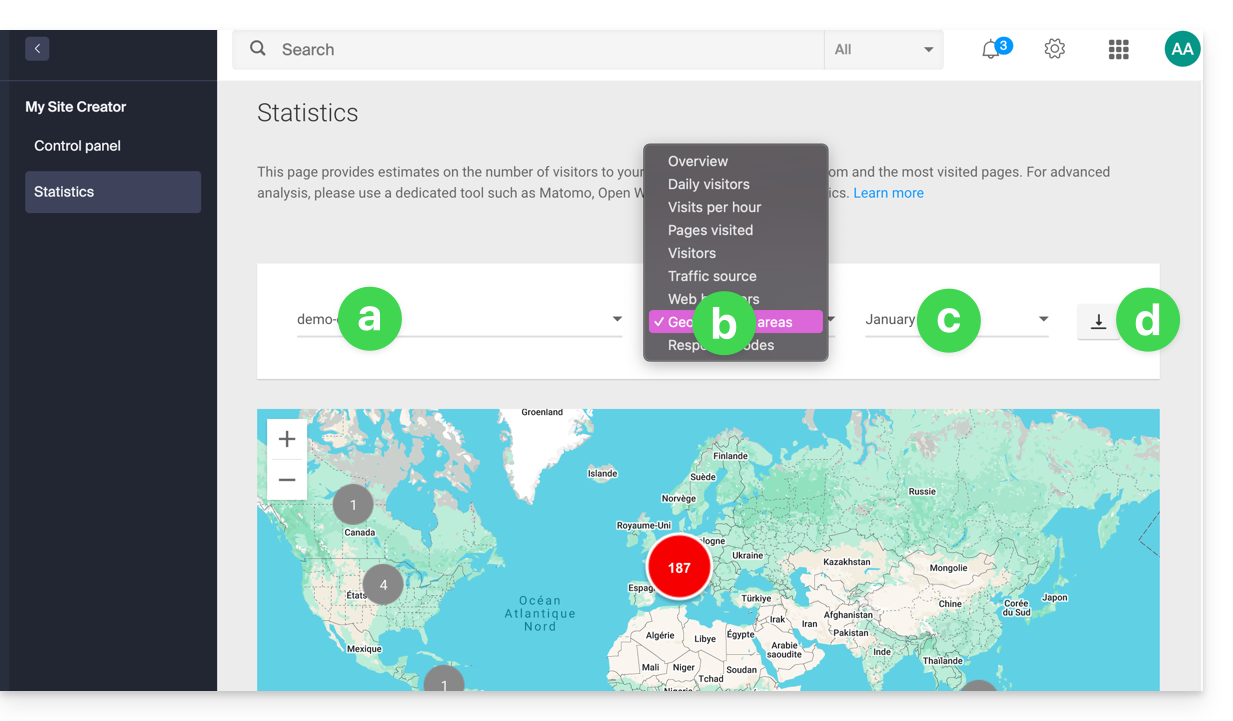
- The upper part allows you to choose:
- the site,
- the type of statistics,
- the period,
- or to download the data for a third-party tool:
Explanation of terms
There is no distinction between humans and robots. You can also use tools like Matomo, Open Web Analytics, or Google Analytics.
| Category | Description | Details |
|---|---|---|
| Hits | Any request addressed to the server. | Includes everything (HTML, images, audio, etc.). Each element requested, visible or not, counts as a hit. It's as if a visitor activates an invisible button with each interaction. |
| Files | Requests requiring data to be sent back. | Records requests that require the server to return a file (graphic, HTML). The difference with hits corresponds to the ratio between incoming requests and outgoing data. |
| Pages | Number of pages displayed on your site. | Measures the HTML pages viewed, excluding graphic or audio files. Each access to a new HTML page is recorded as a page view. |
| Visits | Sessions based on the IP address. | A visit begins with an IP request. If the address returns within 30 minutes, it is a unique visit. Beyond that, a new visit is counted. |
| Sites | Estimation of visits via fixed IP addresses. | Excludes mobile or dynamic connections. This targets regular visitors (companies, institutions) to better understand your target audience. |
| KB | Volume of data sent by the server. | Total amount of data transferred during the period, calculated via log files (with a possible margin of error depending on the size of the files). |
| Total hits | Overall cumulative requests. | A page with 3 images and a text generates 5 hits (the page + the text + the 3 images). This total is therefore much higher than the number of pages viewed. |
| Total Pages / Visits | Engagement indicators. | The number of pages viewed relative to unique visits allows you to assess the interest of internet users in your content. |
| Total unique sites | Number of distinct IPs. | Represents the diversity of traffic sources and helps identify the most active audience segments during the period. |
| Total unique URLs | Distinct paths taken. | Corresponds to the different pages or files consulted, providing an overview of your navigation structure and the most popular content. |
| Total unique referrers | Number of source sites. | External sites that have directed traffic to you. This is a key indicator of the effectiveness of your marketing and partnerships. |
Meaning of 'Commercial (com)' and 'Unresolved'
"Commercial" often represents a significant portion of geographic traffic. It includes users connected through Internet Service Providers (ISPs) using a .com domain. Since this extension is used by many ISPs and companies worldwide, it does not allow for the determination of a specific country.
"Unresolved" are geographically unresolved IP addresses, often due to privacy settings, the use of VPNs, or network restrictions.
Link to this FAQ: https://faq.infomaniak.com/83
Has this FAQ been helpful?