Knowledge base
1000 FAQs, 500 tutorials and instructional videos. Here, there are only solutions!
Manage file types interpreted by PHP
This guide explains how to enable support for certain file types (e.g., .inc) on an Infomaniak Web Hosting account so that they are processed in the same way as a .php file.
Preamble
- Previously, you had to add the following line to a
.htaccessfile:AddType application/x-httpd-php .inc- This prevented the file content from being displayed as plain text when accessed via a browser, instead of being correctly interpreted by PHP.
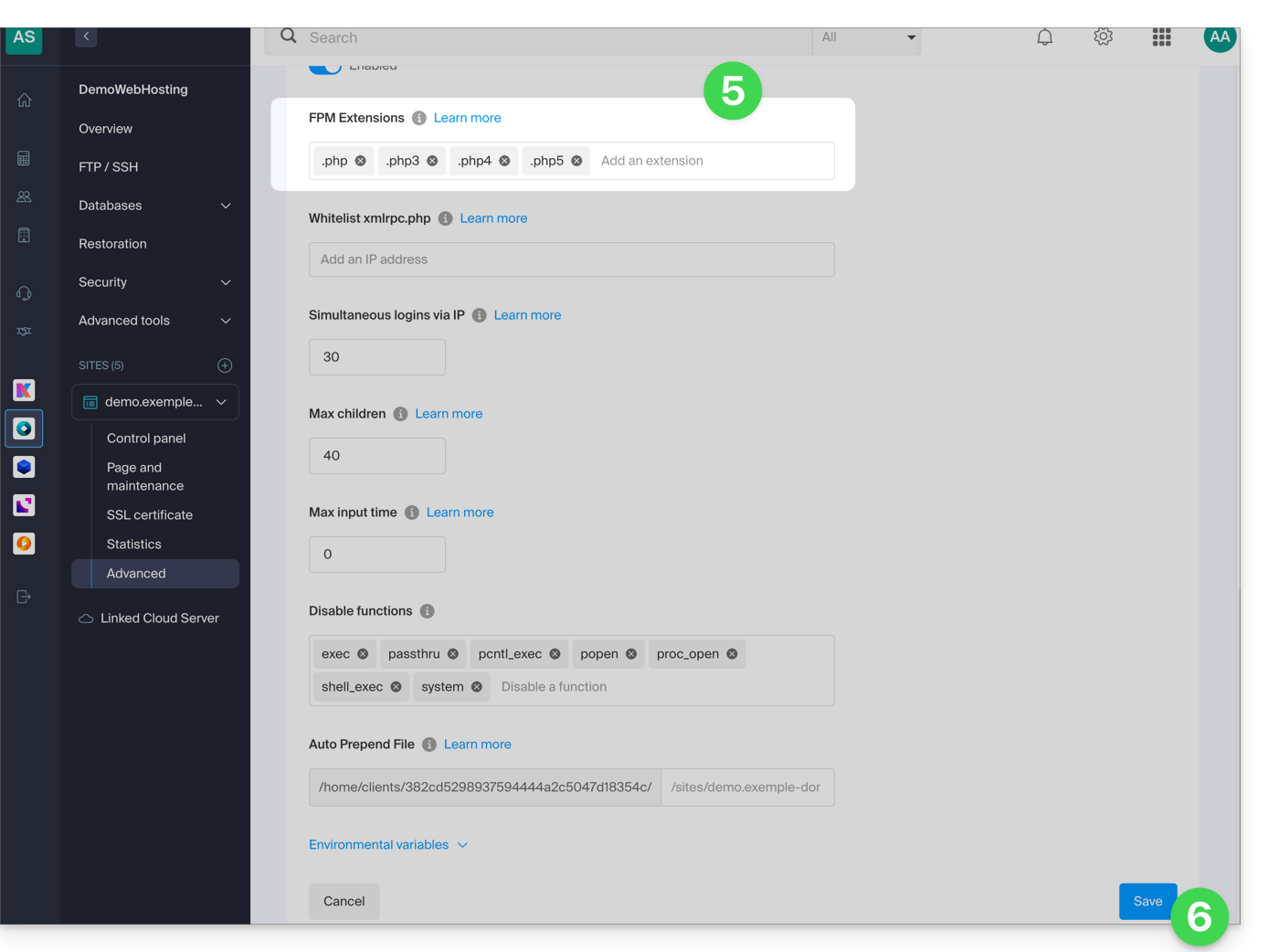
- Now you can manage file extensions via the FPM Extensions field in the Manager of your hosting.
Manage extensions recognized by PHP
To add support for a specific file type:
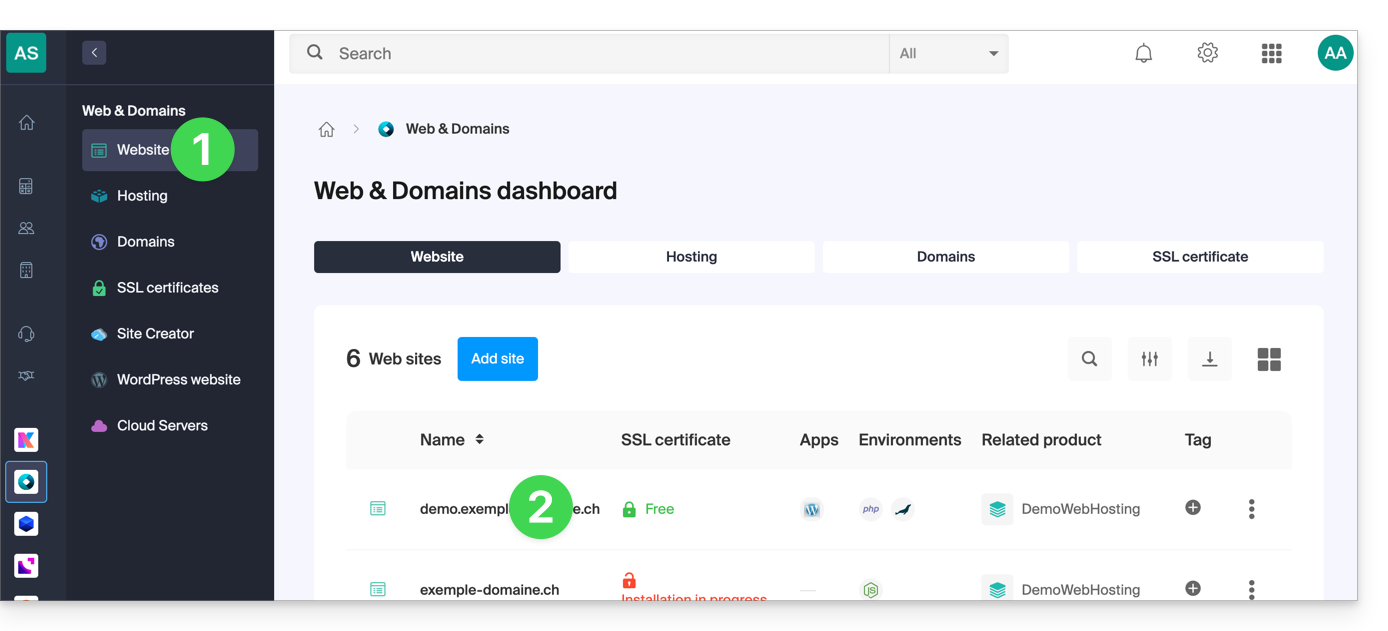
- Click here to access your site management on the Infomaniak Manager (need help?).
- Click directly on the name assigned to the site in question:
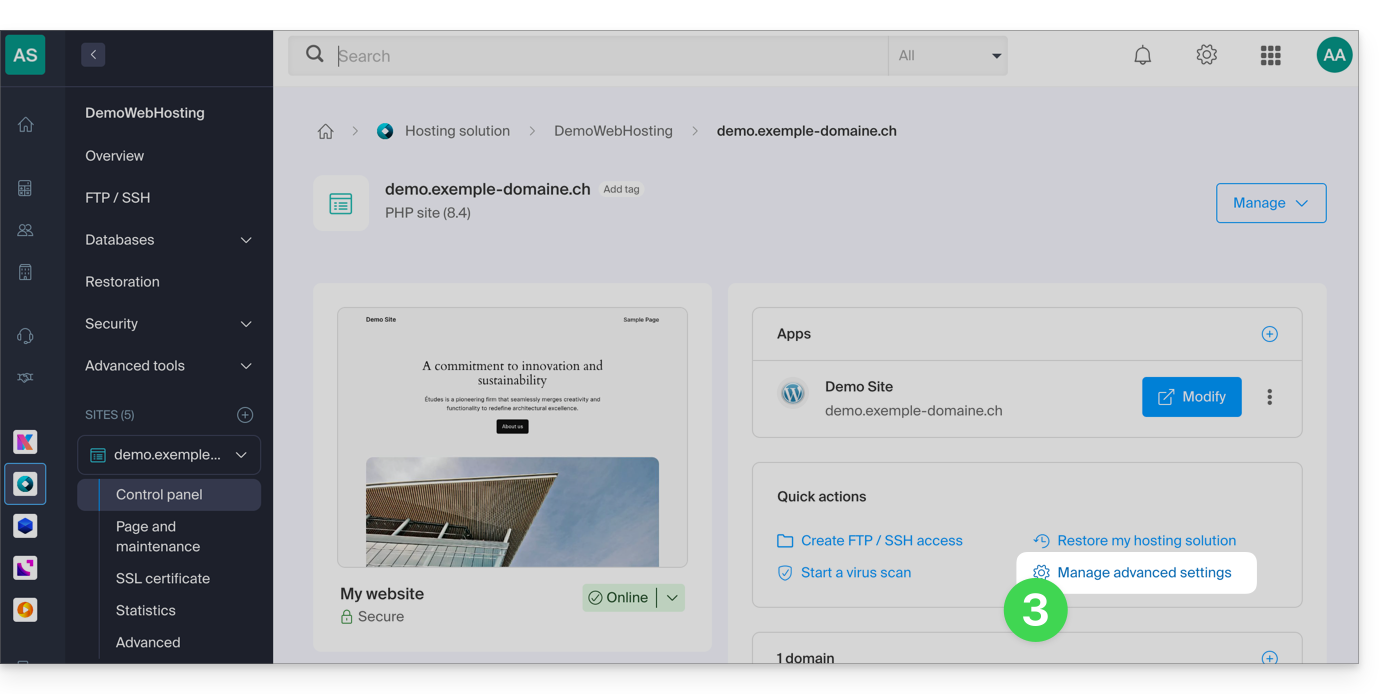
- Click on Manage advanced settings:
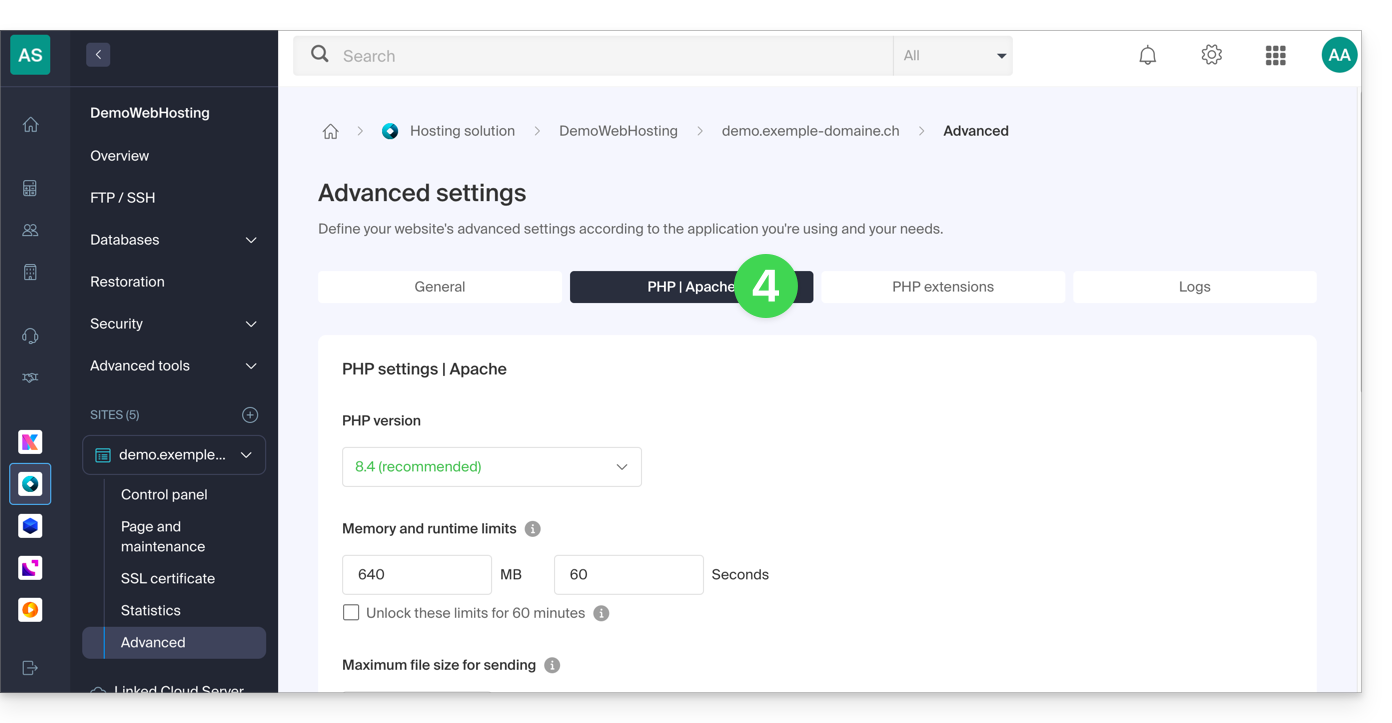
- Click on the PHP / Apache tab:
- Edit the FPM Extensions field to add the desired extension.
- Click the button at the bottom of the page to save:
Link to this FAQ: https://faq.infomaniak.com/82
Has this FAQ been helpful?