Knowledge base
1000 FAQs, 500 tutorials and instructional videos. Here, there are only solutions!
Add a billing reference
Update 10/12/2026
This guide explains how to add a global reference that will appear on all your future billing documents.
Introduction
- This reference, with a maximum of 128 characters, will appear on your invoices and pro forma documents (❓: help).
- It will be automatically applied by default to all your future documents, so you won't need to re-enter it each time!
Add a global reference from your billing settings
Prerequisites
- You must have the right to manage accounting (❓: help):
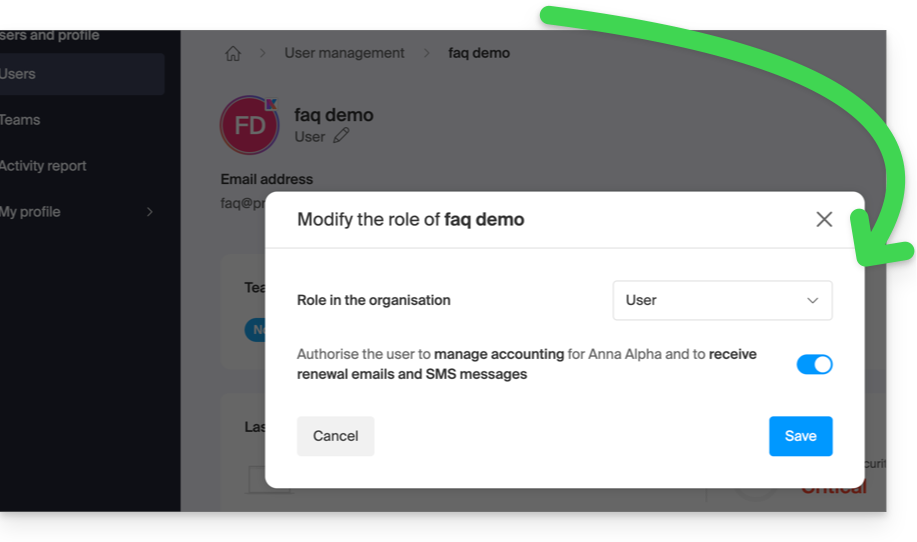
To add the desired global internal note:
- Click here to access the configuration/billing page in the Infomaniak Manager (need help?).
- Click on the + to Add a reference:
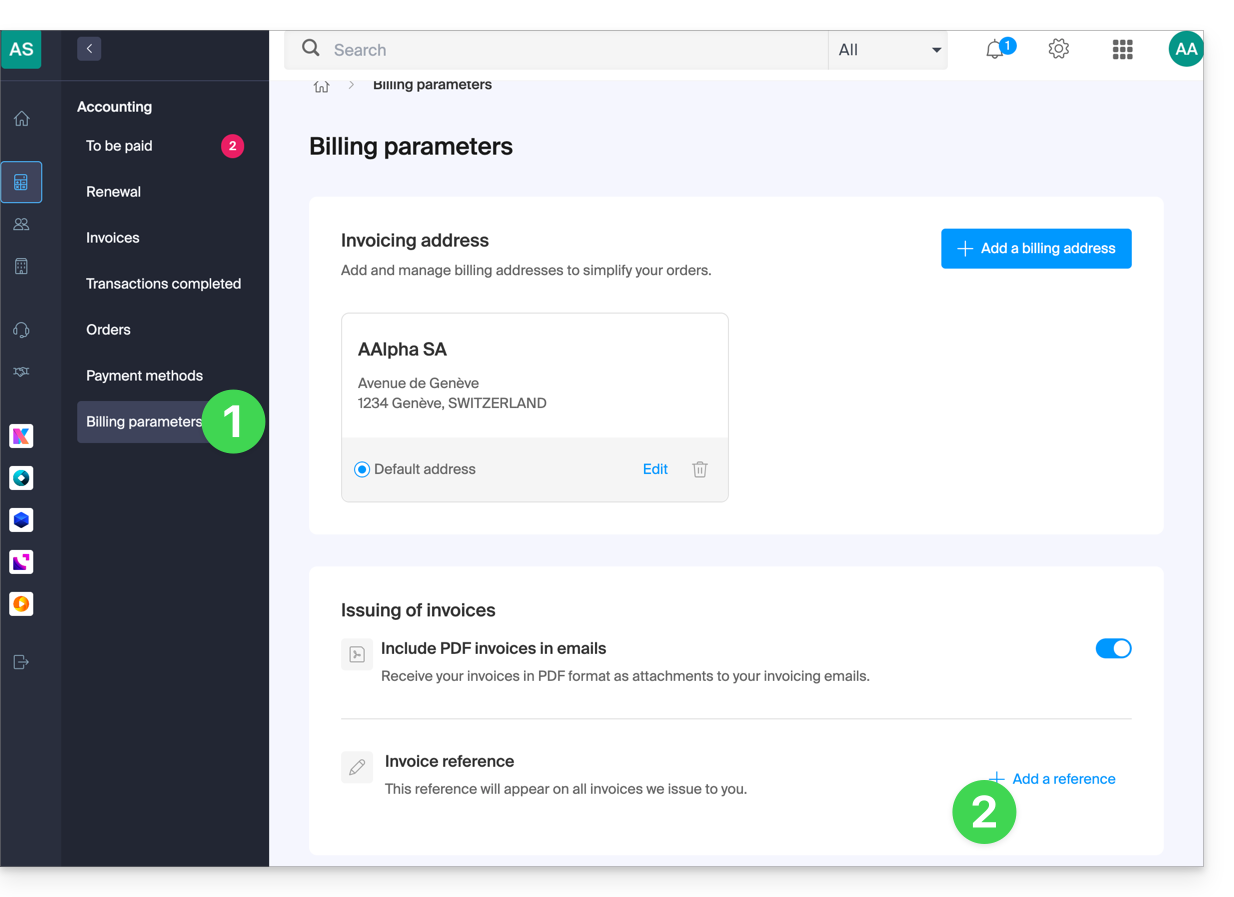
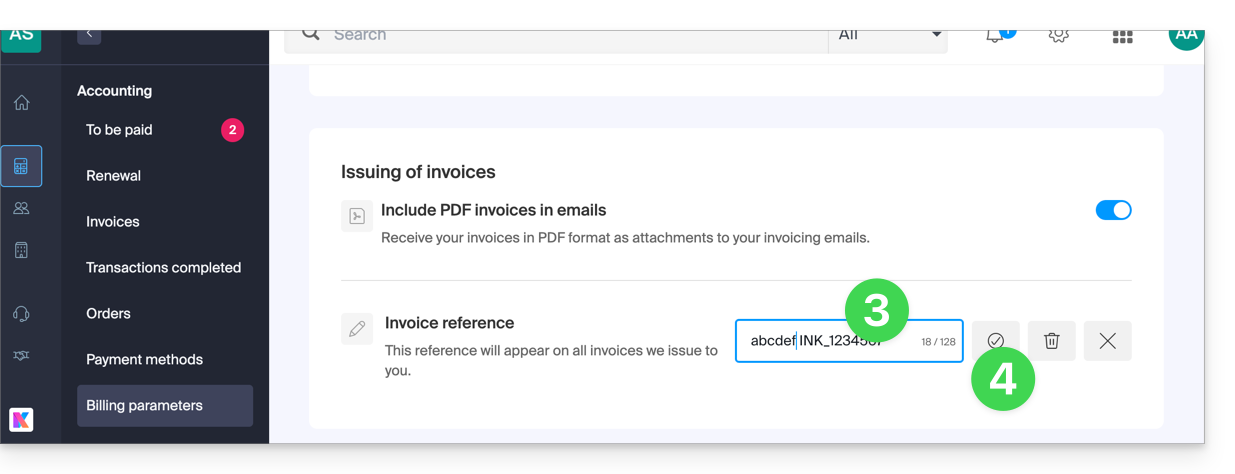
- Fill in the field with your internal note.
- Confirm with the button (the reference can also be deleted in the same place using the Trash button):
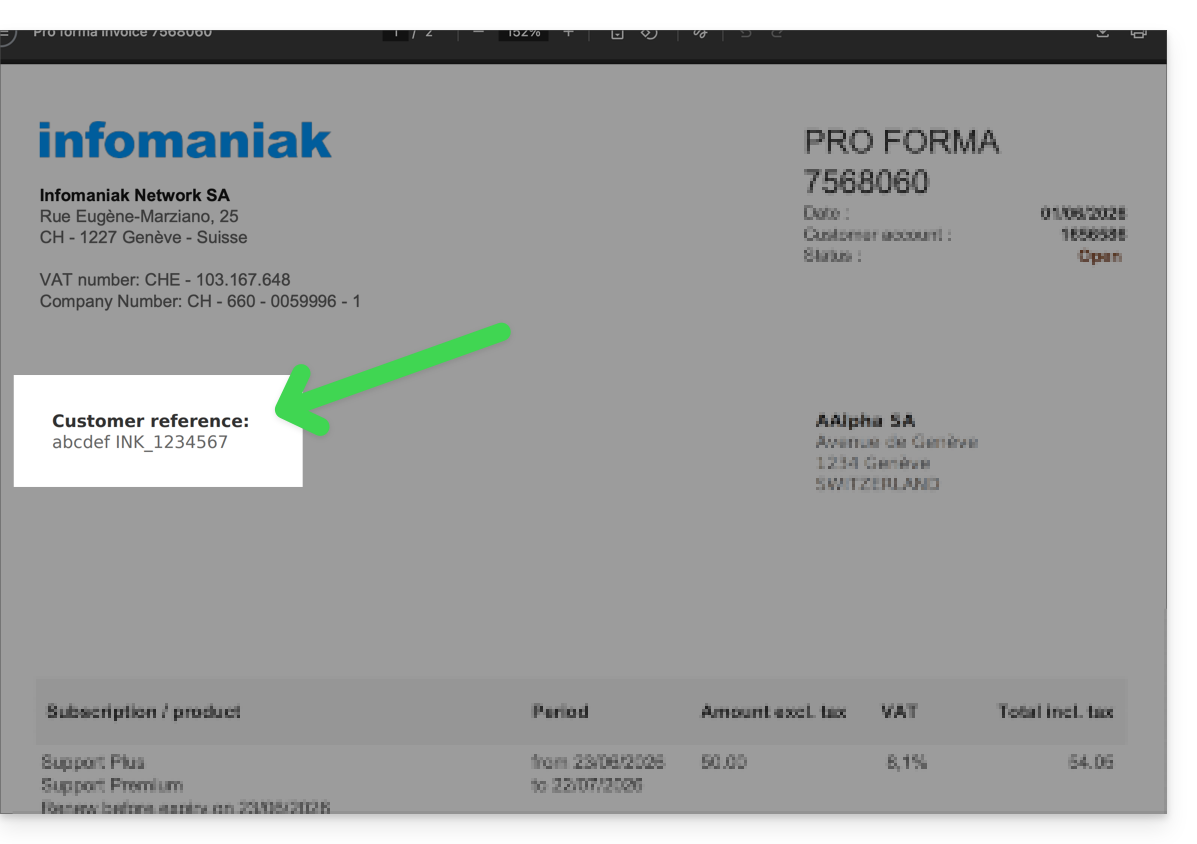
- Find the reference you added in your documents
Add a custom reference to a single document
Please note that this reference replaces the overall rating configured above:
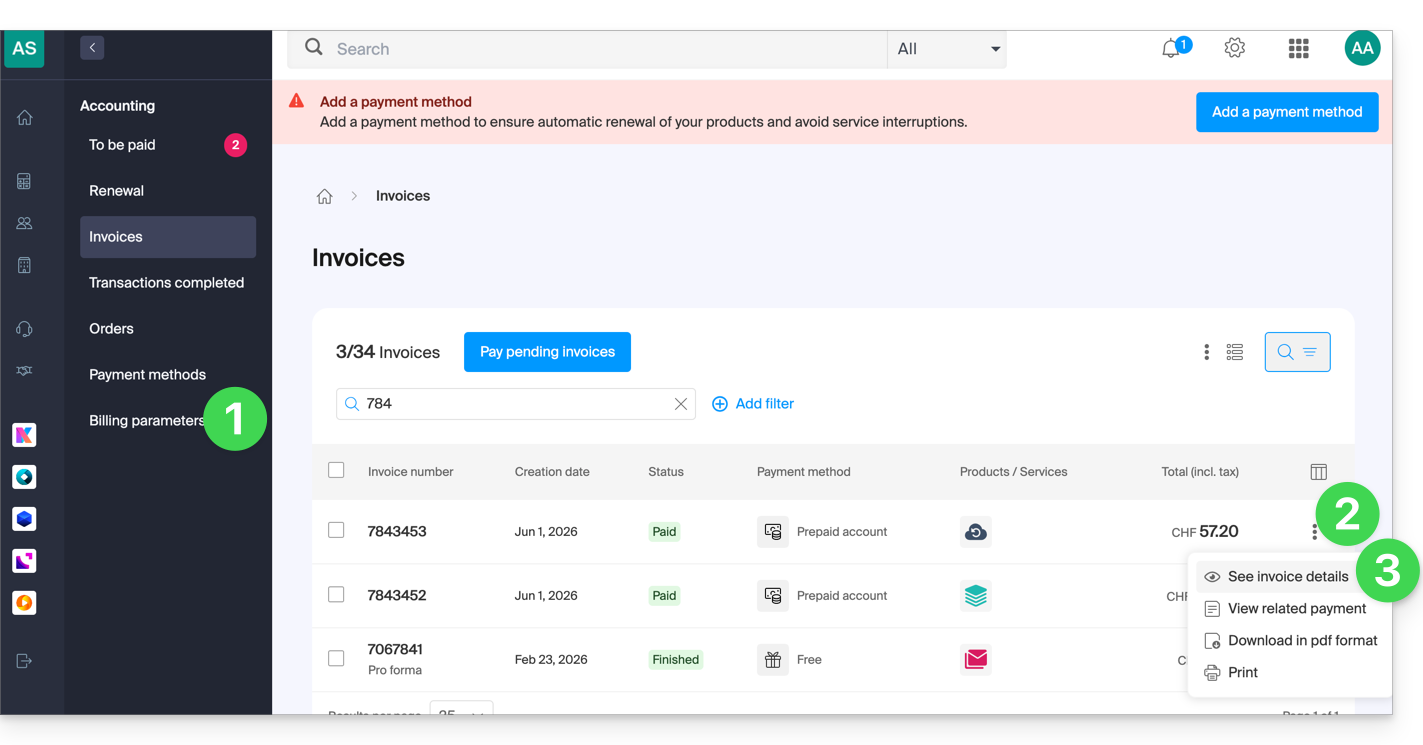
- Click here to access the configuration/billing page in the Infomaniak Manager (need help?).
- Click on the action menu ⋮ to the right of the document in question.
- Click on View details:
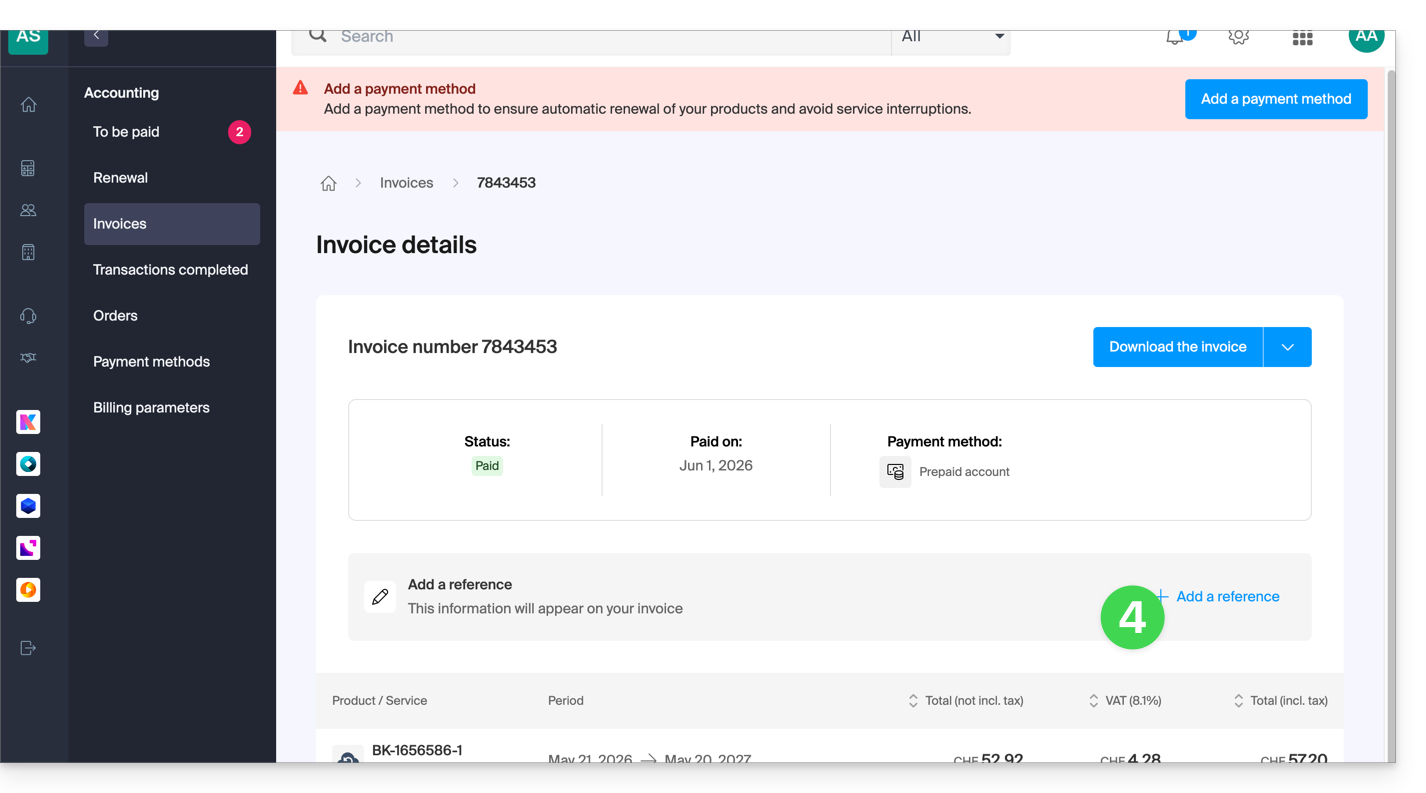
- Click on the + to Add a reference:
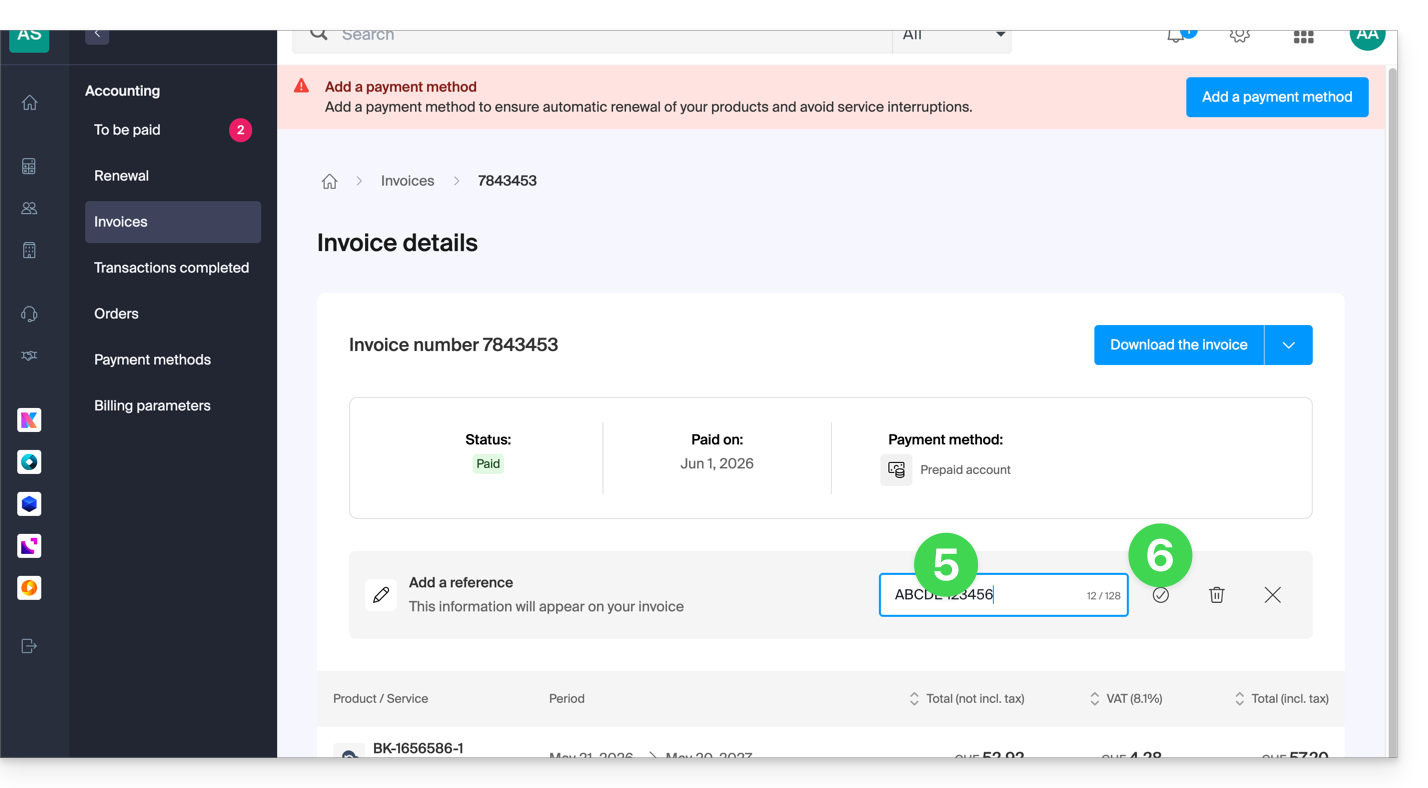
- Fill in the field with your internal note.
- Confirm with the button (the reference can also be deleted in the same place using the Trash button):
Link to this FAQ: https://faq.infomaniak.com/2908
Has this FAQ been helpful?