Knowledge base
1000 FAQs, 500 tutorials and instructional videos. Here, there are only solutions!
Create an email redirection
Mail redirection configuration is done directly from the Mail Service in the Infomaniak administration interface (Manager):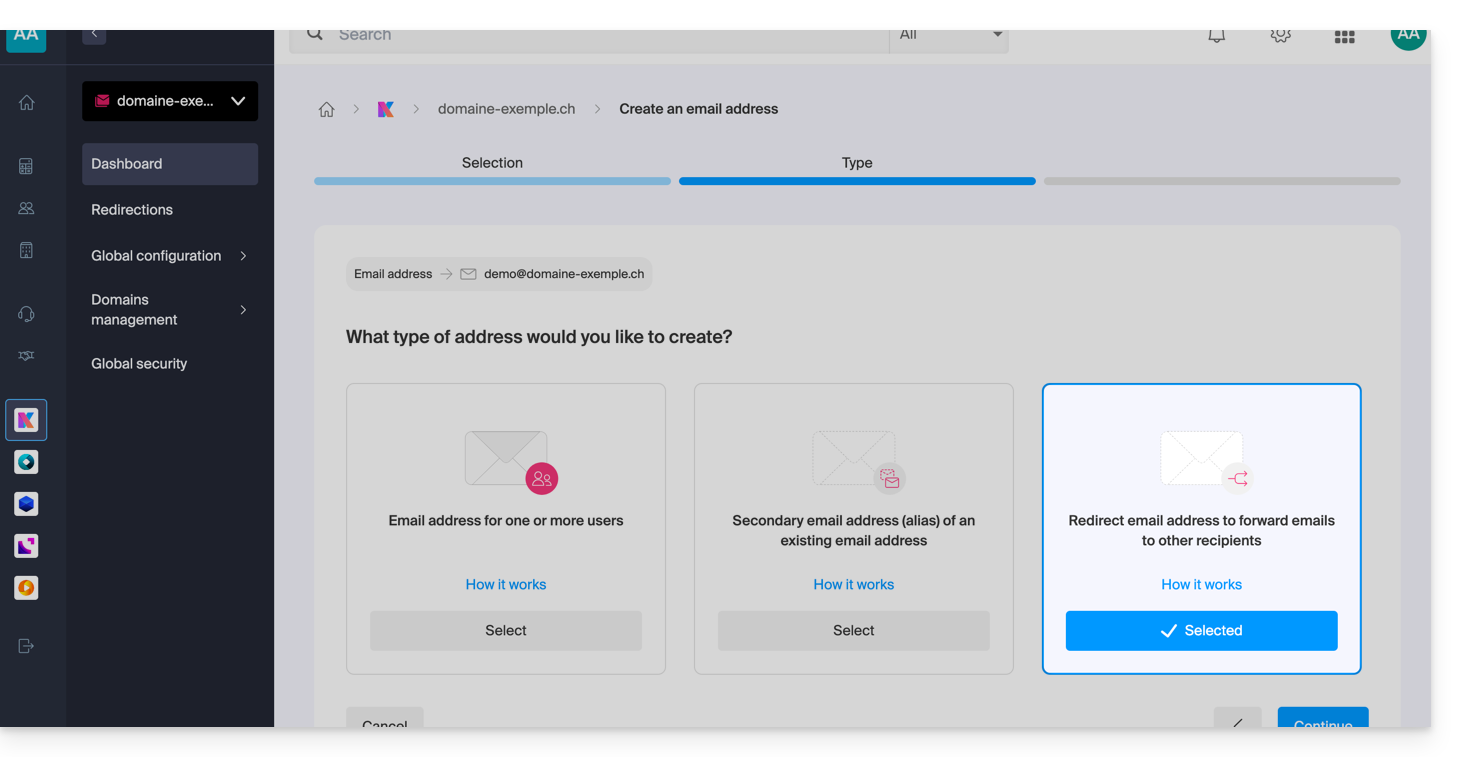
How to redirect mail traffic?
Redirection involves setting up an email address to automatically forward received messages to one or more other destinations.
There are two main scenarios:
Redirection from an existing address
- The address has its own mailbox but copies or forwards messages to other accounts.
- For example, emails sent to
contact@domaine.xyzare automatically redirected tojohn@domaine.xyzandresponsables@domaine.xyz. The address “responsables@…” can itself be redirected to other people as well… - Refer to this other guide on this topic.
Redirection address (virtual address)
- The address does not have its own storage space and serves only as a relay to the destination addresses.
- Refer to this other guide on this topic.
Why use redirections?
This system offers great flexibility in managing communication flows:
- Centralization of messages: In case of an address change or a colleague's departure, redirection allows you to continue receiving messages at a single point of contact without losing any information.
- Multiple distribution: A single incoming message can be distributed simultaneously to multiple recipients, thus facilitating collaborative work.
- Eco-friendly management: The administrator can choose to automatically delete emails from the original address after redirection. This avoids duplicate data storage and optimizes server resource usage.
If the goal is simply to create a variant for a main address (for example, a common spelling mistake or a different extension), it is preferable to use the system of email aliases. Redirection, on the other hand, is preferred for automatic forwarding to external accounts or separate mailboxes.
Link to this FAQ: https://faq.infomaniak.com/2903
Has this FAQ been helpful?