Knowledge base
1000 FAQs, 500 tutorials and instructional videos. Here, there are only solutions!
Synchronize kDrive via WebDAV on Linux
Update 04/02/2026
This guide provides instructions to synchronize kDrive with Linux using the WebDAV connection protocol.
✘ UNAVAILABLE with
kSuite Free / kSuite Standard
my kSuite / my kSuite+ (ik.me, etik.com, ikmail.com)
Preamble
- Most recent software supporting the WebDAV protocol are compatible with kDrive offers among those also supporting WebDAV. Infomaniak cannot guarantee the compatibility of the service with external applications and does not provide support for this protocol.
- It is recommended to install the kDrive application to avoid any file loss.
Connect to kDrive via WebDAV on Linux (Gnome)
To do this:
- Open Files.
- In the sidebar, click on Network:
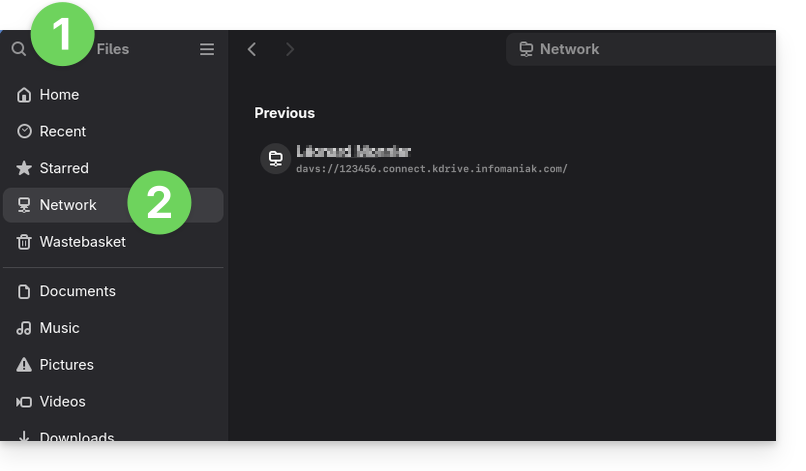
- Enter the server address:
davs://IDkDrive.connect.kdrive.infomaniak.com(need help?). - Click on Connect.
- For account parameters, use the following information:
- Username: email address to log in to the Infomaniak account
- Password: create an application password for this specific use.
- Click on Login.
Link to this FAQ:
Has this FAQ been helpful?