Knowledge base
1000 FAQs, 500 tutorials and instructional videos. Here, there are only solutions!
Disconnect a domain name associated with kSuite Free
Update 05/19/2026
This guide explains how to remove the link between a domain name and kSuite Free.
Introduction
- Once removed, the domain name is again available to be linked to one of your services.
Remove the linked domain
To unlink a domain name from kSuite Free:
- Click here to access the management of your kSuite in the Infomaniak Manager (need help?).
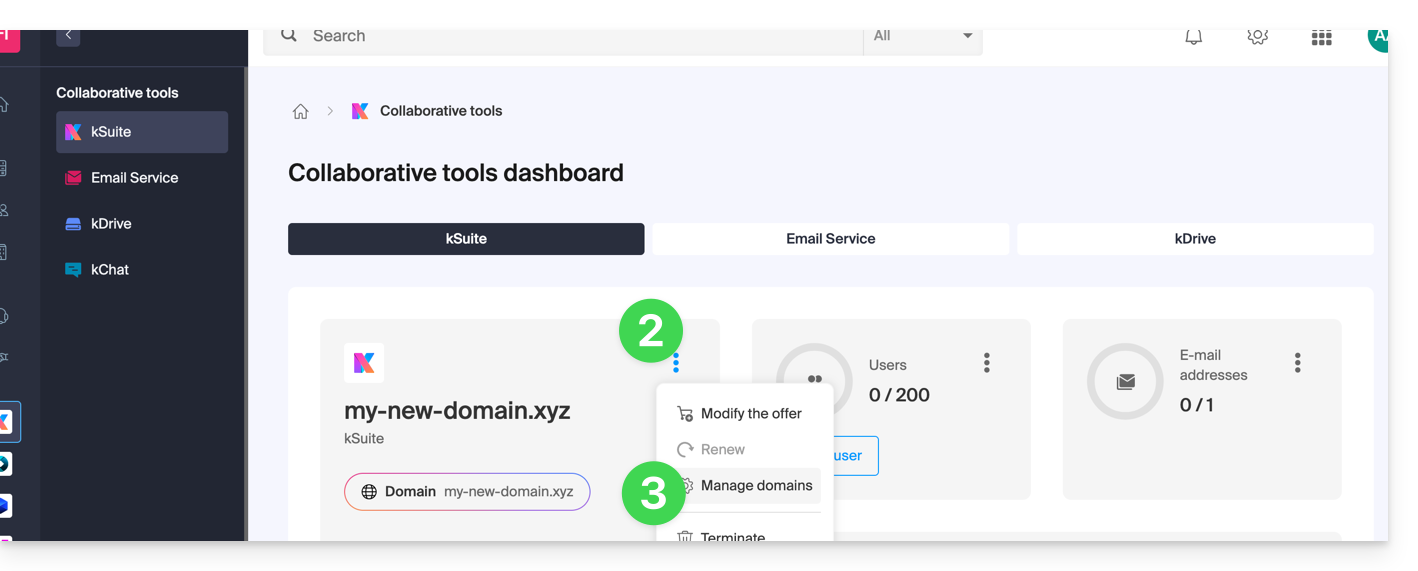
- Click on the action menu ⋮ to the right of the kSuite name.
- Select Manage domains:
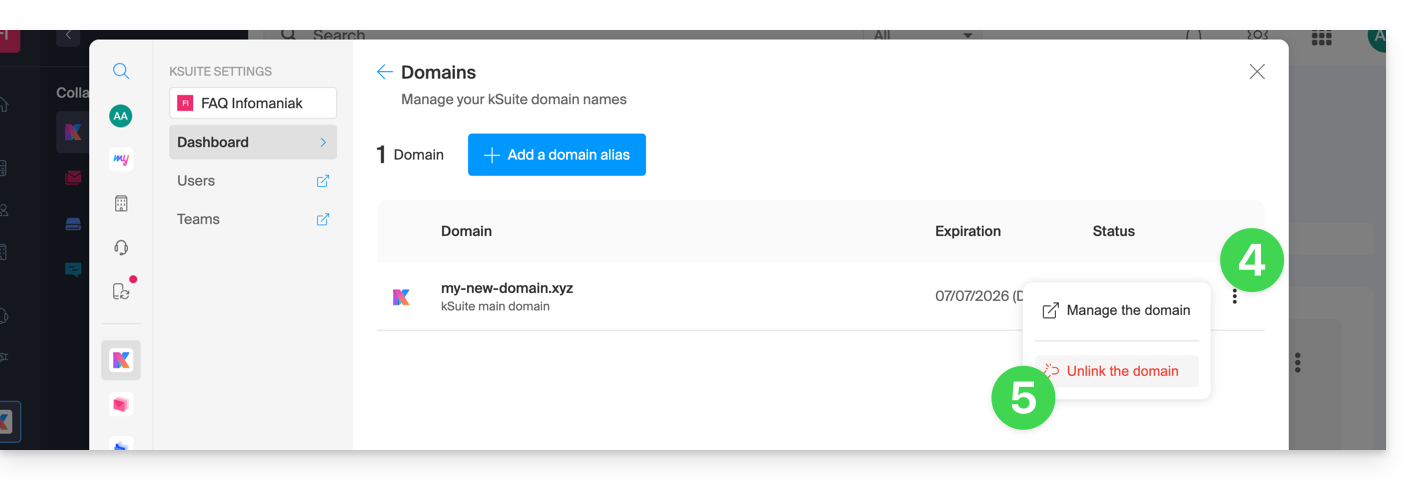
- Click on the ⋮ icon to the right of the domain name you wish to unlink.
- Click on “Unlink domain”:
- If you have a paid kSuite plan, you cannot unlink the domain name (cancel the paid plan if necessary):
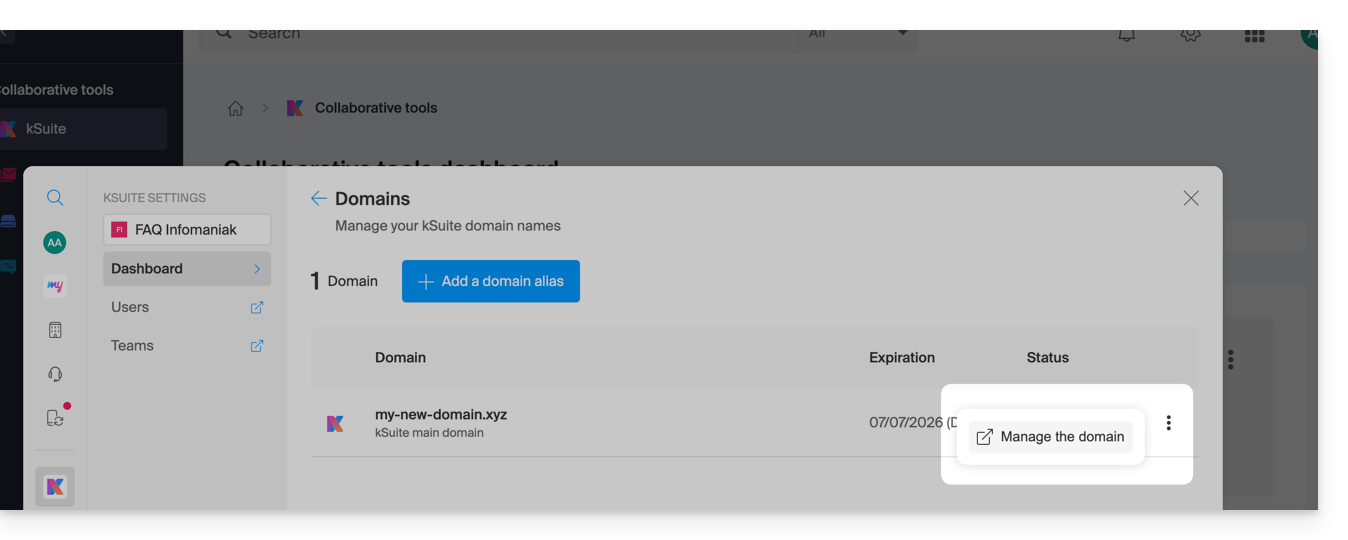
- If you have a paid kSuite plan, you cannot unlink the domain name (cancel the paid plan if necessary):
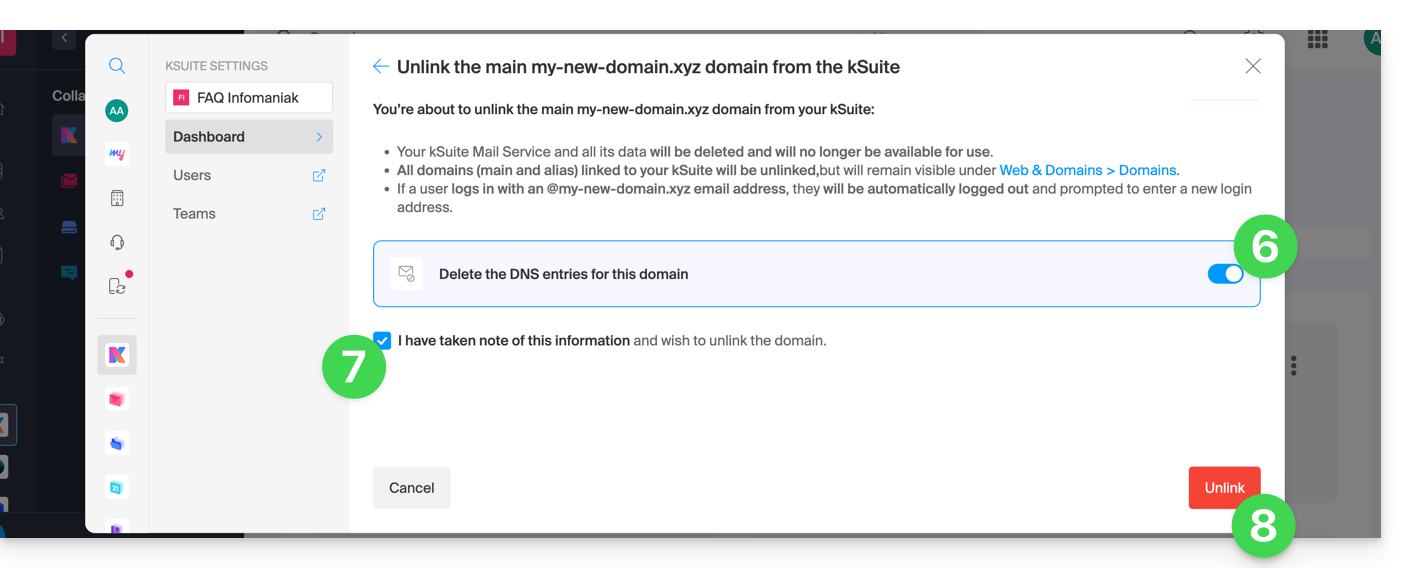
- If necessary, enable the deletion of the domain name's DNS entries.
- Confirm the detachment.
- Click on the button to confirm:
Link to this FAQ: https://faq.infomaniak.com/2893
Has this FAQ been helpful?